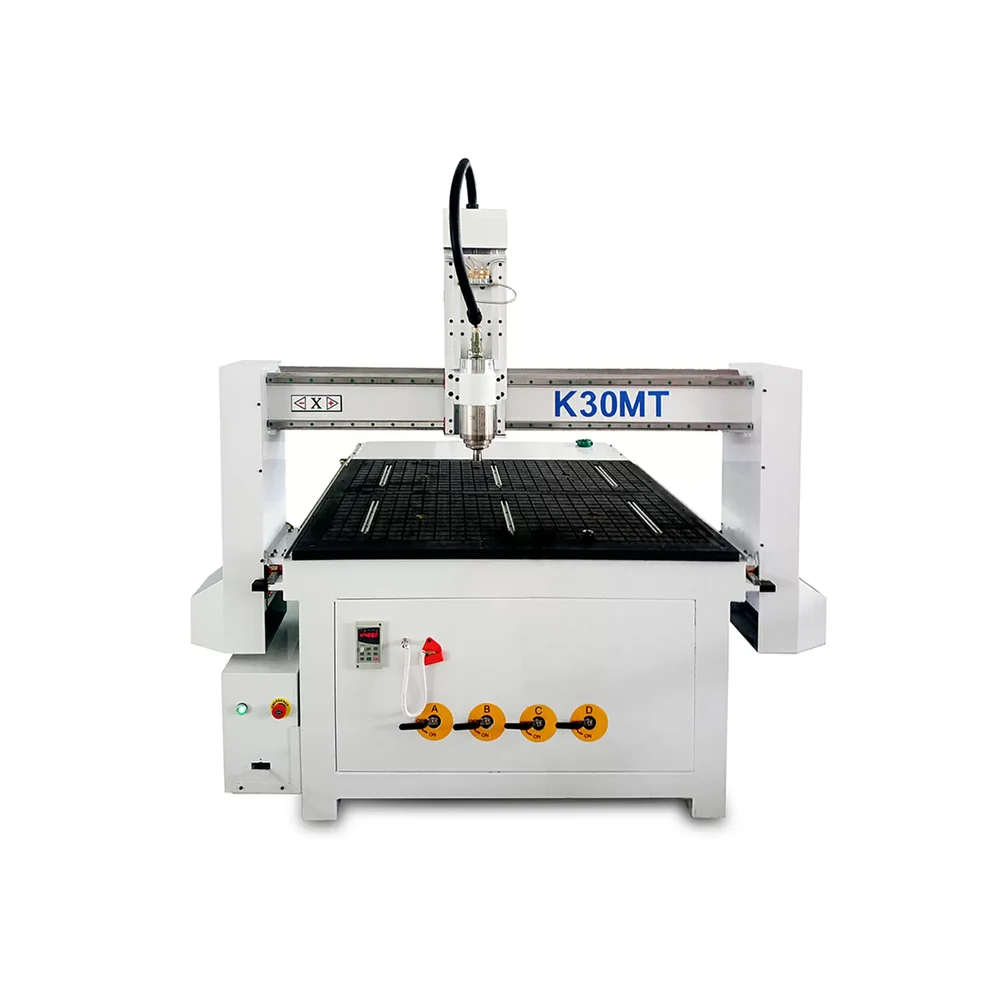
Quick CNC K30MT woodworking router

K30MT Small CNC Router for Wood Signs, Panels & Compact Parts

If you mostly cut wood signs, MDF or plywood panels, and compact parts, K30MT gives you a 1,200 × 1,200 mm working area without taking up the floor space of a full-sheet 1325 router. We usually recommend it when manual tool changes are still practical and solid workholding matters more than a long option list.

1,200 × 1,200 mmX/Y working area
200 mmZ-axis travel
3.0 kWWater-cooled spindle
DSP A11Handheld control

Z-axis travel is 200 mm. Send us your fixture and tool setup and we’ll check the usable material clearance around the table, cutter, spindle nose, dust hood and safe retract position.

K30MT small CNC router for wood with 1200 x 1200 mm working area
Quick answer

K30MT at a Glance

If you want the short version before digging into the details, start here.

MachineCompact 3-axis CNC router
Working area1,200 × 1,200 mm
Best forWood signs, MDF panels, plywood templates and compact wood parts
Tool changeManual ER20
Best fitCustom work, prototypes and repeated short batches
Choose another machine ifFull 4 × 8 ft sheets, repeated automatic tool changes, dense drilling or multi-axis work define the job
Quick fit check

Is K30MT the Right Small CNC Router for Your Work?

Start with the parts you make every week, not the biggest spindle number on a quotation. We check workpiece size, fixture allowance, tool sequence and material first, then tell you whether K30MT makes sense.

We recommend K30MT when

  • The raw material and fixture fit inside the 1,200 × 1,200 mm programmed envelope.
  • Jobs are mainly profiling, engraving, grooving, pocketing, lettering or relief routing.
  • One cutter or a limited manual tool sequence completes most programs.
  • Production consists of custom work, prototypes or repeated short batches.
  • The part can be retained safely and effective wood-dust extraction is available.

We will recommend another machine when

  • Complete 1,220 × 2,440 mm sheets must be machined in one setup.
  • Several automatic tool changes occur in every normal program.
  • Connector-hole or horizontal drilling dominates production.
  • The part requires undercuts or simultaneous multi-axis movement.
  • Heavy steel, stainless steel, stone or unsecured small parts are involved.
Machine selection

6090 vs K30MT vs 1325 CNC Router: Which Size Fits Your Parts?

A bigger machine is not automatically a better buy. We start with your largest recurring part, tool sequence and process, then choose the machine size that solves the job without wasting floor space.

Production requirementQuick CNC recommendationOur reason
Very small parts and minimum floor useCNC Router 6090Smaller working envelope and factory footprint.
Compact parts requiring a square 1,200 × 1,200 mm areaK30MTMore room than a 6090 without full-sheet machine size.
Complete 4 × 8 ft sheets1325 Wood CNC RouterProcesses a full sheet without repositioning.
Several tools used repeatedly in each program3 Axis ATC CNC RouterReduces repeated manual changes and tool-length resetting.
Dense connector or panel drillingSix Side Drilling MachineDedicated drilling architecture is more appropriate.
Undercuts or simultaneous multi-axis work4 Axis Wood CNC Router or 5 Axis Wood CNC RouterThe spindle needs access beyond standard three-axis routing.
Materials and applications

K30MT CNC Router Applications for MDF, Plywood & Solid Wood

MDF, plywood and solid wood behave differently, so we do not use one tooling and workholding recipe for all three. If edge finish, small-part holding or assembly fit matters, send the real material and we can agree a controlled test cut.

Wood signs and decorative MDF panels

K30MT can profile, engrave, letter, groove, pocket and relief-route suitable wood-based signs and decorative panels. MDF creates fine dust and leaks air through porous material and spoilboards. Small letters may need tabs, onion skin, clamps or dedicated fixtures.

Plywood templates and compact furniture parts

Plywood results change with face veneer, core construction, adhesive, flatness and cutting direction. When a visible edge, decorative face or joint fit affects the order, we recommend testing your actual plywood.

Solid-wood components

Solid wood moves more than sheet material because grain direction, moisture, knots and internal stress all matter. Thick, warped or irregular blanks usually need mechanical fixtures, and the finished-part tolerance still depends on the material, toolpath and holding setup—not just the machine itself.

Particle board: Limit it to compact, relatively simple parts. Its porous and weak core increases vacuum leakage and edge-damage risk. K30MT is not positioned as a full-sheet cabinet nesting machine.
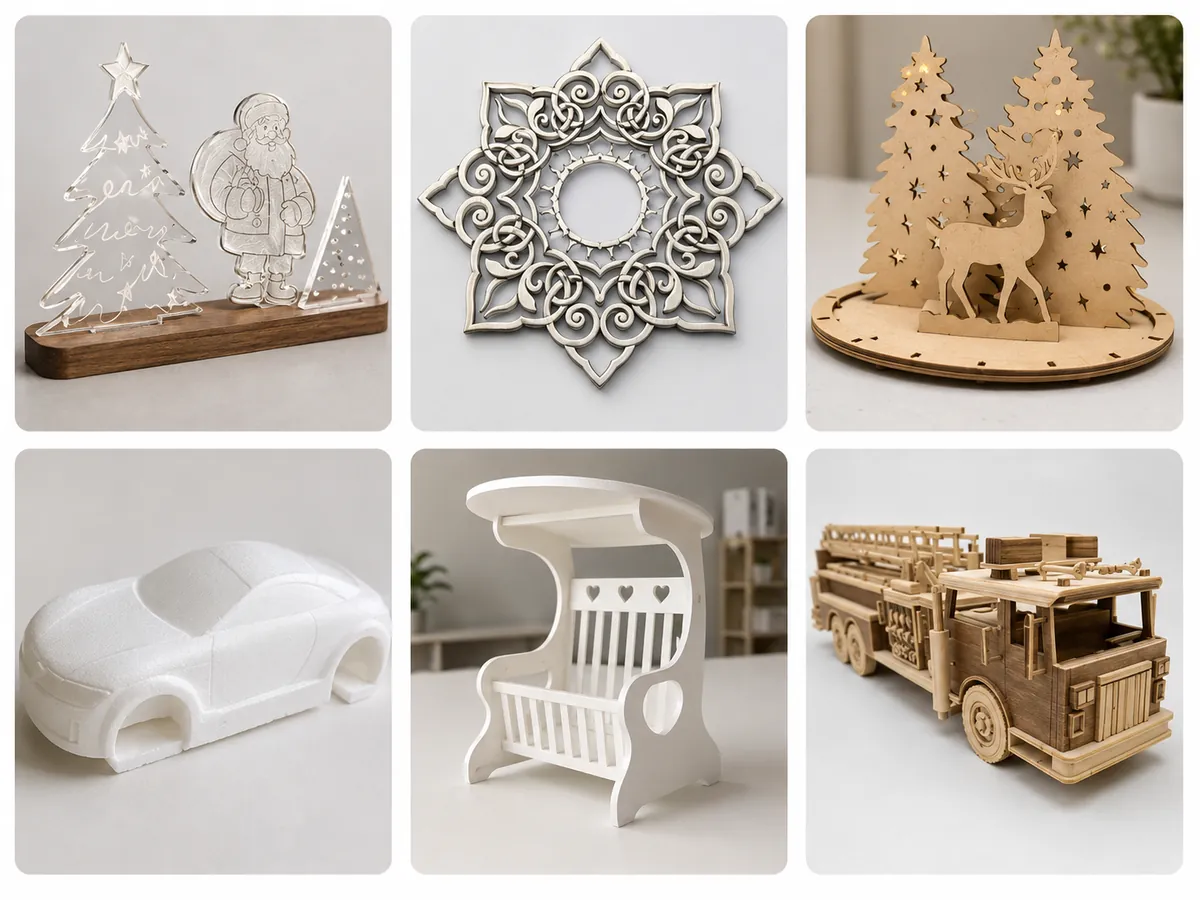
Examples of decorative MDF panels and woodcraft CNC applications
Configuration decisions

Manual Tool Change vs ATC: Which CNC Router Setup Fits Your Production?

If one or two tools finish most jobs, manual tool change can be the simpler choice. If tool changes keep interrupting production, that is when ATC starts earning its place. The same logic applies to clamps and vacuum: use the setup that actually holds your parts well.

Should You Choose Manual Tool Change or ATC?

We specify manual tool changing when one cutter completes the job or only a limited number of predictable changes are required.

When one program regularly uses four to eight tools, we recommend an ATC configuration. Repeated manual changes create downtime, repeated tool-length setting and avoidable operator error.

Send us: one representative CAM tool list and the normal batch quantity.

Should K30MT Use Mechanical Clamps or a Vacuum Table?

We recommend mechanical clamps and fixtures for small, porous, irregular, warped or thick parts. We recommend the vacuum option for suitable flat MDF and plywood when faster loading matters.

Vacuum performance depends on sealed area, zones, material porosity, spoilboard condition, leakage, cutting force and the cut-through sequence.

Send us: the smallest part, nesting layout and final cut strategy.

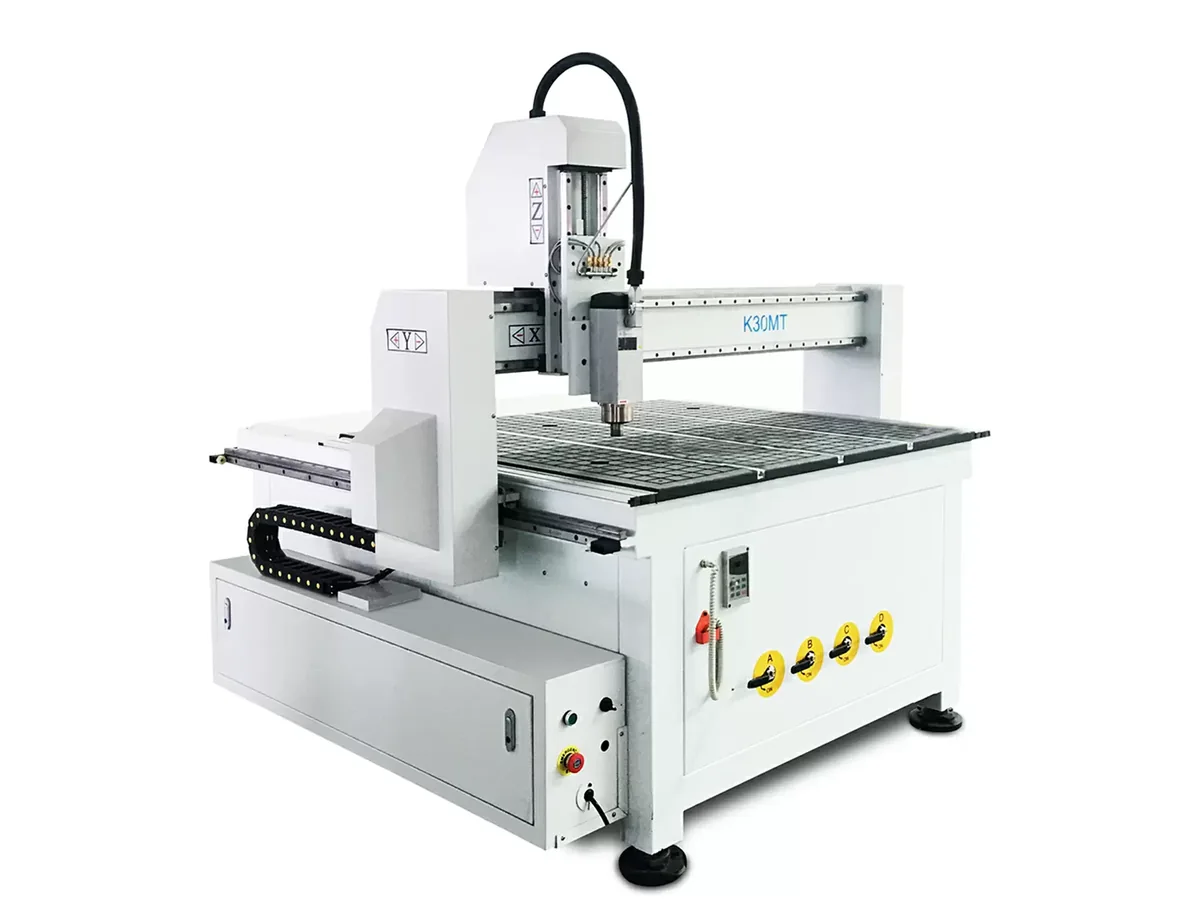
Three-quarter side view of the K30MT compact CNC router
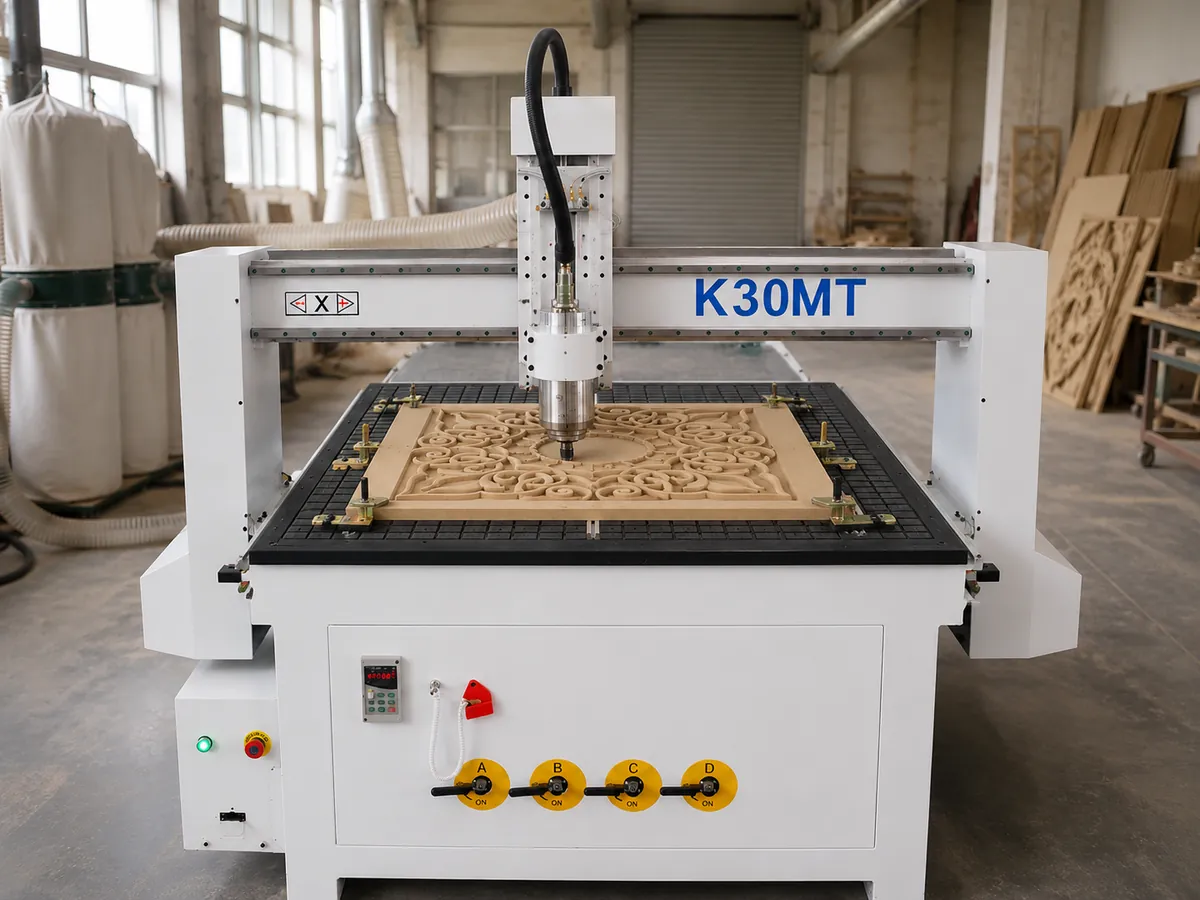
K30MT routing an MDF decorative panel with secure workholding
Common mistake: A larger vacuum pump will not correct open zones, damaged gasket, a porous spoilboard or excessive cut-through area. Fix leakage and part retention before increasing pump capacity.

Not sure which setup fits your parts?

Send one drawing plus your normal material and tool list. We’ll review machine size, workholding and tool-change direction before quotation.

Review My Application
Technical specifications

K30MT Small CNC Router Specifications

The table below covers the K30MT numbers we can support from the current configuration. For accuracy, repeatability, rapid speed, cutting feed and finished-part tolerance, we use model-specific test records instead of one generic number for every job.

SpecificationK30MTOur quotation boundary
Machine typeCompact 3-axis CNC routerFlat-table wood-routing role
Working area1,200 × 1,200 mmX/Y programmed envelope
Z-axis travel200 mmNot usable material thickness
Machine dimensions1,750 × 1,750 × 1,600 mmDoes not include operating clearance
Frame / tableWelded steel frame / aluminum mechanical-clamping tableExact clamp setup listed in our quotation
Optional workholdingVacuum table with pumpWe check it against your actual part and cut strategy
TransmissionRack-and-pinion X/Y; ball-screw Z20 mm square linear guides
Spindle3.0 kW water-cooled; up to 24,000 rpmPower and speed do not establish edge quality
Inverter / motors3.7 kW Fulling inverter / stepper motorsNo servo claim
Tool systemManual tool change; ER20Listed compatible collets: 3.175, 6 and 12.7 mm
ControllerDSP A11; G-code; USB/controller memoryValidated postprocessor required
Electrical supplyAC 380 V, three phase, 50–60 HzSend your factory supply and we’ll check the build
Reference logisticsApprox. 450 kg net; 560 kg gross; 1,950 × 1,950 × 1,850 mm packingUse for planning; shipment figures come with the packing list
Quotation scope

K30MT Standard Configuration, Options & Factory Requirements

We list the exact clamps, collets, cooling equipment, starter tools and auxiliary systems in the signed quotation.

Base machineAvailable optionsYour factory prepares unless included
Welded steel frame and aluminum clamping tableVacuum table and matched pumpDust collector and ducting
3.0 kW water-cooled spindle and ER20 manual tool changeYour-material test cutCAD/CAM computer and licensed software
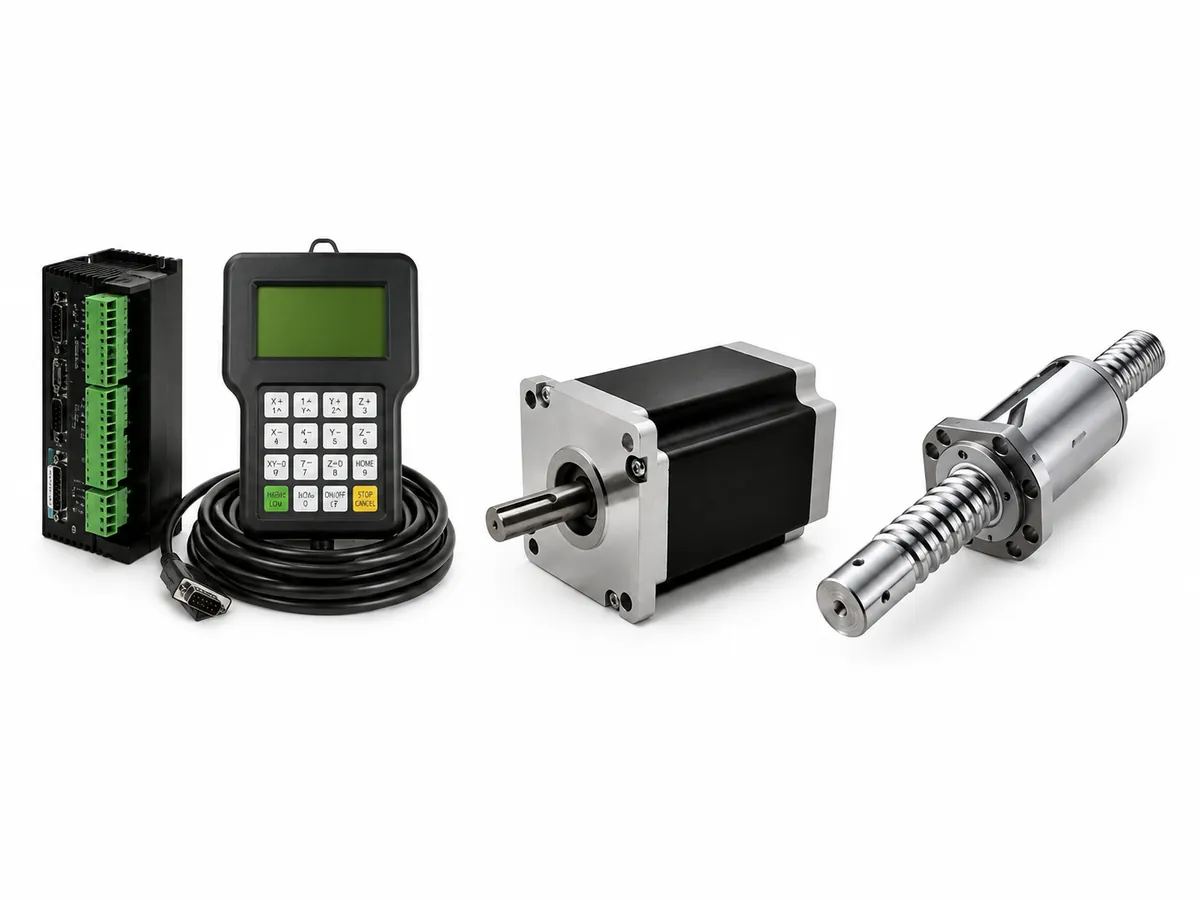
Stepper drives and DSP A11 controlAdditional tooling or spare-parts packageTransformer where required
Spindle dust hood, manuals and remote guidanceDestination-specific electrical reviewCustom fixtures, production tools and unloading equipment
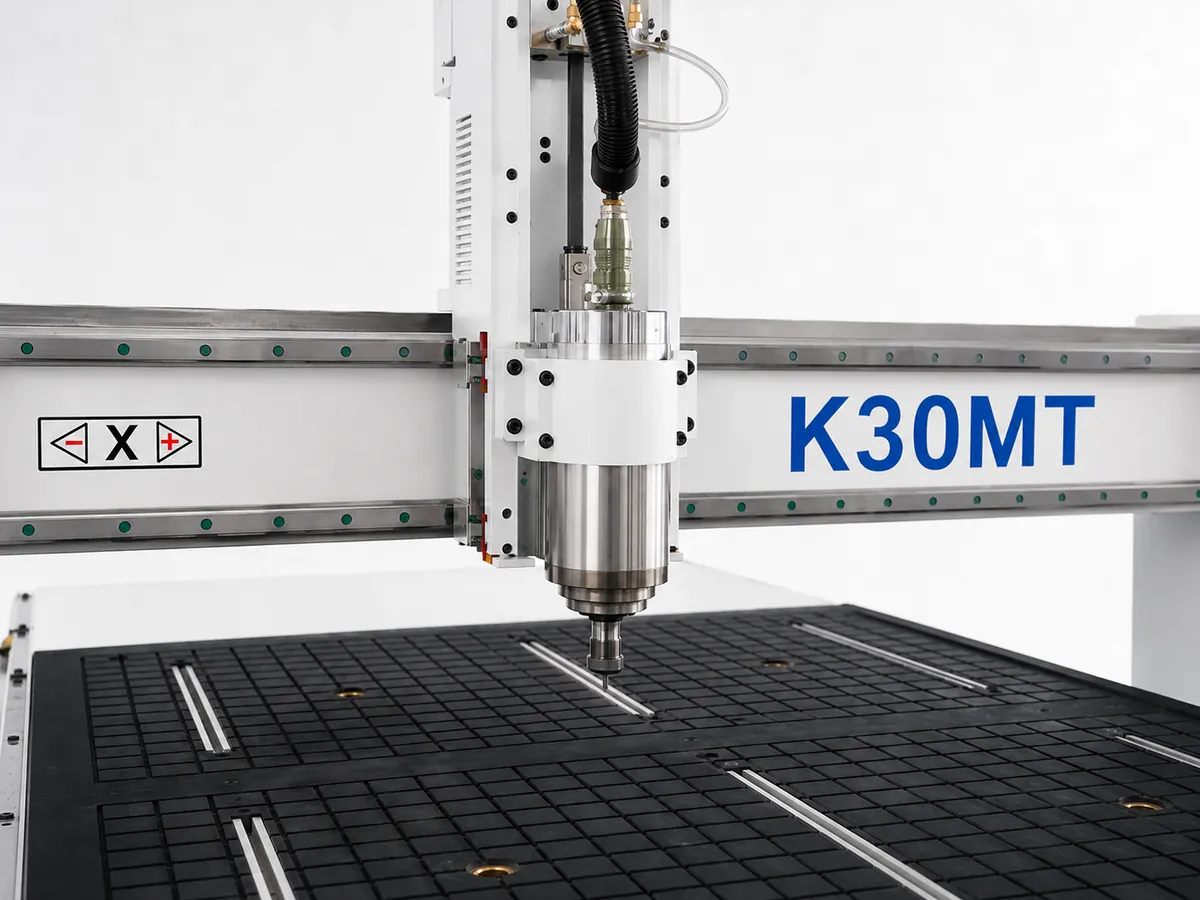
K30MT spindle and clamping worktable detail CNC controller stepper motor and ball screw components
Machine structure

K30MT CNC Router Structure and Drive System

Welded steel frame

We use a compact welded structure to support the square working envelope without taking the factory space of a full-sheet router.

Rack-and-pinion X/Y, ball-screw Z

K30MT uses rack-and-pinion drive on X/Y and a ball screw on Z to suit this travel range and routing role. Keep the racks, pinions, guides and sensors clean, and follow the lubrication points in the machine manual.

3.0 kW water-cooled spindle

We require cooling-water flow, pump operation, hose condition and freeze protection to be checked before operation. Do not run the spindle without effective circulation.

DSP A11 workflow

You still need CAD or vector software, CAM software, a postprocessor validated for the supplied controller and controlled program backups.

Production workflow

K30MT CNC Routing Workflow for Short-Batch Wood Parts

Send us a representative job and we can review cycle time from the drawing, material, cutter, cutting depth, tool changes, loading, workholding and inspection method. One universal output number would not tell you much about your real production.

Review

We review the drawing, material, smallest part and critical features.

Program

Create toolpaths and export G-code using the validated postprocessor.

Prepare tools

Select cutters and define the manual tool-change sequence.

Hold the work

Prepare clamps, fixtures, vacuum zones, tabs or onion skin.

Set and run

Set origin and tool length, then run with required operator checks.

Inspect

Retain small parts, inspect the result and approve corrections before batch production.

Machine video

K30MT Small CNC Router Video

Use this video to review the machine scale, gantry, spindle and worktable before sending your application details.

The video shows machine structure and operating activity. We do not use it as evidence of accuracy, cycle time, finished-part tolerance or production output.

Workshop Layout Example

Workshop Layout for a Compact CNC Router

This layout example shows a common mistake: planning space for the router but forgetting the dust collector, material movement, electrical access and maintenance room. Your final layout still needs to follow the supplied machine configuration and local safety requirements.

Common planning mistakeA small wood-sign shop reserves a 2.2 × 2.0 m area for the router but leaves out the dust collector, tool storage, electrical access and room to turn recurring 900 × 600 mm blanks.
What happensThe extraction hose ends up crossing the operator route and the electrical service side becomes hard to reach.
Why it happensThe router is planned as a machine body instead of one part of a complete production cell.
Better approachLay out the room around material movement, dust extraction and maintenance access first, then place the router.
Example layoutA 4.6 × 3.6 m cell can provide 0.8 m service access and a 1.4 m loading path in this example.
TakeawayThe machine body alone does not tell you how much floor space practical production needs.
Factory testing and evidence

K30MT CNC Router Factory Testing and Quality Control

Before shipment, we assemble the machine, run the main functions and check the agreed inspection items. Across the Quick CNC product series, our QC framework includes CMM inspection, laser interferometer testing, Ballbar testing and 24–72-hour continuous-operation testing.

The exact test mix depends on the K30MT you order. We record the agreed checks, test duration and available measured results with the supplied machine.

We check axis movement, controller functions, sensors and alarms against the agreed test plan.
We check spindle operation, cooling and electrical functions against the agreed test plan.
If your order includes a vacuum-system check or a test cut with your material, we add it to the agreed test plan.
We publish numeric positioning, repeatability and geometry claims only when traceable model-specific records support them.

See how we control machine quality

Commercial scope

K30MT Delivery, Warranty, Certification & Support

Quick CNC was founded in 2006 and our machines have been exported to more than 100 countries. Before you order, we make the lead time, warranty, documents and service responsibilities clear in the quotation and final agreement.

Production lead time

Our standard production lead time is approximately 45 days after we receive the deposit and confirm the configuration, voltage, options, drawings and required technical details. Shipping time is separate.

Warranty

We provide a standard one-year machine warranty from the date you receive the machine. We handle warranty claims through remote diagnosis and confirmation that the fault resulted from a manufacturing or component defect under normal use.

Certification

We supply CE-certified machines and operate under an ISO 9001 quality management system. Tell us the destination and selected K30MT configuration, and we’ll list the applicable CE documents during quotation review.

Maintenance and safety

K30MT CNC Router Maintenance and Safety

Your operator can handle normal checks such as tooling, cooling, dust extraction, visible sensors and obvious obstructions. For controller logic, motion parameters, spindle repair, machine geometry, safety circuits or internal electrical work, bring in Quick CNC or a qualified specialist.

Routine operator checks

  • Clean the worktable, fixtures and accessible motion components.
  • Inspect router bits, ER20 collets and collet nuts.
  • Check dust extraction and spindle-cooling flow.
  • Follow the lubrication points and intervals in the machine manual.
  • Record repeated alarms before resetting the controller.

Stop and isolate power when

  • There is smoke, a burning smell or visible electrical damage.
  • Movement is uncontrolled or severe vibration occurs.
  • A collision or repeated breaker trip occurs.
  • A safety device fails or has been bypassed.

Have a qualified electrician handle the power connection, protective-device selection and any measurements inside the cabinet using the supplied electrical drawing.

Engineer-ready RFQ

What to Send for a K30MT CNC Router Quote

Send us the basics below and we can tell you whether K30MT fits, what workholding makes sense, what your factory needs to prepare and what should be included in the quotation.

For the fastest review, include a representative drawing or CAD file when you contact us.

Initial machine-fit review

  • Product and application.
  • Material and thickness range.
  • Maximum raw workpiece and smallest part.
  • Main operations and tools per program.
  • Batch quantity, shifts and machine quantity.
  • Factory voltage and destination country.

Engineering and commercial review

  • Drawing or CAD file and critical dimensions.
  • Edge, surface and assembly-fit requirements.
  • Workholding, software and postprocessor.
  • Dust, vacuum, floor space and access.
  • Test, FAT, spare-parts and certificate needs.
  • Delivery target, service preference, port and Incoterm.
Questions buyers ask us

K30MT Small CNC Router FAQ

These are the questions our sales and engineering teams answer most often before quotation.

What is the K30MT working area?

K30MT has a 1,200 × 1,200 mm X/Y working area and 200 mm Z-axis travel. For usable material clearance, send us the table, fixture and tool setup and we’ll check it around the spindle nose and safe retract position.

Can K30MT process a complete 4 × 8 ft sheet?

No. K30MT is not intended to machine a complete 1,220 × 2,440 mm sheet in one setup. We recommend a 1325-class router when full-sheet production defines the normal workflow.

Should I choose manual tool change or ATC?

We recommend manual tool change when one cutter or a limited tool sequence completes most jobs. We recommend an ATC router when several changes repeatedly interrupt every normal program.

Is mechanical clamping or vacuum holding better?

We normally recommend mechanical clamps and fixtures for small, porous, irregular or thick parts. We recommend vacuum for suitable flat MDF and plywood, but small cut-through parts may still need tabs, onion skin or fixtures.

Can K30MT process MDF, plywood and solid wood?

Yes. We configure K30MT for MDF, plywood and solid wood with material-specific tooling, workholding, dust extraction and process settings. We recommend testing your actual material when finish or assembly fit matters.

Which software is required?

The machine uses G-code through DSP control. You need CAD or vector software, CAM software and a validated postprocessor. We can review Type3 or another CAM package when its output matches the supplied controller.

What electrical supply is required?

The listed configuration uses AC 380 V, three phase, 50–60 Hz. Send us your measured voltage, phase, frequency and available capacity so we can confirm the electrical build before production.

Can Quick CNC test my material and drawing?

Yes. When material, finish, holding or tolerance affects the purchase, we can agree a test scope and cut your supplied or specified material. The result applies only to the recorded material, tool, program and workholding conditions.

What delivery, warranty and support are available?

Our standard production time is approximately 45 days after deposit and technical confirmation, excluding shipping. We provide a one-year warranty from the date you receive the machine, plus manuals, videos, remote guidance, online training and troubleshooting support. Paid on-site service may be arranged.

Send Your Drawing for a K30MT Configuration Review

Send one representative part and we’ll check machine fit, tool changes, workholding, factory utilities, test requirements and the quotation scope before you lock in the configuration.

Send Drawing & Get a Recommendation

Get the latest quotes in September

Tell us your material, working size and production needs. Our engineers will recommend a suitable CNC machine for your business.