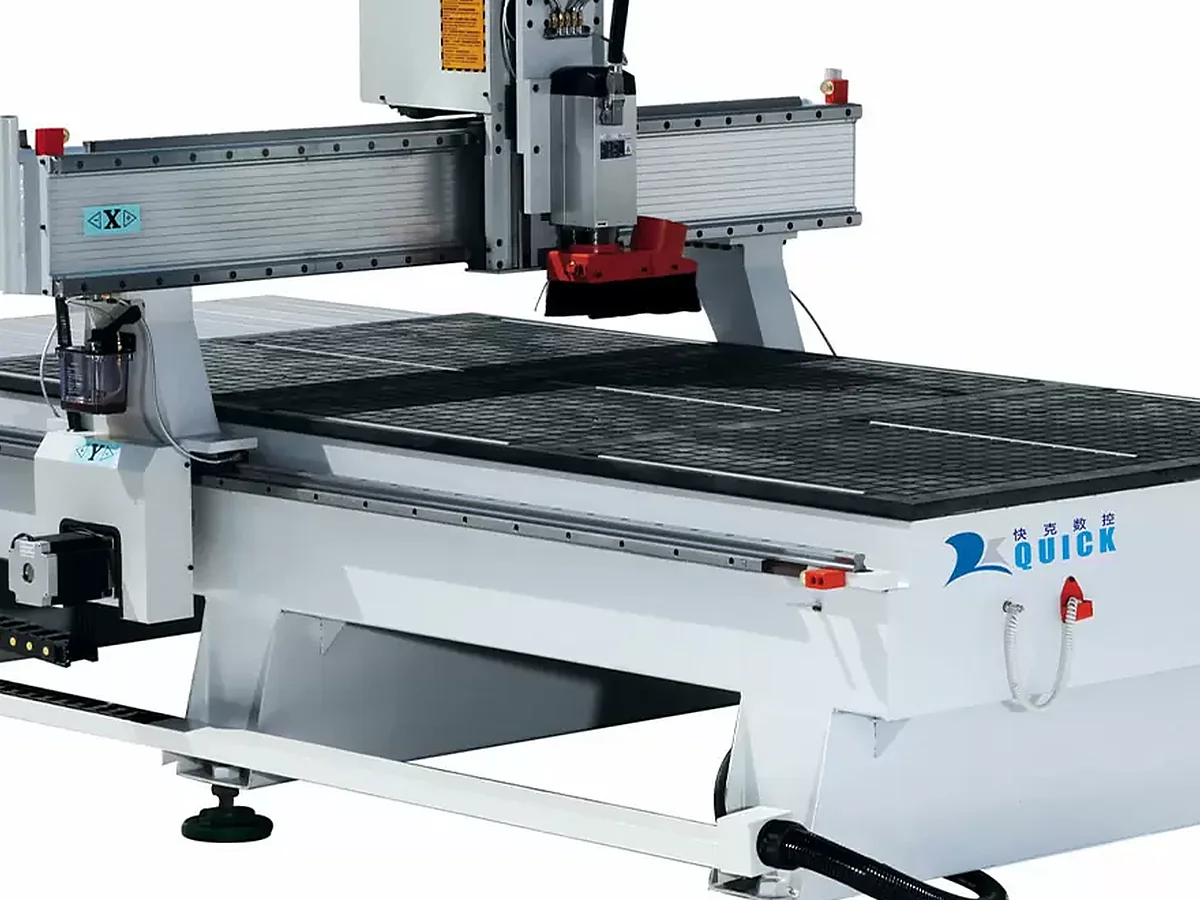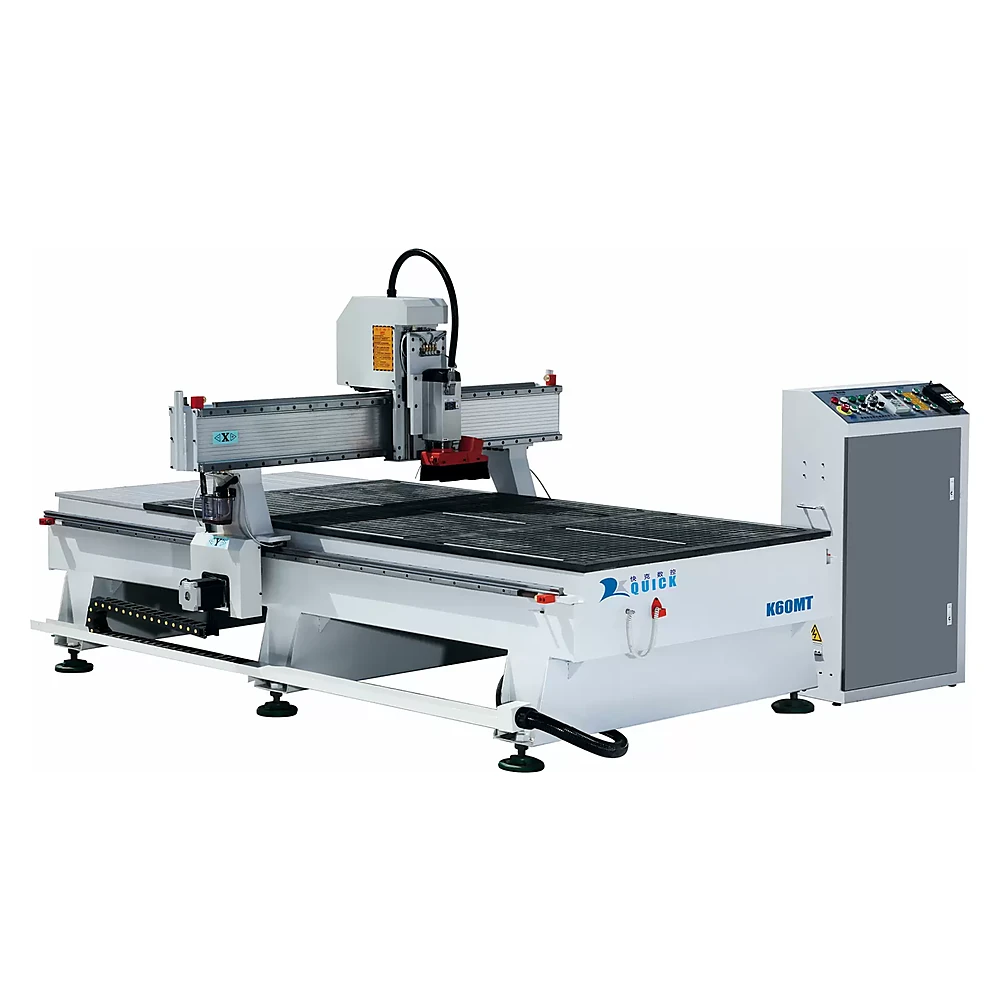
Single-head 3-axis woodworking CNC router

K60MT 3-Axis CNC Router for Woodworking

Need a straightforward CNC router for MDF, plywood, solid wood and everyday furniture parts without paying for ATC you rarely use? The K60MT handles cutting, grooving, profiling, engraving and carving from the top face with a simple manual-tool-change setup.

A good fit when most programs use one or two cutters. If several cutters repeat in every program, compare the K60MT with an ATC router before you buy.

Send your material, largest workpiece, smallest finished part, main processes and the tools used in one normal program. We’ll tell you whether K60MT is the right direction.

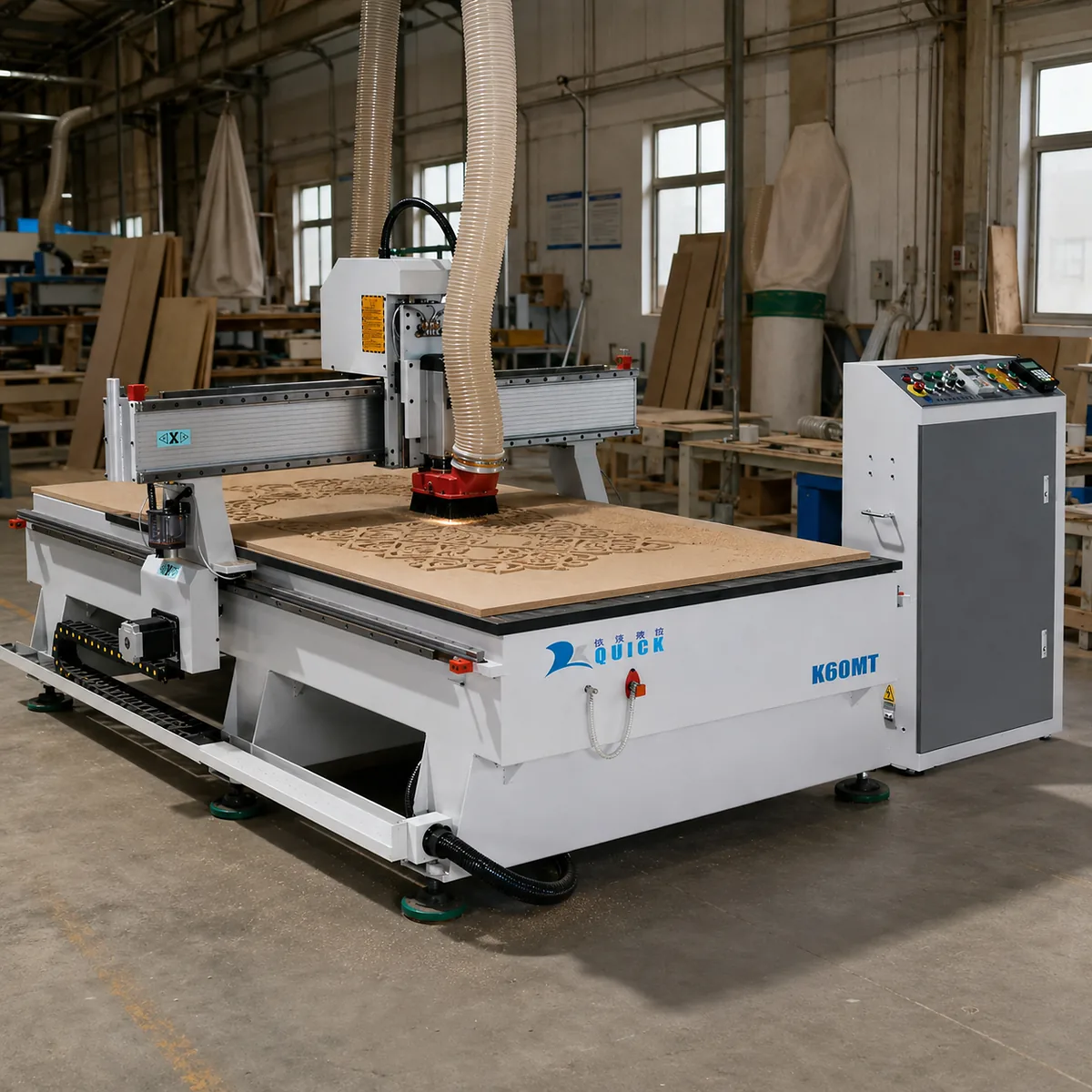
K60MT 3 Axis CNC router for wood making with T-slot vacuum table

Quick answer

MachineSingle-head 3-axis CNC router with manual tool change
Working area1300 × 2500 mm reference configuration
Spindle6 kW HQD air-cooled spindle in the reference configuration
Best forMDF, plywood, solid wood, furniture parts, doors and flat-panel work
WorkholdingZoned T-slot vacuum table, with clamps or fixtures when the part needs them
Choose ATC insteadWhen several cutters repeat in the same program and manual changes interrupt every part

Buyer-fit summary

Who Should Shortlist the K60MT 3-Axis CNC Router?

The reference K60MT setup combines a 4 × 8-class working area, a 6 kW air-cooled spindle and a T-slot vacuum table. It works well for repeated 2D and 2.5D woodworking when the program uses a limited tool set.

The K60MT is intended for factories producing furniture components, cabinet and wardrobe parts with limited drilling, wooden doors, decorative panels, signs, patterns, templates and solid-wood profiles.

Suitable / not suitable

Where the K60MT Fits—and Where It Doesn't

A 1300 × 2500 mm class machine can still be the wrong choice when tool changes, drilling or automation define the cycle.

Suitable for

  • MDF, plywood, particle-board and laminated-panel cutting, grooving, pocketing and profiling.
  • Wooden doors and decorative panels processed mainly from the top face.
  • Solid-wood furniture components, signs, patterns and relief work.
  • Custom, mixed-batch or repeated production with limited tool changes.
  • Full sheets and larger flat parts held by vacuum, with T-slots available for clamps.

Not suitable for

  • Programs that repeatedly require four to eight tools; compare an ATC router.
  • Hole-dense cabinet panels requiring side holes or six-side drilling.
  • Automatic loading, labeling, unloading and unattended nesting production.
  • True simultaneous four-axis, five-axis or undercut machining.
  • Steel, stainless steel, stone or heavy aluminum removal.

Primary configuration decision

Manual Tool Change vs ATC CNC Router: Which One Fits Your Production?

The answer should come from a real CAM tool list, not from the appearance of the specification sheet.

One tool completes most jobs
K60MT manual tool change is normally economical.
A second tool is changed between batches
K60MT can remain practical because each part is not interrupted.
Four to eight tools are repeated in one program
Choose an ATC router with sufficient tool positions.
Connector holes and side holes dominate
Review a PTP CNC router, drill bank or six-side drilling solution.
Multi-tool production must run unattended
Use an ATC configuration with a confirmed toolholder, air and postprocessor workflow.

Tool-change safety: Stop the spindle completely and isolate the machine before loosening the collet or replacing a cutter. Inspect the cutter, collet and nut before restarting.

Common mistake: buying by table size and spindle power

A machine can have the required working area and still be the wrong production choice. Repeatedly stopping the program, changing the cutter, resetting tool length and restarting the cycle may cost more than the initial saving from a non-ATC configuration.

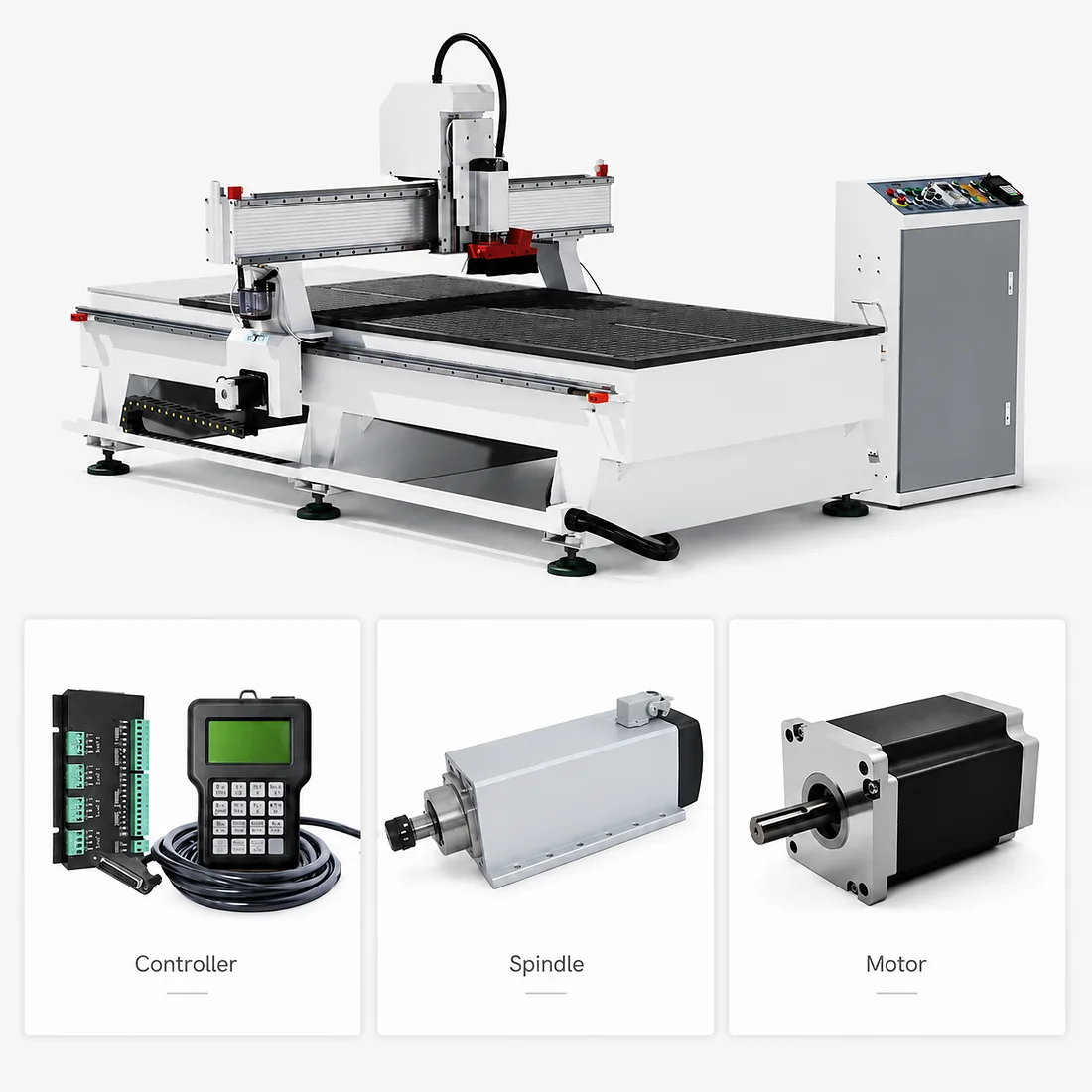
K60MT CNC router controller spindle and motor components
Buying Example

When manual tool change becomes the bottleneck

Imagine a wooden-door program that uses several cutters for profiling, pocketing, engraving and drilling. If the operator has to stop and change tools on every part, manual tool change becomes part of the cycle instead of a simple setup task.

What goes wrong

The machine may have the right table size and spindle power, but repeated manual cutter changes interrupt every workpiece.

Why it matters

Each stop adds operator handling, tool-length setup and another chance for inconsistency.

What to check

Count the tools in one real CAM program and note which changes happen between batches versus inside every part cycle.

Better direction

If several tools repeat in every program, move the comparison toward an ATC router with enough tool positions.

When K60MT still makes sense

If one cutter completes most jobs, or a second cutter changes only between batches, the simpler K60MT workflow can still be the better buy.

Buyer lesson

Choose the tool-change architecture from the real program, not from table size or spindle power alone.
Materials and process boundaries

What Materials Can the K60MT CNC Router Cut?

A sample cut is useful when it matches your real material, tooling and workholding. For batch production, we also look at repeatability, tool life and how the part behaves through the full cycle.

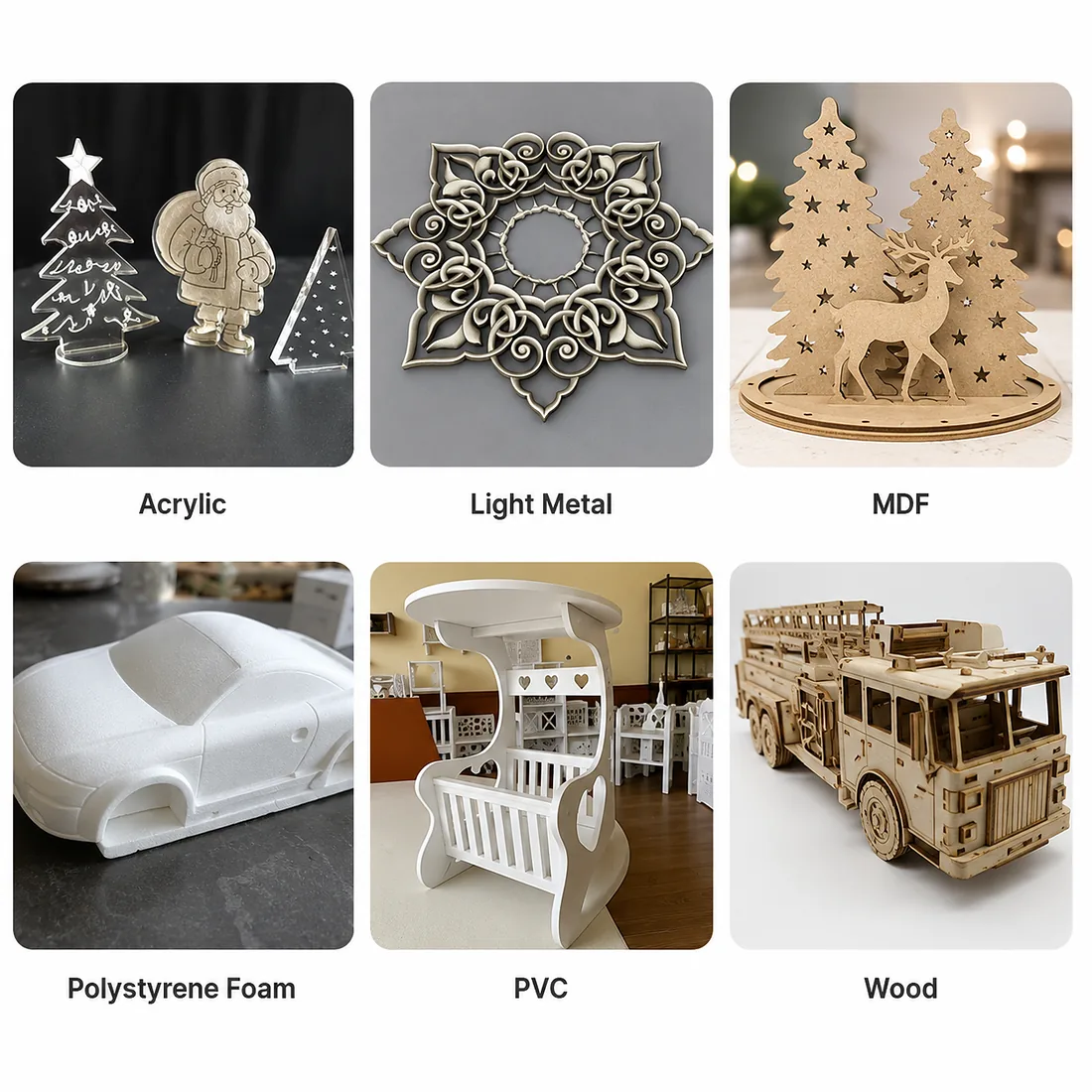
K60MT CNC router material applications including acrylic MDF foam PVC and wood
K60MT CNC router cutting a wood panel in a factory workshop
MDF, HDF and particle board

Cutting, grooves, pockets, door patterns and relief work.

Fine dust, board porosity, weak edges and small-part movement require effective extraction, suitable tooling and a controlled spoilboard.

Plywood and laminated panels

Profile cutting, grooves and furniture parts.

Veneer quality, internal voids and laminate type affect both visible faces; use representative material when edge appearance matters.

Solid wood

Profiles, doors, furniture parts and carving.

Grain, knots, moisture and movement affect tooling and holding. Irregular blanks may require mechanical fixtures.

Acrylic

Cutting and engraving.

Heat, melting, recutting and scratches require plastic-specific tooling and testing when the edge remains visible.

PVC and foam

Light cutting and shaping.

Material formulation, deformation, static debris and the holding method must be reviewed.

Soft aluminum

Conditional light routing only.

Requires engineering review, rigid clamping, non-ferrous tooling, chip control and a representative sample test.

Steel, stainless steel and stone

Not approved for the normal K60MT configuration.

Use a dedicated machine platform rather than forcing the process onto a woodworking router.

Dust safety: MDF, plywood, particle board and solid wood generate dust during routing. Connect effective local extraction, keep the spoilboard and vacuum system clean, and confirm that workshop dust controls suit the material and local safety requirements.

Workholding decision

Vacuum Table or Clamps: What Will Hold Your Parts?

The reference K60MT setup uses a zoned T-slot vacuum table with a 7.5 kW vacuum source. We match the pump type, table zones and electrical setup to your material and part size before the order is locked.

Choose vacuum for full sheets and larger flat components. Check the smallest finished part, material porosity, open table area, spoilboard leakage, gasket condition and cutting sequence before approving the holding method.

Use clamps or fixtures for irregular solid wood, warped blanks and parts with insufficient sealed area. A full sheet held at the start does not prove that small parts will remain fixed after surrounding waste is removed.

K60MT T-slot vacuum table and spindle area detail

Technical specifications

K60MT 3-Axis CNC Router Specifications

Your final quotation, machine drawing and electrical list show exactly what is included in the machine you order.

ModelK60MT-1325
Machine typeSingle-head, three-axis, manual-tool-change CNC router
Reference working area1300 × 2500 mm
Z-axis travel200 mm
Usable clearanceSet by the table, spoilboard, fixture, cutter and spindle setup
Frame and gantryWelded steel frame with steel gantry
Standard tableZoned T-slot vacuum table
Vacuum source7.5 kW reference vacuum source; pump type and final setup are matched to the order
Reference spindle6 kW HQD air-cooled spindle
Spindle speed and inverterShown on the final spindle nameplate and electrical list
Collet systemER32
Supplied collets3.175 mm, 6 mm and 12.7 mm
Standard motorsStepper motors
Optional motion upgradeServo motors and matching drivers, subject to quotation
X/Y transmissionRack-and-pinion drive
Z transmissionBall screw
Linear guides20 mm square linear guides
ControllerRichAuto DSP A11 handheld controller
Program workflowG-code transferred by USB storage device
Tool settingAutomatic tool surface sensor
LubricationOil lubrication system; type follows the ordered configuration
Dust interfaceSpindle dust hood; extraction connection shown on the final machine drawing
Maximum rapid speed35,000 mm/min
Maximum programmed cutting feedUp to 25,000 mm/min; actual feed depends on the material, cutter, depth and required finish
Reference electrical supplyAC 380 V, three-phase, 50/60 Hz
Compressed airThe manual-tool-change setup normally does not need compressed air; selected options may add an air requirement
Positioning accuracy and repeatabilityNumerical values are supplied with the applicable model- or machine-specific test record
Certificate scopeDocument scope is confirmed for the exact machine and destination

Working area is not machine footprint. Z travel is not maximum usable workpiece thickness. Rapid speed is non-cutting movement and is not completed production output.

Configuration decisions

K60MT Configuration Options That Actually Matter

Bigger component numbers do not automatically mean better parts. We choose spindle, motion and vacuum options around the actual job.

Manual tool change

Choose it when most programs use one or two tools. Change direction when repeated tool changes interrupt every part.

Stepper or servo

The reference setup uses stepper motors. We recommend servo when the cycle, load or motion response makes the upgrade worthwhile—not just because “servo” looks better on a specification sheet.

Vacuum or fixtures

Use vacuum for full sheets and larger flat parts. Use mechanical fixtures for small, porous, warped or irregular parts.

Rotary attachment

Use it for defined cylindrical work. Choose a true multi-axis machine when simultaneous angular access is required.

Drilling alternative

Choose a drilling solution when repeated hole patterns or side holes are the bottleneck. Occasional vertical spindle drilling is a different requirement.

Soft-aluminum review

Consider light secondary routing only after engineering review and testing. Use a metal platform when aluminum is the main process or removal is heavy.

Machine and software workflow

From CAD File to Finished Part: Check the Whole Workflow

CAD drawingCAM toolpathVerified postprocessorG-codeWorkholding and tool setupRoutingInspectionFinishing or assembly

The machine does not run a drawing directly. Send the CAD/CAM software name and a representative file so the postprocessor can be checked before shipment.

The K60MT does not replace edge banding, extensive side drilling, six-side drilling, sanding, painting, labeling, sorting or assembly equipment.

Installation and utilities

What Your Factory Needs Before the K60MT Arrives

Do not calculate facility power from the router alone. Include the vacuum system, dust collector, transformer and selected auxiliaries.

Confirm destination voltage, phase, frequency, facility capacity, grounding, breaker and cable.

Confirm the vacuum-pump configuration and electrical demand.

Confirm the dust collector, duct route and material-specific extraction requirements.

Plan loading area, operator access and maintenance clearance.

Check door, corridor and turning dimensions for delivery.

Confirm forklift or crane capacity from the final packing record.

Confirm CAM software, postprocessor, USB workflow and operator training.

Confirm destination-country certificates, labels and customs documents.

Maintenance and downtime control

Keep the K60MT Running Without Avoidable Downtime

Operator priorities

  • Clean the table, spoilboard, rack, accessible guide areas, spindle area and dust hood.
  • Inspect cutters, ER32 collets and the collet nut.
  • Check vacuum filters, hoses, seals and the spoilboard.
  • Confirm lubrication delivery.
  • Record repeated controller, inverter or driver alarms instead of repeatedly resetting them.

Parts to keep available

Keep normal production items such as collets, collet nuts, cutters, vacuum gasket, dust-hood brushes, spoilboard material, filters and approved lubrication supplies at the factory.

Motors, drivers, inverter, controller and spindle must match the exact model, voltage, firmware and parameter set.

Maintenance boundary: Isolate electrical, vacuum and other stored-energy sources before maintenance, tool clearing or internal inspection. Spindle repair, drive parameters, geometry adjustment and electrical-cabinet work belong to Quick CNC engineers or qualified technicians.

Stop the machine and contact Quick CNC after a collision, uncontrolled movement, severe spindle vibration, smoke, a burning smell or repeated breaker trips.

Factory testing and sample validation

What We Check Before Shipment

We assemble, inspect and test the K60MT before shipment. The exact checks follow the machine configuration you order and any sample-cut or measurement items agreed for your project.

Machine and motion

Identification, no-load axis operation, geometry and motion checks selected for the approved plan.

Spindle and electrical

Spindle run-in, electrical functions and protective grounding checks.

Vacuum and running

Vacuum-system checks and continuous-running checks appropriate to the final configuration.

Buyer-material test

Material cutting where agreed, with the machine, material, tool, program, holding and measurement conditions recorded.

Our product-series QC framework includes CMM inspection, laser interferometer testing, Ballbar testing and 24–72-hour continuous-operation testing. For your K60MT, the quotation and machine record show which checks apply to that exact machine.

Send one real drawing

We can check tool access, workholding, tool count and whether you actually need any options before you spend money on them.

RFQ checklist

Send These 8 Inputs for a Useful K60MT Quote

What products will you make?

What materials and thicknesses will you process?

What are the largest workpiece and smallest finished part?

Which cutting, grooving, drilling, profiling or carving operations are required?

How many tools does one normal program use?

What output is required per shift?

What are the workshop voltage and existing dust/vacuum conditions?

What are the destination country and required delivery date?

Delivery, warranty, certification and support

Lead Time, Warranty and Support

Delivery

Standard production lead time is about 45 days after the deposit and final machine details are confirmed. Shipping time is separate and depends on the destination and transport plan.

Warranty and support

The standard machine warranty is one year from the date you receive the machine. We start with remote diagnosis so we can identify the problem quickly. Wearing parts, consumables, misuse, poor maintenance, unauthorized modification and collision or other human-caused damage are not standard warranty items.

After diagnosis, we confirm the replacement-part and freight responsibility under the signed warranty terms.

CNC machine service and support includes manuals, videos, remote diagnosis, online training, maintenance guidance and troubleshooting. Paid on-site service may be arranged by agreement.

Certification and QC

Certification and quality documents are matched to the exact machine and destination. Cutting accuracy, output and part suitability are checked separately through the agreed machine and process tests.

We confirm the document scope for your K60MT and destination during quotation review. See Quick CNC quality control.

Buyer FAQ

K60MT Buyer FAQ

Do I need ATC if most jobs use only one or two tools?

Usually not. K60MT is a rational choice when one tool completes most programs or a second tool is changed only between batches. Compare an ATC router when tool changes interrupt every workpiece.

Can the K60MT process solid wood as well as MDF and plywood?

Yes, within the confirmed process and workholding conditions. Solid wood needs closer review because species, grain, moisture, knots and movement affect tooling, holding and finish.

Will the vacuum table hold my smallest parts?

Not automatically. Pump configuration, zones, spoilboard leakage, material porosity, part area and cutting order affect holding. Tabs, onion skin or mechanical fixtures may be required.

Do I need a drill bank for cabinet production?

Use a drill bank, PTP router or six-side drilling machine when repeated connector holes and side holes dominate the cycle. Occasional vertical spindle drilling does not automatically require a drill bank.

What is the difference between 200 mm Z travel and usable clearance?

Z travel is axis movement. Usable clearance is the remaining space after the table, spoilboard, fixture, cutter, spindle geometry, dust hood and safe retract distance are considered.

Which CAD/CAM files can the controller use?

The controller runs G-code transferred by USB. Send your CAM software name, version and one representative program so we can check the postprocessor workflow before shipment.

Can Quick CNC test my material before I order?

Yes, when material behavior, holding, finish, tolerance or cycle time needs verification. Results apply only to the recorded machine, material, tooling, program, holding and measurement conditions.

What power, dust collection and factory space should I prepare?

Send your measured voltage, phase and frequency, available facility capacity, dust-collector details, vacuum-system information, entrance dimensions and floor plan. We use those details to confirm what your factory needs before delivery.

What is included in the one-year warranty?

Warranty eligibility is confirmed after Quick CNC reviews the machine information, alarm, photos, video and operating conditions. Manufacturing or component defects under normal use may be covered according to the signed agreement. Wearing parts, misuse, collision, poor maintenance, unsuitable power and unauthorized modification are excluded.

Final configuration review

Request a detailed K60MT configuration.

Send your material, largest and smallest part, one representative drawing, tools per program, output target, workshop power and destination country. We’ll tell you whether the right direction is K60MT, an upgraded K60MT, ATC, drilling, nesting or a multi-axis machine.

  • Standard K60MT
  • Optional K60MT configuration
  • ATC router
  • Drilling machine
  • Nesting cell
  • Rotary or multi-axis platform

Get the latest quotes in September

Tell us your material, working size and production needs. Our engineers will recommend a suitable CNC machine for your business.