Start with one normal part you make all the time. What material is it? How big is it? What does the machine need to do—cut, groove, drill, carve, or machine more than one face?
Once that is clear, the rest gets much easier. You can work out the table size, Z clearance, holding method, tool changes, drilling setup, software, and whether automation is really worth paying for.
The goal is simple: choose the simplest machine that can finish the job properly and hit the output you need. Do not pay for extra axes, a bigger table, or more automation just because they look better on a specification sheet.
Start With These Four Questions
- What part do you make most often?
- What operations does it need?
- How many parts or sheets do you need per shift?
- What has to happen before and after the CNC router?
Start With the Work You Do Every Day
Do not start with spindle power, axis count, or a model number. Start with the part you actually need to make.
Two CNC routers can have a similar table size and spindle rating but behave very differently once you add workholding, drilling, tool changes, software, and the rest of the production flow.
Separate normal work from the odd oversized job
Choose the machine around the work you run again and again. Then decide how to handle the occasional part that is much larger, taller, or more complicated.
- Normal work: the parts or sheets that control daily output.
- Occasional work: the biggest or most unusual job you only run from time to time.
If one rare part forces you into a much larger table, taller gantry, or extra axis system, make sure the extra cost and floor space are really worth it.
Before you compare machines, write down these basics
What are you making, what is it made from, and how thick is it?
Cutting, grooving, drilling, pocketing, engraving, carving, or more than one face?
What is the normal size, the largest size, and how will the part stay still while cutting?
How many sheets, doors, or parts do you need per shift, and where is the current bottleneck?
Not Sure Which Machine to Start With?
Send us a normal part drawing or photo, the material, size, operations, and output you need. That is enough for us to narrow down the right machine type.
Send Us Your Part DetailsCan a CNC Router Handle Your Material and Parts?
A CNC router is a good fit for a lot of everyday routing work: MDF, plywood, particle board, solid wood, doors, furniture parts, acrylic, rigid plastics, foam, selected composites, signs, and display materials.
It can handle profiling, pockets, grooves, drilling, engraving, edge work, and 3D surface machining when the machine and tooling are set up for the job.
The material name is not enough by itself. Thickness, cutter size, cutting depth, edge quality, chip removal, and how much area you have to hold the part all matter.
Quick CNC’s application overview provides additional industry context.
What About Aluminum?
For light aluminum work, a router can sometimes be a good fit—but only when the alloy, thickness, holding, tooling, and chip removal are right.
Do not treat a woodworking-style router like a machining center. Thick plate, tight-tolerance holes, heavy metal removal, or daily metal production need a metal-focused process.
Jobs That Need a Bit More Setup
- Small components with limited vacuum-holding area
- Brittle or heat-sensitive plastics
- Dedicated or elevated fixtures
- Thick parts that consume most of the available Z clearance
- Several machining faces
- Demanding surface or edge requirements
For acrylic production, cutter selection, chip removal and heat control should be considered together. See the acrylic routing guide for material-specific process guidance.
When a CNC Router Is Not the Best Choice
| Production requirement | Recommended process direction |
|---|---|
| Rigid sheets requiring profiles, pockets and grooves | CNC router |
| Solid-wood carving and three-dimensional profiling | CNC router with suitable Z and axis configuration |
| Regular hard-steel machining or tight-tolerance metal bores | CNC milling or metal-machining equipment |
| Flexible fabric, leather, gasket or carton cutting | Knife-cutting system |
| Non-contact engraving or suitable thermal cutting | Laser process |
| Sheet-metal cutting without routing operations | Metal-focused laser or plasma process |
Use a CNC knife cutter for flexible materials that should be cut rather than machined into chips.
A router remains the stronger choice when the product requires different cutting depths, pockets, grooves, edge profiles or drilled features. Use a laser process when non-contact or thermal processing better matches the material and finished product. The laser wood-cutting guide provides further process context.
Which CNC Router Fits the Work You Need to Do?
Use this section to narrow the direction. Once you know the likely machine family, move to the dedicated comparison page instead of choosing from a model name alone.
| If Your Work Looks Like This | Start With | What Decides It |
|---|---|---|
| Flat parts using few tools | Standard 3-axis CNC router | Everything is reached from above and manual tool changes are not slowing the job. |
| Repeated jobs using several tools | ATC CNC router | The real program keeps stopping for tool changes. |
| Full-sheet cabinet or panel cutting | Nesting CNC machine | Sheet flow, labeling, loading, unloading, and downstream drilling matter to output. |
| Panels with intensive boring | PTP, drill bank, or six-sided drilling | Hole quantity, directions, and machining faces are the bottleneck. |
| Round parts such as legs or columns | Rotary-axis setup | The part needs controlled rotation during indexing, wrapping, or simultaneous motion. |
| Angled, curved, or multi-face parts | 4-axis or 5-axis-capable equipment | The drawing needs cutter access that a normal 3-axis setup cannot provide efficiently. |
Do not add ATC, extra axes, or drilling hardware just because they sound like a higher specification. Choose them only when the normal job needs them.
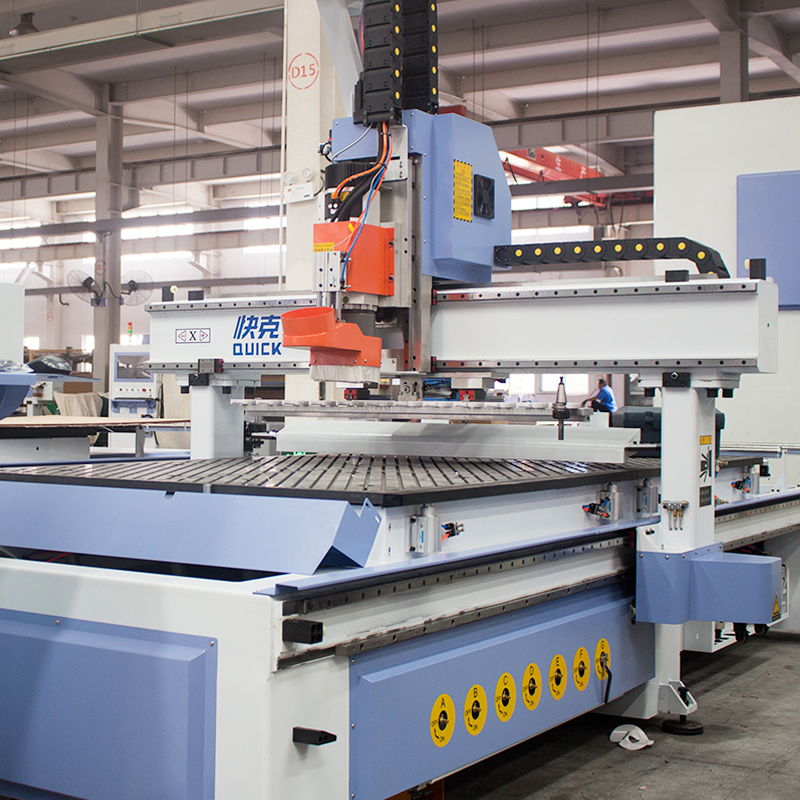
For the detailed machine-family breakdown, continue with Types of CNC Routers Explained. If axis count is the part you are still unsure about, use the 3 Axis vs 4 Axis vs 5 Axis CNC Router comparison. If repeated tool changes are the main issue, see What Is an ATC CNC Router?.
Comparing ATC, Nesting, PTP, or Multi-Axis?
Send us a drawing, the normal tool sequence, drilling pattern, part-holding problem, and workshop layout. We can help you see which setup actually fits the job.
Show Us the JobHow Much Table and Z Space Do You Really Need?
Choose the working area around normal production first. Then check whether the occasional oversized job really justifies a larger machine.
A 4 × 8 ft sheet is about 1220 × 2440 mm, but the sheet size alone does not decide the machine. You still need enough usable X/Y travel for positioning, stops, clamps or fixtures, tool access, and normal material variation.
A 1325-class name usually points to roughly 1300 × 2500 mm, but the model code does not prove the real travel, machine footprint, loading clearance, or Z space. Check the selected machine drawing before you order.
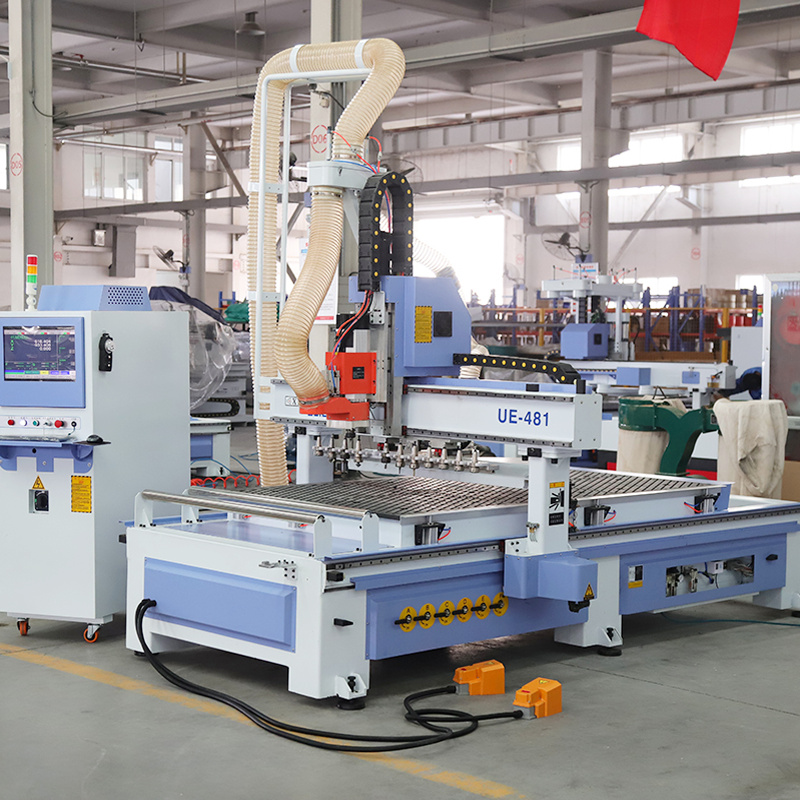
Will the normal and largest parts fit with the stops, clamps, fixtures, and tool approach you actually use?
Do not read Z travel as material thickness. Include the tool holder, cutter, spoilboard, fixture, and safe clearance.
Leave room for loading, unloading, the electrical cabinet, vacuum equipment, dust extraction, and service access.
Make sure operators can bring raw material in and move finished parts out without blocking aisles or service areas.
For the detailed 6090 / 1325 / 1530 / 2040 size comparison, footprint planning, and Z-clearance checks, continue with What Size CNC Router Do I Need?.
How Should You Hold the Part?
If the part moves, everything else becomes harder. Workholding affects cut quality, repeatability, and scrap.
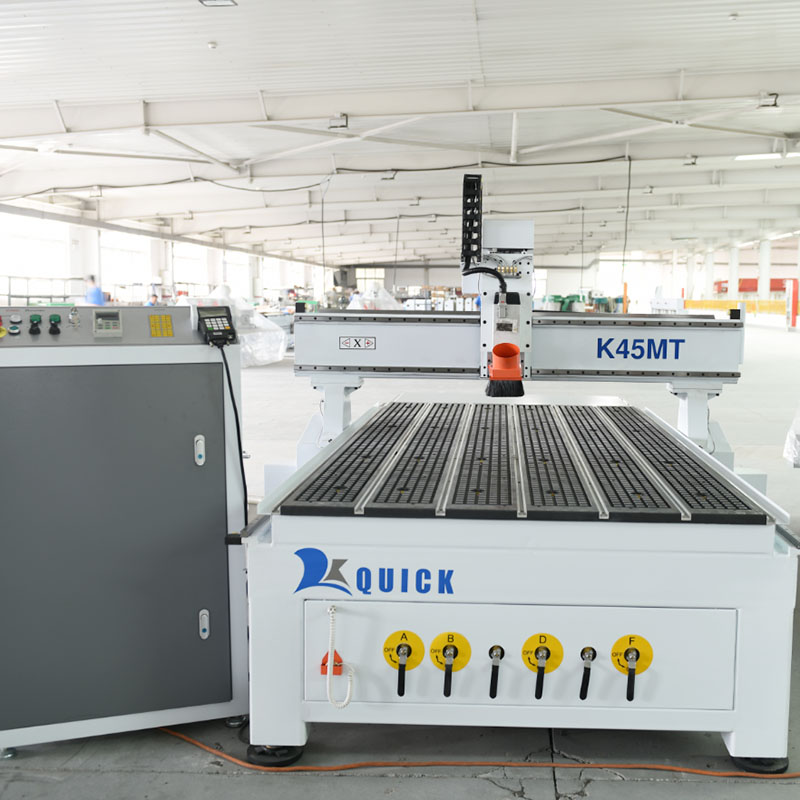
Vacuum table
Vacuum works well for full sheets, large flat panels, nesting, and repeated loading when the part has enough area to seal properly.
Actual holding depends on part surface area, spoilboard condition, leakage around cut paths, vacuum zoning, pump configuration, material porosity, cutting force and through-cut strategy.
A bigger vacuum-pump number does not automatically mean a small part will stay put.
T-slot table and mechanical clamps
Use clamps or dedicated fixtures for small parts, irregular shapes, low-volume custom work, or anything that is hard to seal with vacuum.
Clamps and fixtures consume setup time and part of the working envelope. Their locations must be included in toolpath and collision planning.
Combined table
A combined vacuum and T-slot table is useful when regular production genuinely mixes full sheets, small components, dedicated fixtures, custom jobs, prototype work and batch work.
Do not pay for a combined table just because it gives you more options. Choose it when you really use both vacuum and mechanical holding.
Small Parts Moving on a Big Vacuum Table?
This happens when a setup that works well for full sheets is used for small nested parts with very little holding area.
If the spoilboard leaks or the final through-cut releases too much vacuum area, the part can move and the edge quality goes with it.
Start with the smallest part you run often. Check the vacuum zones, spoilboard, cutting order, and whether tabs, onion-skin cutting, or a dedicated fixture would hold it better.
Which Upgrades Are Actually Worth Paying For?
Pay for an upgrade when it removes a real bottleneck. If it does not, keep the machine simpler.
Start With the Tool Changes
Take one normal job and count the tool changes. How often does the operator stop, measure a tool, wait, and restart? That tells you far more than a brochure does.
ATC is worth it when automatic changes remove repeated stops or when you genuinely need backup tools and tool-life management.
Is Drilling Slowing the Job Down?
Spindle drilling is adequate for selected holes. A drill bank, PTP or six-sided drilling process becomes more relevant when hole quantity dominates the cycle, several hole diameters are repeated, horizontal holes are required, multiple panel faces need processing or drilling delays downstream assembly.
Add Automation Only When It Solves a Real Problem
Automation should fix a real problem: too many sheets, heavy handling, not enough operators, slow loading, or a need for labeling and sorting.
Do not add automation just because the budget allows it. Faster loading will not help much if drilling, edge banding, or sorting is still the slowest step.
Look at the Whole Cycle, Not Just Cutting Time
Estimated completed units per shift: available productive time ÷ average complete-cycle time per unit or batch
Depending on the operation, complete-cycle time can include loading, tool changing, machining, unloading, inspection, labeling and handling between machines.
For nested sheets or mixed products, calculate by sheet or production batch first, then convert the result into finished parts.
Use this only as a planning estimate. Real output still depends on the machine, material, tooling, program, operators, and how the line is run.
A Faster Router Will Not Fix a Slow Production Line
A cabinet factory can buy a faster ATC router and still see almost no change in finished output.
Why? The cut panels may simply pile up in front of drilling, edge banding, sorting, or assembly.
Before you spend money on a faster router, map the whole flow and find the step that is actually holding production back.
Quick CNC’s furniture CNC equipment category shows the broader equipment scope relevant to panel-production planning.
What Really Matters in the Machine Itself?
Do not choose a machine from spindle power alone. Look at the spindle, structure, motion system, tooling, and workholding as one package.
- Structure: Is the frame and motion system suitable for the material, cutter, and daily workload?
- Spindle and toolholder: Can they use the cutters and tool sizes the job actually needs?
- Workholding: Can the part stay stable through the whole cut?
- Motion system: Does it support the process together with the structure and holding method?
- Proof: Can the quoted setup run a representative part under clearly stated conditions?
A powerful spindle cannot fix a moving part. And a famous servo, spindle, or controller brand does not automatically prove the finished part will be good.
Do Not Confuse Axis Specs With Finished-Part Results
- Axis positioning accuracy: a machine-axis result measured under a stated positioning test method
- Axis positioning repeatability: the consistency of repeated axis positioning under the stated test conditions
- Finished-part dimensional accuracy: measurements taken from the machined component after material, tooling, program, workholding and inspection conditions are defined
- Edge or surface quality: the visible and functional result after machining
- Cycle time: elapsed time within stated start and finish points
If someone gives you an axis-accuracy number, ask how it was measured. Do not treat that number as proof of finished-part accuracy. The final component also reflects the material, cutter, tool wear, program, holding method, environment and inspection process.
Will Your Software Work With the Machine?
The software path is simple:
Drawing or CAD file → CAM or nesting software → post-processor → controller → verified machine movement
Seeing the same software name on two brochures does not mean the workflow will work the same way.
Check the whole path: can your files be imported, can the software create the toolpaths you need, can it handle ATC, drilling, rotary or five-axis commands when required, and will the post processor send the right code to the controller?
Before you commit, run one normal file through the same CAD/CAM, post processor, and controller path you plan to use in production.
This matters even more when the machine has ATC, drill units, rotary axes, five-axis motion, loading, labeling, or other machine-specific functions.
What Does Your Workshop Need Before the Machine Arrives?
- Power: voltage, frequency, phase, grounding, and available capacity.
- Compressed air: enough pressure, flow, and air quality for the functions fitted to the machine.
- Dust or chip extraction: connection size, duct route, material, and how many machines run at the same time.
- Material movement: where sheets arrive, how they are loaded, where finished parts go, and what machine comes next.
- Service space: keep access around the electrical cabinet, pumps, rear, and sides of the machine.
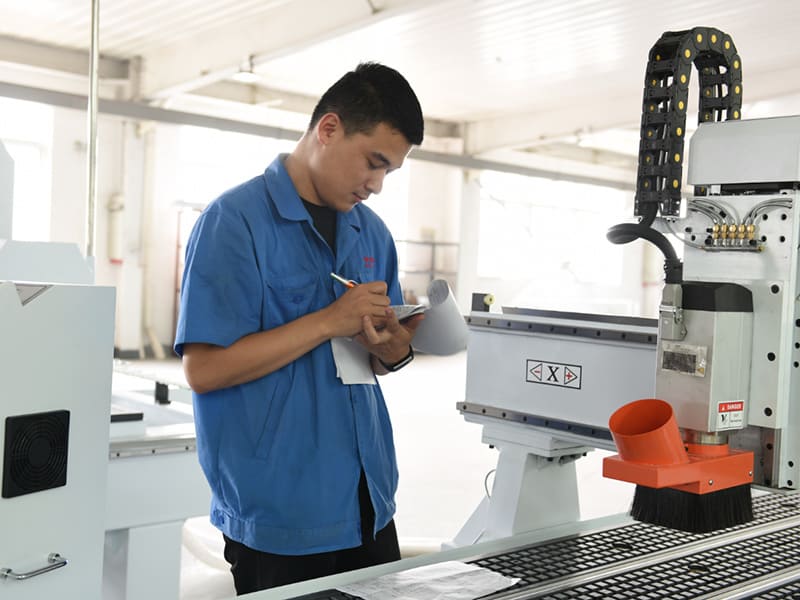
Tip: For woodworking applications, plan extraction from the selected machine’s connection and airflow requirements, the machines operating at the same time, the factory duct layout, and the material and dust generated by the process.
Use the final machine documentation for the real power, air, and extraction requirements, then match them to your local factory rules.
If operators cannot load material, reach service areas, or move finished parts safely, the layout is not ready yet.
How Do You Compare Two CNC Router Quotations?
Do not compare the final price until both quotations are covering the same job.
| Compare | What You Need to Check |
|---|---|
| Machine type and axis setup | Are both machines built for the same process? |
| Usable X/Y/Z and real workpiece height | Will the normal and largest parts fit with tools, spoilboard, and fixtures? |
| Spindle, toolholder, and ATC | Can the machine use the cutters and tool sequence your real jobs need? |
| Table, vacuum, and fixtures | How will full sheets, small parts, and odd-shaped parts be held? |
| Drilling | Are the hole directions and drilling volume actually covered? |
| Software and controller | Will your CAD/CAM, post processor, and controller workflow work together? |
| Automation | Which loading, unloading, labeling, or sorting functions are included? |
| Workshop needs | What power, air, dust extraction, floor space, and access must your factory provide? |
| Tooling and startup items | Are holders, collets, cutters, spoilboards, and other startup items included? |
| Installation, training, warranty, and spares | What is included, what costs extra, and what is not supplied? |
| Test part | Will the quoted setup run your material and a representative part before you approve it? |
If one offer is cheaper because the vacuum pump, drilling, software, tooling, installation, or another required item is missing, you are not comparing the real cost yet.
What Should You Ask to See Before You Order?
Ask to see one of your normal parts, not just an easy sample chosen by the machine supplier.
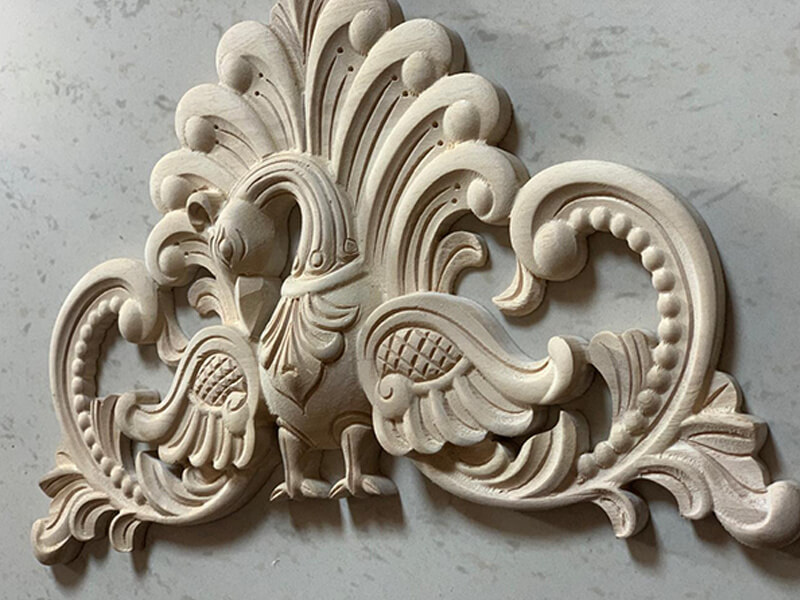
Use the material and thickness you really run. Include the features that matter: through-cuts, pockets or grooves, small details, drilling, normal tool changes, difficult holding areas, and the finish you expect.
For a serious test, write down the drawing, material, machine setup, tools, holding method, software/post processor, manual steps, cycle-time start and finish points, and the measurements you care about.
If the test is run on a different spindle, table, controller, drill unit, or axis setup, ask why that test still represents the machine you are actually buying.
What Should You Send Us for a Useful Quotation?
You do not need to send everything on the first message. Start with the basics, then add the details before the configuration is finalized.
Enough to Get Started
- Finished product
- Typical drawing or photograph
- Main material
- Common and maximum dimensions
- Thickness
- Required operations
- Shift or daily output target
Before We Lock the Configuration
- Typical tool sequence
- Sister-tool or tool-life requirement
- Hole pattern and machining faces
- Workholding concerns
- Batch size and product mix
- Edge, surface or tolerance expectation
- Loading and unloading requirement
- CAD/CAM and controller environment
- Workshop floor plan
- Local voltage and frequency
- Compressed-air conditions
- Dust-collection conditions
- Existing downstream equipment
- Destination country
What You Should Get Back
You should get back a clear answer: which machine type fits, why it fits, what it can do, what it cannot do, the working area, holding method, ATC or drilling setup, software path, workshop requirements, options, test plan, and anything not included.
That keeps the quotation tied to the job instead of just giving you a price for a model name.
Questions We Hear All the Time
I process 4 × 8 ft sheets. Is a 1325 CNC router automatically the right size?
No. A 1325-class machine may cover a 4 × 8 ft / about 1220 × 2440 mm sheet, but you still need to check the real travel, stops, clamp space, loading access, and total footprint. Use the selected machine drawing rather than the model code alone.
When is an automatic tool changer worth adding?
Add ATC when normal jobs use several tools and manual changes repeatedly interrupt production. List the tools used on one typical job and count operator interventions. Also check sister tools, tool-life management and future operations before selecting magazine capacity.
Should I choose a vacuum table or a T-slot table?
Use vacuum holding for repeated full-sheet and large flat-panel work. Use mechanical clamps or fixtures for small, irregular or difficult parts requiring positive restraint. Mixed production can justify a combined table, but test the smallest repeated part before the table is selected.
How do I know whether I need three, four or five axes?
Use three axes when the cutter reaches every required feature from above. Add rotary motion for cylindrical work. Move to true multi-axis equipment only when angled or multi-face geometry requires additional cutter access. The drawing and required motion should control the choice.
Is a rotary attachment the same as a four-axis machine?
Not automatically. A rotary setup can use indexed positioning, wrapped toolpaths or simultaneous rotary movement. Confirm what the machine, controller and CAM system support before comparing two “four-axis” quotations.
Can one nesting CNC machine complete the entire cabinet-production process?
No. A nesting machine can cut, groove and perform selected drilling operations, but cabinet production can also require labeling, additional drilling, edge banding, sorting and assembly. Balance the complete workflow before increasing router capacity.
How much spindle power should my CNC router have?
Choose the spindle from the cutter size, material, cutting depth, daily workload, toolholder, machine structure, and output you need. Spindle power alone does not establish cut quality or production capacity.
What should I send a supplier for an initial recommendation?
Send the product, material, typical drawing, common and maximum dimensions, required operations and output target. Add the tool sequence, software, floor plan and utility information before final configuration approval.
How can I compare two CNC router quotations fairly?
Compare machine category, usable working area, Z clearance, workholding, tool system, drilling, axis motion, software, automation, utilities, testing and exclusions on the same basis. Do not compare only table size, spindle power and price.
Should I request a sample test before buying?
Yes when holding, edge quality, drilling, cycle time or dimensional results affect the decision. Use representative material and ensure that the tested machine configuration matches the proposed machine in the areas that influence the result.
Ready to Talk About Your Parts?
Send us the product, material, normal and maximum size, operations, output target, and a drawing or photo if you have one. We can start from the work you need to do and build the machine configuration from there.
If you are already comparing machines, send the configuration sheets too. We can help you check whether they are really covering the same job.
Tell Us What You Need to Produce
Frannie
Hello, I’m Frannie, a CNC machinery specialist with 15 years of experience in the woodworking CNC industry. I help furniture factories, cabinet makers, woodworking workshops, and production businesses choose CNC machines that match their production needs, factory size, budget, and efficiency goals.
My work focuses on solving real production problems, including replacing outdated equipment, improving machining efficiency, reducing labor costs, and upgrading to smarter CNC solutions. I also support customers with machine installation guidance, operation training, video support, and on-site training when needed, helping them use their machines more confidently and effectively.





