CNC Router Bit Sizes
Start with the drawing, not the cutter catalog. Find the smallest slot, pocket, text detail or inside corner the tool has to reach. Then use the largest cutter that still fits that feature. After that, check the shank, cutting length, stickout and flute style.
One small detail does not mean the whole part needs a tiny cutter. Use a larger, stiffer tool for the main work, then bring in the smaller cutter only where the geometry actually needs it.
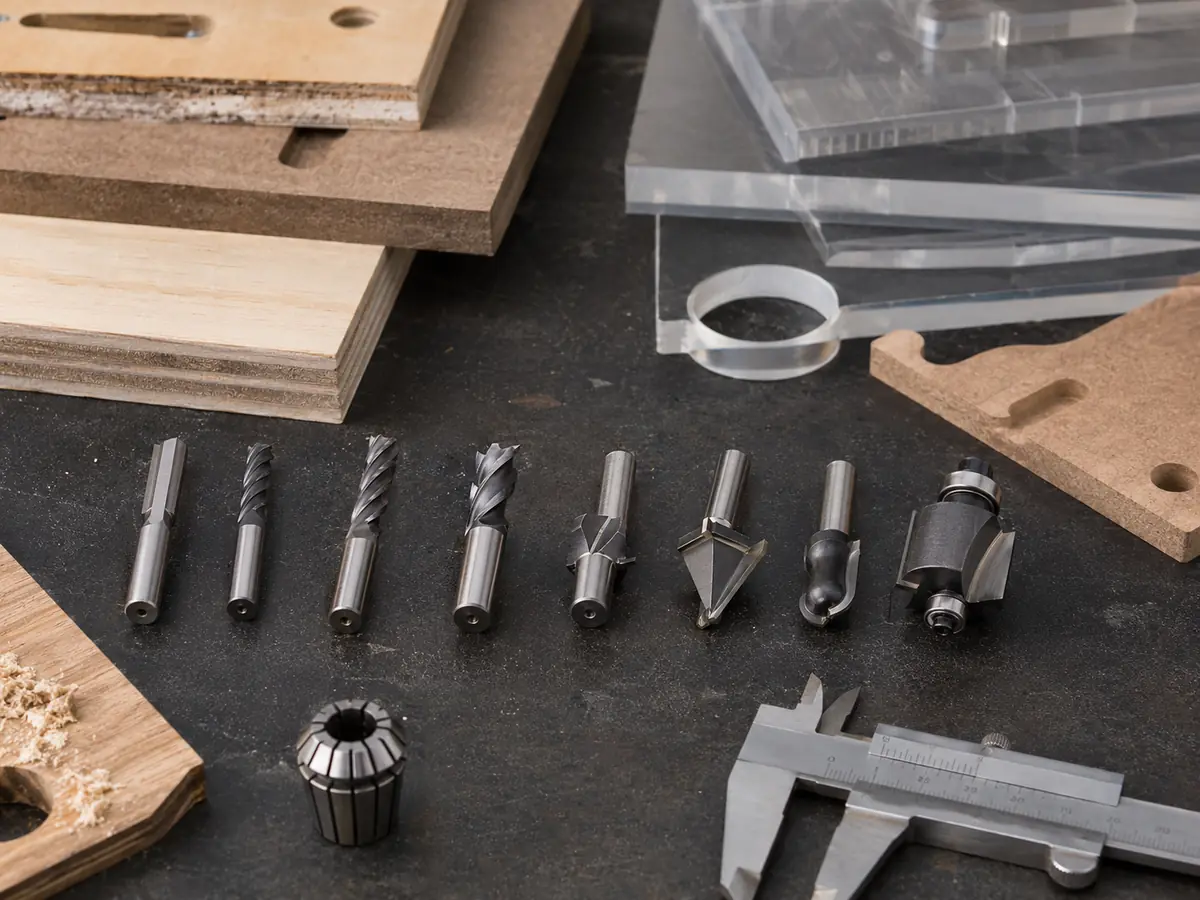
Before You Buy a Router Bit, Check These First
Take one normal part and check four things: the smallest feature the cutter has to reach, the cutting depth, the collet or holder on the spindle, and whether the whole part really needs the same tool.
If the same jobs repeatedly need several cutters or frequent manual changes, the bottleneck may no longer be the bit itself. That is when the machine setup starts to matter.
Four Rules That Prevent Most Size Mistakes
Use the largest cutting diameter that can still reach the smallest required feature.
Metric and imperial sizes that look close are not interchangeable.
Extra reach also gives the cutter more room to flex and vibrate.
Large profiles and small local details often work better with different cutters.
When Someone Says “Bit Size,” Which Size Do They Mean?
“Bit size” can mean cutting diameter, shank diameter or cutting length. Mixing them up is how you end up with a cutter that fits the drawing but not the collet, or fits the spindle but cannot reach the cut.
| Dimension | What it controls | What to check |
|---|---|---|
| Cutting diameter | Slot width, inside radius, detail access and cutting load | The smallest feature in the drawing |
| Shank diameter | Whether the cutter fits the collet or holder | The exact marked collet size |
| Cutting length | How deep the cutting edge can work | The actual cutting depth |
| Overall length / stickout | Reach, holder clearance and tool stiffness | Use only as much reach as the part needs |
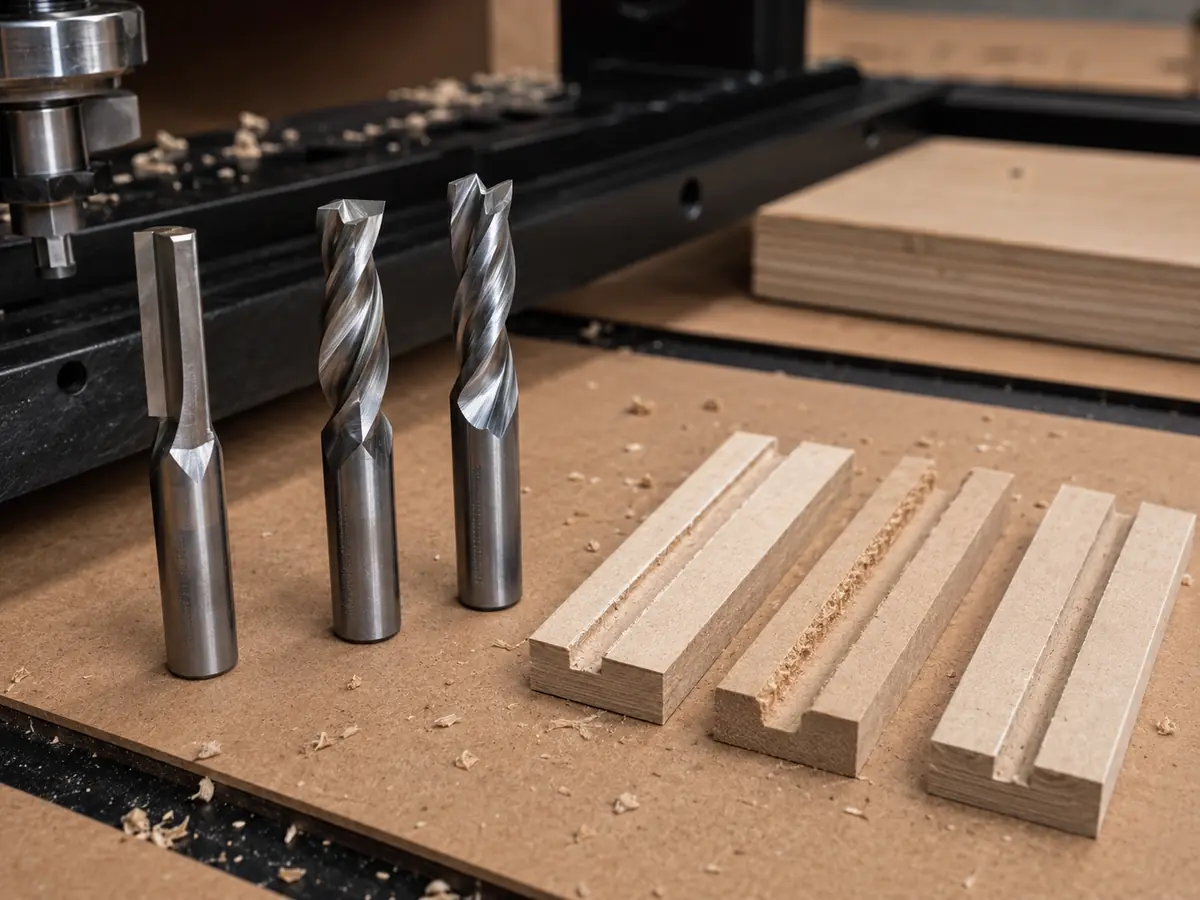
What Do Common Cutter Diameters Make Sense For?
Small cutters reach tighter details. Larger cutters give you more stiffness and chip space. Start with the smallest feature, then go as large as the geometry allows.
| Example | Metric equivalent | Where it makes sense | Watch for |
|---|---|---|---|
| 1/8 in | 3.175 mm | Small details, narrow slots and local cleanup | Lower stiffness and less chip space |
| 1/4 in | 6.35 mm | General profile and sheet cutting when geometry allows | Inside radius cannot be smaller than the cutter radius |
| 3/8 in | 9.525 mm | Larger profiles and heavier cutting | Needs enough room in the part geometry |
| 1/2 in | 12.7 mm | Large profiles and heavier roughing where the setup supports it | Too large for small internal features |
| 3 / 4 / 6 / 8 / 10 / 12 mm | Metric sizes | Useful when the tooling and holders are metric | Do not substitute the nearest inch-size collet |
A Simple Way to Choose the Right CNC Router Bit Size
- Find the smallest feature. Check the narrowest slot, pocket opening, inside radius or detail the cutter has to enter.
- Use the largest cutter that still fits. Do not drop to a small cutter unless the geometry actually requires it.
- Split the job when needed. Use a larger cutter for the main work and a smaller cutter only for tight areas.
- Match the shank and collet exactly. Do not mix near-size metric and imperial tooling.
- Use enough cutting length, but no more. Extra length adds reach but reduces stiffness.
- Choose the flute style after the size. Diameter solves access; flute geometry affects chip direction, surface finish and material handling.
- Test the real cut. Start from the cutter manufacturer’s cutting data and then check chips, heat, edge quality, vibration and part holding.
Your Cutter Sets the Inside Corner Radius
A round cutter leaves a radius in an internal corner. A normal profile cut cannot produce a perfectly sharp 90-degree inside corner.
Minimum theoretical inside radius ≈ cutter diameter ÷ 2
| Cutter diameter | Theoretical minimum inside radius | What it means |
|---|---|---|
| 3 mm | 1.5 mm | Reaches tight details but is less rigid than a larger cutter |
| 1/8 in (3.175 mm) | 1/16 in (1.5875 mm) | Useful for small features |
| 6 mm | 3 mm | Useful reference point for panel and profile work |
| 1/4 in (6.35 mm) | 1/8 in (3.175 mm) | Tighter corners need a smaller cutter or a different joint design |
| 8 mm | 4 mm | Stiffer, but cannot enter smaller-radius corners |
| 1/2 in (12.7 mm) | 1/4 in (6.35 mm) | Better suited to larger geometry than fine details |
If the joint really needs more corner clearance, use a smaller cutter locally, add a relief such as a dog-bone where the design allows it, or move that feature to another operation.
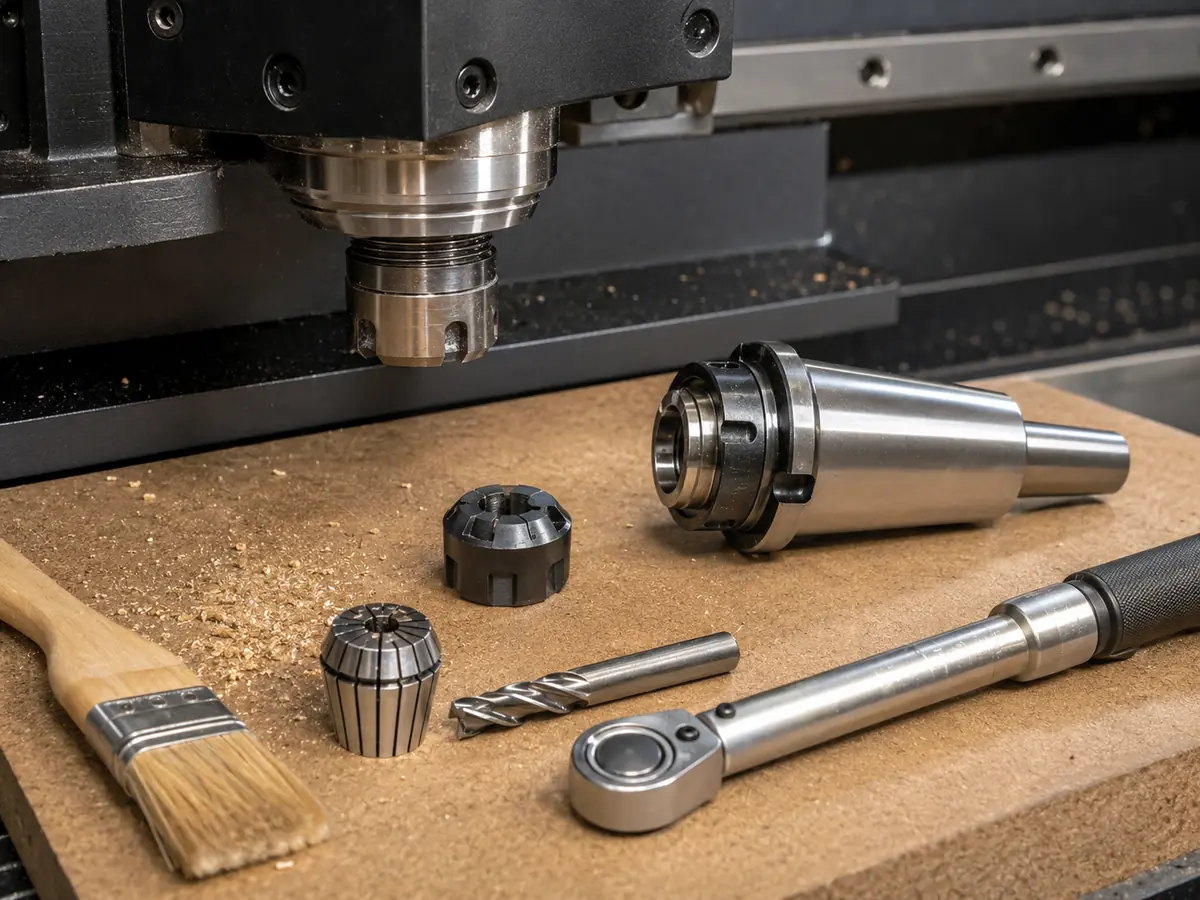
Check the Shank, Cutting Length and Stickout Together
If the same cutter is available with different shank sizes and your holder supports them, the larger shank is generally the stiffer option. That still does not make it the right choice if the cutter or holder cannot clear the part.
| Check | What to do | Fix it when |
|---|---|---|
| Shank size | Use the exact metric or inch collet | The size is being chosen because it “looks close” |
| Cutting length | Cover the real cutting depth | You are carrying much more cutting length than the job needs |
| Stickout | Extend only far enough to clear the work and fixture | The tool is longer than necessary |
| Holder clearance | Check the nut and holder against pockets and fixtures | The cutter reaches the feature but the holder hits first |
ATC does not remove these limits. The tool holder and collet still need to match the cutter shank, and the complete holder assembly still needs enough clearance around the part.
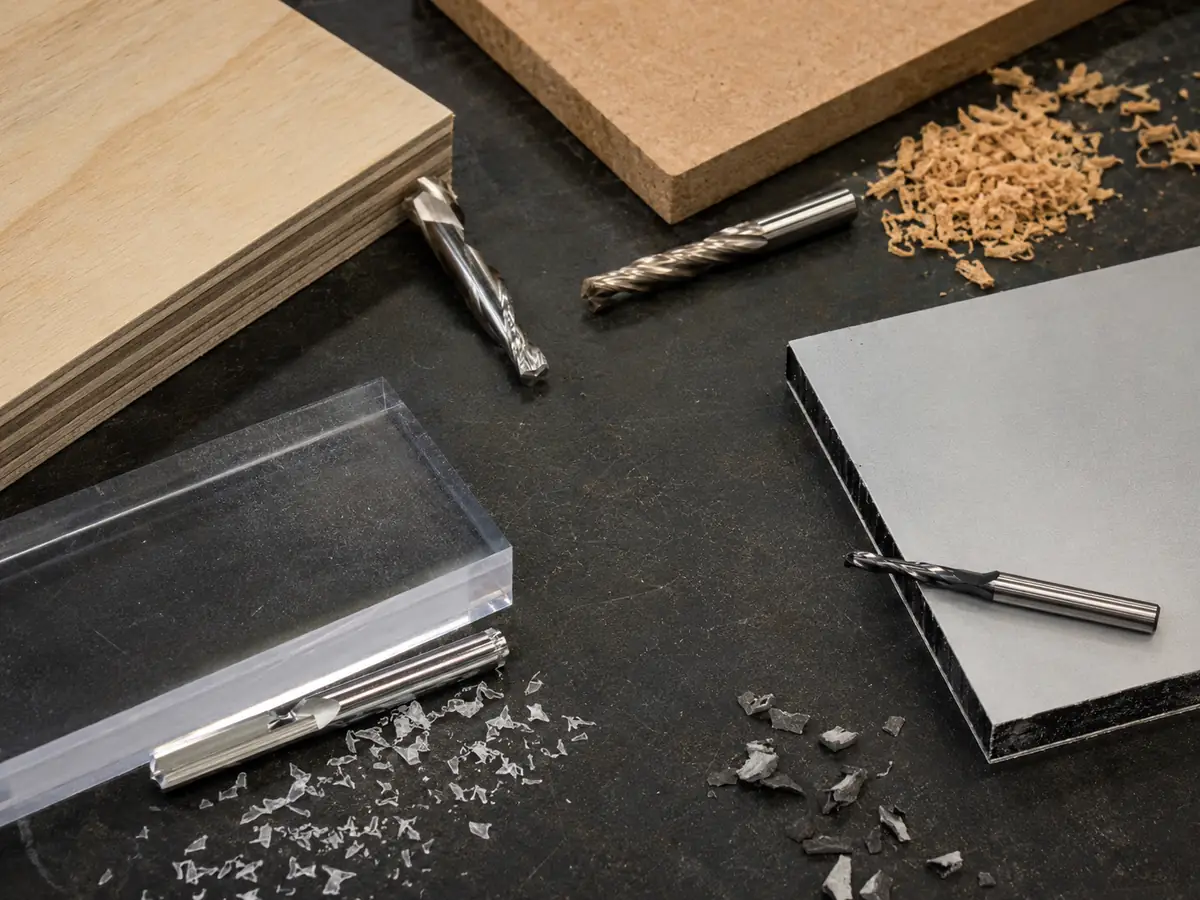
After the Size, Match the Flute Style to the Material
The drawing still decides how large the cutter can be. The material and edge requirement then help decide the flute geometry.
| Job | Practical starting point | What to watch |
|---|---|---|
| MDF, plywood and laminated panels | Use the largest practical diameter. Choose upcut, downcut or compression according to chip removal and the edges that need to stay clean. | Part holding, spoilboard condition and chip evacuation |
| Solid wood | Use larger tools for heavier profiling and smaller tools only where the geometry needs them. | Grain direction, vibration and fixture rigidity |
| Acrylic and plastic sheet | Choose diameter from the geometry, then use tooling that gives chips enough room to leave the cut. Single-flute and O-flute cutters are common options. | Heat, recutting chips and excessive stickout |
| Engraving and 3D work | Use the fine cutter only for the detail or finish operation. Rough larger areas with a more suitable tool first. | Using a finishing tool for the entire job and increasing cycle time |
Changing Cutter Size? Recheck Feed and RPM
Do not assume the old feed and RPM remain correct after changing cutter diameter, flute count or geometry.
Chip load = feed rate ÷ spindle RPM ÷ number of flutes
Start from the cutter manufacturer’s cutting data, then judge the real cut by chip formation, heat, edge quality, sound, vibration and workholding. For the full feed/RPM calculation and adjustment process, see our CNC feed rate guide.
The Router Bit Size Mistakes We See Most Often
A 1/2-inch shank does not mean the cutting diameter is also 1/2 inch.
They need different collets.
Extra length is useful only when the part actually needs the reach.
One small detail should not decide the tool for the entire part.
The cutter may reach the pocket while the holder hits first.
Even the right cutter can struggle if a small part moves during cutting.
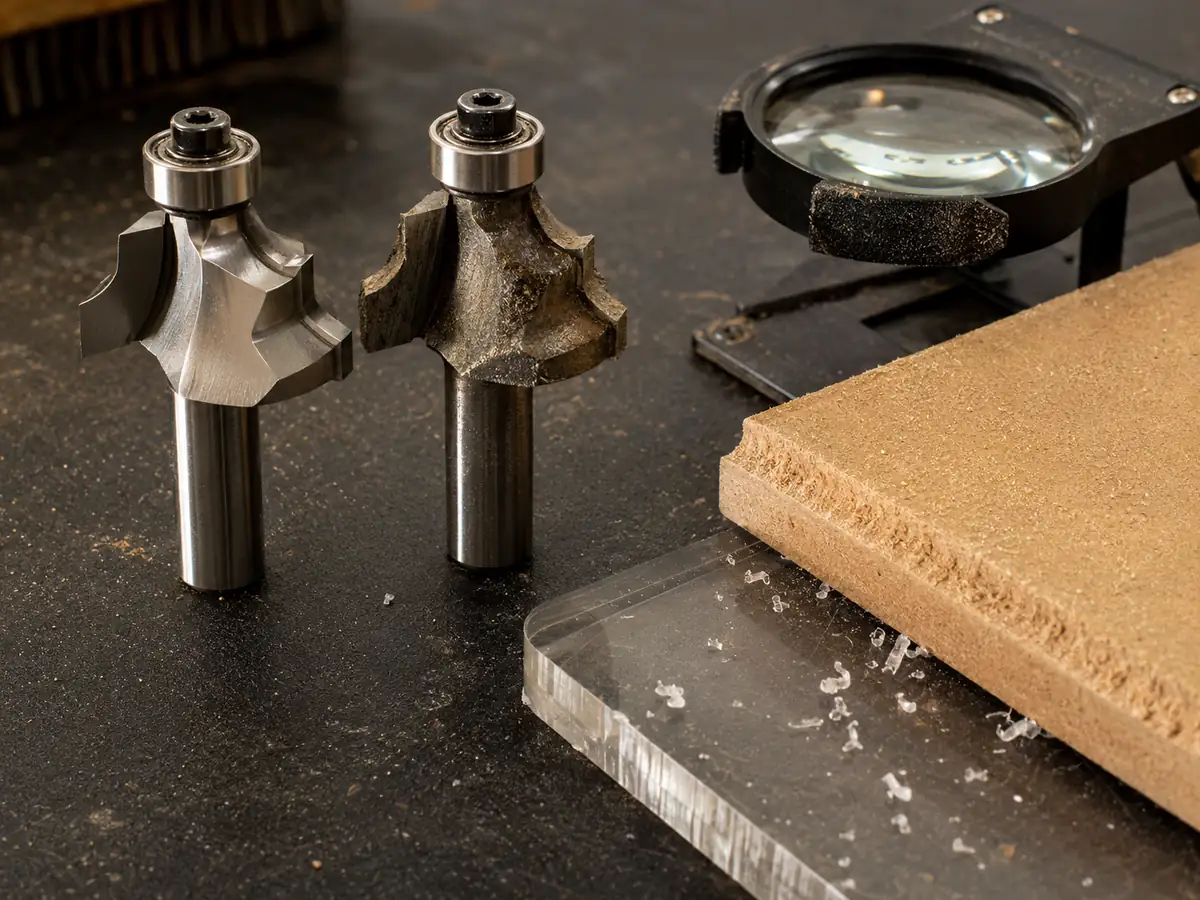
Shop-Floor Example
One Small Detail Should Not Slow Down the Whole Panel
One tight internal feature led to a small, long cutter being used for the entire panel.
The cutter needed a more conservative cut, vibration became easier to trigger and the main profile took longer.
The smallest feature was allowed to decide the tooling for every operation.
Use a larger, shorter cutter for the main profile and the smaller tool only for the tight detail.
The useful rule: the smallest feature tells you the smallest cutter the job needs. It does not mean that cutter should machine the whole part.
Choosing or Upgrading a CNC Router? Send Us These 5 Things
If you are choosing the machine around this work, you do not need to prepare a long technical report. One normal job is enough to start.
MDF, plywood, solid wood, acrylic or another material, plus the thickness you normally cut.
DXF, CAD or a clear drawing that shows the smallest slots, pockets and inside radii.
Through-cutting, pockets, grooves, drilling, engraving or finishing.
If you already have a CNC router, tell us the spindle and collet or holder setup.
Tell us whether one or two tools cover most jobs or whether manual changes keep interrupting production.
A photo or short video of an existing cutting problem is useful, but it is optional for the first conversation.
When This Stops Being Just a Router Bit Question
If most jobs use one or two tools and changes are occasional, a standard CNC router may already be enough. There is no reason to add ATC simply because it is a higher configuration.
If the same programs repeatedly use several cutters and manual changes are interrupting the cycle, an ATC CNC router starts to make sense. What matters is whether those changes are costing production time and making the process harder to repeat.
If the work also includes furniture drilling or linked panel processes, look at the full production flow instead of forcing one router to do everything. A dedicated furniture CNC machine may fit the job better.
Before changing machines, check the basics first: tool stickout, holder clearance, collet condition, workholding and chip removal. If those are under control and tool changes or linked operations are still the real bottleneck, then it is worth reviewing the machine configuration.
If you are still deciding which type of router fits the work itself, see our CNC router for woodworking guide.
CNC Router Bit Size Questions We Hear a Lot
What size CNC router bit should I use?
Use the largest cutting diameter that still fits the smallest required feature in the drawing. Then check shank size, cutting length, stickout and flute style.
What is the difference between router bit diameter and shank size?
Cutting diameter is the width of the cutting edges and affects slots, details and inside radii. Shank size is the section held by the collet. They are not always the same.
Is a 1/2-inch shank better than a 1/4-inch shank?
If the cutter geometry you need is available and the holder supports both sizes, the larger shank is generally stiffer. The cutter still has to fit the part and clear the work.
Can I use a 6 mm router bit in a 1/4-inch collet?
No. A 1/4-inch shank is 6.35 mm. A 6 mm shank needs a 6 mm collet, while a 1/4-inch shank needs a 1/4-inch collet.
How does cutter diameter affect inside corner radius?
For a straight-sided round cutter, the theoretical inside radius is about half the cutter diameter. A 6 mm cutter therefore leaves about a 3 mm radius.
When should one CNC job use several bit sizes?
Use more than one size when a small local detail needs a fine cutter but the rest of the part can be cut more effectively with a larger, stiffer tool. If this happens repeatedly, ATC can also reduce manual tool-change interruptions.
Technical References
Choosing or Upgrading a CNC Router? Send One Typical Part
Send the material, thickness, drawing, cutting depth and the tools the program normally needs. If you already have a machine, include the spindle and holder setup. We can help you judge whether the real issue is the cutter setup, repeated tool changes, ATC or the machine configuration.
Send Your Drawing
Frannie
Hello, I’m Frannie, a CNC machinery specialist with 15 years of experience in the woodworking CNC industry. I help furniture factories, cabinet makers, woodworking workshops, and production businesses choose CNC machines that match their production needs, factory size, budget, and efficiency goals.
My work focuses on solving real production problems, including replacing outdated equipment, improving machining efficiency, reducing labor costs, and upgrading to smarter CNC solutions. I also support customers with machine installation guidance, operation training, video support, and on-site training when needed, helping them use their machines more confidently and effectively.





