If you are trying to find the “right” CNC feed rate, do not start by copying one number from a chart. Start with RPM, flute count, chip load, material, tool, cut depth, hold-down, and how well the machine clears chips.
Quick answer: Feed rate is how fast the tool moves through the material. Spindle speed is how fast the tool rotates.
The basic relationship is simple:
That gives you a starting point. After that, look at the cut: chips, sound, edge quality, tool heat, part movement, chip evacuation, and machine vibration will tell you whether the setting actually works.
This page is about CNC router cutting for wood, panels, acrylic, plastics, and similar routing work. Metal milling and knife cutting need a different setup.
Feed Rate, Spindle Speed and Chip Load: Keep These Three Separate
These three numbers work together, but they are not the same thing. Once that is clear, feed-rate problems get much easier to diagnose.
| Term | Simple Meaning | Common Unit | What You Will Notice in the Cut |
|---|---|---|---|
| Feed rate | How fast the tool moves through the material | IPM / mm/min | Changes chip size, cutting force, heat, finish, and cycle time |
| Spindle speed | How fast the tool rotates | RPM | Changes heat, chip formation, tool load, and cutting stability |
| Chip load | How much material each cutting edge removes per revolution | in/tooth / mm/tooth | Connects feed rate, RPM, flute count, heat, and tool life |
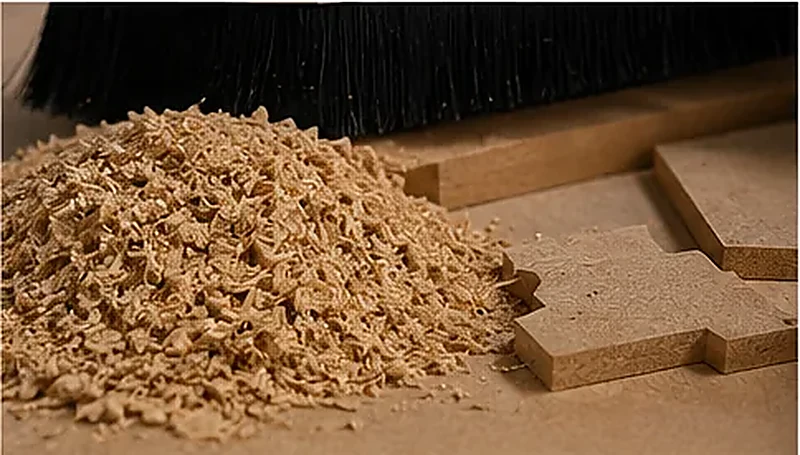
Feed Rate
Feed rate is the forward movement of the cutter through the workpiece. Faster feed means more cutting force. Slower feed is not automatically safer. If the spindle keeps turning fast while the tool barely moves forward, the cutter can rub instead of cut and build heat.
Spindle Speed
Spindle speed is the RPM of the tool. More RPM does not automatically mean a cleaner edge. If RPM is too high for the feed, you can get heat and dust. If RPM is too low for the feed and tool load, the cutter can take too big a bite and start chattering.
Chip Load
Chip load is the amount each flute removes on every revolution. Too little chip load can mean rubbing, dust, burning, or melting. Too much can mean chatter, deflection, spindle overload, or a broken bit.
Tip: Do not chase a “perfect” feed-rate number on its own. You are really trying to get a clean chip, a stable cut, and a part that stays put.
The Feed-Rate Formula Is the Easy Part
Use the formula below to get a sensible starting value:
Keep the units consistent:
- Use inches per tooth if you want the result in IPM / in/min.
- Use mm per tooth if you want the result in mm/min.
Example in Inches
18,000 RPM × 2 flutes × 0.005 in/tooth = 180 IPM.
That is the starting number. It is not a promise that 180 IPM will work on every router, every tool, and every sheet.
Example in Metric
18,000 RPM × 2 flutes × 0.10 mm/tooth = 3,600 mm/min.
Again, use it to start the test. Then look at the actual cut.
One thing to keep in mind: The same calculated feed rate can behave very differently when tool diameter, cut depth, hold-down, chip clearing, or machine rigidity changes.
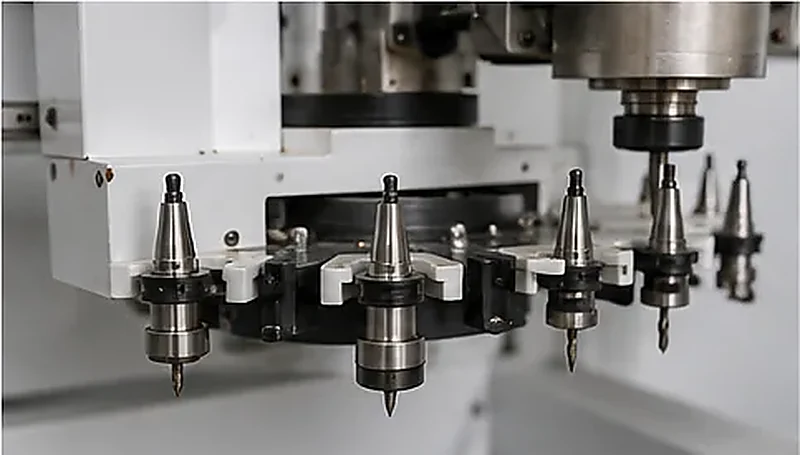
What Feed Rate Tells You About the Machine You Need
This is where feed rate stops being just a cutting number and starts becoming a machine-selection question.
| Your Work | What Matters More Than the Feed-Rate Number | What to Look At on the Machine |
|---|---|---|
| 4 × 8 ft / 1220 × 2440 mm MDF cabinet panels | Keeping the whole sheet and small nested parts stable | Vacuum table, dust extraction, nesting workflow |
| Jobs that use several tools | Stopping less between cutting, drilling, grooving, and engraving | ATC layout and tool capacity |
| Acrylic signs and parts | Getting chips out before they melt or weld back to the edge | Tool choice, spindle control, chip evacuation |
| Solid wood parts | Keeping the tool stable under a heavier cut | Machine rigidity, spindle, tool holding, fixture |
| High-volume panel furniture | Reducing time outside the cut | Loading, labeling, drilling, unloading, nesting flow |
So when you compare two CNC routers, do not stop at “Machine A says 30 m/min and Machine B says 40 m/min.” Ask which one can hold your material, clear the chips, stay stable under load, and keep the whole job moving.
A Feed-Rate Chart Gives You a Starting Number, Not the Finished Setting
A chart cannot see your actual cut. It does not know whether the bit is dull, the spoilboard is leaking, the vacuum is weak, plywood glue layers are inconsistent, or acrylic chips are being cut a second time.
It also does not know what finish you need. Cabinet nesting, rough cutting, sign work, acrylic profiling, and solid wood shaping do not have the same target.
After you start the cut, watch these things:
- Are you getting chips or mostly fine dust?
- Does the cutting sound smooth or harsh?
- Is the edge clean enough for the next process?
- Is the tool getting hot?
- Are chips leaving the toolpath?
- Does the part move?
- Does the machine vibrate under load?
If the chips look right, the sound is steady, the edge is acceptable, the part stays fixed, and the cutter is not overheating, you are getting close. If you see dust, burning, melting, chatter, rough edges, or broken tools, do not just change one number and hope for the best.
Not sure whether the problem is feed rate or the machine setup?
Send us the material, thickness, tool, current RPM/feed rate, and a photo or video of the cut. We can help narrow down what to check first.
Send Your Cutting DetailsThe Material Changes the Answer
MDF, plywood, hardwood, acrylic, PVC, and rigid machining foam do not react the same way to the same RPM and feed rate. Treating them as one group is where a lot of bad settings start.
| Material | What You Need to Watch | Common Problem | First Things to Check |
|---|---|---|---|
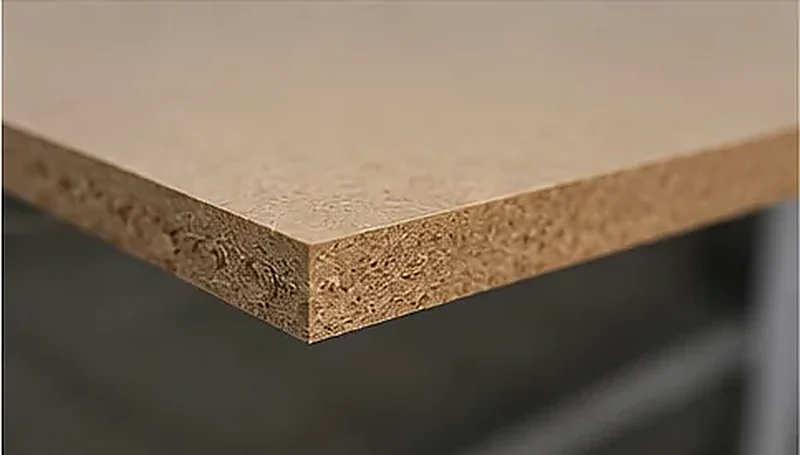
| MDF | Heat, dust, tool wear, hold-down | Burning and fine dust | Sharp bit, chip load, dust extraction |
| Plywood | Veneer layers, glue lines, support | Chip-out and torn edges | Compression bit, support, pass strategy |
| Hardwood | Grain, tool load, fixture stability | Burning and tear-out | Sharp tool, cut depth, hold-down |
| Acrylic | Heat and chip evacuation | Melting and chips welding back to the edge | Single-flute tooling, chip clearing, RPM/feed balance |
| PVC / selected plastics | Heat and chip removal | Melting and burrs | Tool type, feed/RPM balance, chip clearing |
| Rigid machining foam / model board | Edge shape and cutting load | Compressed or rough edges | Cutter geometry and sensible cut depth |
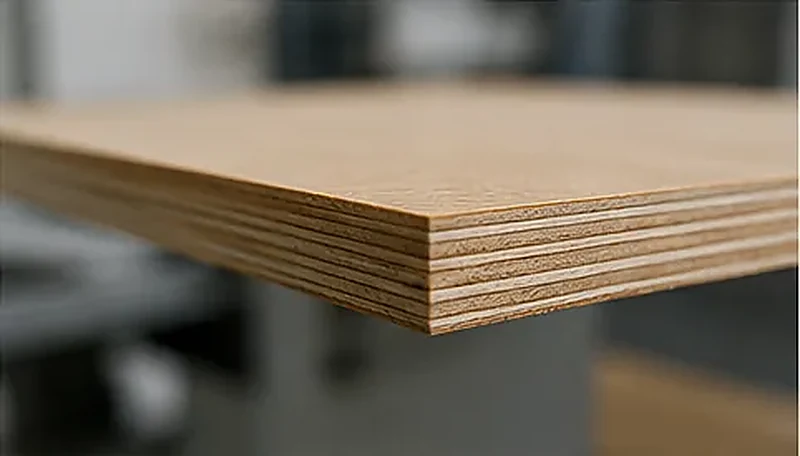
Here is a simple example. Cutting 3/4 in / 18 mm MDF cabinet panels from 4 × 8 ft / 1220 × 2440 mm sheets is mostly about vacuum hold-down, dust extraction, nesting, and keeping the tool cutting cleanly. Cutting 1/4 in / 6 mm acrylic letters is much more sensitive to tool geometry, chip evacuation, heat, and edge finish.
For wood-based work, you can also see our CNC router for woodworking guide for the machine-selection side of the job.
Read the Cut Before You Change the Feed Rate
If the cut looks wrong, start with the symptom. That is faster than moving RPM and feed up and down at random.
| What You See | What It Often Means | What Else Could Be Wrong | What to Check First |
|---|---|---|---|
| Wood or MDF burns | Feed may be too low for the RPM | Dull bit, weak dust removal, dwell in corners | Check the bit, then chip load and RPM/feed balance |
| Fine dust instead of chips | Chip load may be too small | Too much RPM, too little feed, wrong flute count | Increase feed or reduce RPM within a stable setup |
| Acrylic melts | Heat is staying in the cut | Wrong bit, poor chip evacuation, recutting chips | Clear the chips and then correct the feed/RPM balance |
| Chatter | The cut is unstable | Weak hold-down, long tool stick-out, deep pass, weak rigidity | Reduce depth per pass and check the fixture |
| Broken bit | Tool load may be too high | Material movement, deep pass, poor chip clearing | Check the fixture and reduce cut depth |
| Rough plywood edge | The cutter strategy may be wrong | No compression bit, poor support, veneer tear-out | Check tool type and pass strategy |
| Part moves during cutting | Cutting force is higher than the hold-down can handle | Vacuum leakage, small part area, worn spoilboard | Fix hold-down before pushing the feed higher |
| Vibration marks on the edge | The cut is not stable | Tool deflection, machine vibration, weak fixture | Reduce DOC and shorten tool stick-out if possible |
| Tool gets hot quickly | Chip load may be too small or chips are being recut | Dull tool or poor chip removal | Clear the chips and correct chip load |
Wood or MDF Is Burning
Burning means too much heat is staying in the cut. A very common mistake is slowing the feed even more. If RPM stays high, that can make the cutter rub harder and create even more heat.
Check bit sharpness, chip load, RPM/feed balance, dust extraction, corner dwell, and depth per pass before you decide which number to change.
Acrylic Is Melting
With acrylic, the cutter has to make a proper chip and get that chip out of the cut. If the tool has too many flutes, the chip load is too small, or chips keep getting recut, heat builds very quickly.
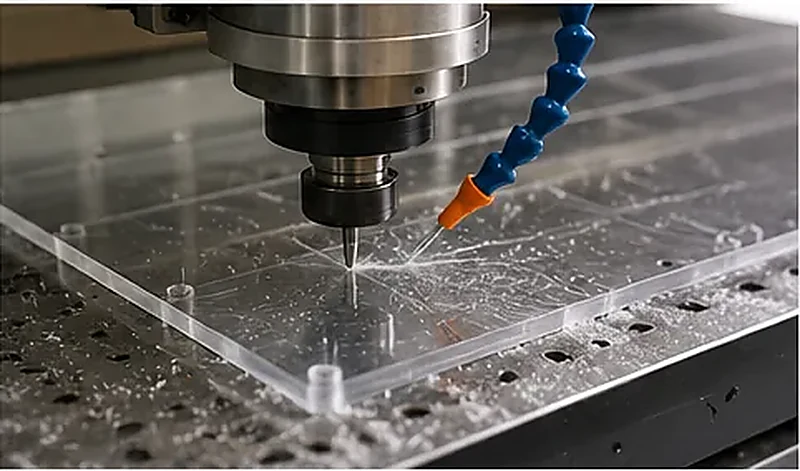
If acrylic is your main material, our how to cut acrylic with a CNC router article goes deeper into tooling and chip clearing.
Chatter or Broken Bits
Chatter is telling you the cutting system is unstable. Before you keep changing RPM, check cut depth, tool diameter, tool stick-out, collet condition, workpiece movement, hold-down, and machine rigidity.
In many cases, reducing depth per pass and fixing the hold-down gets you further than another random speed change.
The Formula Can Say “Yes” While the Machine Still Says “No”
Two routers can use the same tool, material, and RPM and still run very differently. The reason is simple: the machine, table, fixture, dust system, and tool holding are part of the cut too.
| Machine / Setup Item | Why It Changes the Feed You Can Really Use |
|---|---|
| Frame and gantry rigidity | If the structure starts vibrating under load, edge quality drops before the formula becomes the problem |
| Drive system and acceleration | A high rapid-travel number does not mean the machine can cut at that speed under load |
| Spindle | RPM range, torque behavior, tool size, and cut depth all affect how stable the cut feels |
| Vacuum table | If the part starts moving, usable feed rate is already limited |
| Spoilboard | Leaks can weaken vacuum hold-down, especially on small nested parts |
| Tool holder and collet | Runout and poor clamping show up as vibration, heat, and rough edges |
| Dust extraction / chip clearing | Chips left in the path get cut again and add heat and tool wear |
| Tool diameter and flute count | These directly change chip load, cutting force, and chip space |
| Depth per pass | A deeper pass puts more load on the tool, spindle, fixture, and machine |
| CAM strategy | Entry moves, corners, ramping, and cutting order can create heat or sudden load changes |
Rigidity
If the machine shakes when the cutter loads up, pushing the feed harder is not the answer. Look at the machine structure, guide system, drive, spindle, tool holding, and fixture as one system.
Spindle
A bigger spindle does not automatically make the edge cleaner or the job faster. It only helps when the tool, RPM range, cut depth, machine structure, and hold-down can use that extra capacity.
Vacuum Hold-Down
Feed rate creates side force. Your part has to resist it. On sheet work, small nested parts, a leaking spoilboard, or poor vacuum zoning can become the real speed limit.
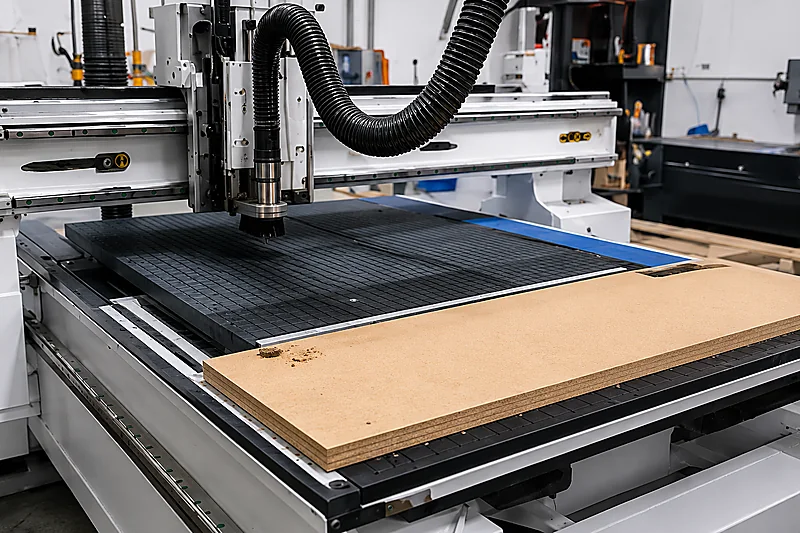
ATC
ATC does not change chip load. It changes how much time you lose between operations.
If one job needs cutting, drilling, grooving, pocketing, engraving, or different roughing and finishing tools, ATC can make a big difference. If you run one cutter all day, ATC may not be the first place to spend money.
Nesting
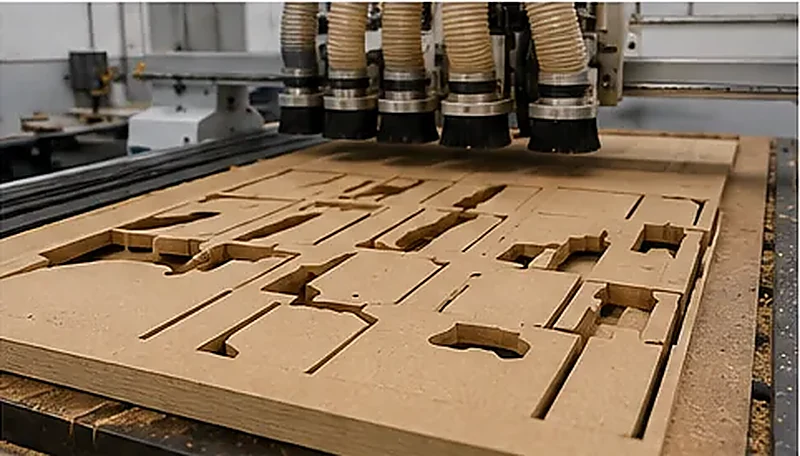
In cabinet and panel furniture production, real output is not just cutting speed. Loading, labeling, nesting layout, vacuum hold-down, drilling, tool changes, unloading, dust extraction, edge banding, and rework all affect how many finished parts leave the line.
If panel production is the goal, the furniture CNC machine category is a better place to compare the full process than looking at one feed-rate number.
What Changes From Job to Job
A cabinet factory, sign shop, and solid-wood workshop can all use a CNC router, but they do not run the same cutting setup. Keep the main production problem in front of you.
| Application | What Deserves the Most Attention |
|---|---|
| Cabinet MDF nesting | Vacuum hold-down, dust extraction, tool condition, and small-part stability |
| Plywood furniture parts | Compression tooling, support, veneer chip-out, and pass strategy |
| Acrylic / selected plastics | Tool geometry, chip evacuation, heat control, and feed/RPM balance |
| Solid wood / door panels | Rigidity, fixture stability, sharp tooling, and sensible cut depth |
| High-volume panel furniture | Loading, labeling, drilling, unloading, nesting flow, and rework |
You can also browse our CNC router applications page if you want to start from the material and production process instead of the machine model.
If You Want Useful Feed-Rate Advice, Send These Details
“How fast can your CNC router cut wood?” is too broad to give you a useful answer. You do not need to prepare a huge technical file, but a few basic details make the conversation much faster.
| Send This | Why We Need It |
|---|---|
| Material and thickness | MDF, plywood, hardwood, acrylic, PVC, rigid machining foam, and other materials cut differently |
| Sheet or part size | Large sheets and small parts need different hold-down planning |
| Drawing or part photo | Shows the shape, holes, corners, small parts, and visible-edge requirements |
| Main process | Cutting only, cutting + drilling, grooving, engraving, pocketing, or nesting can point to different machine setups |
| Current cutting data, if you have it | RPM, feed rate, tool diameter, flute count, and depth per pass help us see where the problem may be |
| Production target | Occasional jobs and daily batch production should not be planned the same way |
A Much Better Way to Ask
We cut 4 × 8 ft / 1220 × 2440 mm sheets of 3/4 in / 18 mm MDF for cabinet panels. We use a 2-flute compression bit at 18,000 RPM and 180 IPM / 4,570 mm/min on a vacuum table. Long cuts are burning and dust builds up near the tool. We want cleaner edges and stable batch production.
Now we have something useful to work with. We can look at the tool, chip load, dust extraction, vacuum, cut depth, and whether the machine setup matches the production target.
18 mm MDF Is Burning — What Should You Check First?
Here is how we would work through a common MDF burning problem.
What Happens
You are cutting 3/4 in / 18 mm MDF cabinet parts. The edge starts going dark, the cutter makes fine dust instead of proper chips, and the problem gets worse on long cuts.
The Easy Mistake
You slow the feed because the cut looks too aggressive.
Why That Can Make It Worse
The spindle is still turning fast, but the tool is moving forward more slowly. Each flute takes a smaller bite, the cutter starts rubbing, and more heat stays in the MDF. You get more dust, a darker edge, and faster tool wear.
What Could Really Be Causing It
The feed may be too low for the RPM, but the bit could also be dull, dust extraction may be weak, chips may not be leaving the cut, corner dwell may be too long, or the cut may be too deep for the setup.
What to Do
- Check whether the cutter is sharp and suitable for MDF.
- Check RPM, flute count, and feed rate together through chip load.
- Look at the waste. Fine powder often means the cutter is not taking enough chip.
- Make sure dust and chips are actually leaving the toolpath.
- Check depth per pass.
- Make sure the panel or small nested part cannot move.
- Only then decide whether to raise feed, lower RPM, or change the tool.
Tip: Burning is a heat problem. The quickest fix is rarely “just slow it down.” Find out where the heat is coming from first.
Common CNC Feed-Rate Mistakes to Avoid
1. Choosing a Machine by Maximum Speed
Rapid travel is not cutting speed. The machine may move very fast in air, but the feed you can really use depends on material, tooling, spindle load, hold-down, rigidity, and the edge quality you need.
2. Copying a Chart and Stopping There
Use the chart for the first number. Then look at the chips, sound, edge, tool heat, and part movement. Your actual cut has the final say.
3. Trying to Fix a Moving Part With a Lower Feed
If the sheet or small part moves, fix the hold-down first. Check vacuum zones, spoilboard leakage, clamps, tabs, part size, and cutting order.
4. Assuming More Flutes Are Always Better
More flutes leave less room for chips. On acrylic and some plastics, that can trap heat quickly. Flute count has to match the material, tool diameter, feed rate, and chip evacuation.
5. Cutting Too Deep in One Pass
A deep pass adds load to the tool, spindle, fixture, and machine all at once. If the cut is unstable, reduce depth per pass before you start making random RPM changes.
6. Looking Only at Spindle Power
A larger spindle is useful only if the rest of the machine and process can use it. Tooling, RPM range, rigidity, workholding, cut depth, and chip removal still matter.
How Feed Rate Fits Into CNC Router Selection
Do not start with “How many meters per minute can the machine run?” Start with what you are cutting and what has to come off the machine at the end of the day.
For example:
- If you cut cabinet panels, vacuum hold-down, nesting, dust extraction, tool changes, and downstream drilling can matter more than another few meters per minute.
- If you cut acrylic, tool geometry and chip evacuation can matter more than spindle power.
- If you cut solid wood, rigidity, tool holding, fixture stability, and pass strategy become much more important.
- If one part needs several tools, ATC can save more production time than simply pushing the feed higher.
The feed-rate formula is useful. The machine still has to make that number work in real production.
Useful Feed and Chip-Load References
If you need a starting range for a specific cutter and material, use tooling-manufacturer data first, then check the result on the actual machine. Tool diameter, cutting-edge length, depth per pass, hold-down, and chip clearing can all change the usable setting.
FAQ
What feed rate should I start with for MDF or plywood?
Start with the material, tool diameter, flute count, spindle RPM, chip load, and depth per pass. Do not use one setting for both materials without checking the cut.
MDF is more uniform but creates a lot of dust and tool wear. Plywood brings veneer layers, glue lines, and chip-out into the picture. Use a sensible starting value, then watch chips, sound, edge quality, tool heat, and hold-down.
My MDF edge is burning. Should I slow the machine down?
Not automatically. Slowing the feed while keeping RPM high can make the cutter rub more and create extra heat.
Check the bit, chip load, RPM/feed balance, dust extraction, corner dwell, and depth per pass first. The answer may be more feed, less RPM, a different tool, or better chip removal.
Why does my acrylic melt even when the feed rate looks normal?
Because feed rate is only one part of the cut. Acrylic can still melt if the tool geometry is wrong, there are too many flutes, chip load is too small, RPM is too high, or chips keep getting recut.
For acrylic, make a proper chip and get it out of the cut quickly.
Can I use my MDF settings for plywood panels?
No. You can use them as a rough reference, but not as a direct copy.
Plywood has veneer and glue layers, so cutter type, support, cutting direction, and chip-out become more important.
If I choose a stronger spindle, can I cut faster?
Only if the rest of the setup can use the extra spindle capacity. The tool, RPM range, hold-down, machine rigidity, cut depth, and chip evacuation still have to support the cut.
Why is the router chattering even after I used the feed-rate formula?
The formula does not know whether the pass is too deep, the tool sticks out too far, the part is moving, the collet has runout, or the machine is vibrating.
Reduce depth per pass, check tool stick-out and hold-down, then come back to feed and RPM.
What should I send Quick CNC if I want help with feed rate or machine selection?
Send the material, thickness, sheet or part size, a drawing or photo, the main process, and your production target.
If you already have cutting data, also send tool diameter, flute count, RPM, feed rate, depth per pass, and a photo or video of the problem. That is normally enough for us to start narrowing things down.
Before You Push the Feed Rate Higher
Use the formula to get a starting point, then look at the actual cut. If the chip is right, the tool stays cool, the edge is clean, the part does not move, and the machine stays stable, you are moving in the right direction.
If you keep running into burning, melting, chatter, moving parts, or long cycle times, the answer may not be one more feed-rate adjustment. It may be the tool, vacuum, dust system, spindle, machine rigidity, or the production layout around the router.
Send us the part you need to make
Material, thickness, drawing, sheet size, and daily output are enough to start. We can help narrow down the CNC router and the setup that makes sense for the job.
Send Your Part Details
Frannie
Hello, I’m Frannie, a CNC machinery specialist with 15 years of experience in the woodworking CNC industry. I help furniture factories, cabinet makers, woodworking workshops, and production businesses choose CNC machines that match their production needs, factory size, budget, and efficiency goals.
My work focuses on solving real production problems, including replacing outdated equipment, improving machining efficiency, reducing labor costs, and upgrading to smarter CNC solutions. I also support customers with machine installation guidance, operation training, video support, and on-site training when needed, helping them use their machines more confidently and effectively.





