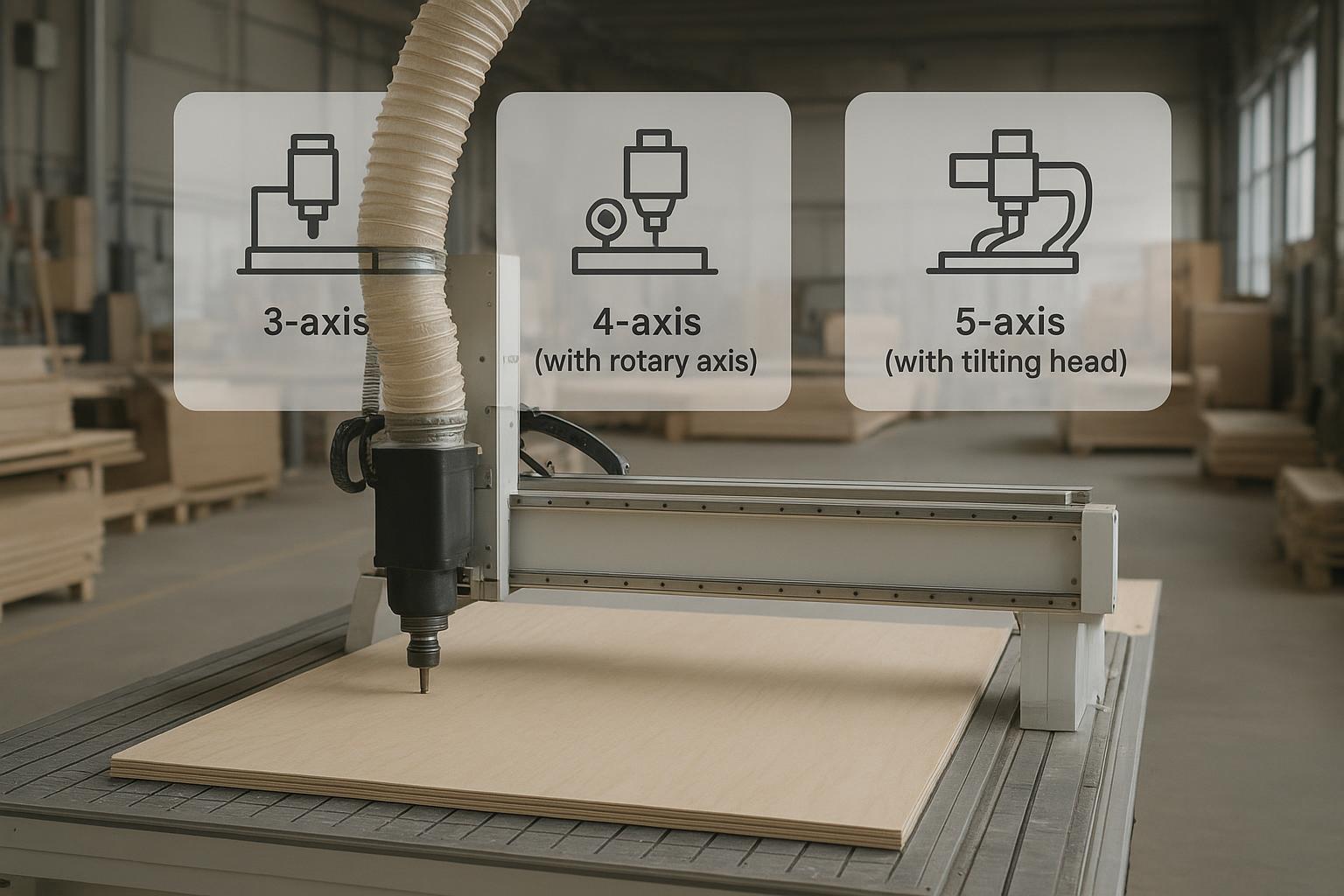
If you’re searching for “3 axis vs 4 axis vs 5 axis CNC router”, you’re probably not looking for a textbook definition of X/Y/Z.
You’re really asking something more expensive:
- Will a 3-axis CNC router cover 90% of my work—or will it become a bottleneck?
- When does a 4th (rotary) axis actually pay for itself?
- Is a 5-axis CNC router a smart upgrade—or an overkill investment I’ll struggle to program and maintain?
This guide is written for woodworking CNC routers—cabinet making, panel furniture, doors, stair parts, signs, crafts, and foam molds—not metal milling. Many popular “axis” comparisons are written from a milling perspective (you’ll see that in pieces like CloudNC’s overview of 3-, 4-, and 5-axis milling). The principles overlap, but the buying decision for woodworking is usually driven more by workflow and ROI than by chasing the highest axis count.
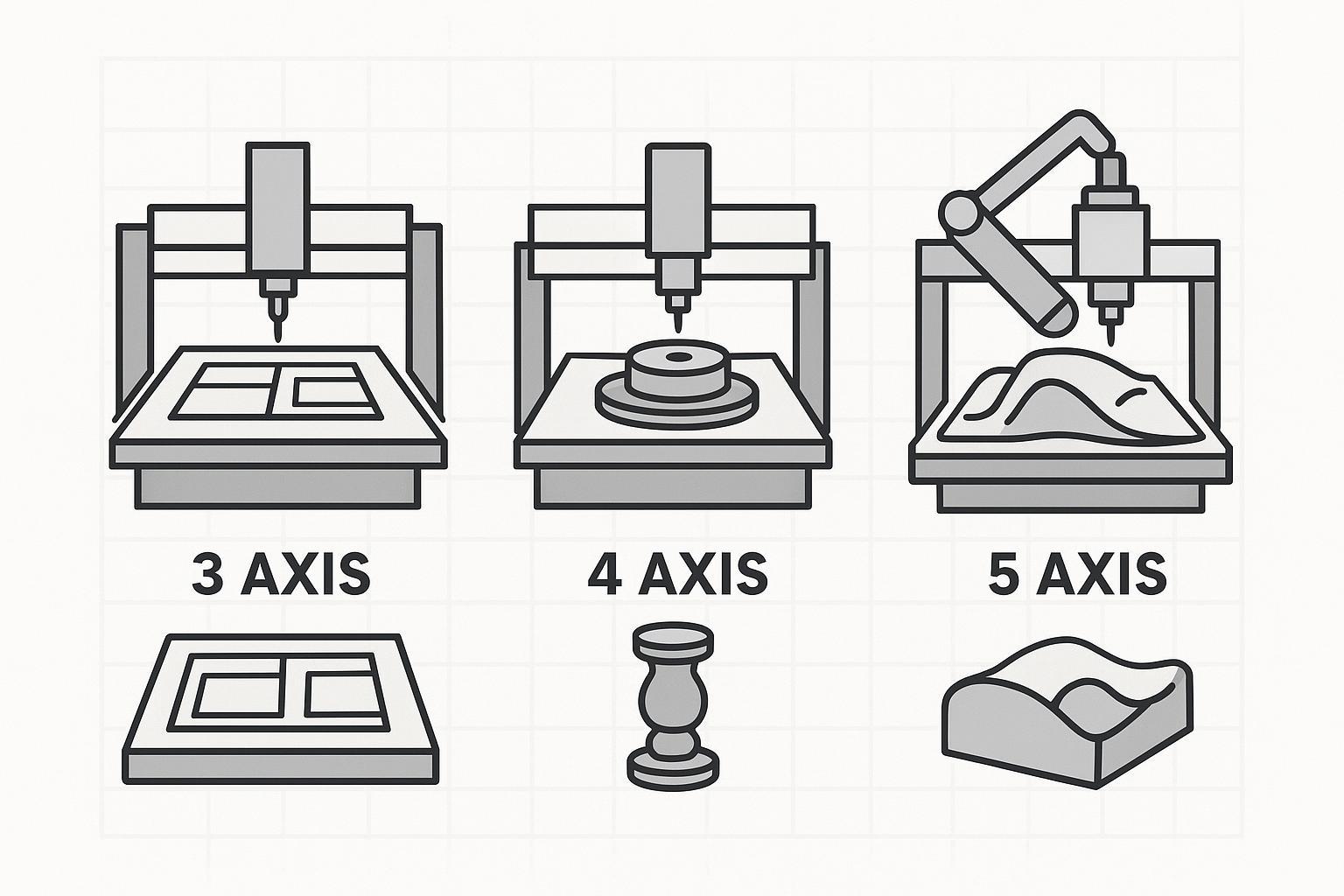
Quick comparison: 3 axis vs 4 axis vs 5 axis CNC router (woodworking focus)
Factor | 3 Axis CNC Router | 4 Axis CNC Router (with rotary/A-axis) | 5 Axis CNC Router |
|---|---|---|---|
Best for | Sheet goods and flat parts | Cylindrical parts + fewer flips for multi-sided work | Complex 3D surfaces + five-side access |
Typical woodworking jobs | Cabinet parts, nesting, doors, signs, 2.5D relief | Table legs, chair legs, newel posts, columns, wrapped carving | Molds, prototypes, sculptural/high-end curved parts |
What “extra axes” really buy you | Simplicity and throughput | Reduced re-clamping on the right parts | Tool access + fewer setups on complex geometry |
Learning curve | Low | Medium (rotary setup + CAM workflows) | High (advanced CAM, simulation, collision awareness) |
Total cost impact | Lowest | Higher (hardware + fixturing + CAM time) | Highest (machine + CAM + training + risk) |
Common mistake | Buying too small/slow (no ATC, weak workflow) | Confusing a rotary add-on with true continuous 4-axis capability | Buying 5-axis for flat panel work |
Key Takeaway: For many woodworking factories, the real productivity jump comes from ATC, drilling/boring, nesting workflow, vacuum workholding, and loading/unloading—not from jumping straight to 5-axis.
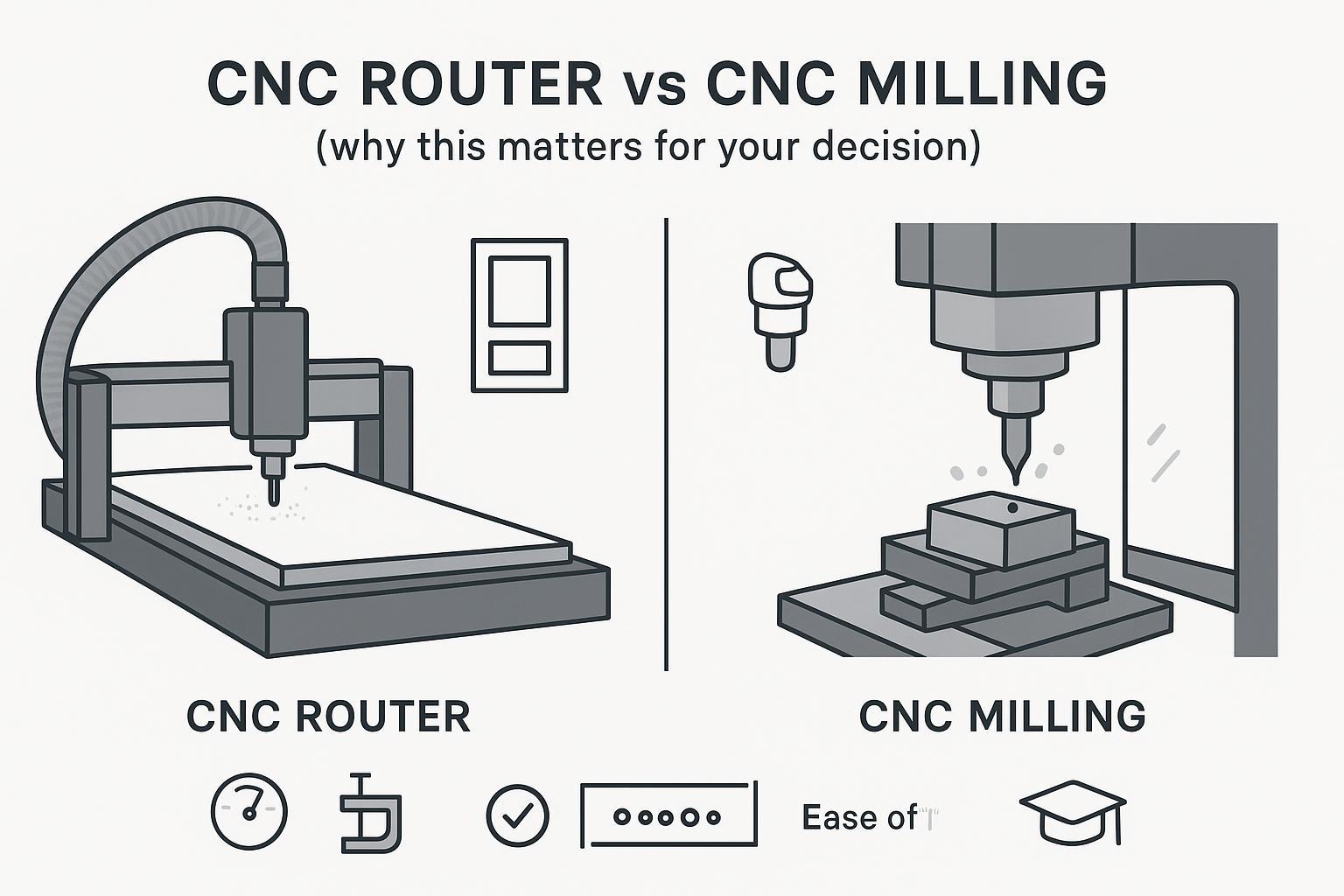
First: CNC router vs CNC milling (why this matters for your decision)
A lot of “3 vs 4 vs 5 axis” articles are written for metal machining—tight tolerances, small parts, hard materials, and different tooling assumptions.
A CNC router is commonly used for:
- Wood, MDF, plywood, particle board
- Acrylic and plastics
- Foam and soft materials
In these applications, buyers usually care most about:
- Throughput (how many panels/parts per shift)
- Setup time (how much flipping and re-zeroing happens)
- Consistency (scrap risk from manual steps)
- Ease of training (can your team run it reliably?)
Axis count affects those—but usually indirectly.
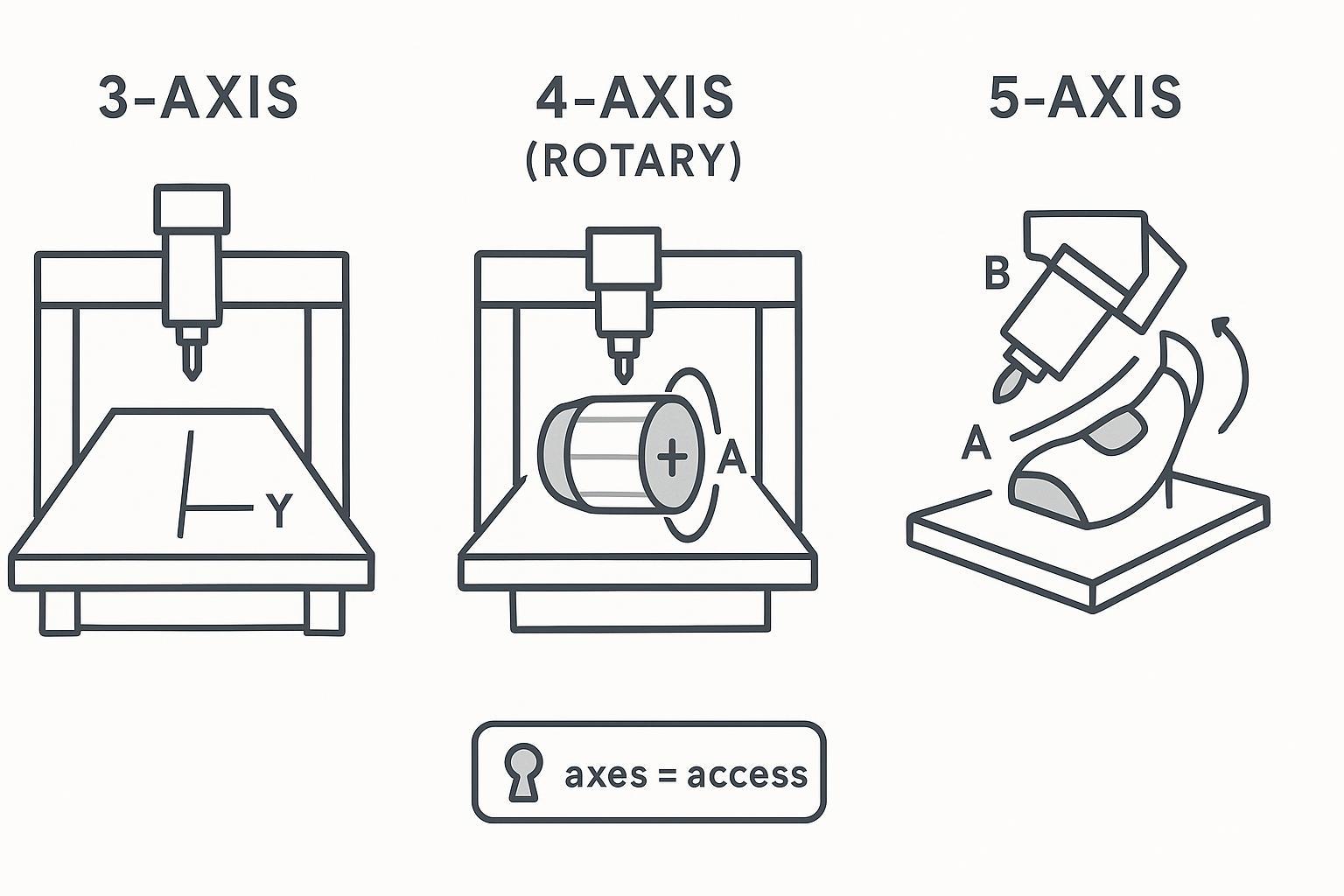
What 3-axis, 4-axis, and 5-axis mean in woodworking terms (no engineering lecture)
You don’t need a robotics background to choose correctly. Here’s the practical translation:
- 3-axis: the tool moves left/right, front/back, up/down. Great for flat sheets and “2.5D” work.
- 4-axis (rotary/A-axis): something can rotate—often the workpiece on a rotary device—so you can machine around a cylinder or reduce flipping for certain multi-sided parts.
- 5-axis: the tool (or the head) can approach the workpiece from many angles, which is what you need for smooth complex surfaces, five-side access, and certain undercut-like geometries.
If you remember only one thing: axes are about access—how many sides/angles you can cut accurately in one setup.
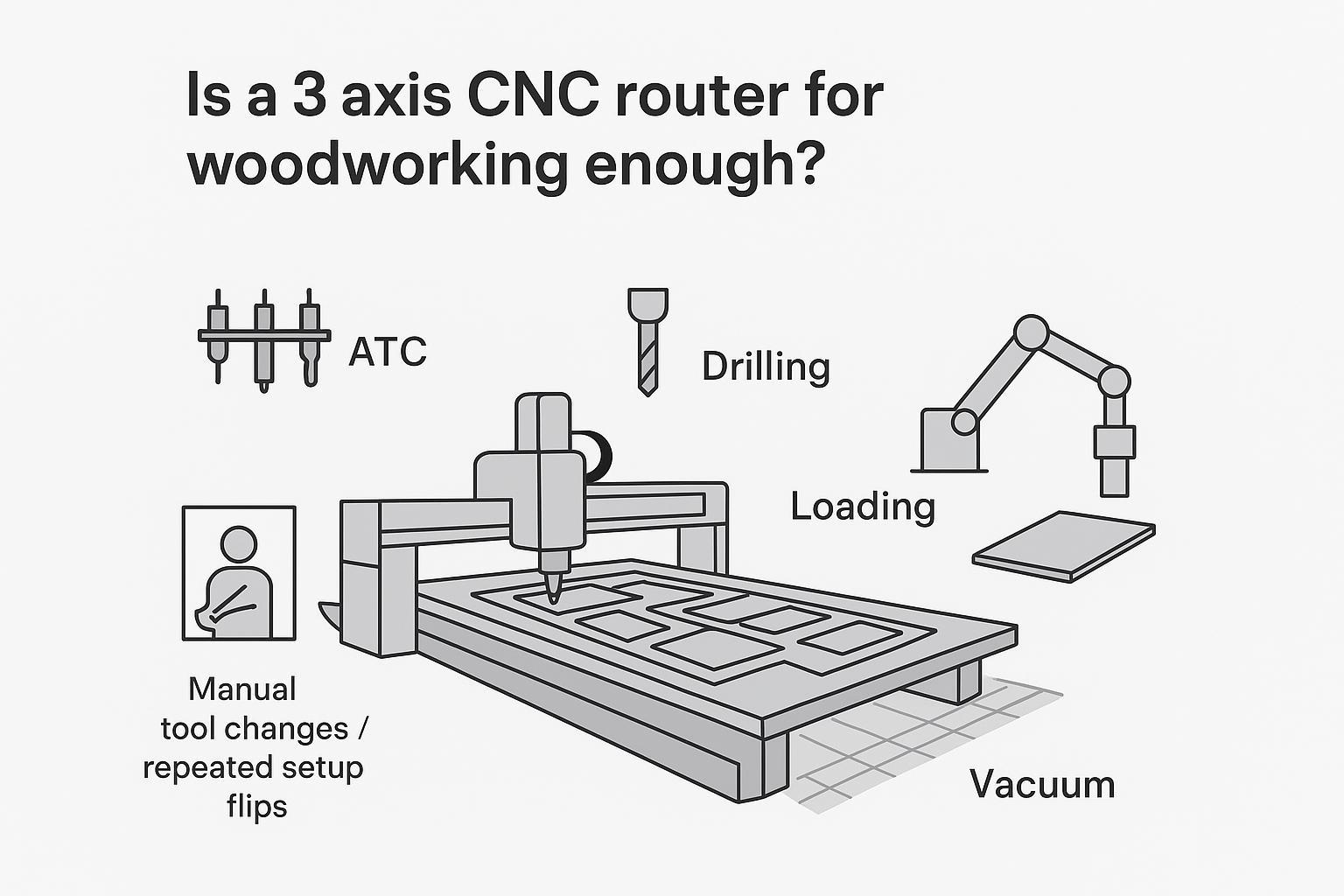
Is a 3 axis CNC router for woodworking enough?
For a huge share of woodworking businesses, the answer is yes—and it’s not a “budget compromise.” It’s often the most practical production choice.
A 3-axis CNC router is usually enough for:
- Cabinet boxes and cabinet parts
- Panel furniture (nested sheets)
- Flat cabinet doors and door panels
- MDF/plywood cutting
- Dados, pockets, drilling patterns
- Signs, acrylic sheets, decorative panels
- 2.5D relief carving on flat stock
Where 3-axis starts to feel limiting:
- True rotary carving (table legs, columns, balusters) where the part must rotate during machining
- Multi-sided machining where you need frequent flipping and re-zeroing
- Complex 3D surfaces (molds, high-end sculptural pieces)
And here’s the important nuance: if your core work is cabinets and panels, the bottleneck is often not “I need 5-axis.” It’s:
- slow tool changes (no ATC or too few tools)
- drilling/boring cycle time
- poor nesting strategy
- manual loading/unloading
- inconsistent vacuum hold-down
If your work fits the 3-axis sweet spot, a well-configured 3-axis ATC router can be a serious production tool. For example, Quick CNC’s 12 Tool Linear ATC CNC Router UE-481 is positioned for cabinets, furniture parts, doors, and signage—exactly the type of work where axis count isn’t the main constraint.
When is a 4 axis CNC router with rotary axis worth it?
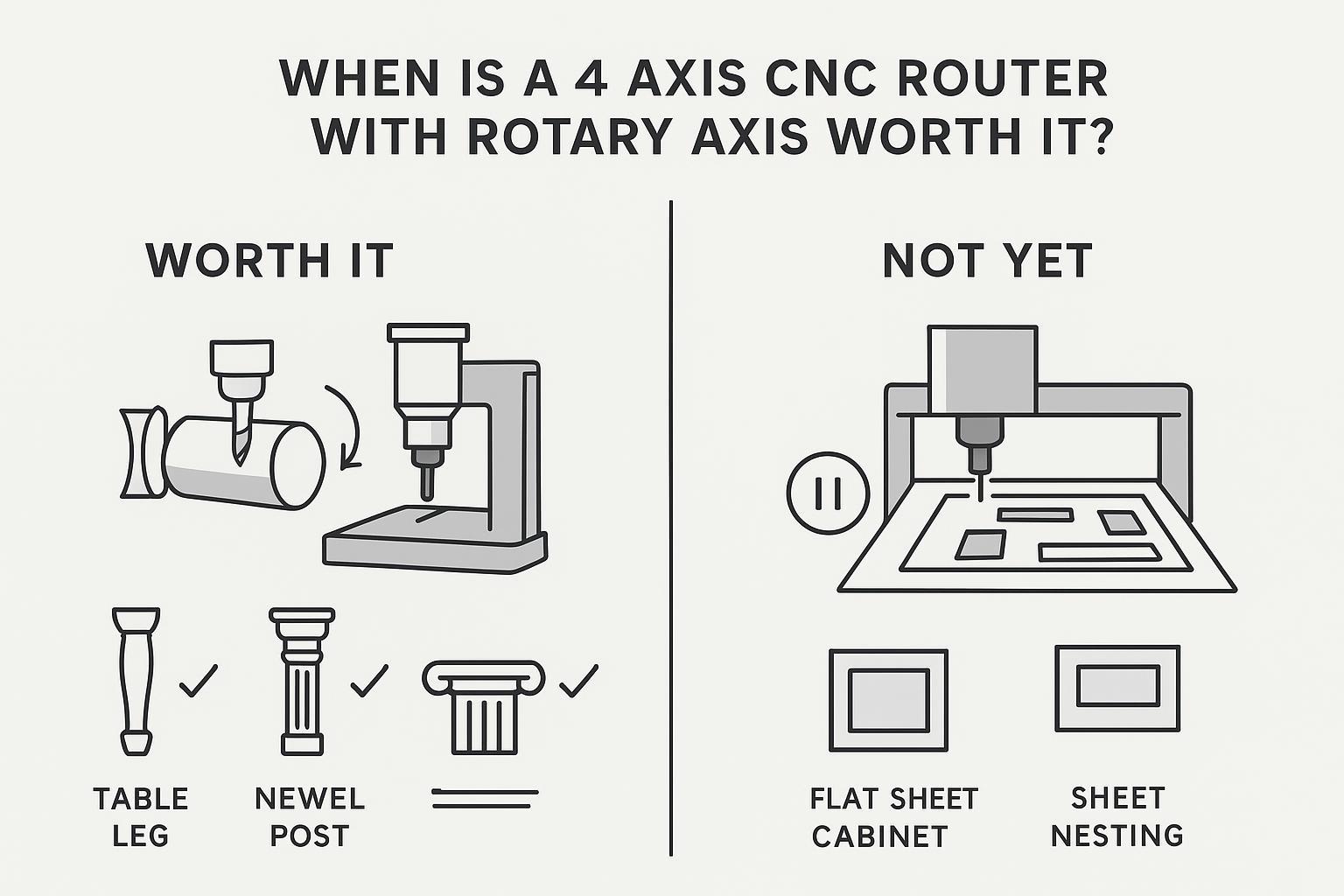
A 4-axis CNC router is worth considering when rotation is part of your product, not just an occasional edge case.
If you regularly make these products, 4-axis is usually a “yes”
- Table legs and chair legs
- Stair newel posts, balusters, columns, Roman columns
- Cylindrical crafts and wrapped carving
- Multi-sided parts where indexing around the part reduces re-clamping
If your work is mostly flat sheets, 4-axis is usually a “not yet”
- Cabinet box parts
- Nested panel furniture
- Standard door panels
- Flat signs and acrylic sheet work
In those shops, upgrades like ATC capacity, boring heads, or workflow automation typically return faster than adding a rotary axis.
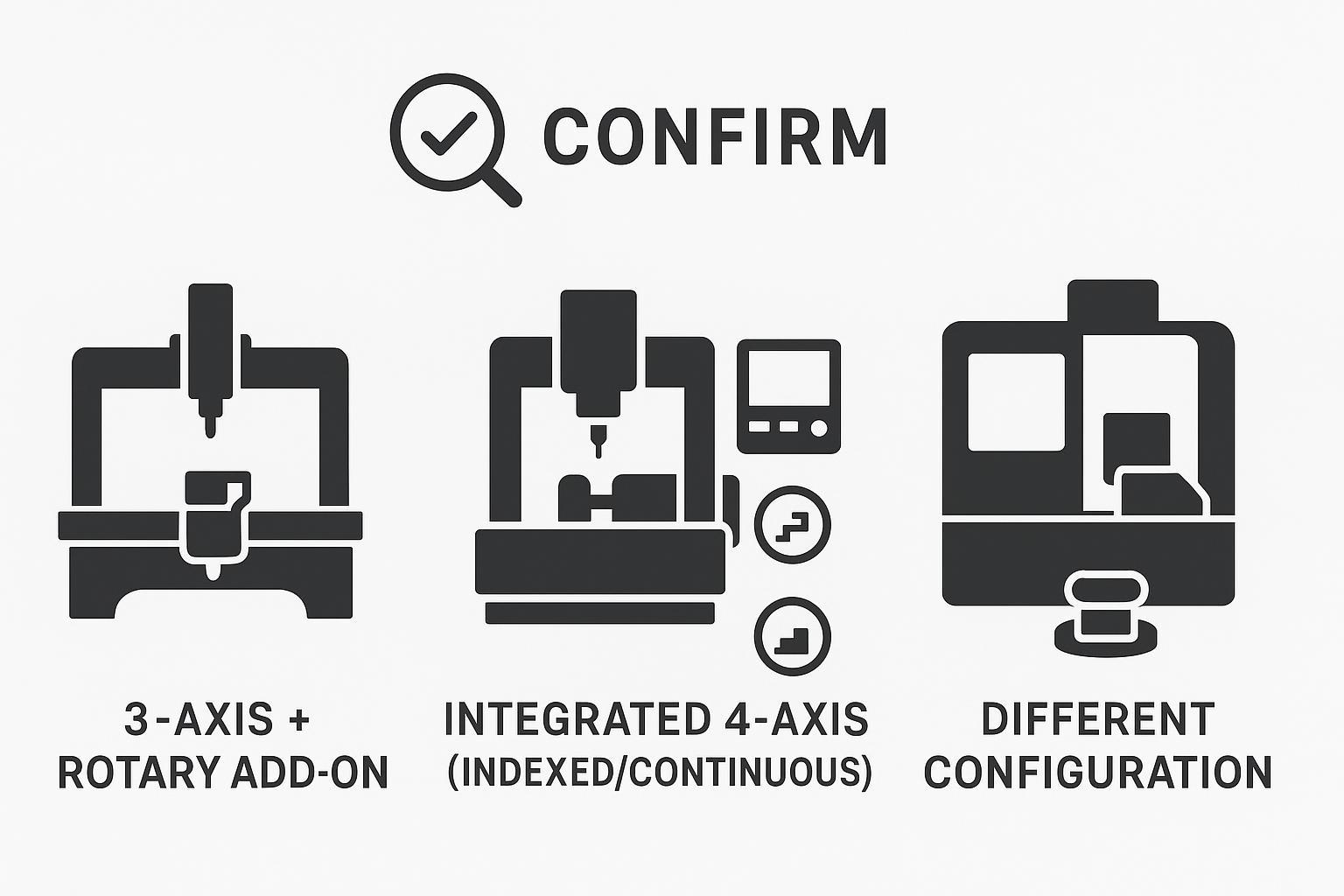
Important: “4-axis” can mean different machines
This is a common place buyers get burned.
Some shops say “4-axis” but mean a 3-axis router with a rotary attachment. Others mean a configuration where the rotary axis is truly integrated for more continuous motion.
A simple way to think about it:
- Indexed rotary: rotate the part to a position, then cut like 3-axis.
- Continuous rotary: the part can rotate while cutting for certain toolpaths.
If you’re comparing quotes, confirm what you’re actually getting. As Sainsmart explains in its overview of true vs “fake” 4th axis setups, some “4th axis” solutions behave more like repositioning devices than full multi-axis machining.
A practical 4-axis-related option: rotary + ATC
If your factory does a mix—panel work plus some rotary jobs—you may want to evaluate configurations that combine tool changing with rotary capability. Quick CNC lists a machining center option like the UC-481 with rotary ATC for shops that want to reduce interruptions and handle varied woodworking tasks.
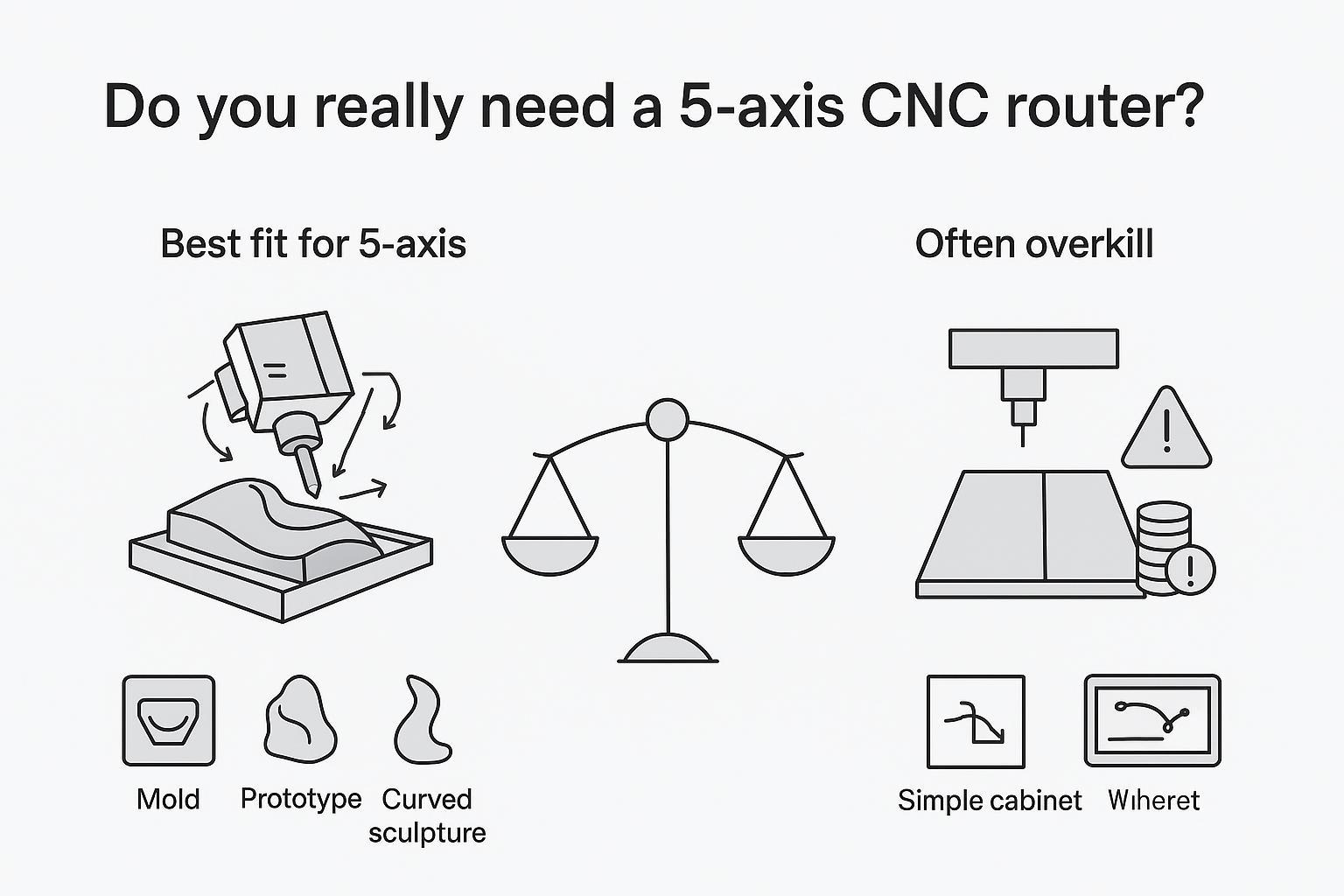
Do you really need a 5-axis CNC router?
A 5-axis CNC router is powerful—but most woodworking factories don’t need it as their first major upgrade.
5-axis is often the right tool when your parts look like this
- Complex 3D curved surfaces that need smooth finishing
- Foam molds and prototypes
- High-end sculptural parts and deep 3D geometry
- Work that benefits from five-side machining in one setup
This is why many 5-axis routers are positioned for mold work. If you’re evaluating a 5 axis CNC router for mold making, Quick CNC’s 5 Axis Wood CNC Router for Mold Making is an example built around five-side machining, complex 3D parts, sculpture crafts, and prototype/model making.
5-axis is often the wrong first choice when your main work is:
- cabinet making
- nested panel furniture
- standard door production
- flat signage
- sheet cutting (MDF/plywood/particle board)
In those cases, 5-axis can add cost and risk without removing your real bottleneck.
3+2 vs simultaneous 5-axis (a buyer-friendly explanation)
You’ll also see “5-axis” used for two different operating styles:
- 3+2 (indexed): the machine tilts/positions, then cuts with 3-axis.
- Simultaneous 5-axis: all axes move together during cutting.
Methods Machine gives a clear overview of 3+2 vs simultaneous 5-axis: 3+2 is often easier to program and verify, while simultaneous 5-axis demands more CAM capability, simulation, and operator confidence.
For woodworking buyers, the takeaway is simple:
- If you mostly need fewer flips and better access on angled faces, 3+2 can already help.
- If you need continuous changing tool angles across a complex surface, that’s where simultaneous 5-axis earns its keep.
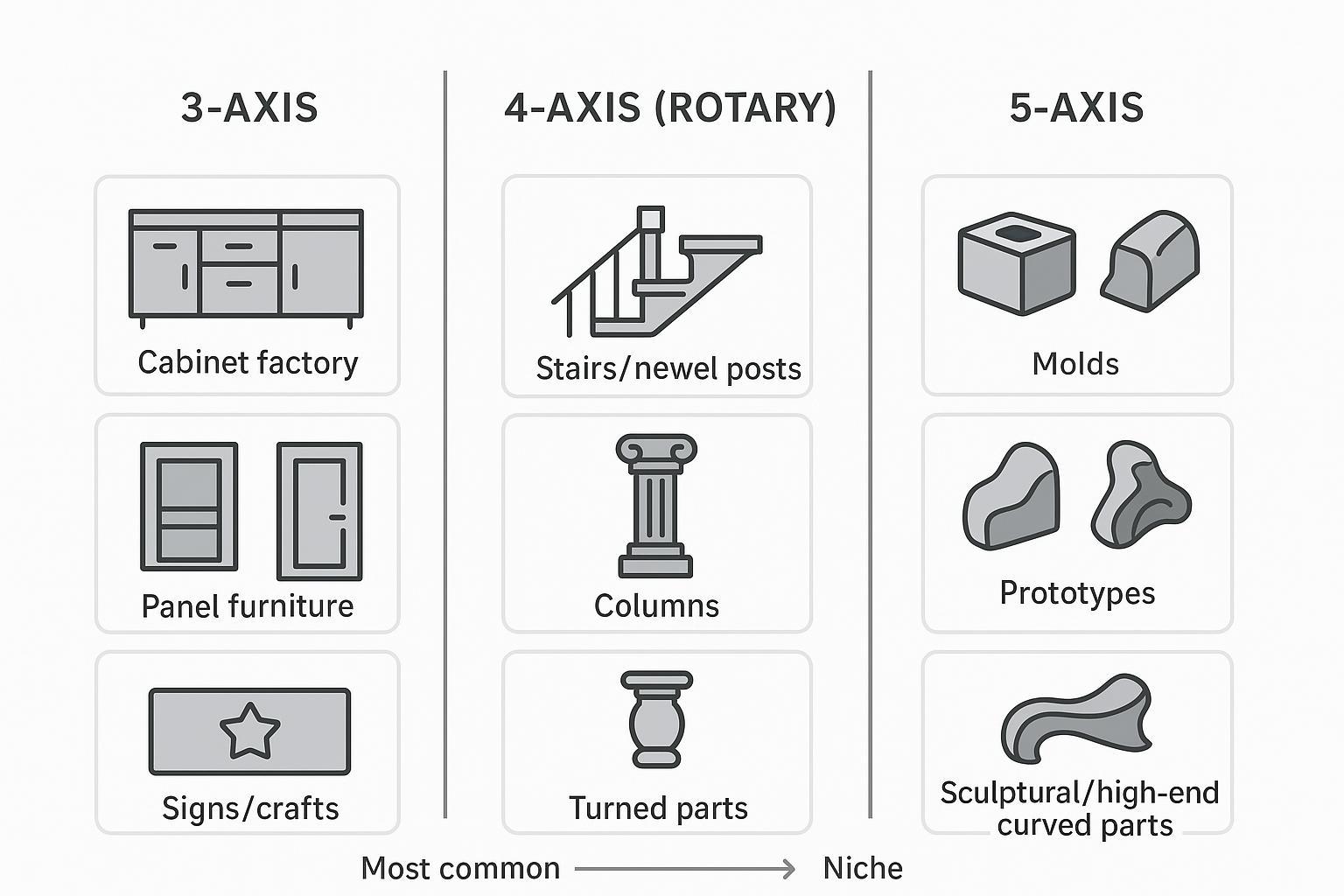
Match your business to the right axis: woodworking selection table
Use this as a quick “self-diagnosis.”
Woodworking business type | What they really need | Recommended axis | Why |
|---|---|---|---|
Cabinet / custom cabinetry factory | Nesting sheets, drilling/slots, consistent throughput | 3-axis (focus on ATC + nesting + drilling) | Most work is flat panels; workflow features drive ROI |
Panel furniture factory | Batch cutting, hole patterns, automation | 3-axis nesting solution | Axis count is less important than throughput and consistency |
Door / door-panel shop | Lock holes, hinge pockets, door panels, flexible holding | 3-axis ATC or PTP-style holding | Workholding + boring/drilling matters more than extra axes |
Furniture factory (mixed) | Panels + some solid-wood parts | 3-axis baseline; add 4-axis if rotary parts are frequent | Upgrade only if product geometry requires it |
Small workshop / startup shop | Wide variety, limited budget, easy training | 3-axis | Lowest operating risk, covers most jobs |
Sign / crafts shop | 2D/2.5D carving, acrylic, reliefs | 3-axis (add rotary only if you sell cylindrical work) | Most jobs are flat stock |
Stairs / columns / turned-part shop | Cylinders, wraps, multi-sided posts | 4-axis (rotary/A-axis) | Rotation is the core need |
Mold / prototype / complex 3D shop | Complex surfaces, foam molds, sculptural parts | 5-axis | Tool access and reduced setups matter most |
Dealer / distributor | Recommend across many customers | 3-axis as main volume; 4-axis as upgrade; 5-axis as niche | Matches market demand and reduces mis-selling |
If your door and panel work needs more flexible holding and boring capability, machines built around pod-and-rail workholding can be a better “next step” than adding axes. Quick CNC’s PTP CNC Router for Doors and Furniture Panels is an example category to evaluate for door/panel workflows.
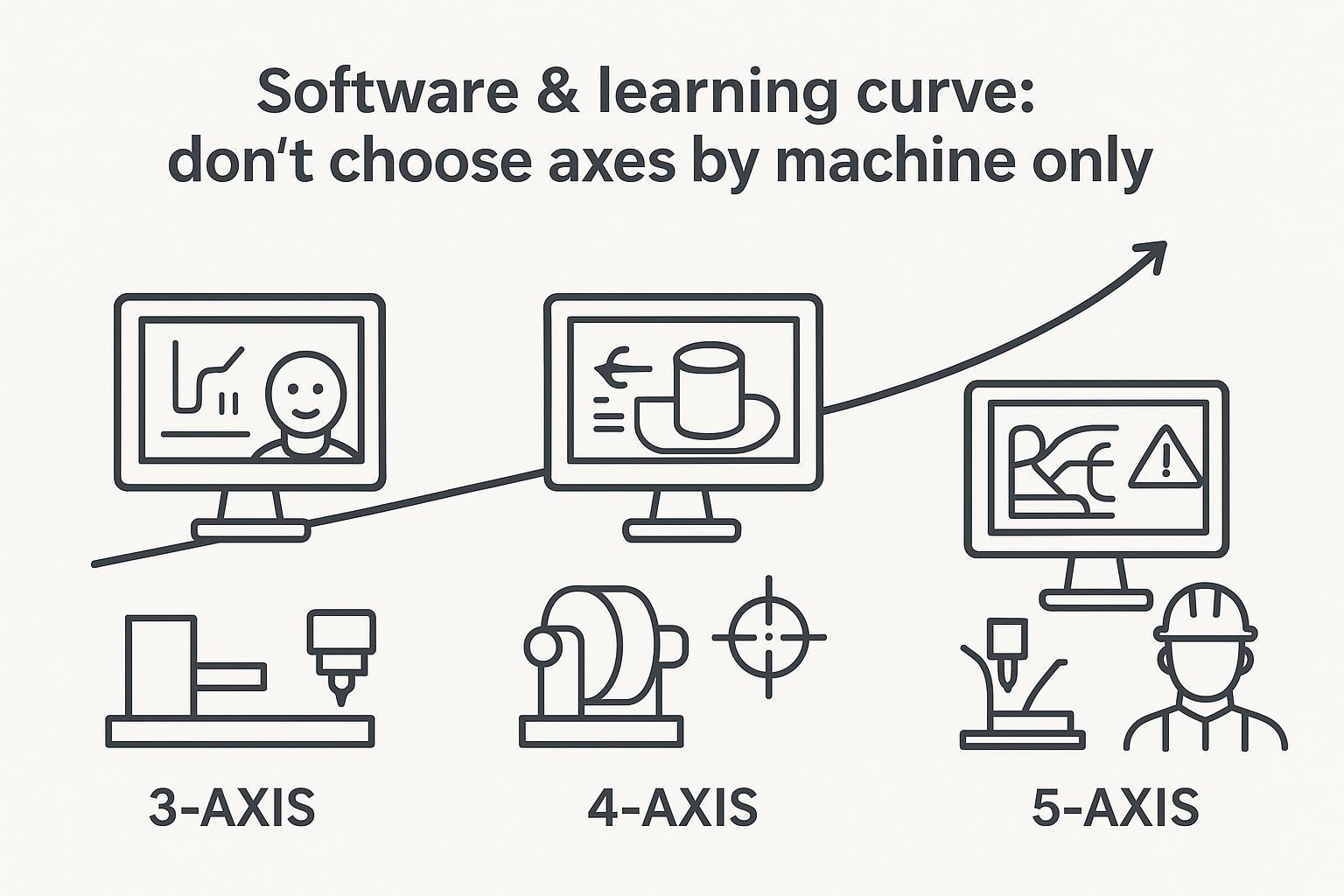
Software & learning curve: don’t choose axes by machine only
Axis upgrades are also workflow upgrades—especially in CAM.
Axis option | Typical programming/operation difficulty | What your shop should be ready for |
|---|---|---|
3-axis | Low | Standard CAD/CAM, basic tooling knowledge, simple fixture planning |
4-axis (rotary) | Medium | Rotary toolpaths, part alignment, rotary zeroing, more fixture discipline |
5-axis | High | Advanced CAM features, simulation, collision awareness, skilled operator support |
If your team is lean or your orders are unstable, the “hidden cost” of 5-axis is often programming time and training, not just the machine.
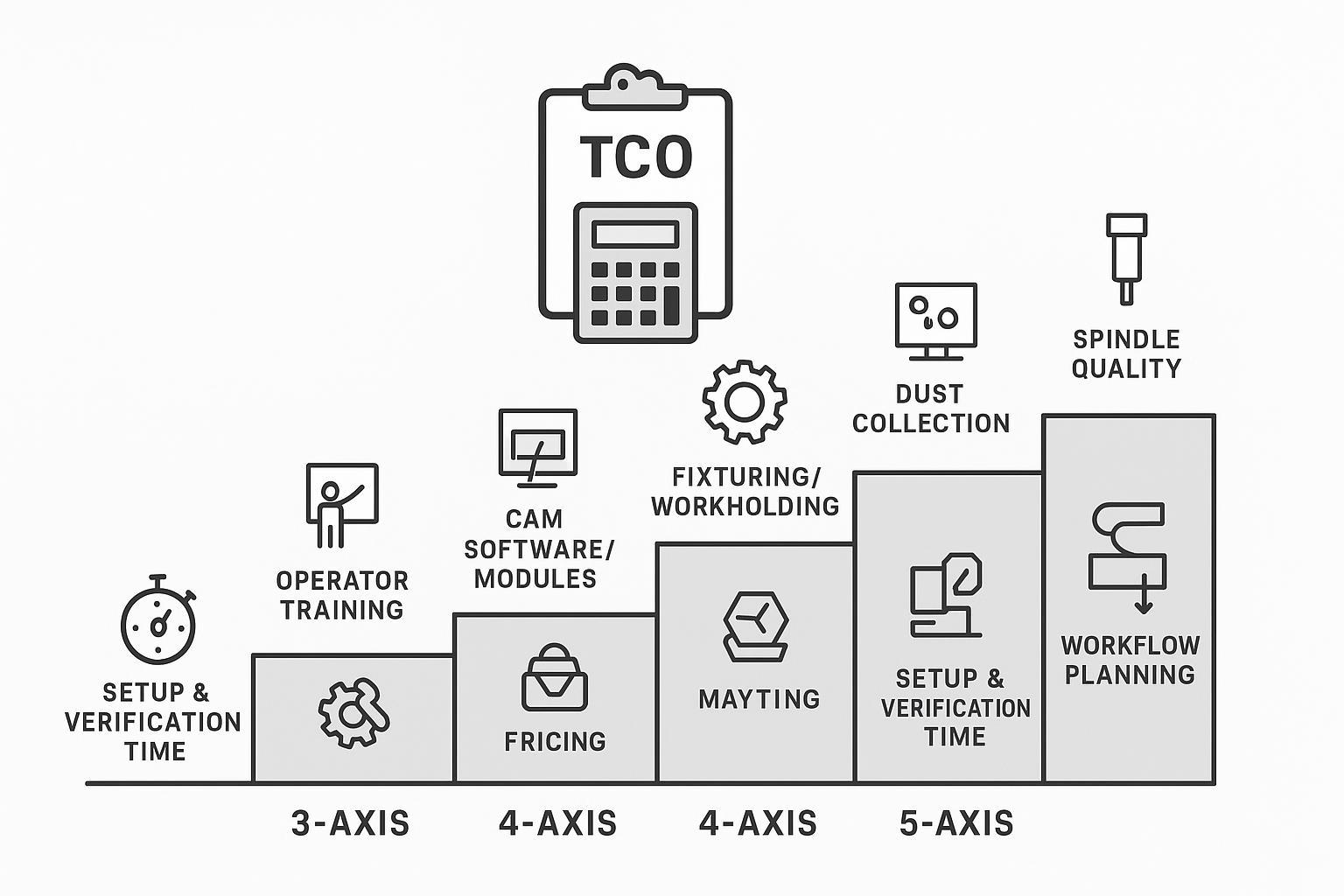
What costs should you consider before choosing 3, 4, or 5 axis?
Try to think in total cost of ownership (TCO) terms, not just “machine price.”
Adding axes can increase:
- CAM software cost (or required modules)
- Post processor complexity
- Fixturing and workholding complexity
- Operator training time
- Setup and verification time (especially for multi-axis)
- Maintenance complexity and spare parts planning
And for woodworking, regardless of axis count, don’t ignore the “boring but important” contributors to consistent output. Toolstoday’s CNC router buying checklist highlights factors like spindle quality, workflow planning, software compatibility, and dust collection in its guide to choosing the right CNC router.
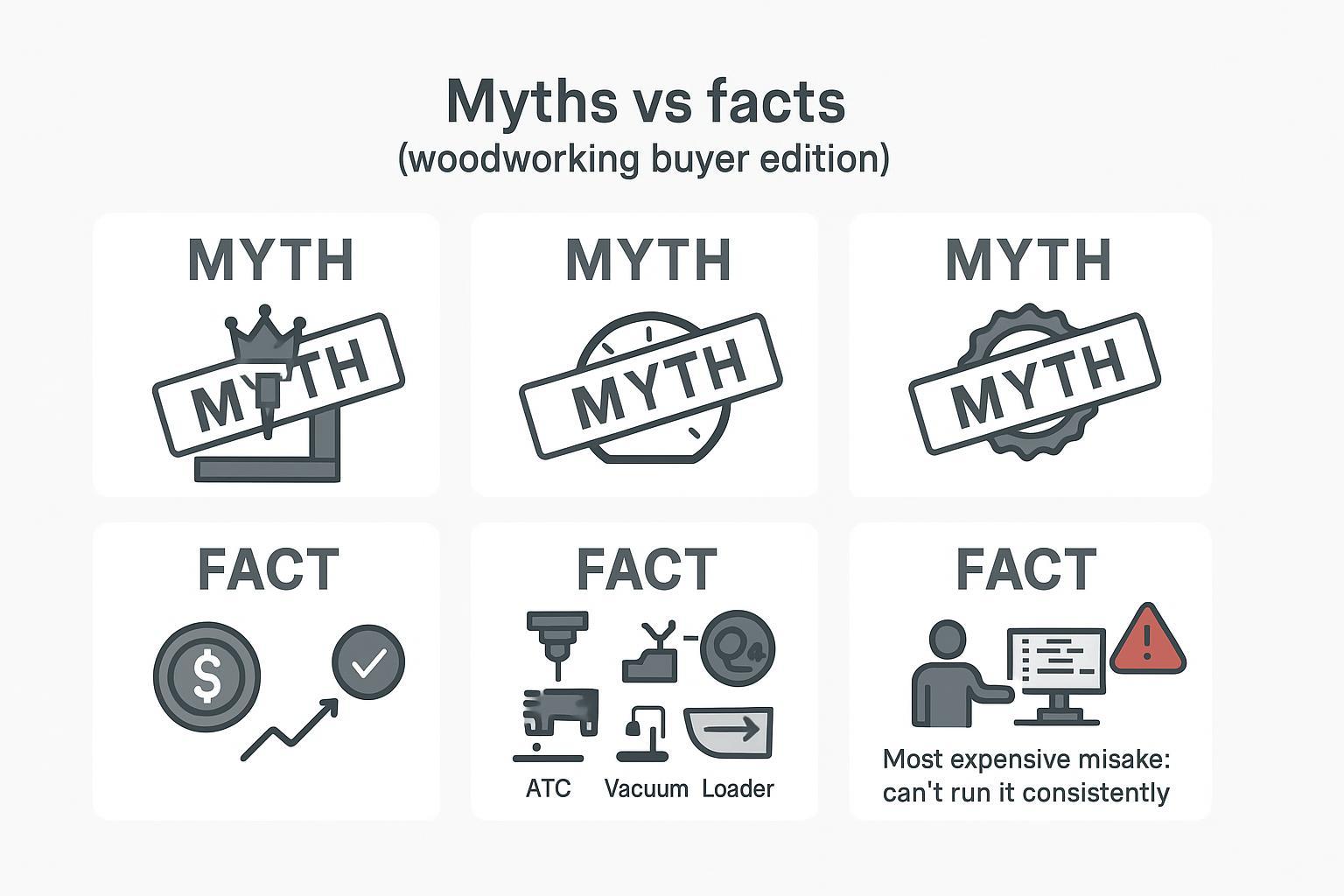
Myths vs facts (woodworking buyer edition)
Myth 1: A 5-axis CNC router is always better
Fact: A 5-axis CNC router is more flexible, but not always the best business choice. If your main work is cabinet boxes, nested panel furniture, standard doors, and sheet cutting, a production-focused 3-axis setup can deliver better ROI with lower operating risk.
Myth 2: More axes automatically means higher output
Fact: Axis count determines flexibility, but throughput often depends on ATC, drilling/boring, nesting strategy, vacuum workholding, loading/unloading, and operator consistency.
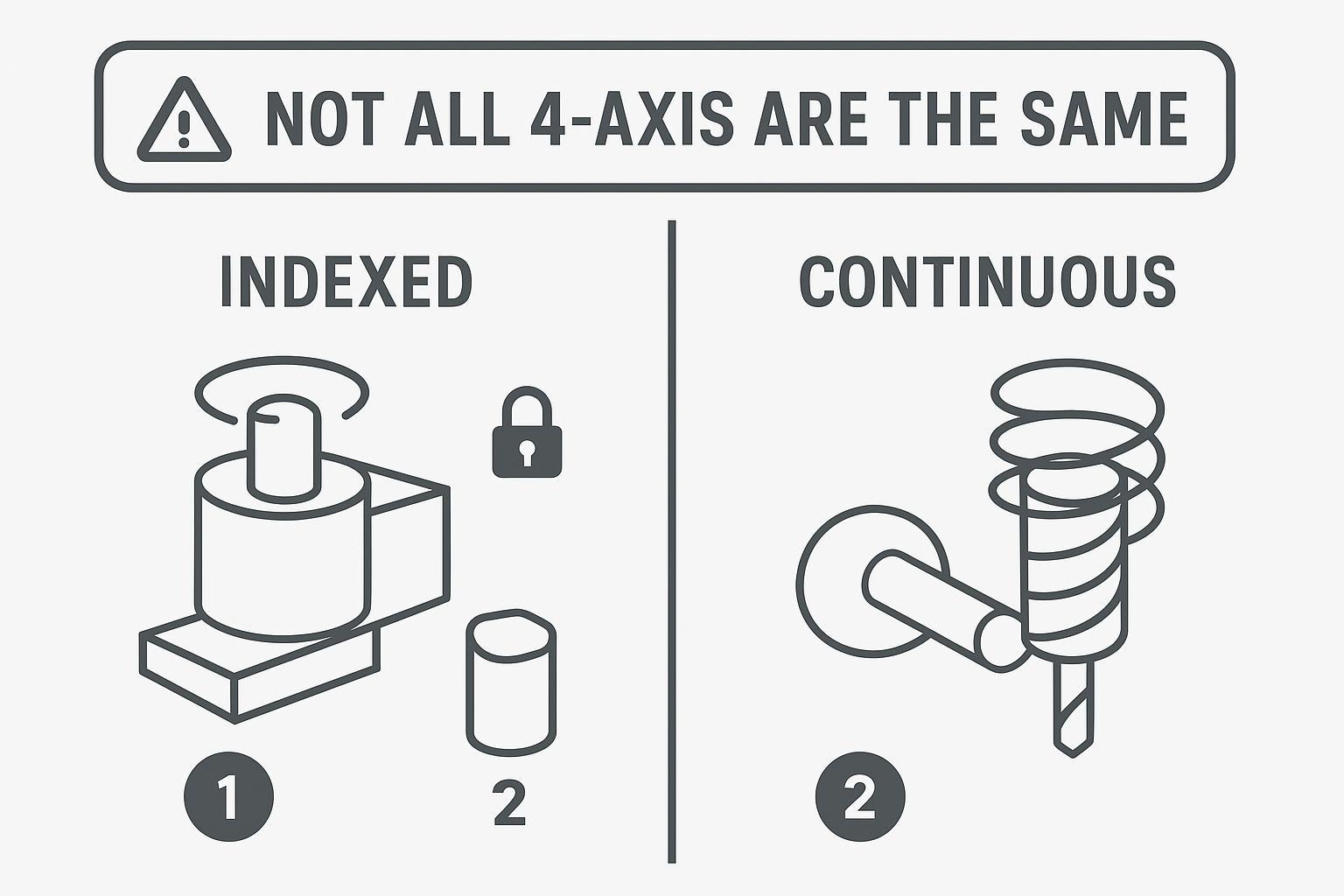
Myth 3: Buying “4-axis” guarantees you can do full rotary carving
Fact: Some “4th axis” solutions are primarily for indexing/repositioning. Confirm whether the rotary axis supports the toolpaths you actually sell.
⚠️ Warning: The most expensive mistake is not buying too few axes—it’s buying a configuration your shop can’t program, fixture, and run consistently.
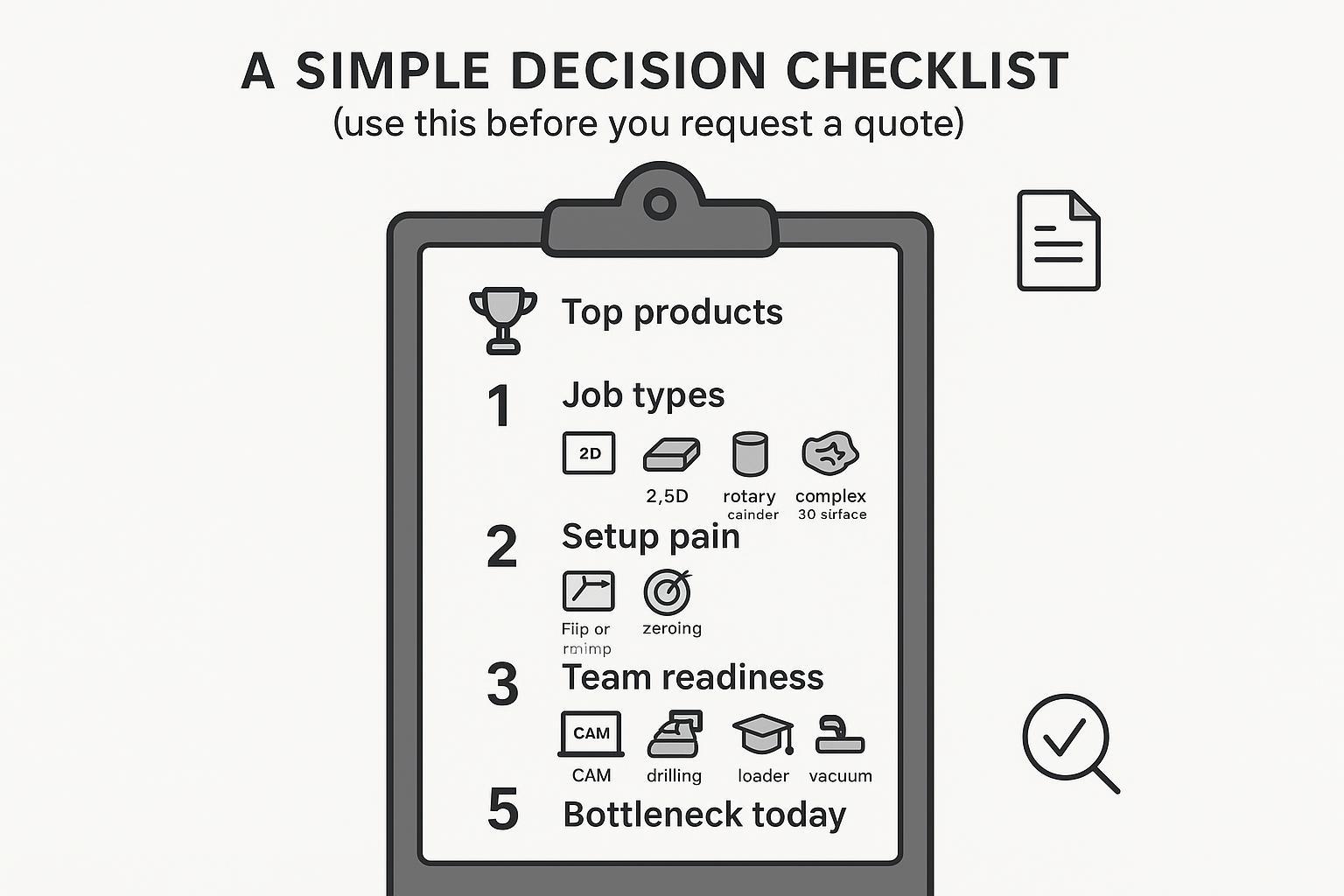
A simple decision checklist (use this before you request a quote)
- List your top 10 products by revenue.
- Mark each product as mostly:
- 2D cutting (sheet profiles)
- 2.5D carving (relief on flat stock)
- rotary carving (cylindrical)
- complex 3D surface (molds/sculpture)
- Count how many jobs require:
- flipping and re-zeroing
- multi-sided machining
- true cylindrical wraps
- Check your team:
- Do you have CAM capacity for rotary/5-axis toolpaths?
- Do you have time for training and trial runs?
- Identify your real bottleneck today:
- tool changes? drilling? loading/unloading? nesting? vacuum?
If 80%+ of your revenue is sheet goods and panel parts, start by optimizing a 3-axis production setup. If rotary parts are a consistent order stream, 4-axis becomes a business decision, not a “nice-to-have.” If you live in complex surfaces and molds, 5-axis is often the right long-term platform.
Next steps (low-commitment)
If you’re not sure which axis is the best fit, treat selection as an engineering check—not a guess.
- Send your materials, product photos, drawings, and production goals (volume, accuracy expectations, automation needs).
- You’ll get a practical recommendation on the axis configuration and the options that actually affect throughput.
You can start by browsing Quick CNC’s machine categories and examples at Quick CNC.

Frannie
Hello, I’m Frannie, a CNC machinery specialist with 15 years of experience in the woodworking CNC industry. I help furniture factories, cabinet makers, woodworking workshops, and production businesses choose CNC machines that match their production needs, factory size, budget, and efficiency goals.
My work focuses on solving real production problems, including replacing outdated equipment, improving machining efficiency, reducing labor costs, and upgrading to smarter CNC solutions. I also support customers with machine installation guidance, operation training, video support, and on-site training when needed, helping them use their machines more confidently and effectively.





