CNC Router vs CNC Boring Machine: Which One Should You Choose?
If most of your work is cutting sheets, making profiles, grooves, pockets or engraved parts, start with a CNC router, ATC router or nesting CNC. If your panels are already cut and side holes, connector holes or repeated drilling are slowing you down, look at a side drilling or six-sided drilling machine. For cabinet production, the better answer is often a process rather than one machine: nesting first, then edge banding, then side or six-sided drilling.
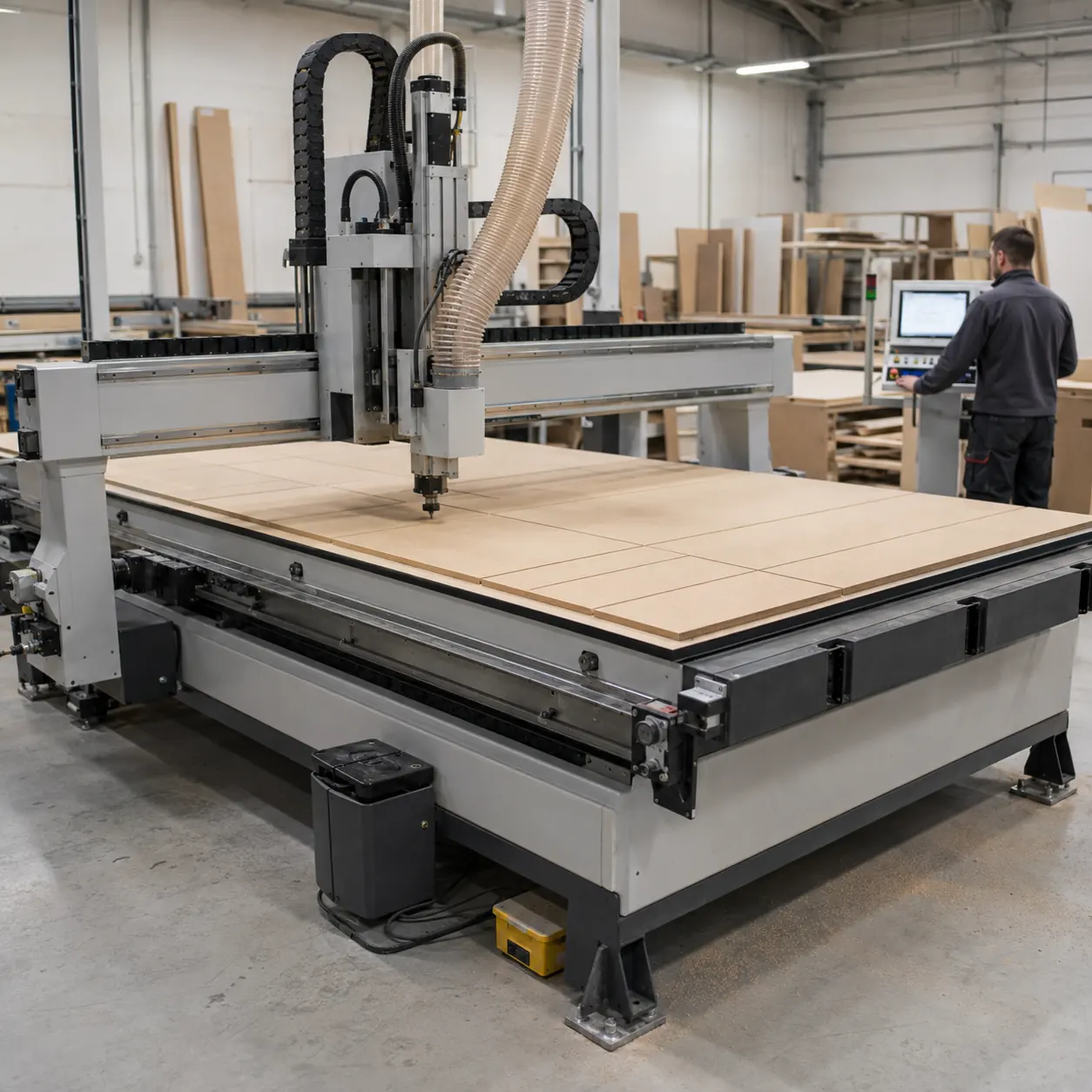
The main difference is simple
A CNC router is mainly there to cut and shape the part. It handles sheet cutting, profiles, grooves, pockets, engraving and selected drilling operations.
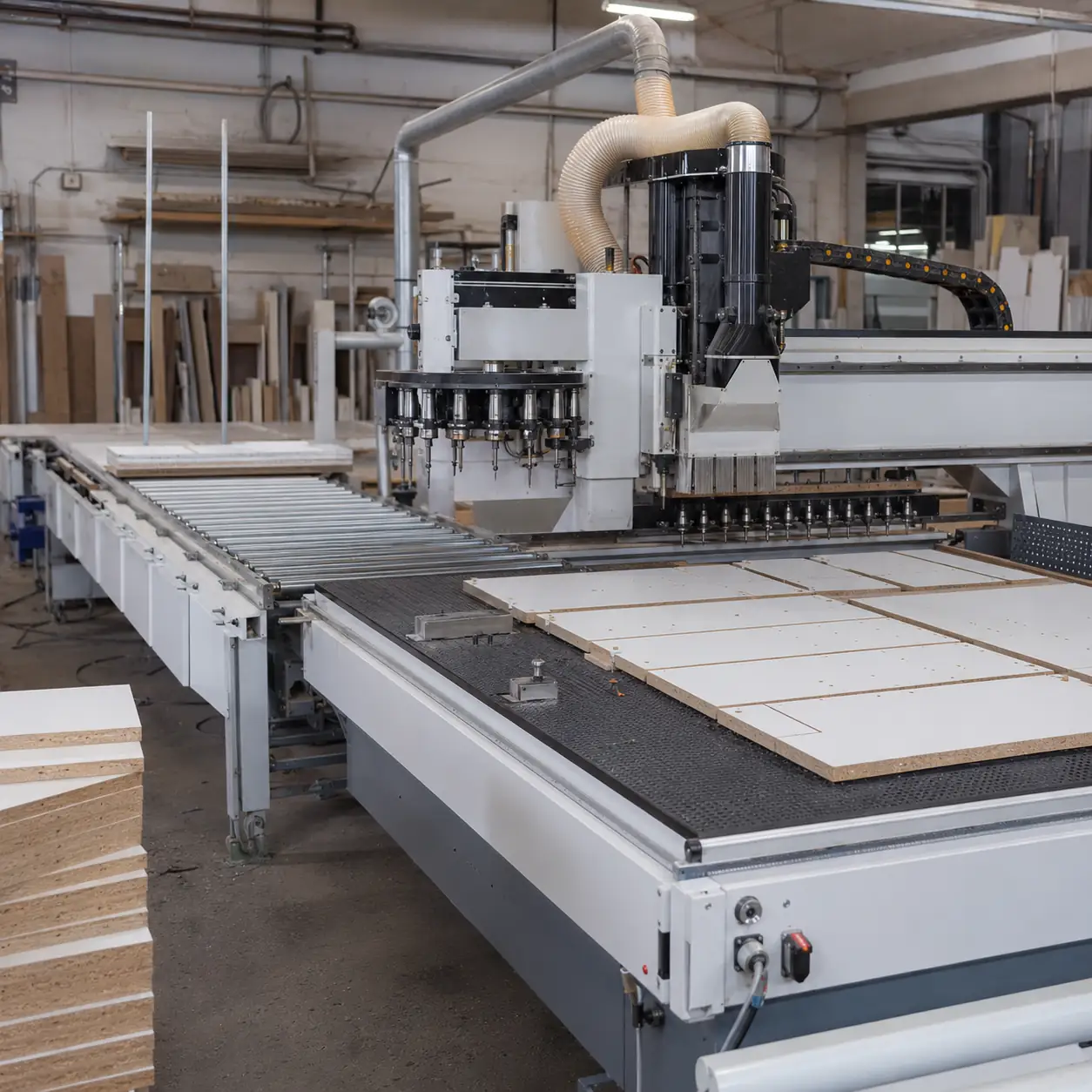
A CNC boring or drilling machine is different. In cabinet and panel work, it is mainly used for repeated hardware holes such as shelf-pin holes, dowel holes, hinge holes, connector holes and horizontal side holes.
A simple way to think about it: the router makes the part; the drilling machine prepares the holes that let the part assemble quickly and consistently.
Which one fits your shop?
CNC router vs CNC boring machine: side-by-side
| Decision factor | CNC router | CNC boring machine | What it means for you |
|---|---|---|---|
| Main purpose | Cutting, routing, profiling, grooving, pocketing, engraving and selected drilling. | Repeated vertical, horizontal and side drilling for assembly hardware and panel furniture holes. | Start with the operation that controls your bottleneck. |
| Best workpiece format | Full sheets, doors, signs, acrylic sheets, furniture panels and shaped parts. | Pre-cut panels, cabinet sides, wardrobe panels, shelves and parts needing hardware holes. | Router first for shaping; boring first only if parts are already cut to size. |
| Hole processing | Can drill selected holes, especially with correct tools or drill bank configuration. | Designed for hole volume, hole grouping, side holes and repeated hardware patterns. | If drilling takes up a big part of the cycle, a separate drilling machine keeps the router free for cutting and shaping. |
| Material flexibility | Stronger for wood, MDF, plywood, plastics, acrylic, foam and suitable configured materials. | Focused on wood-based and panel furniture boards within the machine’s stated range. | Do not buy a boring machine for general shape cutting or sign production. |
| Software workflow | CAD/CAM toolpaths for cutting, nesting, carving, pockets and drilling positions. | Panel furniture production data, hole data, barcode flow and drilling programs. | The machine also needs to work with the software and production data you already use. |
| Factory layout | Often placed as the main cutting and shaping center. | Often placed after cutting and before or around edge banding and assembly preparation. | Choose around how panels actually move through your shop, not just the machine name. |
| Wrong purchase risk | Buying a router for heavy hole-volume work without checking drilling productivity. | Buying a boring machine when the factory still lacks cutting, nesting or shaping capacity. | Buying machines in the right order helps you avoid paying for equipment too early—or leaving a real bottleneck unsolved. |
Which machine handles which job?
Start with the job that is slowing production down today. You may end up needing more than one machine, but the first one should fix the biggest bottleneck—not just match a name in a catalog.
| Production need | A practical machine choice | Why it fits | Choose something else when |
|---|---|---|---|
| Full-sheet cutting plus limited drilling | CNC Router, ATC CNC Router, Nesting CNC Machine or Nesting Production Line. | Nesting CNC can combine sheet cutting, grooving and vertical drilling when configured for cabinet, wardrobe, door and panel furniture processing. | Side holes, six-side holes and dense connector-hole patterns dominate the cycle. |
| Cabinet side holes, shelf holes and connector holes | Side Drilling Machine, Six-Sided Drilling Machine or CNC Drilling Machine. | These machines are selected for side holes, horizontal drilling, blind holes, through holes, fixed grooves and repeated panel-furniture drilling. | The main task is still full-sheet cutting, shaped routing, engraving or acrylic/sign work. |
| Cutting and drilling in one cabinet workflow | Nesting CNC Machine alone for simpler cutting/grooving/vertical drilling, or Nesting CNC + Side Drilling Machine / Six-Sided Drilling Machine for higher drilling demand. | The workflow separates front-end nesting from downstream hole processing so panel movement, barcode data and assembly accuracy are controlled together. | You do not yet have stable hole drawings, CAD/CAM data, barcode logic or a realistic output target. |
| Higher-end panel furniture production line | Panel Furniture Production Line, such as linear ATC machining center + edge banding + six-sided drilling, subject to project layout. | The decision is no longer one machine; it is a factory process covering cutting, edge finishing, drilling, sorting and assembly preparation. | The factory only needs occasional custom routing or low-volume mixed woodworking. |
How these machines work together in a cabinet line
In cabinet and wardrobe production, machine order matters. The nesting CNC creates the panels first. Edge banding and drilling then need to follow the same part data so the cabinet goes together without re-measuring or manually correcting every panel.
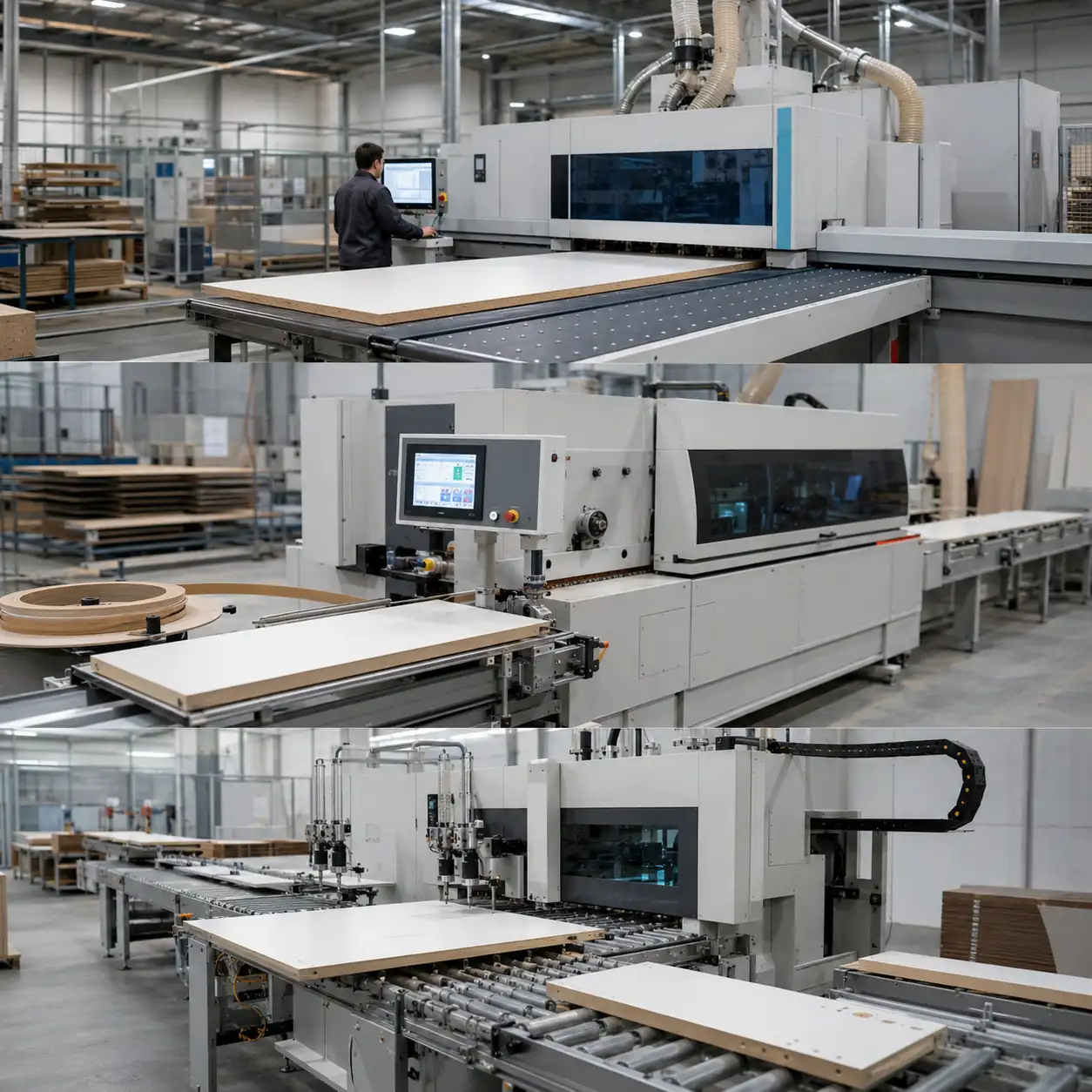
If you run a smaller shop, one router or ATC router can be enough when cutting and a little top-face drilling cover the work. Once side holes and repeated hardware drilling start holding up assembly, compare Nesting + Side Drilling, Nesting + Six-Sided Drilling, or a full panel-furniture line.
When should you start with a CNC router?
Start with a CNC router when the main job is still creating the part: full-sheet cutting, profiles, grooves, pockets, door machining, engraving or mixed-shape work. If several tools repeat in the same program, compare an ATC router; if full-sheet cabinet processing leads the job, compare nesting.
When does a separate drilling machine make sense?
Look at a separate drilling machine when panels are already cut and repeated hole work is holding production back. Side drilling fits simpler horizontal and connector-hole work; six-sided drilling becomes more attractive when several faces, barcode-driven programs and less manual turning matter.
Router with a drill bank or a separate drilling machine?
You may not need a separate drilling machine on day one. If drilling is only one part of a mixed machining job, a nesting CNC, ATC router or PTP machine with drilling capability can be enough. The question is how much drilling you do, and from which directions.
| Option | Use it when | Avoid it when | What to check |
|---|---|---|---|
| Standard CNC router | Cutting, engraving, grooves and limited top-face drilling are enough. | Hardware drilling is repeated all day and side holes are required. | Sheet size, material, cutting profile, hole count and tool list. |
| ATC CNC router | Jobs use multiple tools for cutting, drilling, grooving, engraving, pocketing or profiling. | The problem is not tool changing but horizontal drilling or multi-face hole processing. | Tool count per program, tool magazine type, tool quantity and tool-change frequency. |
| Nesting CNC with drill bank | Panel furniture work needs full-sheet nesting, cutting, grooving and faster vertical drilling in the same front-end workflow. | Side holes, six-side drilling, barcode-driven drilling or dense connector-hole work dominates production. | Drill bank layout, supported hole diameters, vertical drill quantity, loading/unloading and labeling needs. |
| PTP CNC router / working center | Doors, cabinet panels, solid wood furniture or pre-cut parts need flexible holding plus routing, drilling, boring, milling, engraving, cutting or side milling. | The factory only processes flat full sheets and does not need pod holding, side access or complex machining zones. | Part size, fixture method, boring head, side drilling, sawing option, machining faces and software output. |
| Dedicated side drilling / six-sided drilling | Side holes, shelf holes, connector holes, horizontal holes, six-side drilling and barcode workflow are daily bottlenecks. | Your front-end cutting process is still unstable, or you do not yet have reliable panel data for the drilling program. | Hole map, hole direction, panel thickness, barcode workflow, output per shift and upstream cutting equipment. |
Which setup fits your production?
Common mistakes to avoid
A common cabinet-production mistake
A common mismatch is expecting one nesting CNC to cut, groove and handle every cabinet hole. The problem appears when side-hole work adds flipping, repositioning and manual checks.
- The setup
- Cabinet or panel-furniture production with cabinet sides, shelves and wardrobe panels.
- Where it goes wrong
- Cutting and top-face work fit the nesting process, but side holes still need different access.
- What you see
- Panels are flipped or repositioned for side holes, adding handling and slowing assembly.
- Why it happens
- Cutting, top-face drilling and side drilling were treated as one job even though they need different access and different production flow.
- A better setup
- Compare Nesting + Side Drilling, Nesting + Six-Sided Drilling, or a panel-furniture line depending on hole direction, barcode flow and output target.
- What to check before deciding
- Hole direction, side-hole volume, six-side drilling need, barcode use, daily panel quantity and whether production runs in repeated batches.
What to check before choosing the machine
Do not stop at the machine name. Two routers or drilling machines can look similar online and still be very different once you compare the tooling, drilling units and automation. Check what is actually on the machine.
1. Router / ATC / nesting setup
Check the drill bank, side-processing unit, tool changer, tool quantity, spindle, control, loading/unloading, labeling, dust collection, air supply and software compatibility. A nesting CNC can cover cutting, grooving and vertical drilling, but side holes still need to be treated separately.
2. PTP / working center setup
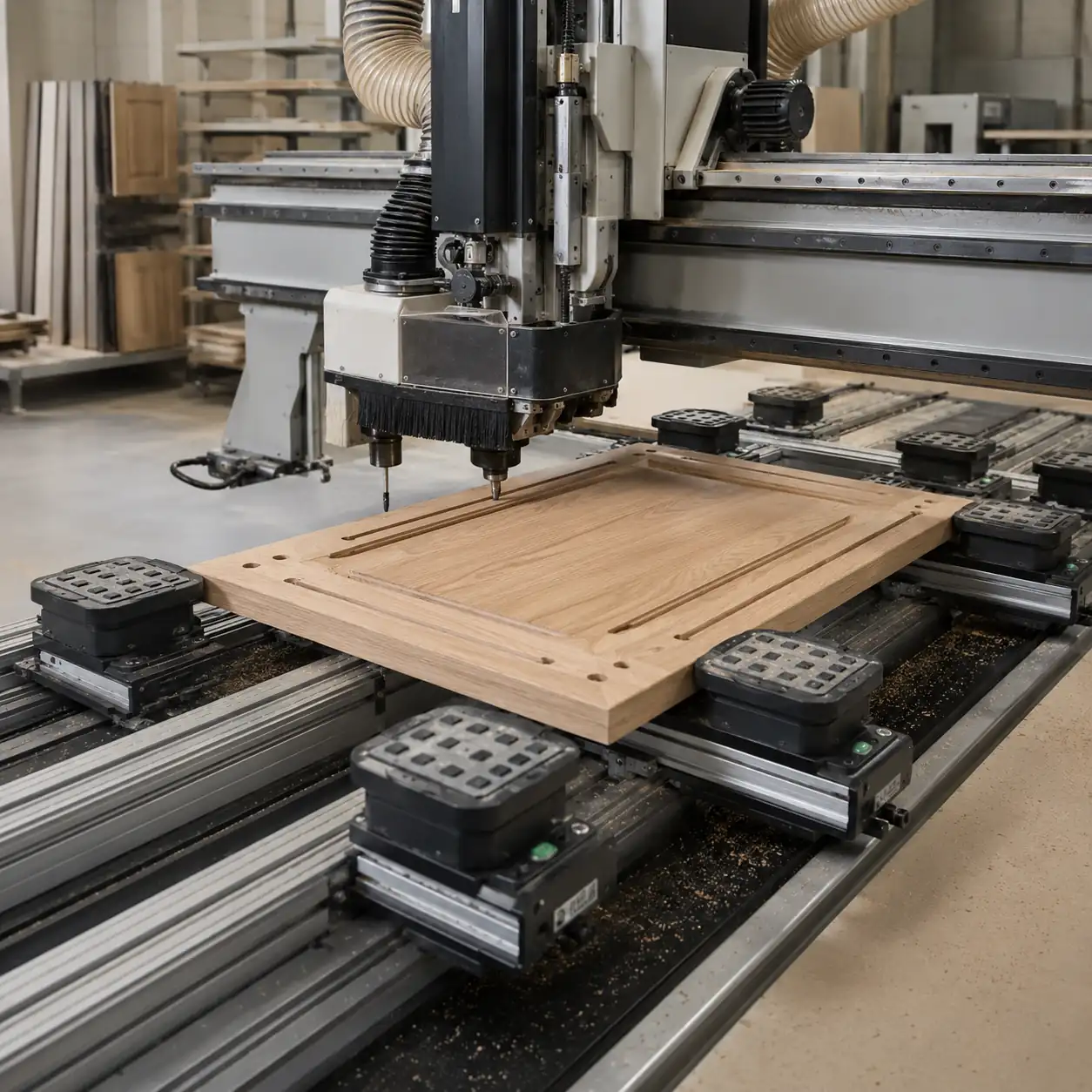
PTP and working-center machines are useful when pre-cut doors, cabinet panels or furniture parts need flexible holding plus routing, drilling, boring, milling, engraving, cutting or side processing. Check the boring head, side access and fixture method before settling on the model.
3. Side drilling / six-sided drilling
For shelf holes, connector holes, blind holes, through holes, horizontal drilling, grooves and barcode-driven panel work, compare dedicated drilling equipment. Six-sided drilling makes the most sense when you need multi-face processing rather than only top-face holes.
4. Factory utilities and software
Also check voltage, compressed air, dust collection, CAD/CAM or furniture software, barcode flow, panel thickness and output target. These details tell us whether you need one machine, a small cell or a complete line.
A simple way to narrow down the machine
You can narrow the choice down very quickly by starting with the job that takes the most time today.
Not sure where the drilling should happen?
Send one typical part drawing and tell us what is slowing production down. We can help you work out whether the job belongs on a router, a drilling machine, or a combination of both.
FAQ
Can a CNC router drill cabinet holes?
Yes—if the holes are drilled from the top and your tooling, program and workholding are set up for it. If you have a lot of side holes, connector holes or multi-face drilling, that is where a dedicated drilling machine starts to make more sense.
Is a CNC boring machine better than a CNC router?
Only when drilling is the main job. If you still need full-sheet cutting, profiles, engraving, acrylic cutting, door pockets or general routing, start with a router instead.
Do cabinet factories need both machines?
Often, yes. A common setup is a nesting CNC for cutting, grooving and top-face drilling, then side drilling or six-sided drilling for the holes the router cannot handle efficiently. If your drilling volume is still low, one router may be enough to start.
What is the difference between a drill bank and a boring machine?
A drill bank lets the router handle more top-face drilling while it is already cutting and grooving the panel. A separate drilling machine is built around hole processing, so it makes more sense when drilling itself becomes a major part of the cycle.
When should I choose a six-sided drilling machine?
Choose six-sided drilling when panels need holes from several faces, horizontal drilling, front or rear grooves, barcode-driven programs, and less manual turning between operations.
What should I send first so you can narrow the machine down?
Start with five things: what you make, material and thickness, common or maximum part size, 2–3 real drawings or part photos, and your output target or current bottleneck. If you already have a hole map, software details, barcode flow or existing machine list, send those too; they can also be confirmed later.
Related Quick CNC pages
Tell us what you need to make
A drawing or sample part is enough to start. Show us what you make, where the holes are and how many panels you run, and we can narrow down the machine path from there.

Frannie
Hello, I’m Frannie, a CNC machinery specialist with 15 years of experience in the woodworking CNC industry. I help furniture factories, cabinet makers, woodworking workshops, and production businesses choose CNC machines that match their production needs, factory size, budget, and efficiency goals.
My work focuses on solving real production problems, including replacing outdated equipment, improving machining efficiency, reducing labor costs, and upgrading to smarter CNC solutions. I also support customers with machine installation guidance, operation training, video support, and on-site training when needed, helping them use their machines more confidently and effectively.





