
CNC Router Aluminum Guide
Quick Answer: Yes—but Make Sure the Job Really Fits a Router
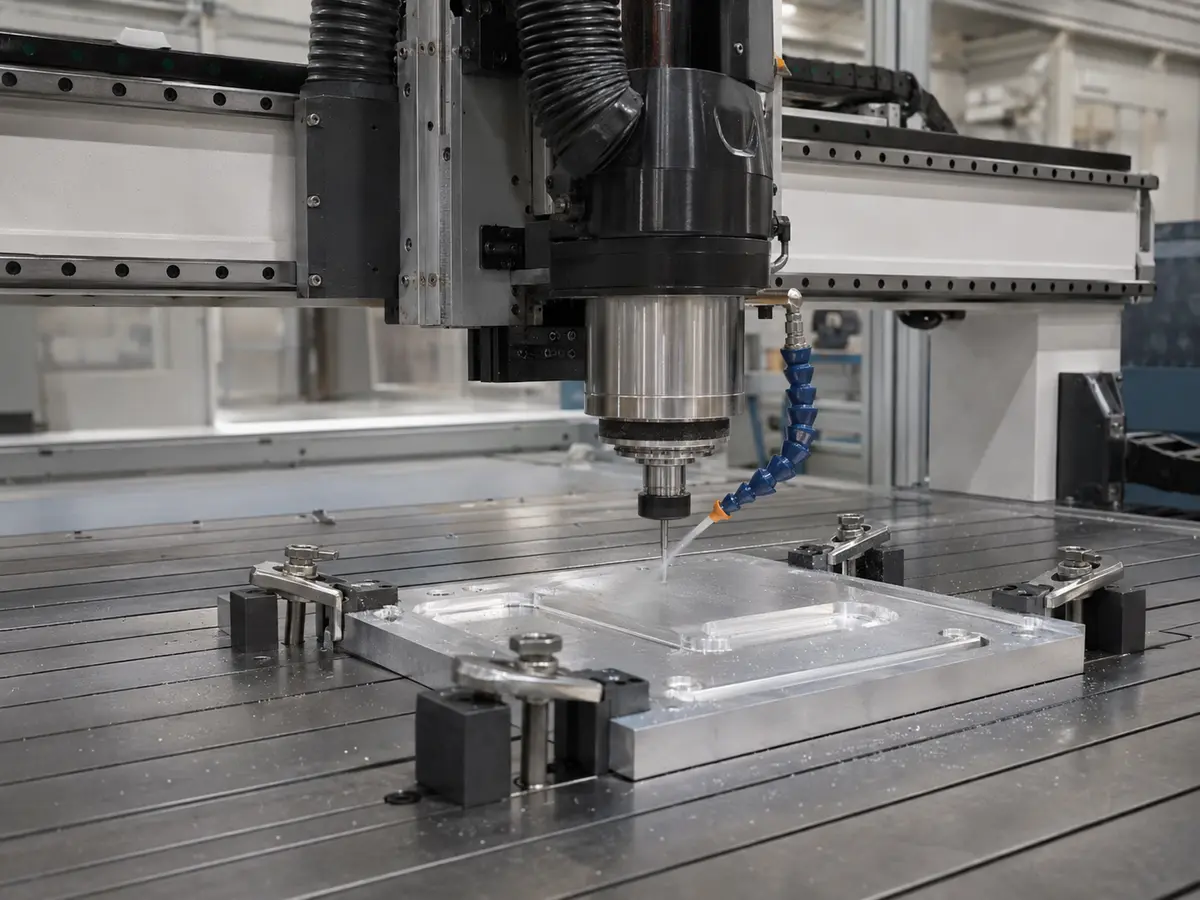
An industrial CNC router can cut suitable aluminum sheets and parts. It makes the most sense for large flat work, outside profiles, engraving, shallow pockets, sign parts, covers and enclosure panels where the required accuracy and finish fit the router process.
First Decide Whether This Job Really Belongs on a Router
Do not start with the question, “Can a CNC router cut aluminum?” Start with, “Can this router make my part the way I need it, over and over again?”
A large aluminum panel with outside profiles and shallow pockets can be a very different job from a compact part with deep pockets, tight bores and demanding positional tolerances. Both may say “aluminum” on the drawing, but they should not automatically go on the same machine.
A useful first decision is simple: large and relatively flat work often points toward a router; compact parts with difficult precision features often point toward a mill.
Before You Choose the Machine, Check These Things
Do not stop at “aluminum”
Alloy, temper, thickness, tolerance and finish can completely change the job. The drawing matters more than the material name.
Large flat work is where routers make sense
Sheets, panels, signs, covers and selected enclosure parts can take advantage of the router’s larger working area.
The hardest feature decides the machine
One difficult bore or deep pocket can be more important than several easy outside profiles.
Holding and chip removal matter as much as the cutter
A good tool still struggles if the part moves or chips stay trapped in the cut.
Which Aluminum Jobs Fit a CNC Router?
Routers are strongest when the part benefits from a large working area and does not demand the kind of deep, heavy or highly precise metal machining better handled by a milling machine.
| Job looks like this | Where to start | What you still need to check |
|---|---|---|
| Large flat sheets, outside profiles, engraving, signs, covers, panels and shallow pockets | Industrial CNC router | Holding, cutter access, burrs, edge finish, accuracy and chip removal |
| Thicker stock, smaller released parts, multiple tools or a mix of shallow and deeper features | Review the complete setup and run a representative test | Structure, spindle/tool setup, fixture, heat, chips and repeatability |
| Deep pockets, accurate bores, heavy stock removal, compact precision parts or demanding metal-production duty | Start with a CNC mill or other metal-focused process | Precision features, tolerance chain, finish, coolant and chip control |
Thin composite panel and solid aluminum plate are not the same job
A router that cuts a thin aluminum composite panel cleanly has not automatically proven that it can handle thick solid plate, deep pockets or accurate bores. Treat those as separate applications.
Router or CNC Mill? Look at the Part, Not the Machine Price
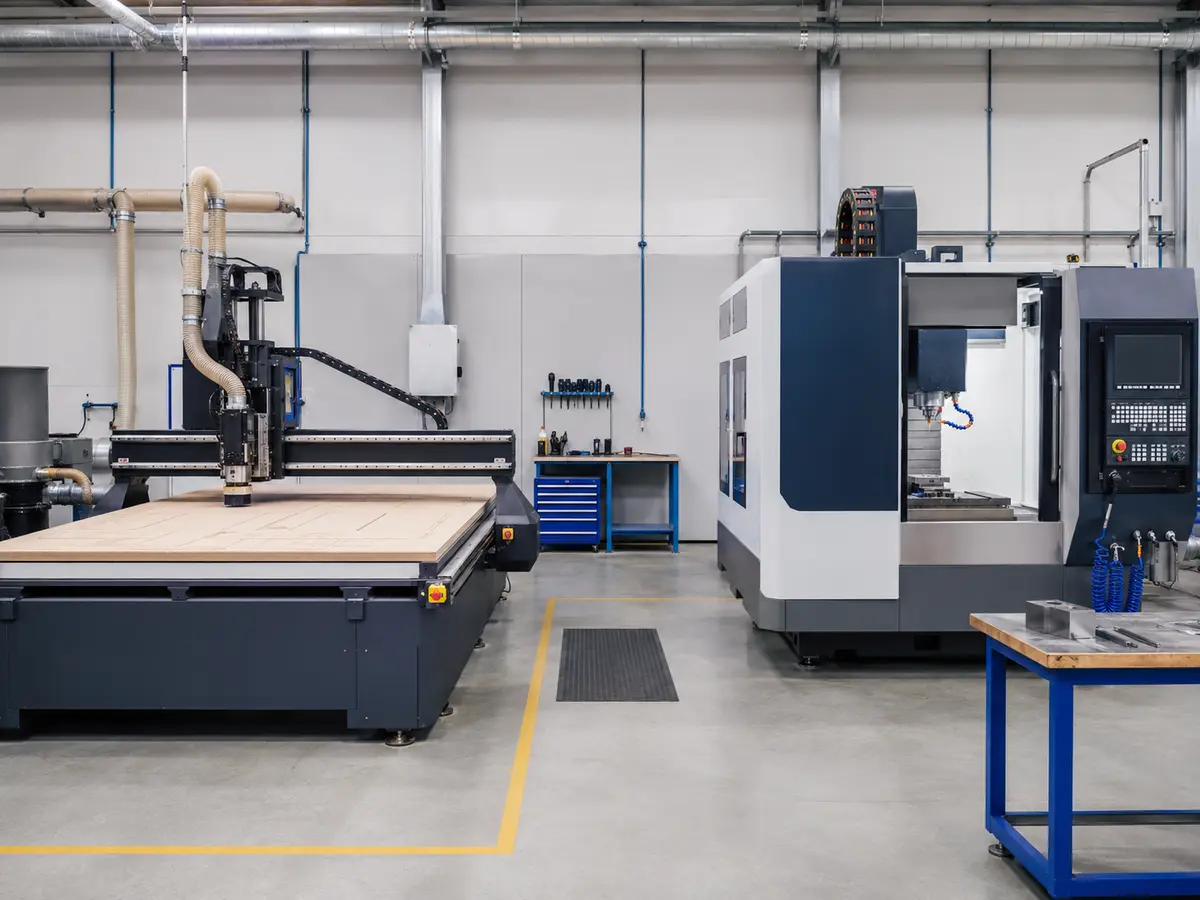
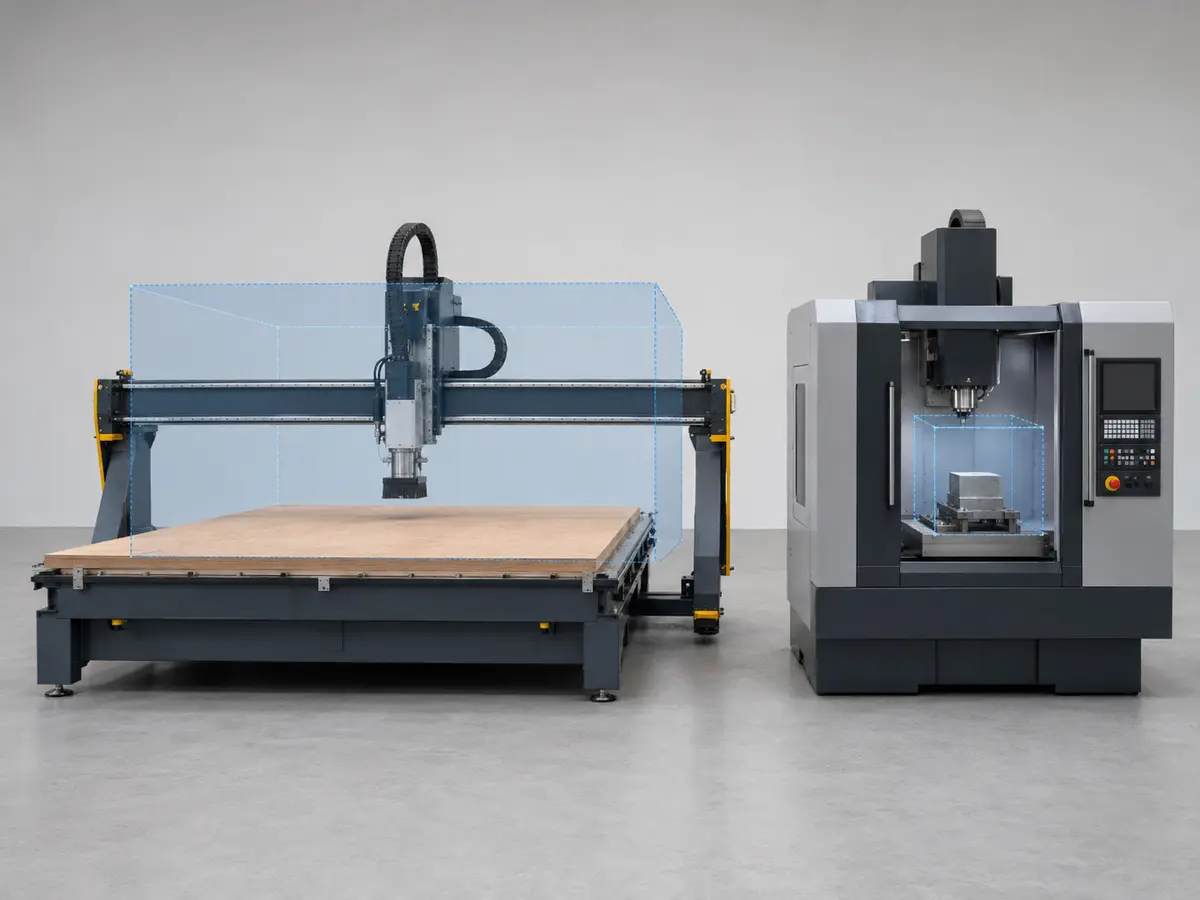
A CNC router is not simply a cheaper milling machine. The two platforms are good at different jobs. Compare the shape of the part, the working area, feature depth, tolerance, production time, holding and chip-control needs.
| Look at this | Router makes more sense when… | Mill makes more sense when… |
|---|---|---|
| Part size | Large sheets and flat panels dominate the job | Parts are compact and packed with features |
| Machining work | Profiles, engraving and shallow pockets dominate | Deep pockets, precise holes and complex metal features dominate |
| Material removal | The process can use controlled, lighter engagement | Heavy material removal is part of normal production |
| Chip and fluid control | The aluminum process can be safely engineered on the router | Continuous metal chips, enclosure and coolant management dominate |
Tip
Circle the three hardest features on your drawing before you compare machines. If the supplier can explain how those three features will be cut, held, cleared of chips and checked, you will learn much more than you will from comparing spindle power alone.
For a broader comparison, see CNC Router vs. Milling Machine .
Seven Things to Check Before You Buy
Table size and spindle power are easy to compare. They are also not enough. Look at the complete cutting system.
1. Machine structure
The frame, gantry and motion system need to stay stable under the cutting load you actually plan to use. A heavier machine is not automatically better; the real question is whether it can hold the required finish and dimensions during normal production.
2. Spindle, holder and cutter
Check the spindle range, holder, cutter shank, tool projection and clamping condition together. A long tool, worn collet or badly seated cutter can make a good machine look bad.
3. Usable working area
Do not look only at the advertised table size. Clamps, fixtures, lead-in, lead-out, tool changes and safe clearance all use space.
4. How the part will be held
Vacuum, clamps, fixtures, tabs and onion skin solve different problems. Pick the method around the part size, cutting direction and release sequence.
5. How chips will leave the cut
Aluminum chips need to get out of the cutting area before they are recut or stick to the tool. Air, extraction, approved lubrication, guarding or an enclosure may be part of the solution.
6. CAM and controller
Smooth entry, sensible engagement, reliable offsets and repeatable restarts matter. A poor program can overload a suitable machine very quickly.
7. How you will check the finished part
Do not approve a machine because one video “looks good.” Agree on which dimensions, holes, burrs and surfaces matter before the test.
Tooling, RPM and Feed: Start With the Cutter Data
Aluminum-specific routing cutters are available in different flute counts, diameters and geometries. There is no useful rule saying one flute count is always correct.
Use this formula as a check, not as a magic number. Start with the cutter manufacturer’s data, then make sure the RPM, feed, holder, workholding and machine can actually run that combination properly.
| What you see | What may be happening | Check this first |
|---|---|---|
| Aluminum sticks to the cutter | Heat, poor chip removal, wrong cutter or cutting condition | Tool geometry, sharpness, chip path, engagement and lubrication method |
| Fine dust instead of proper chips | The tool may be rubbing instead of cutting correctly | Actual RPM, feed, flute count, runout and cutter condition |
| Heavy burrs | Tool wear, vibration, poor support or an unsuitable exit condition | Tool condition, workholding, projection and finishing strategy |
| Chatter marks | Weak holding, long tool, unstable engagement or machine vibration | Fixture, holder, tool length, toolpath and cutting load |
| Tool breaks | Chip packing, collision, too much engagement, poor holding or program error | Stop and find the cause before restarting |
What to record during the test
Keep the cutter model, diameter, flute geometry, holder, tool projection, RPM, feed, cutting depth, entry method and chip-control method. Those details are much more useful than a generic “recommended speed.”
If the Part Moves, Nothing Else Matters
Aluminum parts can move, lift or vibrate as the program removes the material that originally supported them. Holding has to work at the end of the cut, not only at the beginning.
Vacuum
Vacuum can work well on large flat parts with enough sealed area. But its holding force changes as profiles open and smaller parts are released.
Clamps and fixtures
Mechanical holding gives positive restraint, but the cutter still needs safe clearance around every clamp and fixture.
Tabs and onion skin
Leaving a small amount of material can keep the part stable until the final pass. Plan where that material will remain before programming the job.
Do not test only one big plate
If production uses many small nested parts, test that kind of layout. One large plate can hold perfectly while the smallest parts in the real job move during the last few cuts.
Get the Chips Out Before They Become the Problem
Aluminum chips left in the cut can be recut, raise the temperature, damage the surface and load the cutter. The right chip-control method depends on the alloy, cutter, cut depth, production time and machine setup.
Dry / air-assisted
Can work in suitable processes when the cutter, toolpath and chip removal have been checked together.
Lubricant or MQL
Can help reduce sticking in some jobs, but the machine, electrical system, extraction and fluid need to be compatible.
Enclosed metal process
Makes more sense when continuous metal duty, high chip volume or fluid containment becomes part of normal production.
Do not assume the dust collector used for wood or MDF is automatically suitable for aluminum chips or fine aluminum dust.
Do Not Choose the Machine From Aluminum Thickness Alone
There is no useful universal answer to “How thick can a CNC router cut?” The same thickness can be an easy profile job or a difficult pocketing job.
| Look at this | Why it matters | What we need to see |
|---|---|---|
| Alloy and temper | Changes cutting behavior, heat and chip formation | Exact material specification |
| Stock thickness | Changes tool reach, pass strategy and chip path | Actual thickness and tolerance |
| Deepest feature | Longer tools and deeper cuts can change the machine requirement quickly | Drawing or 3D model showing depth |
| Critical holes | A difficult bore can be harder than the whole outside profile | Hole diameter, depth and tolerance |
| Smallest finished part | Small parts can become a holding problem | Smallest part size and nesting layout |
| Daily production | One successful sample does not prove all-day production | Batch size, shifts and target output |
The better question is: Can the complete process make every important feature repeatedly and safely—not just reach through the material?
Do You Really Need ATC for Aluminum?
ATC makes sense when the actual program needs several tools in one setup: for example profiling, pocketing, engraving, chamfering and drilling.
It saves manual tool changes, but it does not fix weak holding, poor chip removal, an unsuitable frame or a part that should be on a mill.
| Your job looks like this | ATC value | What to check |
|---|---|---|
| One tool, simple profile, low batch | Usually limited | Manual tool changing may not be a real bottleneck |
| Several tools used in one setup | Much more useful | Holder compatibility, tool-length control and chip protection |
| Wood, plastic and aluminum on one machine | Can help manage different tool groups | Keep tooling, programs and cleaning rules separated by material |
| High-precision metal features | ATC does not solve the machine-selection problem | Choose router or mill from the hardest feature first |
Tip
If one cutter completes most of your aluminum jobs, do not buy ATC just because it sounds more advanced. Buy it when tool changes are actually slowing the job down.
Compare the CNC Router and ATC CNC Router ranges after the process is clear.
Test the Hard Part—not the Easy Demo Cut
A generic aluminum demonstration does not prove the machine fits your part. Make the test represent the part that worries you most.
- Use the real material. Record the alloy, temper and thickness.
- Include the difficult features. Put the deepest pocket, critical hole, smallest internal radius and smallest released part into the test where they matter.
- Decide what will be measured. Agree on dimensions, hole position, burrs and surface finish before cutting.
- Use the drawing as the pass/fail rule. “Looks good” is not enough when the part has a real tolerance.
- Record the cutting setup. Keep the tool, holder, projection, RPM, feed, workholding and chip-control method.
- Repeat the risky feature. One good cut does not prove the result will repeat.
Tip
If the real job is a nested sheet with small parts, send that layout. Testing one large rectangle will not show whether the smallest parts stay in place near the end of the program.
Common Mistakes That Lead to the Wrong Machine
| Mistake | Why it causes trouble | What to do instead |
|---|---|---|
| Assuming every CNC router can cut aluminum | Ignores structure, tooling, holding, chip control and production duty | Check the complete process |
| Choosing by spindle power | Power alone tells you very little about tool stability and cutting quality | Look at the spindle, holder, tool, machine and fixture together |
| Copying feed and RPM from the internet | The other job may use a completely different cutter, alloy and machine | Start with your cutter manufacturer’s data |
| Using a wood vacuum setup without checking it | Metal chips and small released parts change the holding situation | Test the actual fixture and release sequence |
| Approving the machine from a short video | The video may not show dimensions, burrs, repeatability or operator intervention | Measure the representative test part |
| Selecting the machine from the easiest feature | The hardest hole or pocket may decide whether the machine works | Start with the most difficult feature |
A Thin-Sheet Test Does Not Prove the Machine Can Run Plate
Imagine a sign shop that already cuts thin aluminum sheet successfully. The next job is thicker plate with pockets and tighter hole requirements. The shop copies the same general machine setup and assumes thickness is the only thing that changed.
- What happens
- The thicker job starts showing chatter, burrs, inconsistent holes and faster tool wear. Some smaller released parts also move.
- Why
- The new job added deeper engagement, harder chip removal, more heat, greater fixture demand and tighter features.
- What to do
- Review the actual plate drawing as a new application. Check the alloy, deepest feature, holes, fixture, cutter, chip control and tolerance. If those features go beyond a sensible router process, move the job to a mill.
- The lesson
- Choose the machine from the hardest feature and the production duty, not from a previous easy aluminum cut.
Do Not Treat Aluminum Chips Like Wood Dust
Fine aluminum dust can create a serious combustible-dust risk, and adding mist or metalworking fluid changes the machine and extraction requirements.
- Do not assume a woodworking dust collector is suitable for aluminum dust or for mixed wood-and-metal collection.
- Before adding mist or coolant, make sure the machine, electrical system, guarding and extraction are designed for it.
- Keep chips and fine dust away from incompatible materials and ignition sources.
- Follow the machine manual, tool and fluid instructions, facility safety plan and local requirements.
Safety comes before the cutting test
This page cannot replace a proper dust, fire, extraction or fluid-control design for your factory. Set up the actual process with qualified safety and engineering support.
Start With the Part, Then Choose the Machine
You do not need to prepare a complete machine specification before contacting us. For the first discussion, these five things are enough.
Send the alloy and temper if you know them. If not, send the material specification you have.
A drawing helps us see the profiles, pockets, holes and the feature that may decide whether the job belongs on a router.
Give us the largest sheet or plate size and the normal material thickness.
Point out the deepest pocket, most important hole or other difficult feature, together with the tolerance or finish that matters.
Tell us whether this is prototype work, batch production or regular daily production.
If you already know the cutter list, holding method, chip-control method, workshop utilities or other production details, send those too. They help later, but you do not need all of them for the first message.
If the job fits a router, we can then work through the working area, spindle and tool setup, holding method, chip-control approach and whether ATC actually adds value.
FAQ
Can a CNC router cut aluminum?
Yes. A properly configured industrial CNC router can cut suitable aluminum sheets and parts, especially large flat components, profiles, engraving work and shallow features. The drawing and production requirement decide whether the router is the right machine.
Can a woodworking CNC router cut aluminum?
Some can handle limited aluminum work, but do not assume every woodworking router is suitable. Check the structure, spindle and cutter, holding, chip removal, guarding and the actual feature you need to machine.
What aluminum thickness can a CNC router cut?
There is no useful universal thickness limit. A simple outside profile and a deep pocket in the same thickness are very different jobs. Look at the alloy, feature depth, cutter reach, tolerance and production requirement together.
Which CNC router bit should I use for aluminum?
Use a cutter designed for aluminum and match it to the spindle, holder, feature and chip-removal method. Start with the tool manufacturer’s data rather than a generic internet setting.
Does aluminum routing need coolant or mist?
Not every job uses the same method. Depending on the cutter and process, the setup may use dry cutting, air assistance, an approved lubricant or another controlled method. Do not add fluid before checking machine, electrical, guarding and extraction compatibility.
How should aluminum be held on a CNC router?
Depending on the part, you may use vacuum, clamps, a dedicated fixture, tabs, onion skin or a combination. The important point is that the part must stay supported throughout the whole program, including the final cut.
When is ATC useful for aluminum?
ATC becomes useful when one program repeatedly needs several tools. If most jobs use one cutter and manual tool changes are not slowing production, ATC may not solve a real problem.
When should I choose a CNC mill instead?
Start with a mill when deep pockets, accurate bores, heavy material removal, compact precision parts or tight metal-machining requirements control the job. Choose from the hardest feature, not the easiest profile.
References
Not Sure Whether the Part Belongs on a Router?
Send us the aluminum specification, drawing, stock size and thickness, hardest feature with the tolerance or finish that matters, and your output target. That is enough for us to start by deciding whether the job fits a CNC router before discussing the machine configuration.
Send Your Aluminum Part
Frannie
Hello, I’m Frannie, a CNC machinery specialist with 15 years of experience in the woodworking CNC industry. I help furniture factories, cabinet makers, woodworking workshops, and production businesses choose CNC machines that match their production needs, factory size, budget, and efficiency goals.
My work focuses on solving real production problems, including replacing outdated equipment, improving machining efficiency, reducing labor costs, and upgrading to smarter CNC solutions. I also support customers with machine installation guidance, operation training, video support, and on-site training when needed, helping them use their machines more confidently and effectively.





