
Start with the material before you compare machines
A CNC router is a good fit for wood, MDF, plywood, acrylic, rigid machining foam, model board and many other rigid sheet materials. Some soft-aluminum jobs can work too, but only when the machine, tooling, holding and chip removal are right.
Steel and hard metals are different jobs, and flexible sheets such as fabric, leather and gasket usually make more sense on a knife cutter. The important question is not whether a router can get through the material once. It is whether the job can run cleanly and consistently every day.
Tell us the material, thickness, sheet size, part size, edge you need, how many tools the job uses and your normal output. That tells us much more than a machine model name.
A drawing or photo, the material and thickness, plus what the machine needs to do is enough to start. From there, we can narrow down the right type of machine.
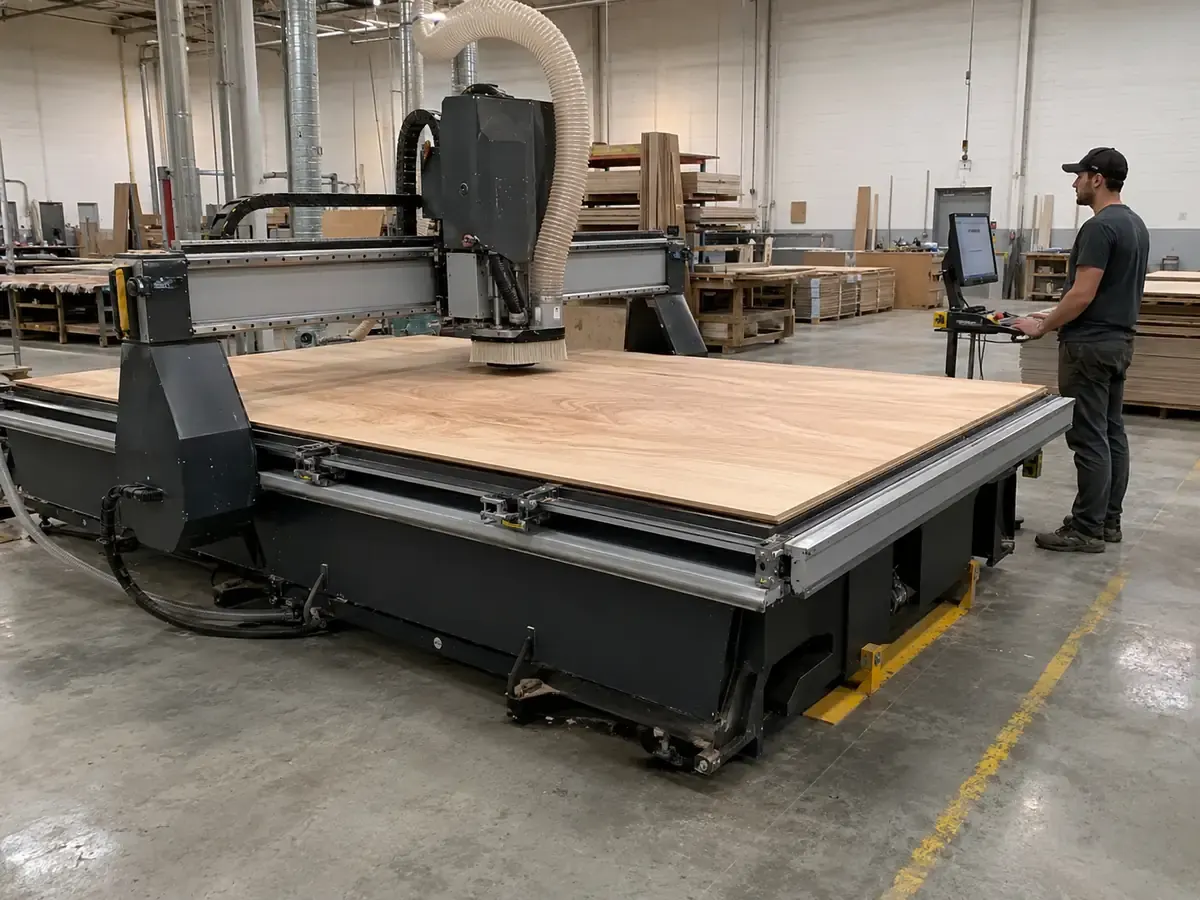
First, Is This a Good Router Job?
Before you look at spindle power, table size or price, make sure the material really belongs on a router. The table below gives you the simple split: good router job, router job with conditions, or better handled another way.
| Material | Best place to start | What to watch | Tell us this |
|---|---|---|---|
| MDF / particle board | Good router job | Dust, vacuum leakage, edge fuzz | Thickness, sheet size, spoilboard condition, dust collection |
| Plywood | Good router job | Chipping, voids, laminate damage | Plywood grade, surface finish, edge requirement |
| Solid wood | Good router job | Grain tear-out, movement, hardness | Wood species, moisture, holding method, finish requirement |
| Acrylic | Good router fit with the right tooling | Melting, chip welding, rough or cloudy edge | Cast or extruded sheet, thickness, edge quality target |
| PVC / rigid plastic | Possible, but check the material first | Heat, fumes, burrs, material safety | Exact plastic type, SDS, ventilation, chip evacuation |
| Rigid machining foam / model board | Good router fit when supported well | Movement, tearing, dust | Density, fixture plan, part size, dust control |
| Soft EVA / EPE / PE foam / sponge | Start with a knife cutter | Dragging, compression, tearing | Material type, thickness, cut shape and surface requirement |
| ACP / suitable composites | Possible, but check the panel first | Burrs, dust, tool wear, delamination | Panel type, core material, groove or full-cut requirement |
| Soft aluminum | Possible with the right setup | Vibration, heat, chip packing, tool wear | Alloy, thickness, drawing, fixture, tool and chip-control plan |
| Steel and hard metals | Use a metal-focused process | High cutting force, heat, poor tool life | CNC mill, fiber laser, plasma or another metal process |
| Fabric / leather / gasket | Use a knife cutting system | Pulling, fraying, dragging | Start with a CNC knife cutter |
One quick check before you go further: the material name alone is not enough. Thickness, part drawing, edge requirement and daily output can change the machine choice.
Need a material fit check? Send the exact material name, thickness, sheet size, edge requirement and expected output. We can help narrow it down to a standard router, ATC router, nesting machine, knife cutter or another process.
Send material detailsSame Material, Different Part? You May Need a Different Machine
Two shops can work with the same material and still need different machines. Thickness, part size, tool changes, finish, holding and output are what change the answer. That is why we look at a real job before talking about a model number.
| Tell us | Details that matter | Why it matters |
|---|---|---|
| Material | Exact grade, coating, laminate or core | “Plastic” or “wood board” is too broad. Different grades cut very differently. |
| Thickness and size | Normal thickness, maximum thickness, sheet size and part size | This affects working area, Z clearance, holding and how stable the cut will be. |
| What the machine has to do | Cutting, drilling, grooving, pocketing, engraving or 3D work | A simple cutting job does not need the same setup as a job with several tools and drilling steps. |
| Finished edge | Rough cut, clean edge, paint-ready edge, polished acrylic edge or burr limit | The finish you expect changes the tool, process and sometimes the machine setup. |
| How the part is held | Vacuum table, T-slot table, clamps, fixtures and small-part support | A part that moves halfway through the cut can ruin a good toolpath. |
| Tool changes and output | How many tools the job uses and how much you need to make each shift | This is often where a basic router stops making sense and ATC or a production machine starts paying off. |
Cutting Wood, MDF or Plywood? A CNC Router Is a Good Place to Start
If most of your work is MDF, plywood or wood panels, a CNC router is a very sensible place to start. Cabinet, wardrobe, door and furniture shops use routers for cutting, grooving, profiling, pocketing and selected drilling work.
MDF and particle board cut well because they are stable and predictable. The main production points are dust control and hold-down. A full sheet may hold well on a vacuum table, while small parts can move after the final cut if tabs, vacuum zones or fixtures are not planned well.
Plywood is also common, but it is not one material. Low-grade plywood can have voids. Laminated plywood can chip. Decorative faces need better tooling and cleaner toolpaths.
Solid wood can be routed for doors, stair parts, furniture components and carving work. For solid wood, send the species, moisture condition, grain direction, part size and finish you need before choosing the machine.
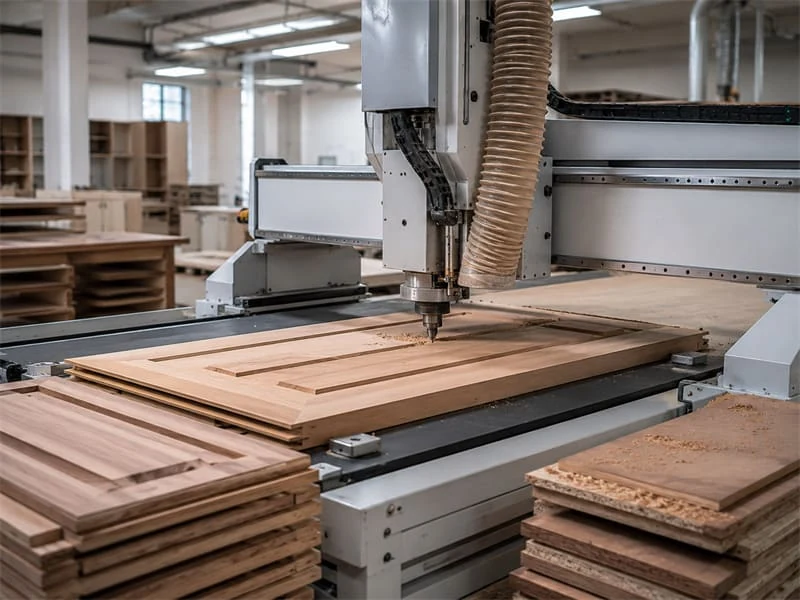
Dust control matters in real production. MDF, plywood and solid wood routing can create heavy dust. A proper dust collector, clean spoilboard and safeguarding plan should be considered before production use.
A Common Shop-Floor Problem: Small MDF Parts Move on the Last Cut
Take a cabinet shop cutting small MDF drawer parts on a full sheet. At the start, the sheet holds well because the vacuum has plenty of surface area. Near the end, small parts can break free too early and move during the final pass.
What you get is oversized slots, rough edges and extra manual trimming after cutting. The problem was not spindle power. The real causes were weak small-part holding, dust on the spoilboard, poor vacuum zoning and a cutting order that released parts too soon.
The fix was to adjust the nesting order, improve spoilboard cleaning, check vacuum leakage, add tabs or onion-skin cutting where needed, and use smaller zones or fixtures for small parts.
For production furniture work, a CNC router may be only one part of the line. A cabinet factory may also need edge banding, six-side drilling, panel sawing, labeling, loading and unloading. Start from the workflow, not from one machine name. The Furniture CNC Machine category is the better direction when the target is panel-furniture production, not just one cutting machine.
Cutting Acrylic or Plastic? Keep the Heat Down and Get the Chips Out
Acrylic is a common router job in sign and display work. A router becomes especially useful when the same part needs cutting plus engraving, pockets, drilling or a profiled edge.
The key is chip evacuation. If chips stay in the cut, heat builds up and the edge can melt, weld back, turn cloudy or become rough. Cast acrylic and extruded acrylic can behave differently, so the exact sheet type should be sent before process planning.
A Common Acrylic Problem: The Edge Turns Cloudy After a Few Batches
Take a sign shop that moves from thin acrylic to thicker sheets without changing the setup. The bit still gets through the material, so it is easy to think everything is fine.
After several batches, the cut edges became cloudy, some chips welded back into the groove, and polishing time increased. This is not simply a machine-power problem. The real problem was heat buildup caused by poor chip evacuation, unsuitable tooling for the sheet type and a process that was not adjusted for thickness.
The fix was to confirm whether the sheet was cast or extruded acrylic, choose an acrylic-suitable tool, improve chip removal, adjust the cutting process and confirm the required edge finish before batch production.
PVC and other plastics need more material control. Some plastics create fumes or hazardous decomposition products when overheated. The exact material name, SDS, ventilation plan and chip evacuation should be checked before treating the job as a normal router application.
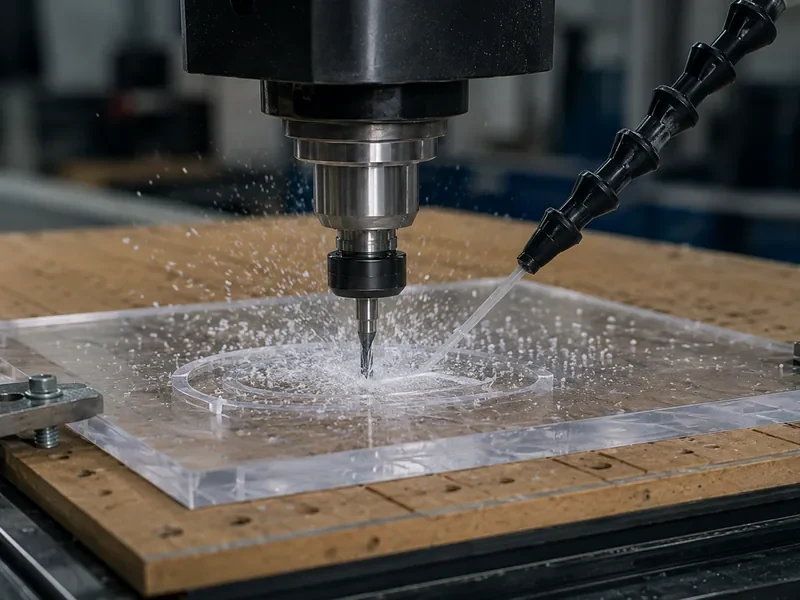
If acrylic is your main work, read the dedicated guide on how to cut acrylic with a CNC router. Acrylic production deserves a real process check, not a one-line material list.
Rigid Foam and Model Board? A Router Can Work Well. Soft Foam Is Different.
Rigid machining foam, tooling board and model board can run well on a router when they are supported properly. Soft EVA, EPE, PE foam and sponge are different jobs and often make more sense on an oscillating knife cutter.
Low cutting force does not mean you can ignore the setup. Rigid foam can still lift, tear or move, and dust can become a problem. With soft foam, the bigger question is often whether a router is the right process at all.
Some composites and aluminum composite panels can also be routed, grooved or profiled. But the word composite is too broad. The core, surface layer, dust risk, burr target and tool wear should be checked before choosing the machine type.
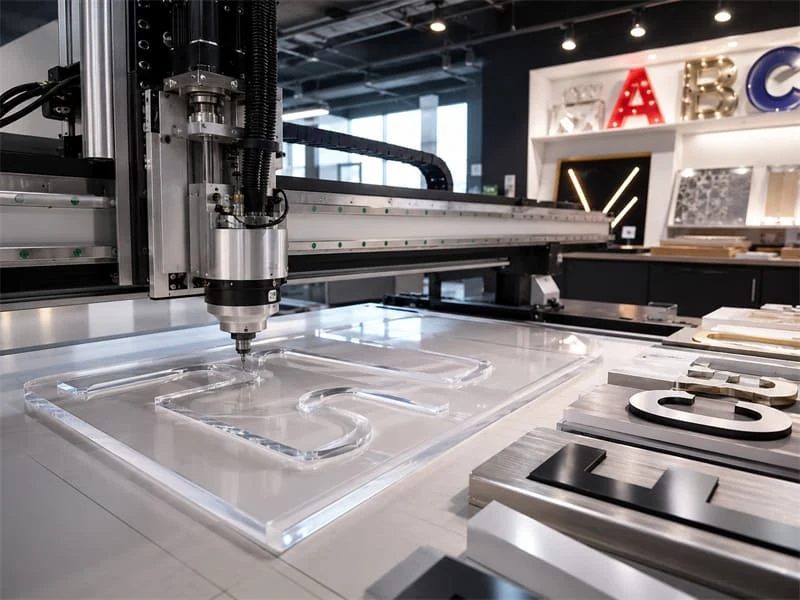
Tip: Rigid foam and model board can suit a router. For soft EVA, EPE, PE foam or sponge, start by comparing a CNC knife cutter.
Cutting Soft Aluminum? A Router Can Work, but the Setup Has to Be Right
Some soft-aluminum jobs run well on a router, but the word “aluminum” does not tell us enough. For light sheet, signage parts and occasional non-ferrous work, send the alloy, thickness and drawing first so we can see whether a router is really the right fit.
A Common Aluminum Problem: The Job Has Moved Beyond What a Router Should Do
Take a sign shop that has already cut thin aluminum sheet successfully and now wants to move into thicker plate. On paper it is still “aluminum,” but the cutting load is a very different job.
During cutting, the parts showed vibration marks, burrs and unstable hole quality. Tool wear increased quickly. The problem came from treating a router job like a milling job. Thick aluminum, tight hole quality and heavier cutting force need a different level of rigidity, clamping, tooling and chip control.
The fix was to separate light aluminum sheet routing from real metal machining. Thin soft aluminum signage parts can be reviewed for router use with the right fixture, tool and chip removal plan. Thick plate or tight-tolerance metal parts should start with a CNC milling process.
The alloy matters. The thickness matters. Machine rigidity, tool geometry, chip load, chip evacuation, lubrication or cooling method, clamping and edge target all matter.
For thick plate, tight-tolerance metal parts or daily heavy aluminum production, a CNC milling machine is the better starting point. A woodworking router should not be treated as a metal machining center.
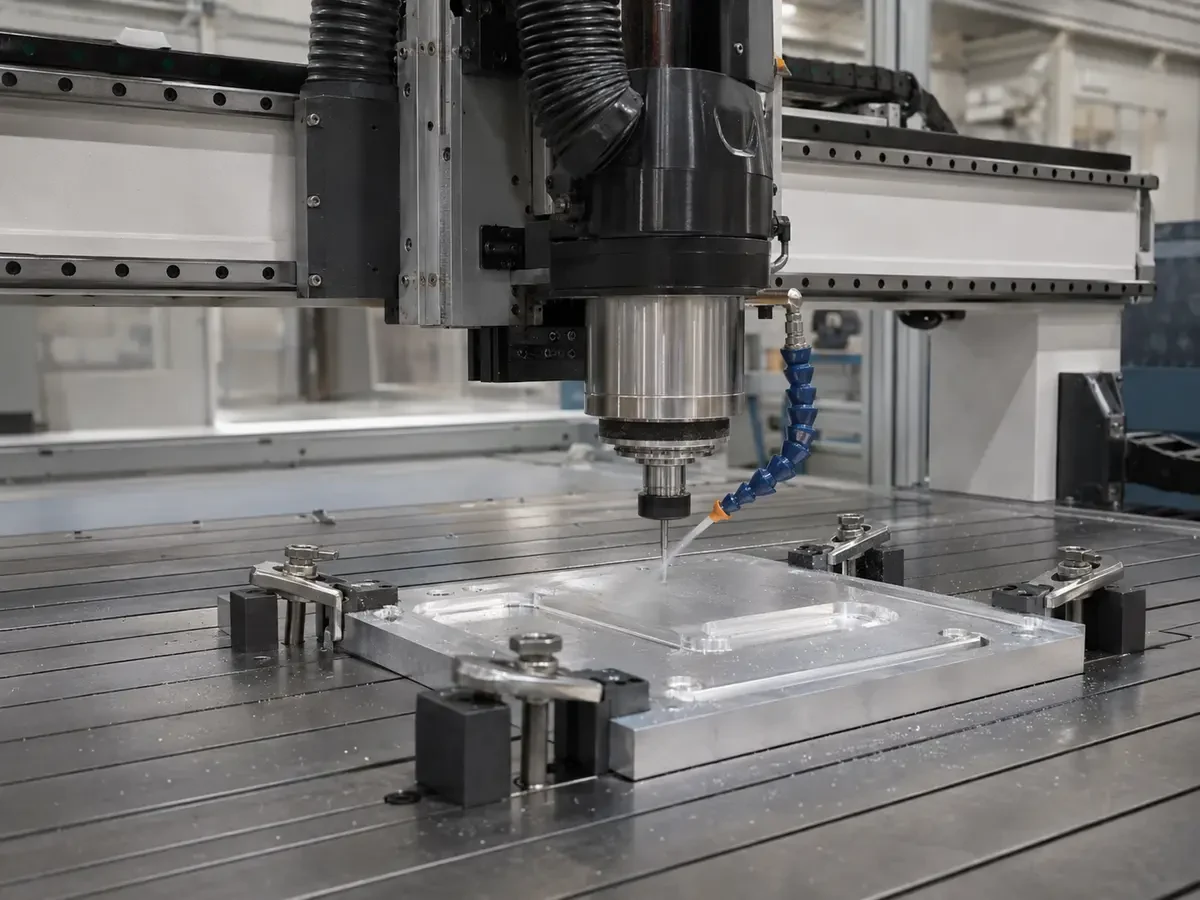
For mixed wood, acrylic and occasional soft aluminum work, send the aluminum alloy, part drawing, thickness, hole size, edge target and expected batch size before choosing the router setup.
Some Materials Are Simply Better on a Different Machine
A router is useful, but it is not the right answer for every material. If another process suits the job better, forcing it onto a router usually means more setup trouble, worse parts and wasted time.
| Material Or Job | Better Direction | Why |
|---|---|---|
| Steel plate and hard metal parts | CNC mill, fiber laser or plasma | Router frames and spindles are not designed as heavy metal cutting systems. |
| Fabric, leather, carton, gasket and flexible sheets | CNC knife cutter | A blade often cuts soft sheets cleaner than a rotating bit. |
| Thin sheet marking or fine engraving | Laser in many cases | Laser may be cleaner for some thin sheet and marking work. |
| Stone or artificial stone | Purpose-built stone CNC setup | Dust, water control, tool wear and silica risk need a dedicated process check. |
| Panel sizing only | Panel saw | Straight cutting at volume may be faster with a saw. |
Do not force the machine choice. If the material behaves better with a knife, laser, mill, saw or stone-processing system, the better purchase is the right process, not a larger router.
Cut Looks Bad? Check These Four Things Before You Blame the Machine
A rough edge or bad part does not automatically mean the machine is wrong. Check the tool, holding, chip removal and machine setup first.
Four checks decide most jobs
- Tool type, diameter, flute design and sharpness.
- Workholding, vacuum leakage and small-part movement.
- Chip removal, dust control, heat and cleaning.
- Machine rigidity, spindle behavior and inspection method.
A weak setup can make a good machine look bad. A vague material request can also make the quotation useless.
A request like “plastic sheet” is not enough. Acrylic, PVC, ABS, HDPE and polycarbonate do not behave the same way.
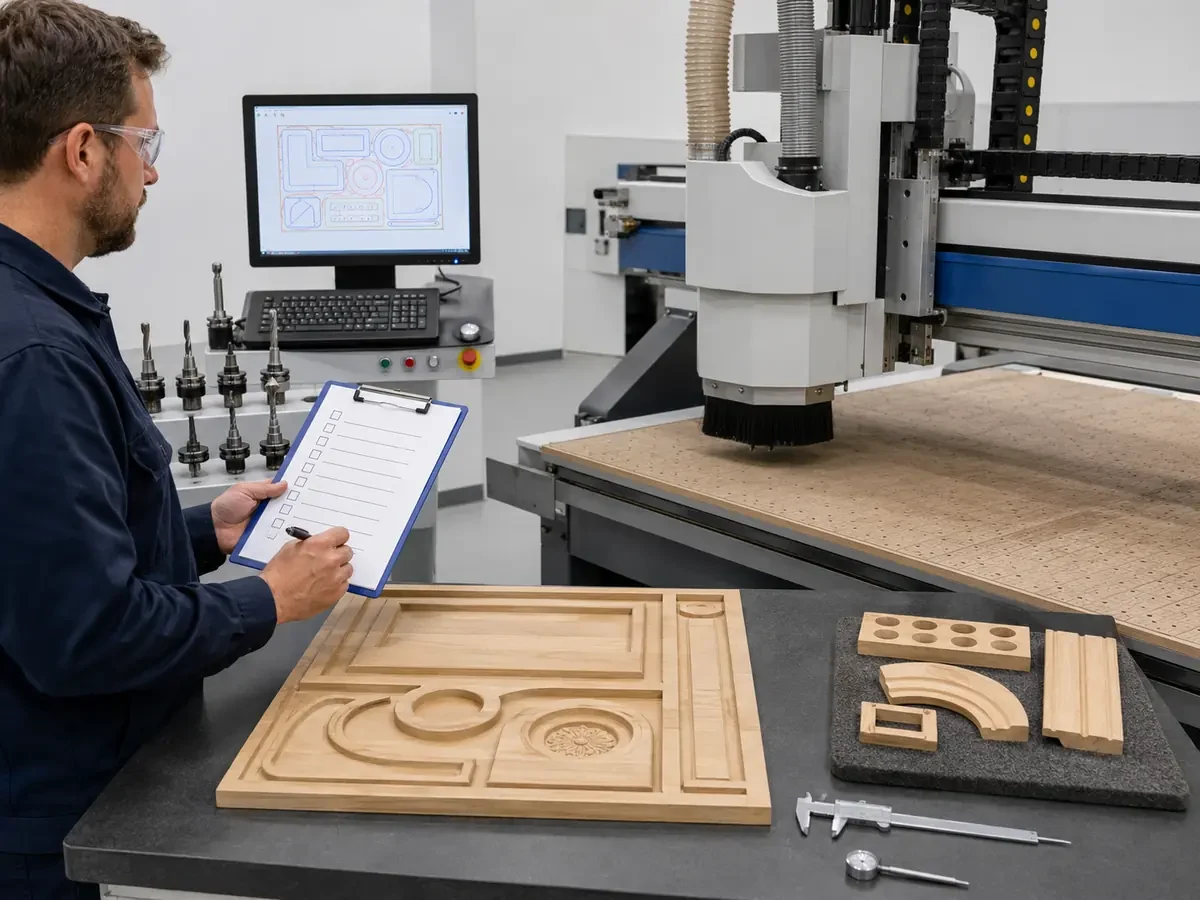
If your job needs repeated tool changes, an ATC router may matter. If your job is cabinet sheet nesting, drilling and labeling, a nesting machine or broader furniture production setup may be better than a standard router alone. The CNC router for woodworking guide explains the router side of that decision.
A Router Fits the Job. So Which Type Do You Actually Need?
Once you know the material belongs on a router, the next question is what the part actually needs. Tool count, operations, sheet workflow and output are what separate a basic router from ATC, nesting, PTP or multi-axis work.
| If your job looks like this | Start here | Why |
|---|---|---|
| Basic cutting, engraving and simple profiling with only a few tools | Standard 3-axis CNC router | You are not paying for tool-changing or automation you do not use. |
| Doors, furniture parts or mixed jobs that change tools several times | ATC CNC router | Automatic tool changes remove repeated stops and make multi-step jobs easier to run. |
| Full-sheet MDF, plywood or particle board for cabinets and wardrobes | Nesting CNC machine | This is the better starting point when sheet yield, drilling, labeling and production flow matter. |
| Pre-cut furniture panels that need drilling, boring, grooving or point-to-point work | PTP / CNC drilling solution | The job is more about panel machining than full-sheet nesting. |
| Parts that need side machining, curved surfaces or access beyond the top face | 4-axis or 5-axis CNC router | The extra axes matter only when the part geometry actually needs them. |
Do not buy the upgrade first. A basic router is still the right choice when the job is simple. ATC, nesting, PTP, 4-axis and 5-axis only make sense when the work actually needs them.
If the part geometry is what drives the decision, see our 3 Axis vs 4 Axis vs 5 Axis CNC Router guide.
Router, Laser, Mill or Knife Cutter? Here’s the Simple Way to Choose
Do not ask one machine to do everything. Pick the process that matches the material and the job, then choose the machine inside that process.
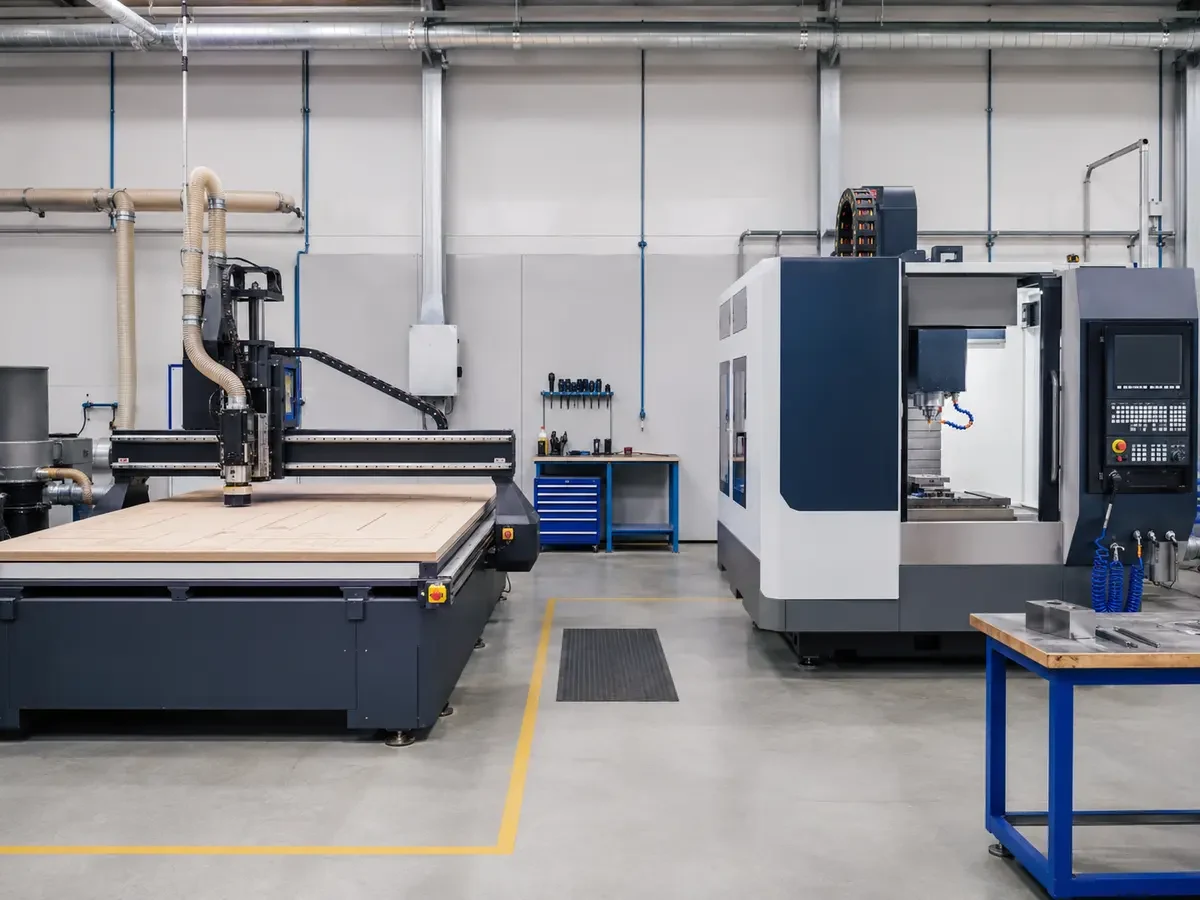
| Job | Start with | Why |
|---|---|---|
| Cabinet and wardrobe panels | CNC router / nesting CNC | Sheet cutting, drilling, grooving and production workflow. |
| Acrylic letters and displays | CNC router or laser | Depends on thickness, edge style and engraving requirement. |
| Fabric, leather and gasket sheets | CNC knife cutter | No rotating bit is needed for many soft sheet jobs. |
| Hard metal components | CNC milling machine | Higher rigidity and metal-focused machining structure. |
| Thin laser engraving or marking | Laser cutter or engraver | Often cleaner for marking and some thin-sheet operations. |
For a deeper process comparison, see CNC Router vs Laser Cutter, CNC Router vs Milling Machine, and the CNC Knife Cutter guide.
Send Us These Five Things and We Can Start
You do not need a long specification sheet before you contact us. Send the five things below first. In most cases, that is enough to tell which machine family is worth looking at.
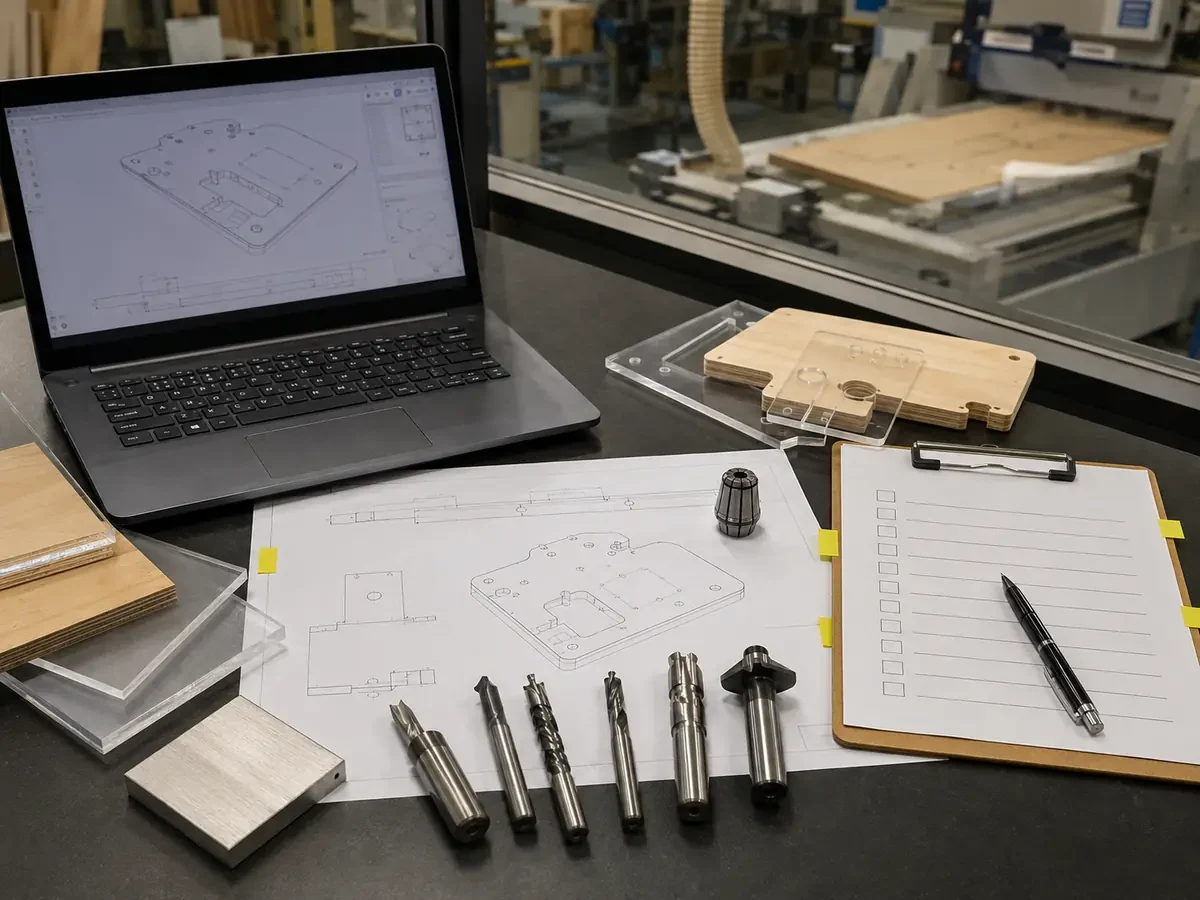
Tell us the exact material and the normal and maximum thickness you cut.
Send the largest sheet and the largest finished part you expect to machine.
A DXF, CAD drawing, product photo or even a marked-up sketch is more useful than a long description.
Cutting, drilling, grooving, engraving, pocketing, 3D work or a mix of several operations.
Tell us roughly how many sheets, parts or jobs you need to finish per shift.
Once the basic machine type is clear, we can narrow down tool count, table setup, dust or chip control, voltage, automation and workshop details without making the first conversation complicated.
Five Ways to End Up With the Wrong Machine
1. Believing a material list tells the whole story
A material list is not a production result. Ask whether the machine type fits your material, thickness, finish, output and tooling conditions.
2. Choosing the machine by spindle power alone
Spindle power matters, but it is not the whole machine. Frame rigidity, table structure, vacuum holding, controller behavior, tooling, dust collection and operator workflow all affect the result.
3. Using a router for a job that really needs a knife
Soft sheet materials often need a blade, not a rotating bit. Fabric, leather, gasket and carton work should start with knife cutting.
4. Expecting a woodworking router to behave like a metal mill
A CNC router is not a replacement for a CNC mill or metal cutting system. If steel is your daily material, start with a metal-focused process.
5. Buying the cutting machine before looking at the whole furniture line
For panel furniture, cutting is only one step. Edge banding, side drilling, panel sawing, labeling, loading, unloading and assembly planning may also matter. Start from the workflow, not from one machine name. The Applications page is useful when the shop is still mapping the production scenario.
FAQ
Can a CNC router cut metal?
A CNC router can handle some soft non-ferrous metal jobs, especially light aluminum sheet work, when the machine structure, fixture, tool and chip removal plan are right. For hard metals and daily metal production, start with a metal-focused machine.
Can a CNC router cut aluminum?
Yes, for the right aluminum job. Send the alloy, thickness, drawing, hole size, edge target and batch size before choosing a router. Light aluminum signage work is very different from thick plate machining.
Can a CNC router cut steel?
For regular steel cutting, no. Steel needs a metal-focused process such as CNC milling, fiber laser or plasma cutting. A CNC router is not the right starting point for daily steel production.
Can a CNC router cut MDF?
Yes. MDF is one of the main materials for woodworking CNC routers and nesting machines. The key production checks are dust collection, vacuum hold-down, spoilboard condition and small-part movement.
Can a CNC router cut acrylic?
Yes. Acrylic is a common router material for signs, displays and letters. The key is chip evacuation. If chips stay in the cut, heat builds up and the edge can melt or turn cloudy. Cast and extruded acrylic should be treated separately.
Can a CNC router cut PVC?
Rigid PVC and some PVC sheets can be routed after checking the exact material, SDS, ventilation and chip control. Do not treat every plastic sheet as the same router job.
Can a CNC router cut plywood?
Yes. Plywood is a common router material, but edge quality depends on plywood grade, surface layer, tooling, toolpath and hold-down. Decorative plywood needs more careful process planning than rough structural plywood.
Can a CNC router cut composite panels?
Some composite panels can be routed or grooved. The core material, surface layer, dust risk, burr target and tool wear should be checked before choosing the router setup.
What material is easiest to cut on a CNC router?
Rigid machining foam, model board and many wood-based boards need lower cutting force than metals. In production, the easiest material is the one with stable holding, clear chip removal, suitable tooling and a realistic finish target.
What material should not be cut on a standard CNC router?
Hard steel, heavy metal parts, fabric, leather and unstable flexible sheets are not good standard router jobs. Steel should start with metal cutting equipment. Flexible sheets should start with a knife cutting system.
Is a CNC router better than a laser cutter?
For pockets, grooves, drilling, thick wood panels and 3D carving, a CNC router is often the better process. For some thin sheet cutting, marking and fine engraving jobs, a laser may be the better starting point.
Send Us One Typical Part
Send the material, thickness, part size, one drawing or photo, and your normal output. We can start there and tell you which machine type is worth looking at.
Send Your Part
Frannie
Hello, I’m Frannie, a CNC machinery specialist with 15 years of experience in the woodworking CNC industry. I help furniture factories, cabinet makers, woodworking workshops, and production businesses choose CNC machines that match their production needs, factory size, budget, and efficiency goals.
My work focuses on solving real production problems, including replacing outdated equipment, improving machining efficiency, reducing labor costs, and upgrading to smarter CNC solutions. I also support customers with machine installation guidance, operation training, video support, and on-site training when needed, helping them use their machines more confidently and effectively.





