CNC Router Types and Machine Fit
Quick Answer
There is no single fixed list of CNC router types. The same machine can be a 3-axis router, an ATC router, a flat-table machine and an industrial woodworking router at the same time because those names describe different parts of the machine.
So do not start with the label. Start with your parts: what material are you cutting, which faces need machining, how many tools does a normal program use, how will the part be held and how much output do you need?
Once those points are clear, it becomes much easier to decide which CNC router family is worth looking at and which ones you can ignore.
Start With What You Make
If you already know your main product, this table will get you close to the right machine family without making you work through every CNC term first.
| If you mainly make… | Start by looking at… | What really decides the choice |
|---|---|---|
| Cabinet parts from full sheets | Nesting CNC machine or ATC flat-table router | Sheet size, drilling pattern, labeling, handling and shift output |
| Pre-cut cabinet panels | PTP CNC, drill-bank machine or six-sided drilling machine | Hole direction, hole quantity, grooves, panel handling and cycle flow |
| Doors and furniture parts | 3-axis or ATC CNC router | Tool count, edge or lock work, part shape and fixture setup |
| Balusters, columns and round parts | Rotary setup or controlled 4-axis machine | Part diameter, length, support and the rotary motion the job actually needs |
| Molds, curved parts and complex 3D work | 3-axis, 4-axis or 5-axis depending on cutter access | Undercuts, setup count, cutter reach, surface requirement and CAM workflow |
| Signs, acrylic, plastics, foam or mixed flat work | 3-axis flat-table or ATC CNC router | Material, finish, chip control, workholding and number of tool changes |
How Are CNC Routers Classified?
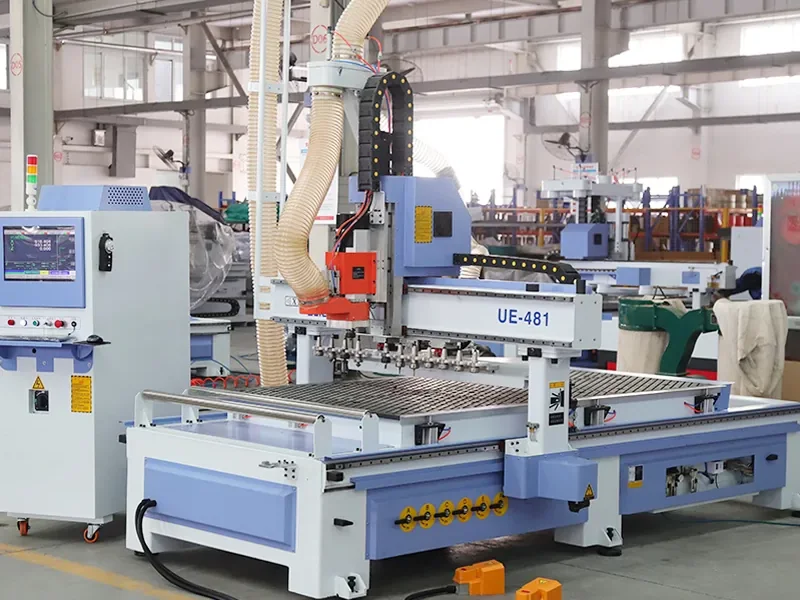
The easiest way to understand CNC router “types” is to stop treating them as one flat list. Most machine names describe one of six different things.
| What you are looking at | What it tells you | Common names |
|---|---|---|
| Axis motion | Which directions the cutter or part can move | 3-axis, rotary, 4-axis, 5-axis |
| Tool changing | How cutters are changed during a job | Manual tool change, ATC, linear magazine, carousel magazine |
| Machining units | How routing and drilling units are arranged | Single spindle, multi-head, multi-spindle, drill bank |
| Table and workholding | How the workpiece is supported and held | T-slot, vacuum flat table, grid table, pod-and-rail |
| Production flow | How material moves through the process | Standard routing, nesting, PTP machining, automated cell |
| Machine size and duty | The general working environment the machine is built around | Desktop, workshop, production, industrial |
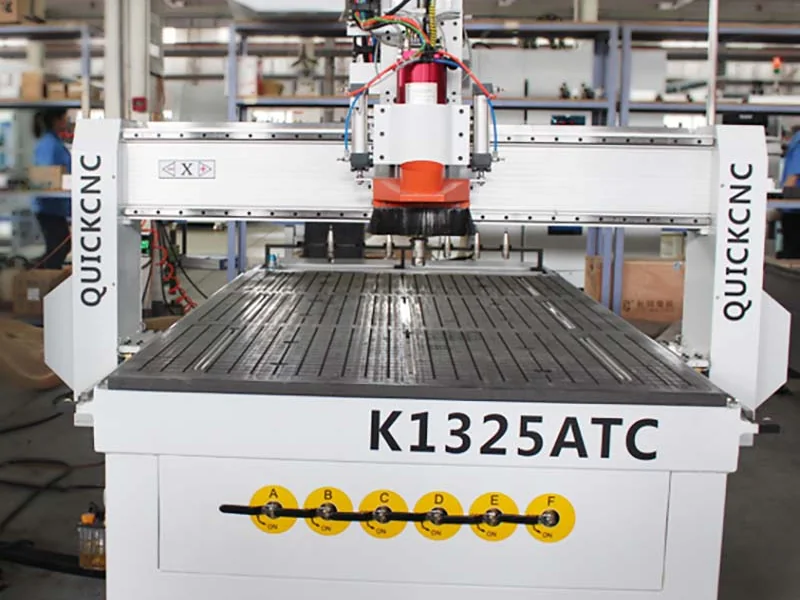
A nesting machine, for example, can also be a 3-axis ATC router with a vacuum flat table and a drill bank. None of those names cancels out the others.
That is why two quotations should be compared as complete machine setups, not by one headline label.
3-Axis, Rotary, 4-Axis and 5-Axis: What Changes?
Axis count is mainly about cutter access. It does not tell you how many tools the machine carries, how the part is held or how much the factory can produce in a shift.
| Type | Good fit for | What to check |
|---|---|---|
| 3-axis | Sheet cutting, engraving, pockets, grooves and most 2D/2.5D work | Can every important feature be reached from above? |
| Rotary setup | Columns, balusters and cylindrical parts | Does the job only need indexed positioning, or continuous rotary movement? |
| Controlled 4-axis | Parts needing controlled rotary or angled access | Does the additional axis index between cuts or move during cutting? |
| 5-axis | Complex curved, multi-face and hard-to-reach work | Does the job need 3+2 positioning or simultaneous multi-axis movement? |
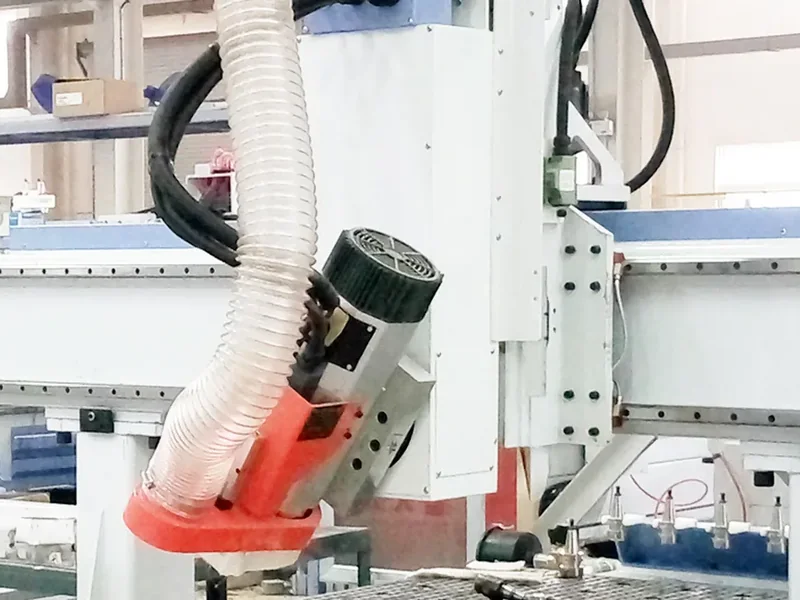
The simplest rule is to let the part geometry decide the axis count. Extra axes are useful when they reach features you cannot reach otherwise or remove repeated manual setups.
For the detailed comparison, see 3 Axis vs 4 Axis vs 5 Axis CNC Router.
Manual Tool Change vs ATC: What Changes?
A manual-tool-change router needs the operator to stop and replace the cutter when the program needs another tool. An ATC router can call stored tools automatically during the machining cycle.
If a normal program repeatedly uses several cutters, ATC becomes much more relevant. If most work uses one cutter, a simpler machine can still make sense.
Linear or carousel magazine?
Both are ATC magazine layouts. The shape alone does not tell you which one is better. Tool count, machine layout, tool size and the real tool-change sequence matter more.
For the detailed magazine comparison, see Linear vs Carousel Tool Changer.
Multi-Head, Multi-Spindle and Drill Bank
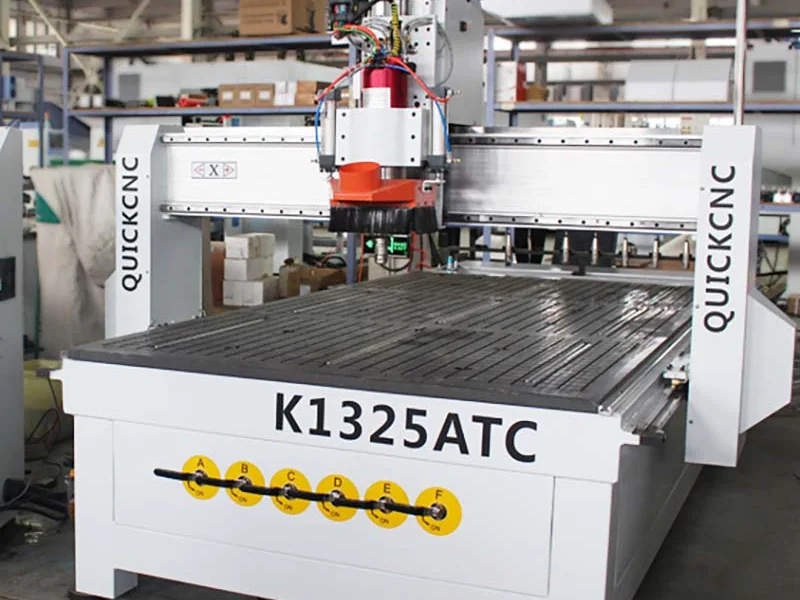
These names describe the machining units fitted to the machine, not the complete machine type.
Multi-head or multi-spindle layouts can be useful for repeated parts or jobs where several cutters need to stay ready. But the important questions are how the heads are arranged, whether they work together or one after another, and whether the spacing actually matches your parts.
A drill bank is different again. It adds dedicated drilling capability instead of asking the main router spindle to make every hole one at a time.
If cabinet panels have a heavy drilling pattern, compare the job with a drill bank, PTP machine or six-sided drilling machine using the real hole layout rather than the machine name alone.
Flat Table, Nesting and PTP: These Names Describe Different Things
This is one of the areas where CNC terminology gets mixed together. A flat table describes the support and workholding. Nesting describes a full-sheet production method. PTP describes a component-machining approach.
| Option | What it describes | Good starting point for | What to watch |
|---|---|---|---|
| Flat-table router | Table and workholding | Sheets, panels, signs and other flat work | Small-part hold-down, leakage, fixtures and edge access |
| Nesting CNC | Full-sheet production flow | Cabinet and panel-furniture parts cut from complete sheets | Drilling, labeling, unloading and downstream processes can still limit output |
| PTP machining center | Component-machining approach | Individual or pre-cut panels | Drilling requirements, routing work, setup and panel handling |
| Pod-and-rail | Workholding arrangement | Parts needing underside or edge clearance | Pod position, collision clearance, stability and setup time |
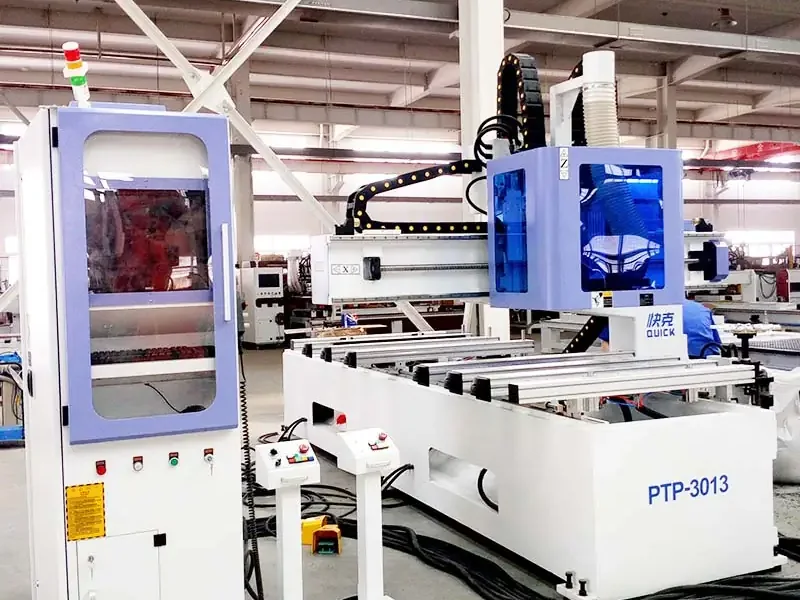
PTP and pod-and-rail often appear on the same machine, but they are not the same term. The same is true for nesting and a vacuum flat table.
For the deeper production comparison, see PTP CNC Router vs Nesting CNC Router.
Workholding: Match the Table to the Part
A good spindle and motion system cannot compensate for a part that moves during cutting. That is why table and fixture choice belong in the machine-type discussion.
Common setups include vacuum flat tables, T-slots, grid tables, mechanical fixtures and pod-and-rail systems.
For sheet work, vacuum is common. But do not choose from the vacuum-pump number alone. Spoilboard condition, leakage, exposed surface area, material porosity, vacuum zones and cutting force all change the real hold-down.
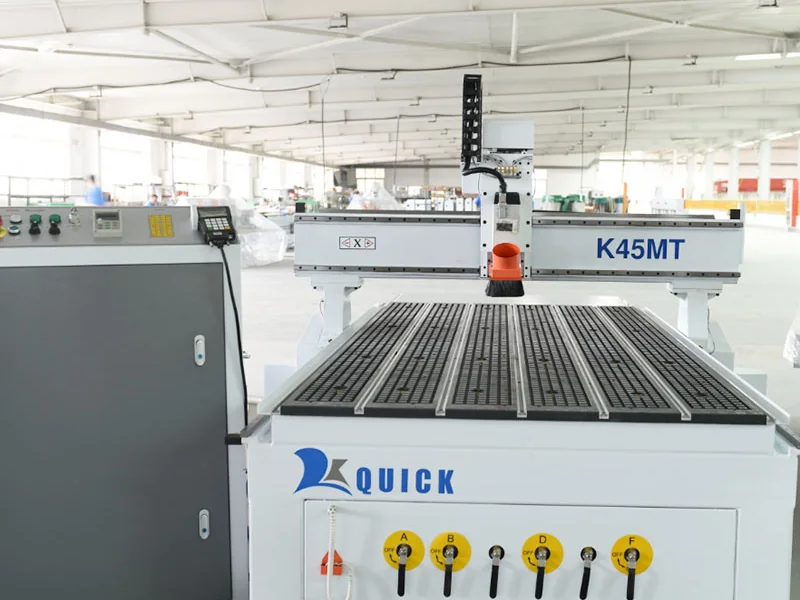
The difficult parts are often small, narrow, porous or heavily cut through. If those are part of your normal production, they are the parts worth testing.
Desktop, Workshop and Industrial: Don’t Buy the Label
These are market terms, not universal technical standards.
A desktop router is generally compact and intended for smaller work. Workshop and production machines may offer larger working areas and more production features. Industrial machines are normally positioned for heavier or longer-duty production.
But the word “industrial” by itself proves very little. Look at the complete machine: structure, drive system, spindle, tooling, working area, table, controller, extraction needs, service access and how it performs on the work you actually need to run.
How to Use These Classifications
You do not need to work through a long specification sheet to narrow the machine down. Four questions do most of the early work.
- Part geometry → axis type. If everything is reachable from above, 3-axis may already be enough. Add rotary or multi-axis movement only when the part needs the access.
- Tool count → manual or ATC. Count the cutters in a normal program instead of choosing the largest magazine on the brochure.
- Part shape → table and workholding. Think about the hardest part to hold, not only the easiest full sheet.
- Production flow → standard router, nesting or PTP. Decide whether you start from full sheets, pre-cut components or a mixed production process.
One practical rule: start with the part and work backward. Cutter access, tool count, drilling, workholding and production flow should decide the machine family—not the biggest numbers on the brochure.
For the complete machine-selection process—including software, utilities, floor space, quotation comparison and RFQ preparation—see How to Choose a CNC Router.
Before You Buy, Test the Hard Part
Do not send the easiest panel just to get a clean-looking sample. Send a part that represents the problem the new machine actually needs to solve.
If small parts move, test a small part. If the panel has a heavy drilling pattern, run that pattern. If several cutters are used, run the complete tool sequence. If a difficult curved surface matters, put that surface into the test.
For the first useful test, send:
- the real material and thickness;
- one representative drawing with the difficult features;
- the machining and tool sequence that matters;
- the dimensions, finish or result you need to check.
A Practical Safety Check Before Installation
CNC routers combine high-speed cutters, moving axes, electrical systems, dust or chips and, depending on the configuration, automatic tool changes or material handling.
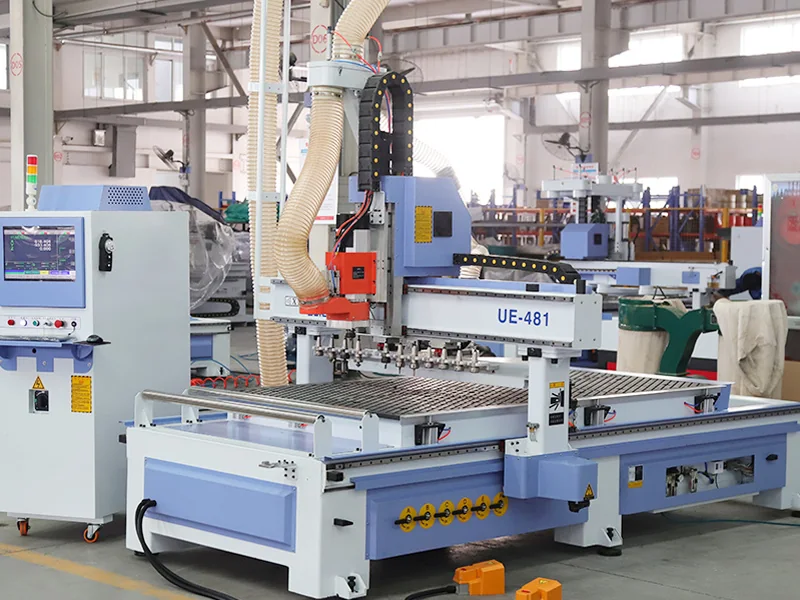
Before production starts, make sure guarding, emergency stops, electrical isolation, grounding, dust extraction, operator access and service space suit the final installation.
UK HSE router guidance is one useful general reference.
Frequently Asked Questions
How many types of CNC routers are there?
There is no single fixed number. CNC routers can be grouped by axis motion, tool changing, machining units, table and workholding, production flow, machine size or application. One machine can belong to several groups at the same time.
Is an ATC router a different type from a 3-axis router?
They describe different things. ATC describes how tools are changed. 3-axis describes how the machine moves. The same machine can be both a 3-axis router and an ATC router.
Is a nesting CNC machine the same as a flat-table router?
Not exactly. A flat table describes the table and workholding. Nesting describes a full-sheet production method where parts are laid out and processed from the sheet.
Is a PTP router always a pod-and-rail machine?
No. PTP describes a component-machining approach. Pod-and-rail describes one workholding arrangement. They often appear together, but they are not the same term.
Does a 5-axis router always cut with all five axes at the same time?
No. Some jobs use 3+2 positioning, while others use simultaneous multi-axis movement. The part geometry, machine kinematics, controller, CAM and post-processor all matter.
Do more axes or more tool positions always mean a better CNC router?
No. Extra functions only add value when they solve a real machining or production problem. If your parts do not need the additional movement or tool capacity, they can simply add cost and complexity.

Frannie
Hello, I’m Frannie, a CNC machinery specialist with 15 years of experience in the woodworking CNC industry. I help furniture factories, cabinet makers, woodworking workshops, and production businesses choose CNC machines that match their production needs, factory size, budget, and efficiency goals.
My work focuses on solving real production problems, including replacing outdated equipment, improving machining efficiency, reducing labor costs, and upgrading to smarter CNC solutions. I also support customers with machine installation guidance, operation training, video support, and on-site training when needed, helping them use their machines more confidently and effectively.





