A Straightforward CNC Router Guide
Quick Answer: What a CNC Router Does
A CNC router is a computer-controlled cutting machine. You give it a program, the spindle follows the toolpath, and the cutter removes material to make profiles, pockets, grooves, holes, engraving, or 3D shapes.
For woodworking and panel production, that can mean cutting MDF, plywood, particle board, solid wood, acrylic, plastics, foam, and suitable composites. Some router configurations can also handle selected soft metals or stone, but only when the machine, spindle, tooling, workholding, chip control, and cooling setup are built for that job.
One thing is worth knowing from the start: the controller does not make a good part by itself. The cutter, toolpath, material, hold-down, cutting settings, dust or chip removal, and machine condition all have to work together.
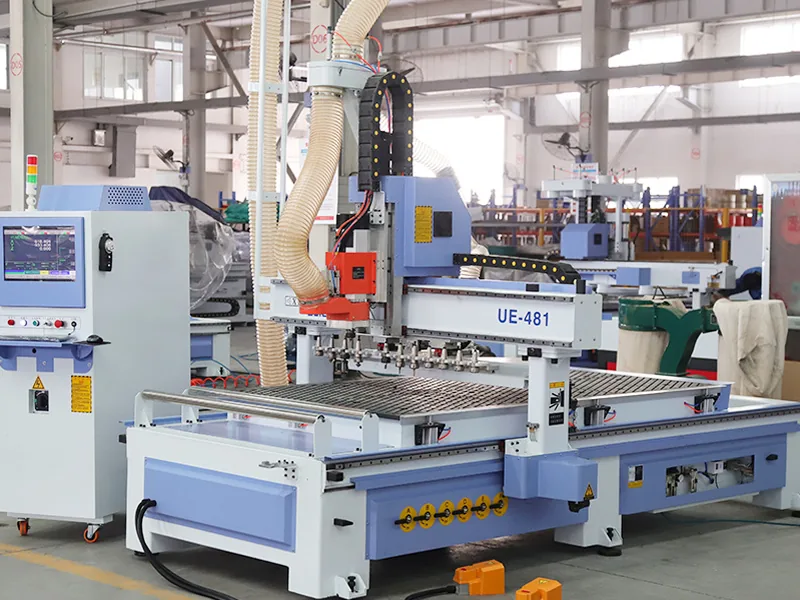
What Makes a CNC Router Different?
A CNC router cuts with a rotating tool. That is the main difference from a laser, which cuts with a focused beam, or a plasma cutter, which uses an electrical arc on conductive metal.
It is also different from a metal machining center. A router is normally the more natural choice for sheet materials, furniture parts, doors, signs, plastics, and large-format work. A machining center is built around a different level of rigidity, coolant, tooling, chip control, and metal-cutting requirements.
Do not start with the machine name. Start with the part: material, size, geometry, edge finish, hole pattern and required output. That usually points to the right machine family much faster.
How Does a CNC Router Turn a CAD File Into a Finished Part?
The workflow is simple: prepare the drawing, build the toolpath, post the program, hold and reference the material, run the job, then inspect the finished part. A mistake in any one of these steps can ruin the result even when the machine follows the program correctly.
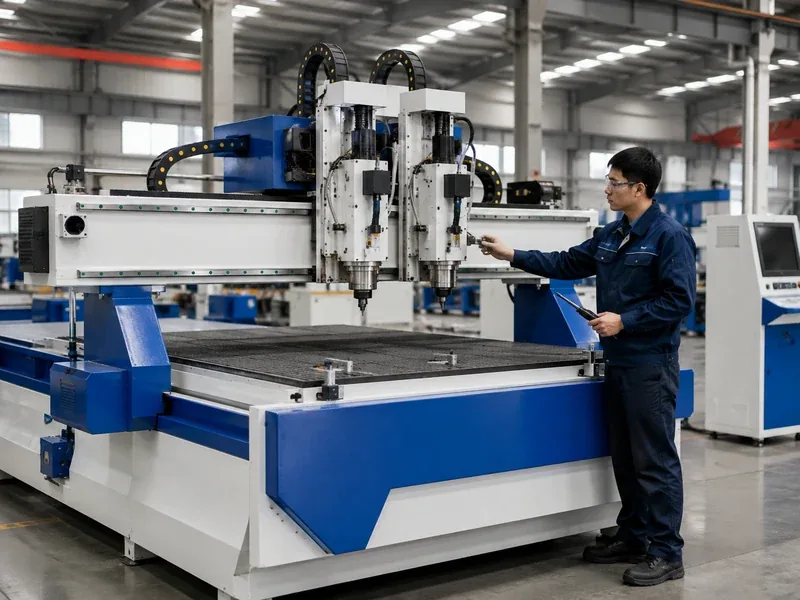
1. Start With the Drawing
Begin with a CAD drawing or usable design file. Check the units, scale, material thickness, part direction and the dimensions that matter before the file goes any further.
2. Build and Post the Toolpaths
CAM software turns the drawing into machining moves and lets you choose the cutter, cutting order, depth, spindle speed and feed rate. It then uses a post-processor to create code for the machine controller.
The post has to match the machine and installed options. If you are using a new post, test it before normal production. Autodesk’s post-processing documentation gives a useful overview.
3. Hold the Material and Set the Reference
The material has to stay put while the cutter is working. That may mean a vacuum table, T-slot clamps, a fixture or a dedicated jig. Then set the workpiece origin and tool-length reference using the method required by the controller.
Vacuum hold-down should be judged on the real part, not the pump number alone. Small parts, porous boards and cut-through toolpaths can all reduce holding force.
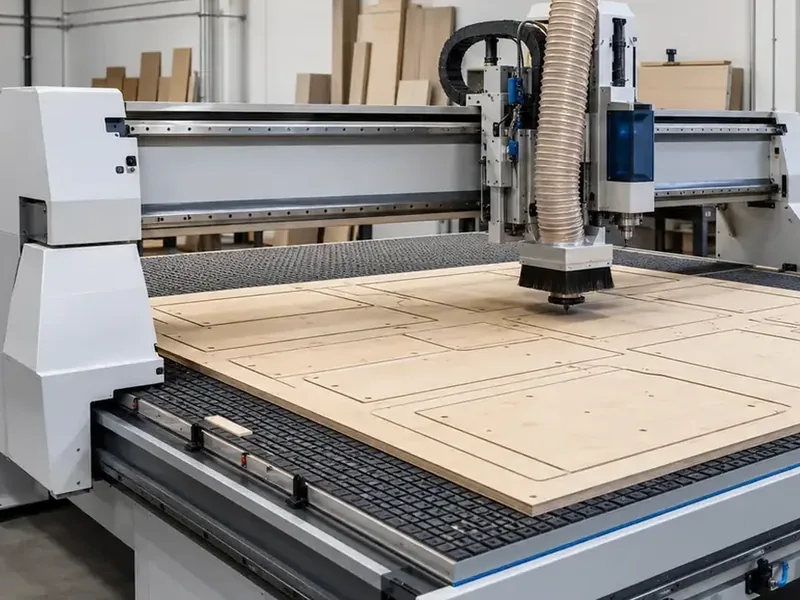
4. Run the Job and Watch the Cut
The controller moves the axes and spindle along the programmed path. Watch for unusual noise, vibration, poor chip or dust removal, tool wear, alarms and any sign that the material is moving.
5. Check the Finished Part
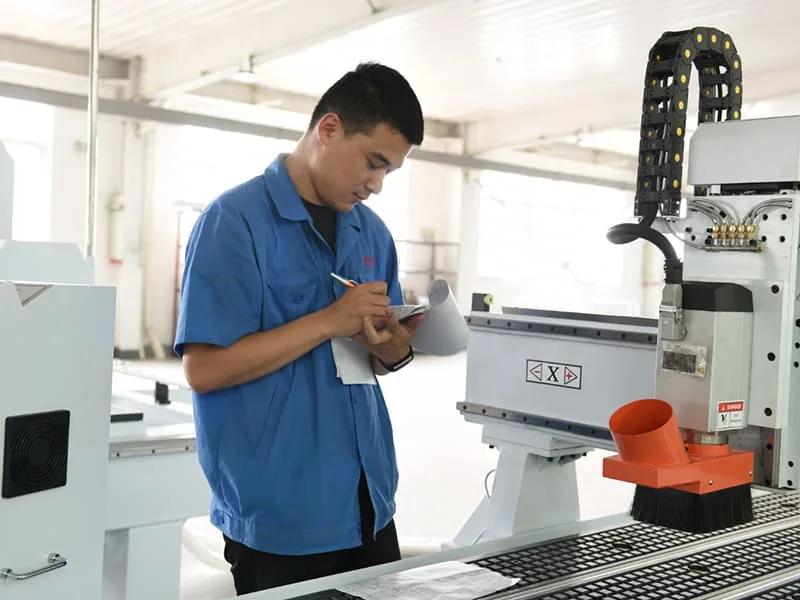
Measure what matters for the job: overall size, hole location, pocket depth, edge quality, surface finish or assembly fit. Machine positioning accuracy and finished-part accuracy are not the same thing; the tool, program, material, hold-down and measurement method all affect the final result.
What Parts Actually Matter on a CNC Router?
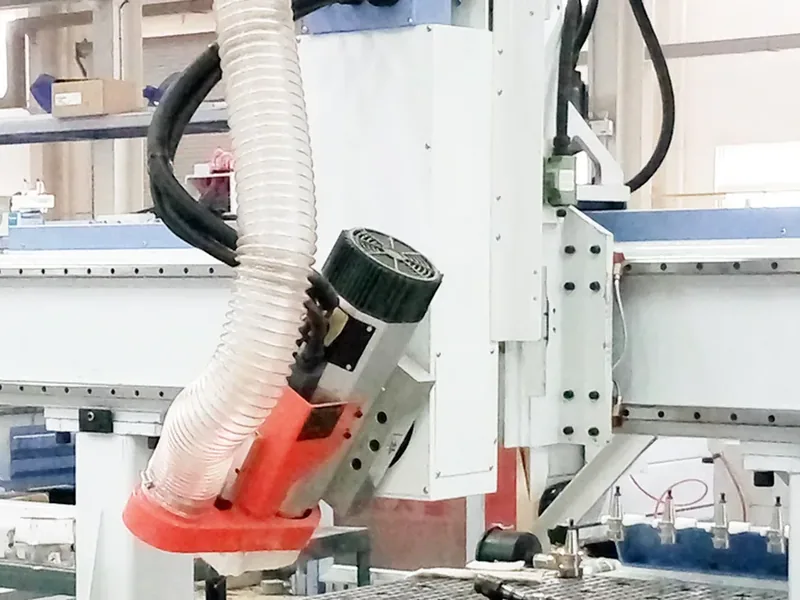
| Part | What it does | What to look at |
|---|---|---|
| Frame and gantry | Carry the cutting system and resist cutting loads | Look at the whole structure in relation to the material, working size, and daily workload. |
| Spindle | Turns the cutting tool | Match the spindle, tool interface, duty, and cutting job. More power by itself does not mean a better machine. |
| Tool and holder | Do the actual cutting | Tool type, diameter, flute design, reach, and holder all affect the result. |
| Worktable | Supports the material | Check usable work area, table style, zones, and whether your normal parts are easy to load and hold. |
| Workholding | Keeps the part from moving | Choose vacuum, clamps, T-slots, fixtures, or a mix based on the real part and cut-through pattern. |
| Motors, drives, and linear motion | Move the machine along the toolpath | Do not judge the machine from one component brand. The structure, drive system, tuning, and application have to work together. |
| Controller | Runs the program and machine functions | Check the workflow, functions you need, post-processor support, and how comfortable your operators are with it. |
| Dust or chip control | Removes dust and chips from the cutting area | Match extraction or chip handling to the material and the amount of debris the process creates. |
What Can You Actually Do With a CNC Router?
| Operation | What it is used for | What to check |
|---|---|---|
| Profile cutting | Cutting the outside or inside shape of a part | How will the part stay held when the cut is almost finished? |
| Pocketing and grooving | Removing material inside an area or making channels | Tool diameter, depth, corner shape, and chip removal. |
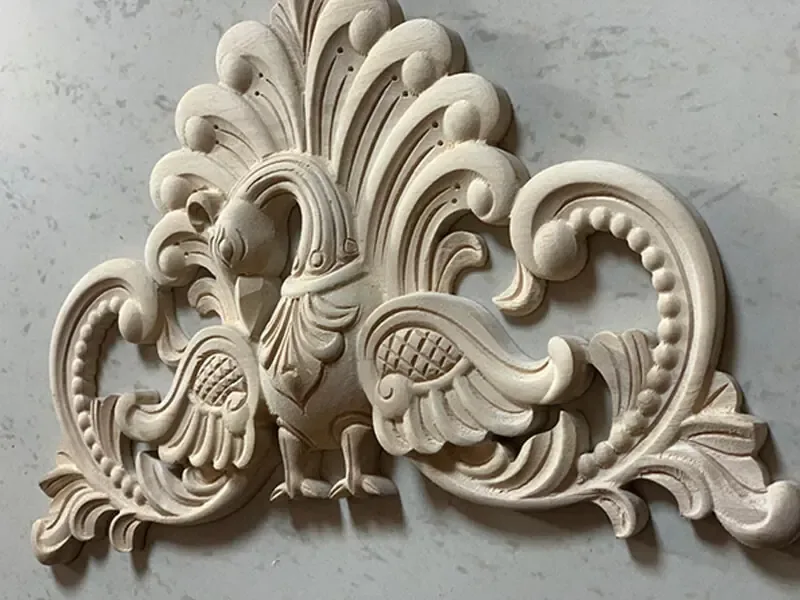
| Engraving and relief carving | Text, signs, patterns, decorative work, and 3D surfaces | Tool reach, surface quality, motion requirements, and finishing time. |
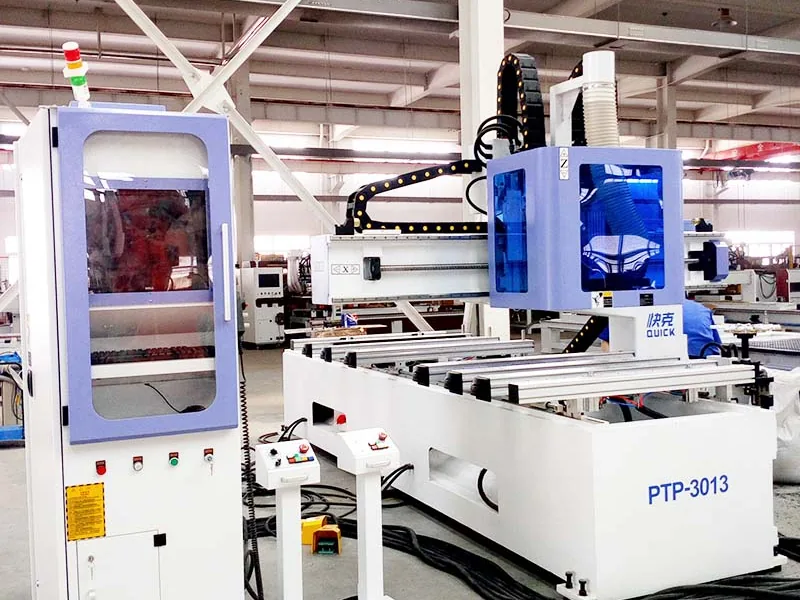
| Drilling | Making selected holes with the spindle or a drilling unit | If your panels have lots of repeated vertical and horizontal holes, compare a normal router with a drill bank, PTP, or six-sided drilling machine. |
| Rotary or multi-axis work | Cylindrical, edge, curved, or more complex parts | Make sure you know whether the job needs indexing, continuous rotation, 3+2 positioning, or true simultaneous multi-axis motion. |
A router can do a lot, but tool access, workholding, travel, spindle limits, chip control and software still set the boundary.
What Can You Cut on a CNC Router?
| Material | Common jobs | What matters |
|---|---|---|
| MDF, plywood, particle board, and similar panels | Cabinets, furniture panels, doors, fixtures, and displays | Sheet size, thickness, nesting, dust extraction, drilling pattern, labeling, and material flow. |
| Solid wood | Furniture parts, doors, stair parts, carving, and joinery | Grain, moisture, tool choice, hold-down, edge quality, and sanding allowance. |
| Acrylic and plastics | Signs, displays, guards, letters, and fabricated parts | Heat, chip evacuation, tool geometry, hold-down, and the edge finish you need. |
| Rigid machining foam / model board | Prototypes, patterns, molds, and large 3D forms | Debris control, tool reach, surface requirement, and how the material is supported. |
| Suitable composites | Panels, patterns, and specialized parts | Tool wear, dust, material safety information, and extraction. |
| Aluminum and other suitable soft metals | Plates, signs, fixtures, and selected components | Machine rigidity, tooling, lubrication or cooling, chip control, hold-down, and finish. |
| Stone | Engraving or shaping on a router built for stone work | Tooling, machine protection, water or dust control, corrosion protection, and local safety requirements. |
If your work is mainly wood or acrylic, these two pages go deeper: CNC router for woodworking and how to cut acrylic with a CNC router.
What Actually Affects Accuracy and Cut Quality?
If a part is rough, undersize or inconsistent, check the whole cutting setup instead of one headline machine spec.
| Factor | What can go wrong | What to check |
|---|---|---|
| Machine structure and motion | The geometry can move or behave differently under load | Look at the complete machine setup and test it on a part that is close to your real work. |
| Tool and holder | Bad edges, wrong size, vibration, or short tool life | Use the right tool and replace worn tools before they start changing the part. |
| Workholding | The part moves, vibrates, or lifts during cut-through | Check the actual part and hold-down method, not just the vacuum pump rating. |
| Toolpath and cutting settings | Too much heat, poor chips, rough finish, or unstable cutting | Check feed, spindle speed, depth of cut, entry moves, and toolpath strategy. |
| Material | Thickness, density, grain, and flatness can change the result | Use normal production material when you test the process. |
| Dust, chips, and heat | Recutting chips, heat buildup, and unstable cutting | Watch what happens around the cutter while the job is running. |
| Measurement method | Two people can get different numbers from the same part | Agree on which dimensions matter and how they will be measured. |
When you compare machines, use the same drawing, material, tool and measurement method. Otherwise the sample parts are not directly comparable.
Which CNC Router Makes Sense for Your Work?
| Machine type | Good fit for | Where it stops making sense |
|---|---|---|
| Standard 3-axis router | Profiles, pockets, engraving, selected drilling, and many 2D/2.5D parts | It cannot reach some undercuts, complex edges, or surfaces that need the tool to approach from another angle. |
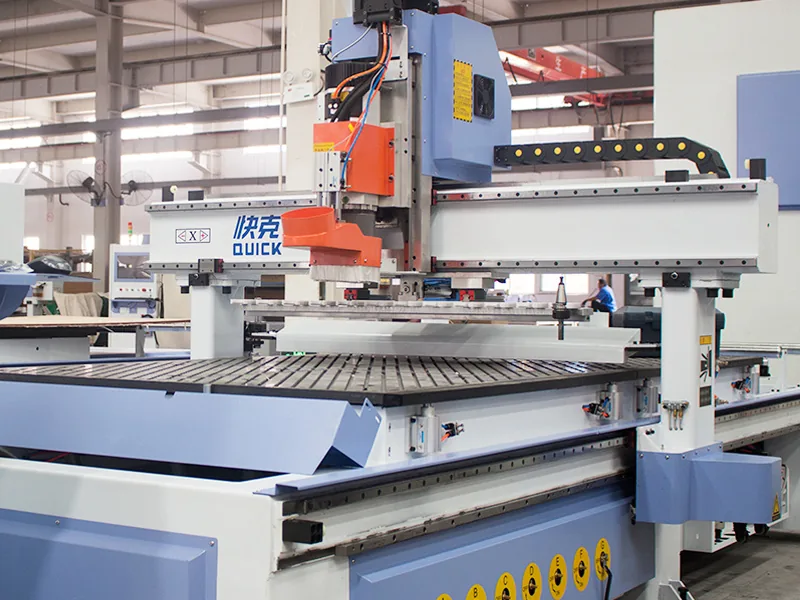
| ATC CNC router | Jobs that use several tools or repeat the same multi-step process every day | If your jobs only use one or two tools, a large tool changer may add cost without adding much value. |
| Rotary attachment or indexed rotary setup | Cylindrical parts and work that needs the part to rotate to fixed positions | This is not the same as simultaneous 4-axis machining. |
| 3+2 or simultaneous 5-axis router | Complex surfaces and parts that need the tool to come in from more directions | 3+2 positioning and simultaneous 5-axis cutting are different jobs, so confirm which one you actually need. |
| Nesting CNC machine or cell | Cabinet and panel production from full sheets | Output is not just about router speed. Loading, labeling, drilling, unloading, edge banding, and the next process can become the bottleneck. |
| PTP or drilling-focused equipment | Furniture panels, door parts, and hole-heavy work | If routing is the main job, a drilling-focused machine may not be the best center of the process. |
A rotary attachment is not automatically a 4-axis machine, and a machine sold as “5-axis” should be checked carefully. The important question is whether it uses indexed positioning, simultaneous motion, or another kinematic setup. Our 3-axis vs 4-axis vs 5-axis CNC router guide explains the difference in more detail.
If you are already comparing working area, ATC, workholding, controller options and quotation details, move to our How to Choose a CNC Router guide. That page goes deeper into the buying decision so this page can stay focused on what a CNC router is, how it works and where each router type fits.
Not sure which one fits? Send us one normal part drawing, your material, thickness, and the output you want. That is usually enough to narrow down the machine type.
When Does a CNC Router Make Sense—and When Doesn’t It?
A CNC router makes sense when routing is central to the job: profile cutting, pockets, engraving, selected drilling or 3D shaping across furniture, cabinet, door, sign, acrylic and woodworking production.
Another machine is often better when the job is mainly panel sizing, high-volume drilling, edge banding, side holes, automatic material handling, conductive-metal cutting or heavy metal removal.
For cabinet work, one simple rule helps: if you are cutting full sheets and only adding a few vertical holes, a nesting CNC may already cover the job. If side holes and repeated drilling become a big part of the panel, look at side drilling, PTP, or six-sided drilling instead of making the router do everything.
What Should You Send Us Before We Talk About a Machine?
You do not need to prepare a long technical package before the first conversation. Start with these five things:
- Your main material.
- Your normal and maximum workpiece size, including thickness.
- The operations you need: cutting, drilling, grooving, pocketing, engraving, edge work, or 3D routing.
- One typical drawing, photo, or part file.
- Your rough daily or shift output target.
That is enough for the first machine comparison.
If you already know your CAD/CAM software, tool-change needs, loading plan, floor space, voltage, compressed air, dust extraction or automation target, send those too. They help refine the configuration, but they are not required for the first conversation.
Also remember that working area and total machine footprint are not the same thing. Leave room for loading sheets, unloading parts, operator access, and material flow around the machine.
You can also look through our applications and furniture CNC machine pages if you want to narrow the process before contacting us.
What Should You Watch for Around a CNC Router?
A CNC router has a high-speed spindle, moving axes, electricity, dust or chips, noise, and a workpiece that has to stay firmly held. On larger machines, you may also have automatic tool changes, moving gantries, pneumatics, and automatic loading or unloading.
The main risks are straightforward: a broken tool, a part that comes loose, dust buildup, hot material, unexpected machine movement, electrical hazards, or someone entering the moving area at the wrong time.
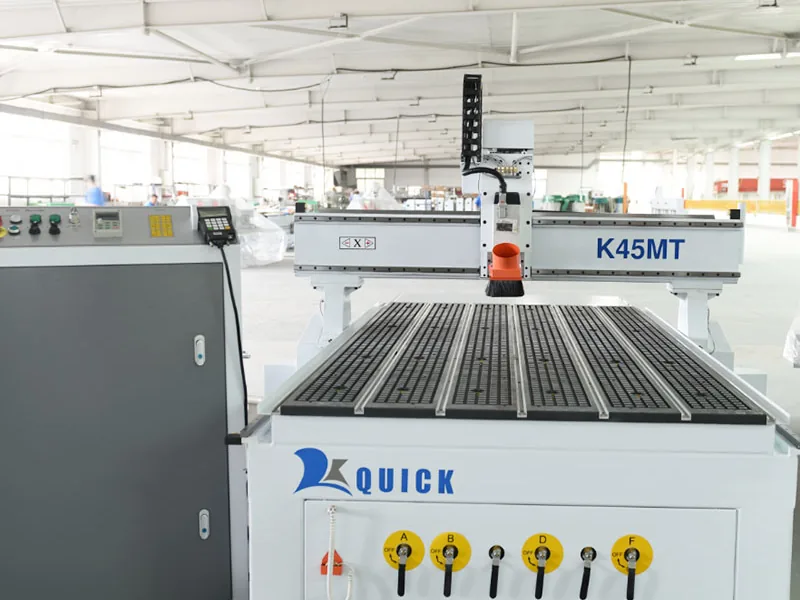
Woodworking routers can make a lot of fine dust. NIOSH guidance for automated routers shows why extraction at the cutting area matters, especially when dust escapes around the router head.
Guarding also needs to match the machine and the process. OSHA 1910.212 is one US reference for machine guarding around hazards such as the point of operation, rotating parts, and flying chips.
This is not an operating procedure. Use the machine manual, site risk assessment, guarding, emergency-stop rules, lockout procedures, PPE requirements, and the safety requirements that apply where the machine is installed.
Frequently Asked Questions
Is a CNC router fully automatic?
No. It can automate the cutting motion, tool changes, and sometimes material handling, but someone still has to set up the job, watch the process, check the parts, and maintain the machine.
Does a CNC router use G-code?
Many do. The exact commands depend on the controller, so the CAM software needs a post-processor that matches the machine.
Can one CNC router cut every material?
No. Wood, acrylic, aluminum, foam, composites, and stone all ask different things from the spindle, tooling, hold-down, dust or chip control, and sometimes cooling or lubrication.
Is more spindle power always better?
No. More power only helps when the rest of the machine and the job can use it. Tooling, torque, machine structure, electrical supply, duty cycle, and cutting strategy matter too.
Can a CNC router drill furniture panels?
Yes, for suitable hole patterns. But if the panel has lots of repeated vertical and horizontal holes, a drill bank, PTP machine, side drilling machine, or six-sided drilling machine can make more sense.
What’s the easiest way to compare two CNC routers?
Use the same part. Compare how each machine handles the material, tool changes, hold-down, drilling, software, cycle flow, operator work, and finished part. A single headline specification rarely tells the whole story.
Send Us One Typical Part
You do not need to write a long machine specification. Send us your material, size, one typical drawing, the operations you need, and your output target.
From there, we can tell you which machine family makes sense, where you may need extra drilling or automation, and which options you can probably skip.
Send Your Part to Quick CNC
Frannie
Hello, I’m Frannie, a CNC machinery specialist with 15 years of experience in the woodworking CNC industry. I help furniture factories, cabinet makers, woodworking workshops, and production businesses choose CNC machines that match their production needs, factory size, budget, and efficiency goals.
My work focuses on solving real production problems, including replacing outdated equipment, improving machining efficiency, reducing labor costs, and upgrading to smarter CNC solutions. I also support customers with machine installation guidance, operation training, video support, and on-site training when needed, helping them use their machines more confidently and effectively.





