Quick CNC router maintenance guide
Most CNC router problems do not start as one big failure. They usually show up first as weak vacuum, unusual spindle noise, lubrication alarms, tool-change errors, loose workholding, or cut quality that slowly gets worse.
Start here: Keep the routine simple. Check the machine every shift, give the main systems a closer look each week, and put the bigger service items on a schedule. Operators can handle normal cleaning, visible checks, and recordkeeping. Electrical work, spindle service, geometry checks, controller changes, and component disassembly should stay with trained personnel.
Do not copy a maintenance interval from another router and treat it as a rule. A machine cutting MDF for two shifts a day needs different attention from a lightly used router. Set the real schedule from running hours, dust level, workload, machine configuration, component instructions, service history, and the manual supplied with the machine.
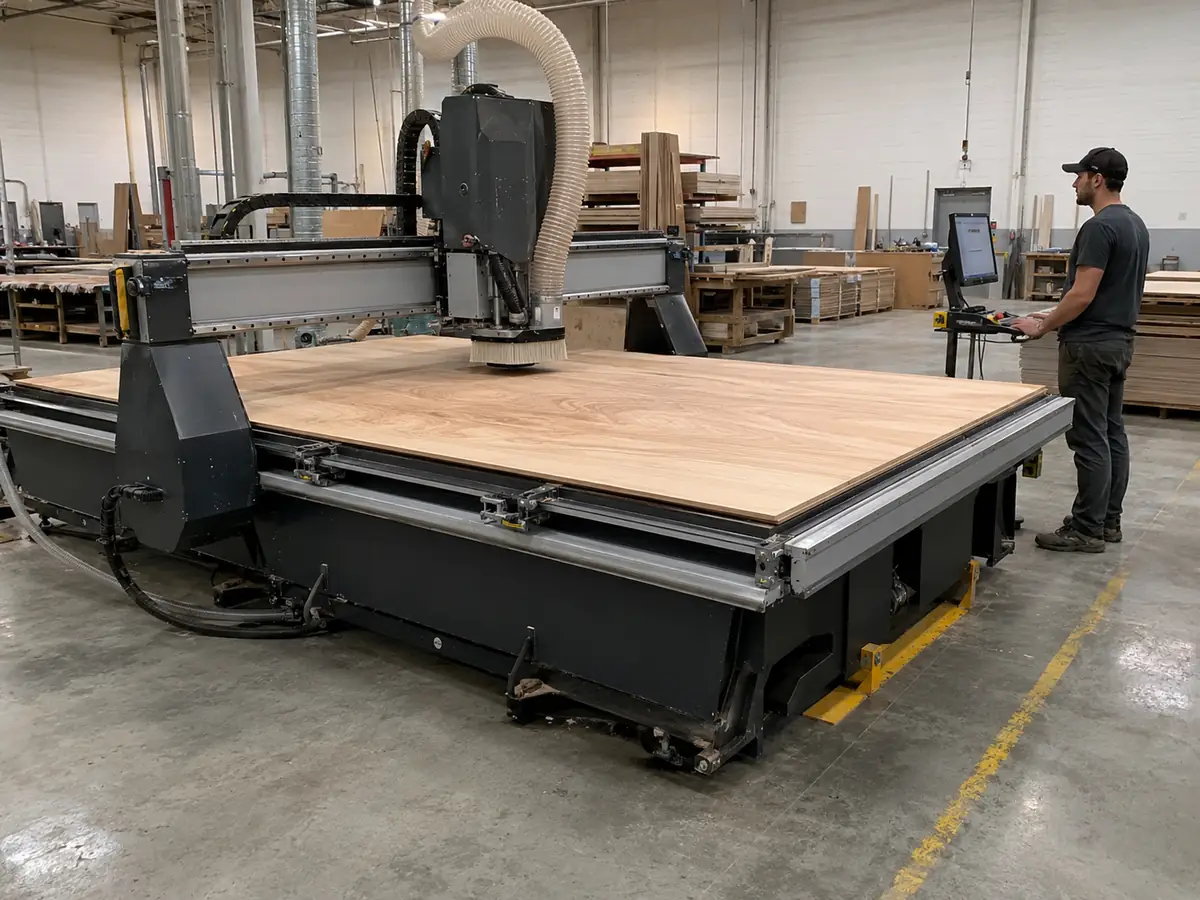
What Should You Actually Check?
A useful maintenance checklist should answer five simple questions: what are you checking, who should handle it, what looks wrong, can the router keep running, and what needs to happen next?
Keep the Right Jobs With the Right People
Clean the normal access areas, check tooling and workholding, look for leaks or damage, review alarms, and write down anything that has changed.
Handle mechanical, pneumatic, lubrication, filter, and measurement checks when the problem goes beyond a normal operator check.
Bring in model-specific support for spindle faults, controller or servo problems, geometry work, protected data, repeated ATC faults, or component-level repair.
What matters is what happens next. Do not just tick “checked.” Mark it as normal, abnormal, not applicable, keep running, check it soon, or stop that part of the operation.
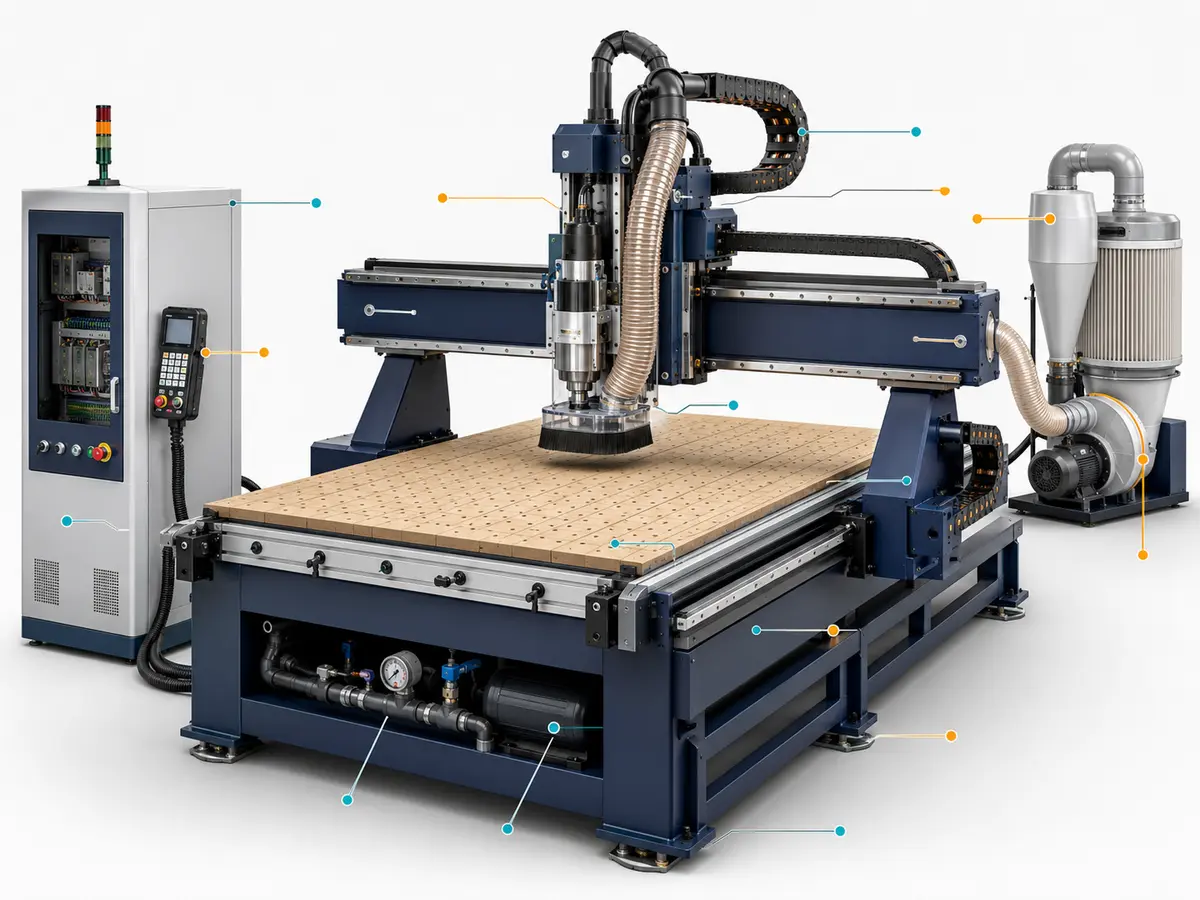
Daily CNC Router Maintenance Checklist
Daily maintenance is mostly about catching small problems before they turn into downtime. Keep the machine clean, make sure the part is held properly, check the tool and holder, and pay attention to anything that sounds, feels, or cuts differently from normal. Operators should not need to open electrical cabinets, take components apart, or change protected settings.
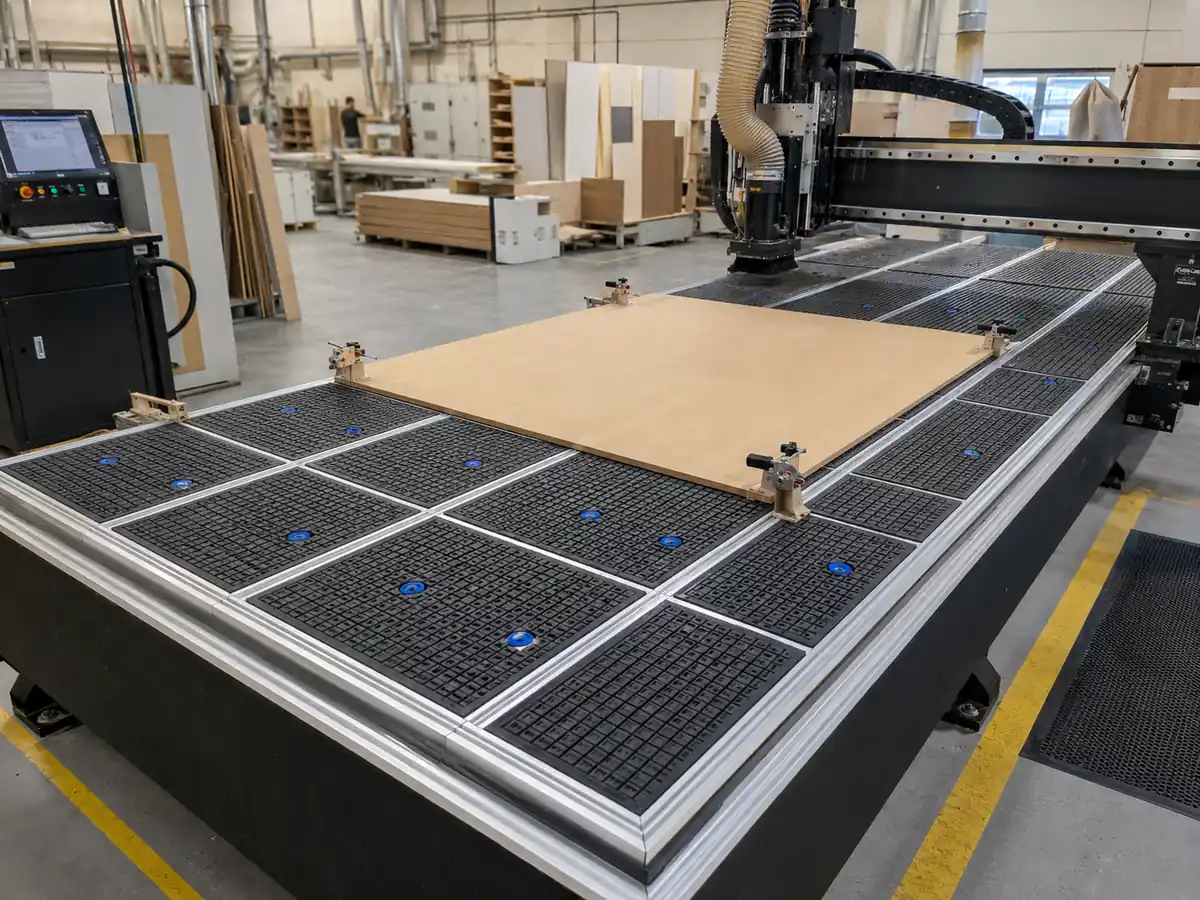
Before You Start
| What to Check | What to Do | Watch For | What Next |
|---|---|---|---|
| Machine area and table | Remove offcuts and loose material. Check the spoilboard, clamps, fixtures, gaskets, and locating points. | Blocked movement, loose fixtures, damaged gasket, raised spoilboard, or poor part support. | Fix the setup before loading the job. |
| Tooling | Check the cutting edge, shank, collet, nut, and holder contact surfaces. | Chipped tool, resin buildup, wear, slipping marks, damaged threads, or poor seating. | Clean or replace the affected part before spindle operation. |
| Lubrication | Check the reservoir indication, alarms, and visible lines or fittings. | Low level, leakage, repeated alarm, or no expected system activity. | Record it and have maintenance confirm lubricant delivery. |
| Workholding | Check vacuum zones, gaskets, spoilboard, clamps, and part support. | Unused zone left open, leakage, unstable part, or collision risk. | Fix the hold-down before cutting. |
| Air system | Look at the filter bowl, moisture, regulator indication, hoses, and obvious leaks. | Water buildup, unstable reading, damaged hose, or a leak that keeps coming back. | Have maintenance check repeated problems. |
| Spindle cooling | Confirm airflow or liquid circulation for the spindle fitted to the machine. | Cooling alarm, blocked airflow, no circulation, or leakage. | Do not run the spindle until cooling is back to normal. |
| Dust extraction | Check hoses, spindle-side extraction, brushes, and the collection path. | Blockage, weak extraction, loose hose, or damaged brush. | Restore extraction before production. |
| Controller, cables and hoses | Check the program, alarms, tool data, work offsets, and visible cable or hose routing. | Wrong program, unexplained alarm, unexpected offset, exposed conductor, cracked hose, rubbing, or restricted movement. | Resolve the problem before running the job. |
While the Router Is Running
You know the normal sound and behavior of your own machine better than any generic checklist. Pay attention when that baseline changes:
- A new spindle or axis sound.
- Vibration that is getting worse.
- The workpiece starts to move.
- Cutting depth is no longer consistent.
- Edges start burning, melting, burring, or getting rough much faster than normal.
- The tool looks like it is slipping or pulling out.
- The ATC starts retrying a tool change.
- Dust extraction becomes noticeably weaker.
- You see air, coolant, lubricant, or vacuum leakage.
- An axis feels or sounds like it is fighting movement.
- The same alarm keeps coming back.
- Cycle time suddenly changes without an approved program change.
If cut quality changes, start with the simple causes first: tool, holder, workholding, spoilboard, program, offsets, material, and cutting conditions. Do not jump straight into machine parameters.
Before You Finish the Shift
- Remove chips and dust from the areas you can safely access.
- Clean the table, fixtures, tools, collets, and toolholder contact areas.
- Put tools and holders back into controlled storage.
- Look over visible hoses, cables, covers, and extraction connections.
- Write down alarms, leaks, unusual sounds, hold-down problems, or cut-quality changes.
- Pass unresolved problems to the next shift or maintenance team.
- Use the normal shutdown sequence.
Vacuum or extraction cleaning is the safer default around a CNC router. If your factory allows compressed air, follow the machine instructions and local safety rules. Do not blast chips into guides, seals, spindle interfaces, sensors, connectors, or open electrical equipment.
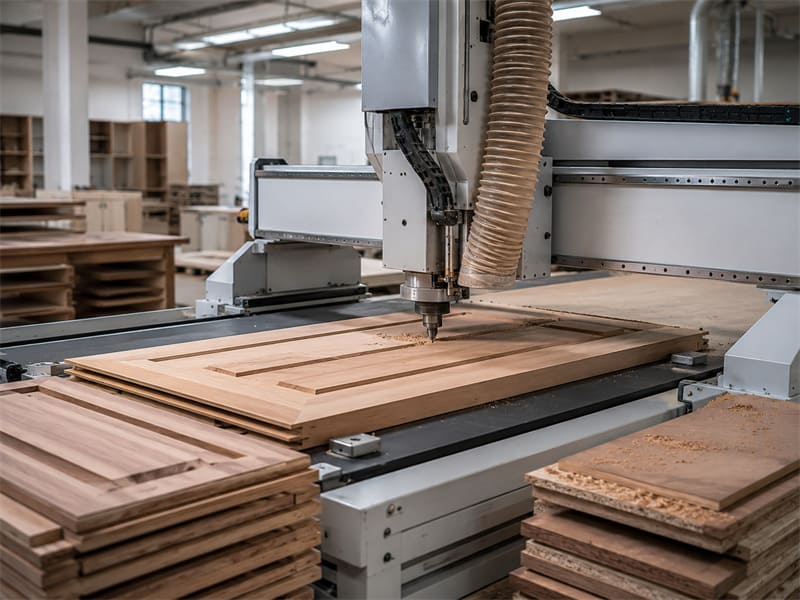
Weekly CNC Router Maintenance Checklist
A weekly check catches the things that are easy to miss during a busy shift. If the router runs long hours, cuts a lot of MDF, or dust builds up quickly, check these points more often.
Motion and Transmission
| Part | Check | Watch For |
|---|---|---|
| Linear guides | Dust, covers, lubrication, and movement sound | Heavy buildup, damaged covers, new noise, or signs that lubrication is not reaching the guide |
| Rack and pinion | Rack surface, debris, protection, and visible wear | Packed dust, damage, more noise than normal, or signs of backlash |
| Ball screw | Bellows, dirt protection, leaks, and axis sound | Torn protection, dirt getting in, leakage, or movement that no longer feels normal |
| Cable chains | Chain movement, separators, cables, and hoses | Binding, rubbing, broken links, pinched hoses, or damaged cables |
| Covers and bellows | Mounting, movement, and trapped chips or dust | Tears, loose sections, blockage, or restricted travel |
| Visible mounts | Sensor brackets, hose supports, and anything that looks like it has moved | Loose brackets, shifted sensors, or vibration marks that keep coming back |
Do not copy the lubricant from another router just because the machines look similar. Use the product specified for this machine’s guides, drives, and lubrication system.
Workholding and Vacuum
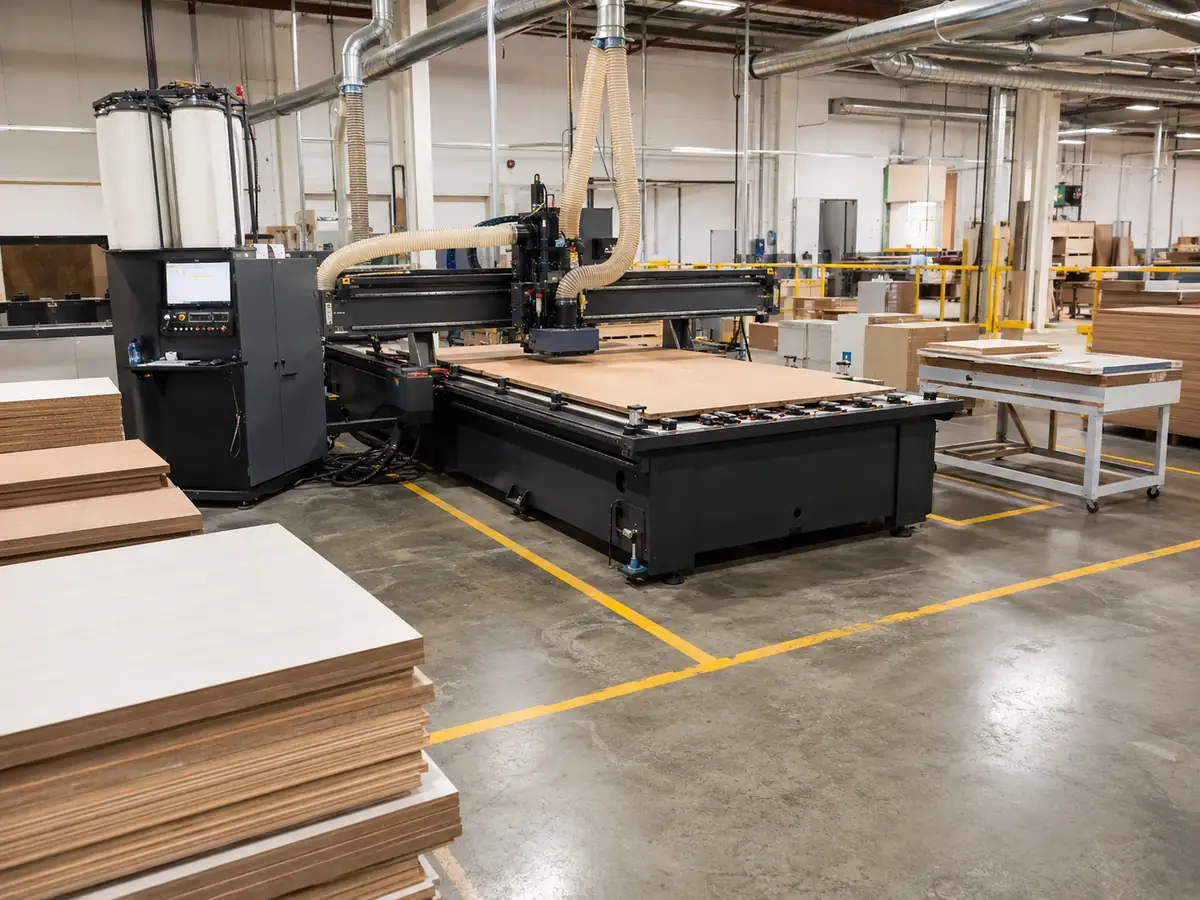
Once a week, take a closer look at the spoilboard and sealing, vacuum zones, gaskets, hoses, valves, filters, clamps, locating points, and any sign that the part has been moving.
If vacuum starts getting weak, do not jump straight to the pump. Start with the simple leak and setup checks here; there is a step-by-step example later in the article.
Tooling, ATC, and Pneumatics
On a manual tool-change router, keep an eye on the collet, holder cleanliness, nut condition, tool insertion, and tightening practice.
On an ATC router, add the tool magazine, holder positions, visible sensors, air leaks, failed or incomplete tool changes, tool data, and spindle clamp/release behavior to the check.
If the ATC keeps retrying or does not complete a tool change, stop automatic production. Check the holder, magazine position, sensors, air supply, clamp/release sequence, and tool data before you restart.

Do not treat every air setting as the same thing. The machine supply pressure, air quality, and cleaning air are separate issues. Set machine pressure from the pneumatic specification, keep an eye on filtration and moisture, and do not use the machine inlet setting as an air-gun rule.
External Electrical and Cooling Checks
From the outside, operators can check cabinet filters, cooling-fan sound, temperature warnings, visible cable damage, loose connectors, unusual smells, visible discoloration, and electrical alarms that keep coming back.
If the cabinet needs to be opened, or anything needs measuring, rewiring, cleaning inside, or replacing, leave that work to qualified personnel.
Checks to Put on Your Maintenance Schedule
Do not force every router into the same monthly schedule. Use running hours, dust, heat, workload, service history, and the instructions for the components fitted to the machine. If one item has both a calendar limit and an operating-hour limit, use the one that comes first unless the manual says otherwise.
Lubrication Delivery
A full lubrication tank does not mean every guide or bearing point is actually receiving lubricant.
Check the lubricant type, make sure incompatible products have not been mixed, watch whether the reservoir level changes as expected, inspect lines and fittings for leaks or damage, and confirm delivery where the service method allows it. If the same lubrication alarm keeps coming back, do not just reset it and carry on.
If you cannot confirm lubricant is reaching the affected axis, stop that operation and check the pump, lines, metering points, fittings, and lubricant specification.
Pneumatic System
For the air system, check the filter, drain moisture, look for leaks, watch whether the regulator stays steady, and make sure cylinders, ATC functions, and pneumatic sensors are behaving normally. Check the lubricator only if your system uses one.
Set air pressure from the machine’s pneumatic drawing or specification, not from a number copied from another machine or an online checklist.
Spindle and Cooling System
With an air-cooled spindle, make sure cooling air is moving properly, the fan or blower is clean, dust is not blocking airflow, and temperature, sound, or vibration has not started changing.
With a liquid-cooled spindle, check the reservoir or chiller, pump, hoses, leaks, flow and temperature alarms, and the coolant condition required for that spindle or cooling system.
More noise, vibration, heat, or worse cut quality means the spindle needs attention. It does not automatically mean the bearings have failed.
Controller Backup
Keep a backup of the data that matters on your controller: programs, tool data, work offsets, machine parameters, PLC or PMC data where applicable, macros, HMI or machine-builder files, and approved communication settings.
If the controller has an archive function, save a clean baseline after commissioning and update it after approved changes. Label the backup with the machine, controller, date, and software reference so nobody has to guess later.
Operators mainly need to know that a current backup exists. If protected machine data ever needs restoring, use the controller and machine backup procedure instead of changing values by hand.

If Parts Start Coming Out Off-Size
Do not touch compensation first. Work through the simple causes in this order:
- Inspect the cutting tool.
- Check collet and toolholder condition.
- Confirm workholding.
- Inspect the spoilboard or fixture.
- Review the program, tool data, and work offsets.
- Confirm whether the material or cutting process changed.
- Run an approved verification test.
- Have trained personnel measure geometry or backlash when the earlier checks do not identify the cause.
If you change compensation before checking the tool and workholding, you can hide the original problem and create a second one.
Your Machine Configuration Changes the Maintenance Work
Build the checklist around the machine you actually have. A vacuum-table ATC router needs different checks from a manual-tool-change router with a T-slot table, and air-cooled and liquid-cooled spindles do not use the same cooling routine.
Core Machine Systems
| Configuration | Extra Things to Check | Use This as the Reference |
|---|---|---|
| Manual lubrication | Lubrication point, product, quantity, access method, and record | Machine lubrication map and component instructions |
| Automatic lubrication | Reservoir, pump, alarms, lines, metering points, and delivery | Lubrication-system information |
| Air-cooled spindle | Airflow, fan condition, dust restriction, and alarm history | Spindle manual |
| Liquid-cooled spindle | Pump, hoses, reservoir or chiller, flow, leakage, and coolant | Spindle and cooling-system manuals |
| T-slot table | Clamps, fixtures, locating points, support, and collision clearance | Fixture and setup information |
| Vacuum table | Spoilboard, zones, gaskets, hoses, valves, filters, and pump | Table design and pump manual |
| Manual tool change | Collet, nut, toolholder, insertion, and tightening method | Tooling and spindle-interface instructions |
| ATC | Magazine, holders, sensors, pneumatics, clamping, and tool data | ATC and spindle information |
| Rack-and-pinion drive | Rack cleanliness, protection, lubrication, and wear symptoms | Drive-system instructions |
| Ball-screw drive | Protection, contamination, lubrication, supports, and motion symptoms | Ball-screw and machine information |
If you are comparing 3-axis, rotary-axis, and multi-axis CNC router configurations, remember that every added axis also brings extra fixtures, cables, sensors, and service work.
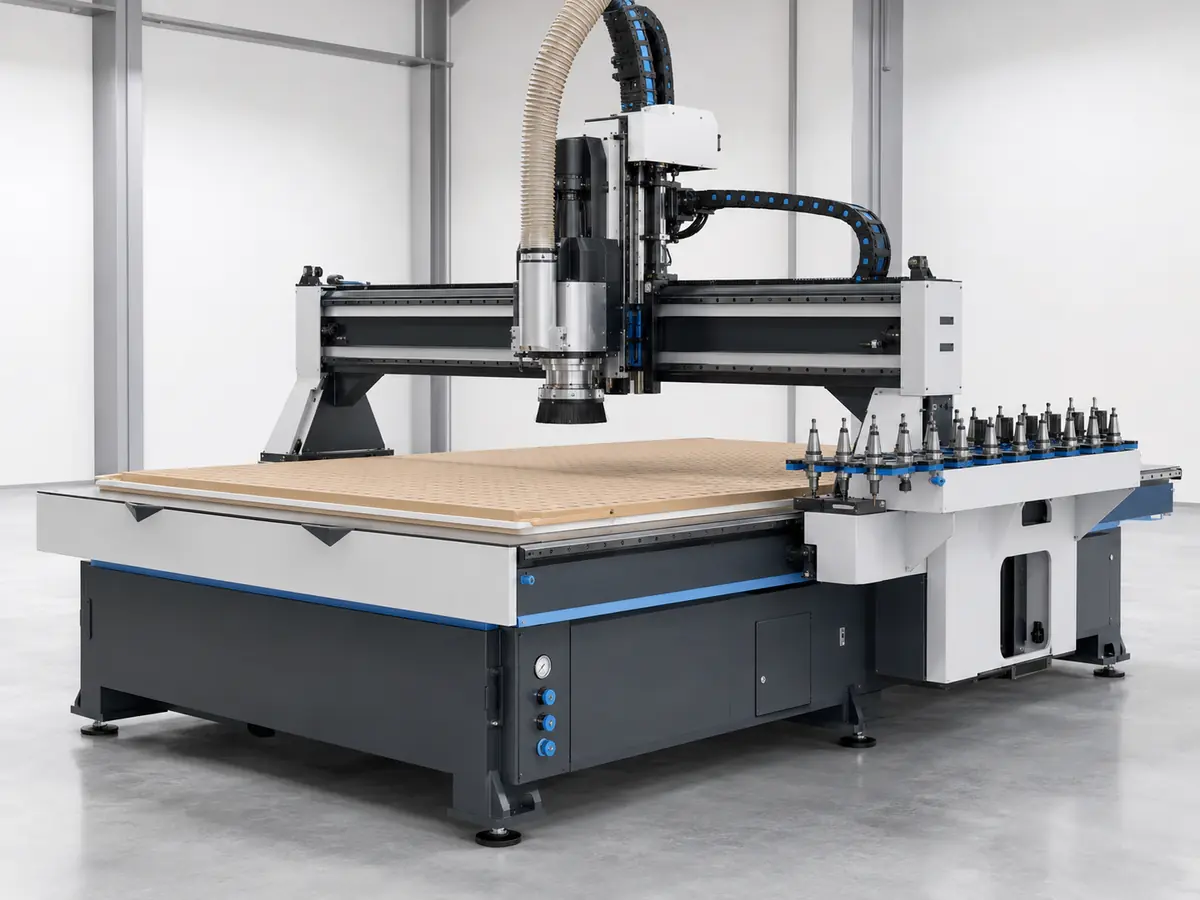
Optional Equipment Adds More Things to Watch
- Rotary axis: check the chuck or fixture, support, cable routing, lubrication, and alignment.
- Drill bank or boring head: add tooling, pneumatics, sensors, extraction, and head operation.
- Automatic loading or unloading: watch sensors, stops, conveyors, vacuum cups, cables, and transfer alignment.
- Labeling system: check printer condition, sensors, data transfer, and the handoff between stations.
- Connected production line: include communication, interlocks, material transfer, dust extraction, and the handoff between machines.
More automation can save labor and reduce handling, but it also means more sensors, air lines, software, and moving parts to maintain. That should be part of the machine-selection decision, not something discovered after installation.
Can You Keep Running, or Should You Stop?
| What You See | What to Do | Who Takes It Next |
|---|---|---|
| No new alarm, leakage, noise, vibration, workholding, or cut-quality issue | Continue production | Operator records completion |
| Minor contamination corrected through normal cleaning | Continue and monitor | Operator |
| Small recurring air or vacuum leak without immediate loss of control | Schedule inspection | Maintenance technician |
| Increasing noise or vibration during a familiar process | Schedule prompt inspection; stop if severe or rapidly increasing | Maintenance or specialist |
| Repeated ATC retry or incomplete tool change | Stop automatic production | Maintenance or supplier |
| Gradual dimensional drift after tool and fixture checks | Schedule measurement review | Maintenance technician |
| Lubrication alarm or suspected loss of delivery | Stop the affected operation when delivery cannot be confirmed | Maintenance technician |
| Workpiece movement during cutting | Stop cutting and correct workholding | Operator and maintenance |
| Loss of required spindle cooling | Stop spindle operation | Maintenance or specialist |
| Smoke, burning odor, arcing, severe impact, uncontrolled motion, or major leakage | Stop and isolate the machine under the factory procedure | Qualified personnel |
Weak Vacuum? Check These Before Buying a Bigger Pump
Here is a common troubleshooting situation. It is an example, not a Quick CNC customer record.
What Goes Wrong
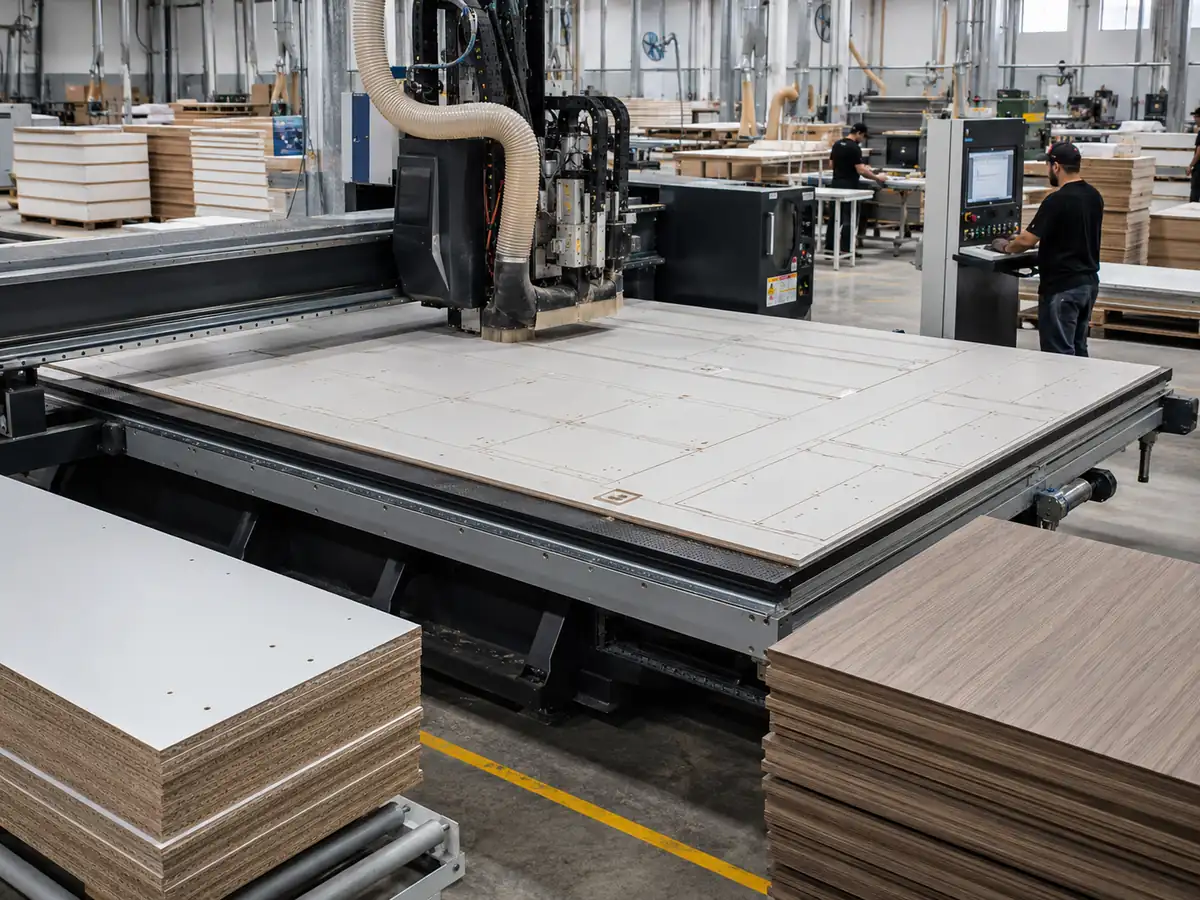
The panel starts moving during cutting, so the first reaction is to order a larger vacuum pump.
Why That Can Waste Money
If the real problem is leakage, a bad spoilboard, an open zone, poor sealing, or too much cutting force, a larger pump may not fix it. You spend money, interrupt production, and still have the same hold-down problem.
What Could Actually Be Causing It
Start with the whole hold-down system: unused vacuum zones, damaged gaskets, leaking hoses or valves, a restricted filter, a porous or poorly sealed spoilboard, small part coverage, fixture setup, a worn or unsuitable tool, excessive cutting force, and the condition of the existing pump.
Check It in This Order
- Make sure the correct zones are open.
- Close the zones you are not using.
- Check the spoilboard and sealing surface.
- Check the gaskets.
- Look for leaks at hoses, valves, and connections.
- Check the filter.
- Make sure the part covers enough effective vacuum area.
- Check the tool and whether cutting force has increased.
- Check the installed pump using its own service information.
- Only then decide whether pump capacity is actually the problem.
The point is simple: hold-down comes from the pump, table, zones, spoilboard, sealing, part size, fixture, and cutting load working together. Pump rating by itself does not tell you whether the part will stay put.
Keep Maintenance Records Simple and Useful
A good record should let the next person understand the problem in a minute or two. You do not need a long report for every small check.
Write Down These Five Things
| Write Down | Why It Helps |
|---|---|
| Machine + time Model, serial number, date, shift, and running hours | Shows exactly which machine and when the problem happened. |
| What you saw Alarm code, sound, leak, cut-quality change, or other symptom | Gives the next person a clear starting point. |
| What you checked Tool, workholding, lubrication, air, vacuum, program, or other relevant items | Stops the same basic checks from being repeated again and again. |
| What you changed Cleaning, adjustment, tool replacement, part replacement, or other action | Makes it easier to see what actually helped. |
| What is still open Who owns it and when it needs another check | Prevents a small unresolved problem from disappearing between shifts. |
If the fault is hard to explain, add a short photo or video and note what the machine was doing when it happened. Tool, program, recent maintenance, parameter changes, part measurements, or cut-quality photos can also help when they are relevant.
If a task has both a time limit and a running-hour limit, use whichever comes first unless the machine or component manual says otherwise.
It is also useful to know your machine’s normal baseline: spindle sound, vacuum behavior, tool-change performance, cooling alarms, and verification-part results. When that baseline starts to change, check the machine before it turns into downtime.
If You Need Support, Send These First
Do not start with “the machine stopped.” Give the service team three things first:
- Machine model and serial number.
- The exact alarm or symptom.
- What the machine was doing when it happened.
Then add the controller and spindle configuration, tool-change and workholding setup, relevant component model, a short photo or video, whether the problem is constant or intermittent, whether it happens in one program or every program, what changed recently, and what you have already checked.
Until you know where the fault is coming from, do not start changing servo parameters, compensation values, machine coordinates, tool-change positions, wiring, or safety logic. Random changes usually make the original problem harder to find.
Having a Problem With Your Quick CNC Router?
Send us the model, serial number, alarm code, what happened before the fault, and a short photo or video. If you already checked something, include that too. It gives our team a much faster place to start.
Send the Machine DetailsBuying a New CNC Router? Check the Maintenance Side Before You Order
Machine price and working area are only part of the decision. Before the machine ships, make sure your team knows what needs regular attention, what service information comes with the machine, and which jobs should stay with trained maintenance personnel.
Make sure the machine comes with the maintenance schedule, lubrication information, pneumatic and electrical drawings, spindle/cooling information, controller backup instructions, and manuals for any ATC, drilling, rotary, or automation options fitted to the machine.
Be clear about what operators can handle, what maintenance technicians should handle, how backups are made, what information is needed for support, and what training is included.
Confirm the parts and consumables that apply to the actual configuration, such as filters, collets, seals, sensors, hoses, lubrication items, pneumatic parts, vacuum-system items, and ATC or drill-bank parts where fitted.
If you are still choosing the machine, start with five basics: material, normal and maximum part size, required operations, output target, and the level of automation you expect. Once the machine direction is clear, the maintenance requirements can be matched to that configuration.
For broader machine selection, use the CNC router for woodworking guide. For cabinet and panel production, review the relevant furniture CNC machine configurations as part of the complete production flow.
Planning a New CNC Router?
Tell us what you cut, the part or sheet size, the processes you need, your output target, and whether you need vacuum hold-down, ATC, drilling, or automation. We can match the machine configuration and the maintenance requirements together.
Tell Us What You Need to ProduceCNC Router Maintenance Checklist FAQs
How often should a CNC router be maintained?
Use daily, weekly, and scheduled checks to organize the work, but set the real timing from running hours, workload, dust, machine configuration, component instructions, and the machine manual. A router cutting MDF for multiple shifts will need closer attention than a lightly used machine working with cleaner materials.
Can CNC router operators perform all daily maintenance?
No. Operators can handle normal cleaning, tooling and workholding checks, visible condition checks, alarms, and recordkeeping. Electrical work, spindle service, geometry measurement, protected controller changes, and component disassembly should stay with trained personnel.
What should we do if the lubrication reservoir is full but an axis sounds dry?
Do not just add more lubricant. A full tank does not prove the affected axis is receiving it. Record which axis is involved, then check the alarm history, pump, lines, fittings, metering points, leaks, and lubricant compatibility. If delivery cannot be confirmed, stop that operation until the system has been checked.
Does weak vacuum mean we need a larger vacuum pump?
Not necessarily. Check the active zones, spoilboard, sealing, gaskets, hoses, valves, filters, part coverage, fixture, tool condition, and cutting force first. Look at pump condition and capacity after the simpler leakage and setup problems have been ruled out.
Can compressed air be used to clean a CNC router?
Vacuum or extraction cleaning is the safer default. If compressed air is allowed in your factory, follow the machine instructions and local safety rules, and keep the jet away from guides, seals, spindle interfaces, sensors, connectors, and open electrical equipment.
What additional maintenance does an ATC CNC router require?
An ATC adds toolholders, collets, magazine positions, sensors, pneumatics, spindle clamping, tool data, and the tool-change sequence to the maintenance plan. If the ATC keeps retrying or does not complete a tool change, stop automatic production and check the holder, magazine position, sensors, air supply, clamp/release sequence, and tool data before restarting.
What information should we provide when requesting technical support?
Start with the machine model and serial number, the exact alarm or symptom, and what the machine was doing when it happened. Add a short photo or video, what changed recently, and what you have already checked. That is much more useful than a message that only says “the machine stopped.”
What maintenance documents should we request with a new CNC router?
Make sure you receive the maintenance schedule, lubrication map, pneumatic diagram, spindle and cooling information, vacuum-pump manual, controller backup procedure, electrical drawings, optional-unit instructions, and relevant consumable information for the exact machine configuration.
One last note: use this checklist for daily planning, but follow the manual supplied with your machine for lubricant, air pressure, service intervals, spindle, ATC, electrical, and geometry work.

Frannie
Hello, I’m Frannie, a CNC machinery specialist with 15 years of experience in the woodworking CNC industry. I help furniture factories, cabinet makers, woodworking workshops, and production businesses choose CNC machines that match their production needs, factory size, budget, and efficiency goals.
My work focuses on solving real production problems, including replacing outdated equipment, improving machining efficiency, reducing labor costs, and upgrading to smarter CNC solutions. I also support customers with machine installation guidance, operation training, video support, and on-site training when needed, helping them use their machines more confidently and effectively.





