If you are budgeting for an industrial CNC router, a standard 3-axis machine often sits around $5,000–$30,000, ATC machines commonly move into the $12,000–$60,000+ range, and five-axis equipment can go beyond $80,000. Compact routers can cost less. Automated nesting cells and custom multi-axis systems can cost much more.
But the price range is only the starting point. The real question is: what is the simplest machine that can do your work properly? If the machine cannot handle your material, part size, tool changes, drilling, or output target, a low purchase price stops looking cheap very quickly.
When you compare prices, keep these three numbers separate:
- Base machine price — the standard machine.
- Complete supplier quotation — the machine plus the options and services actually included.
- Production-ready budget — what it really takes to get the machine running in your factory.
Start with the job, not the price: tell us what you cut, the largest part or sheet, the operations you need, how many tools a normal program uses, what drilling is required, and the output you want per shift. From there, it becomes much easier to see whether you need a fixed-tool router, ATC, nesting, rotary axis, coordinated 4-axis, or five-axis machine.
Not Sure Which CNC Router Fits Your Budget?
Send us the material, largest part size, main operations, and output target. We can help you narrow down the machine class before you spend time comparing the wrong quotations.
Tell Us What You Need to ProduceWhat Do Different CNC Router Types Cost?
Price note: These are broad public market ranges for planning, not Quick CNC quotations. Final pricing changes with the working area, spindle, controller, ATC, vacuum system, drilling, automation, freight, and service scope. Public references include the Quick CNC woodworking CNC router guide, STYLECNC public listings, and Blue Elephant public cost guidance.
| Machine class | Typical public range | Good fit for | Check this first |
|---|---|---|---|
| Compact or light-production router | $1,500–$10,000 | Signs, samples, prototypes, and small parts | Make sure the machine is really built for the amount of production you expect. |
| Standard 3-axis router | $5,000–$30,000 | Full-sheet profiling, signs, doors, and furniture parts with limited tool changes | Check the usable area, spindle, table, drive, controller, and vacuum setup. |
| ATC CNC router | $12,000–$60,000+ | Jobs combining cutting, grooving, pocketing, drilling, and profiling | Match the tool changer and tool capacity to the programs you really run. |
| Nesting CNC machine or basic automated cell | $15,000–$60,000+ | Cabinet and wardrobe panel production | Check what is included beyond the router itself: labeling, drilling, loading, and unloading. |
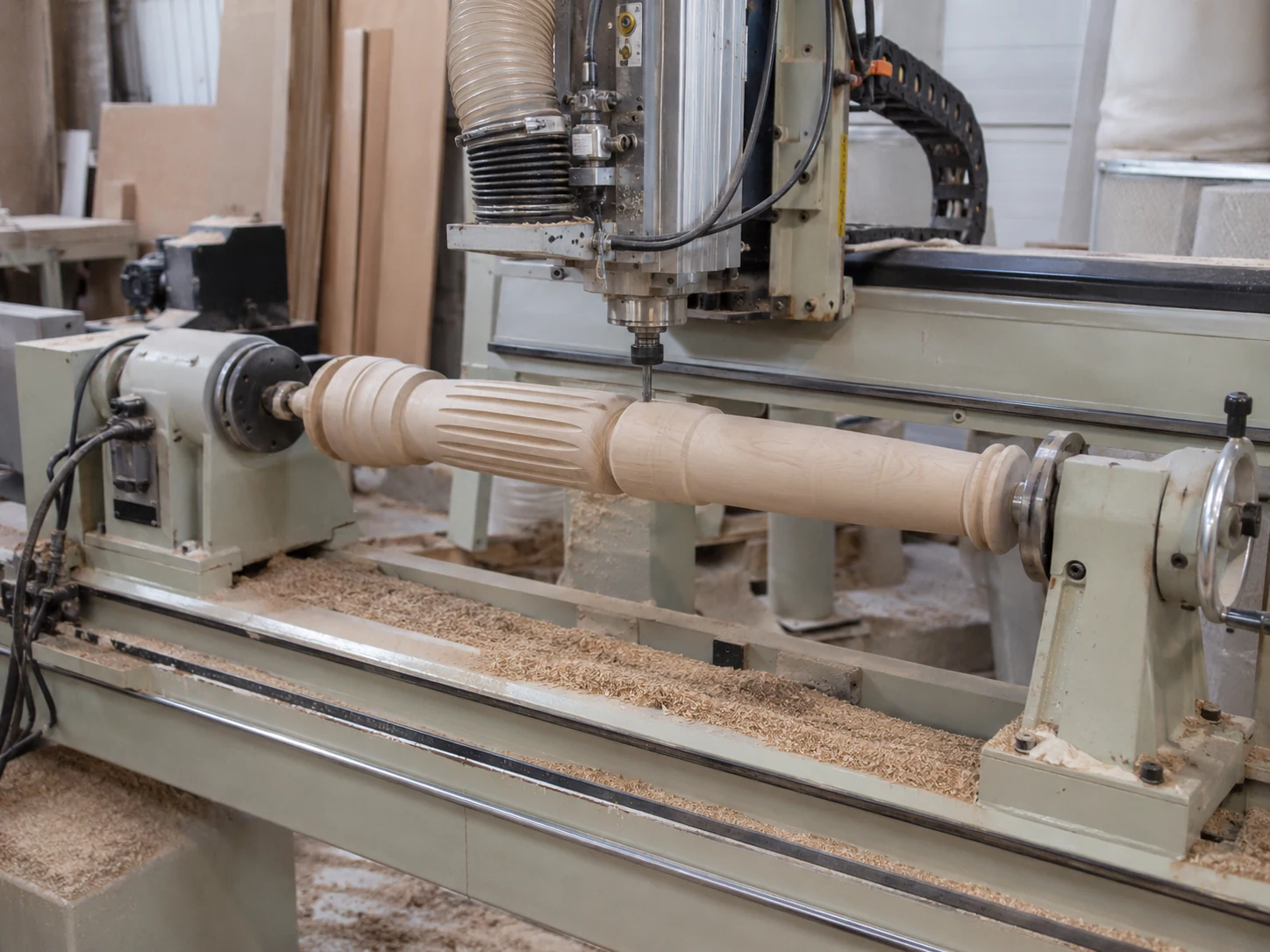
| Rotary-axis router | $5,000–$25,000 | Legs, columns, balusters, and cylindrical parts | Check the part diameter and length, how it is held, and whether you need indexing or coordinated motion. |
| Coordinated 4-axis or swing-head router | $15,000–$50,000+ | Angled, curved, or multi-side work requiring another controlled axis | Make sure you know whether the fourth axis turns the part or tilts the spindle. |
| 5-axis woodworking router | $80,000–$150,000+ | Complex molds, freeform parts, and multi-face components | Check whether you need 3+2 or simultaneous five-axis work, and how much usable space remains. |
| Integrated panel-furniture line | Project quotation required | Connected cutting, labeling, drilling, edge banding, and material flow | Compare the whole line, software connection, and the output you actually need. |
A price range only starts to mean something after you know which type of machine fits the job.
Compact vs. Standard 3-Axis CNC Routers
When a Compact Router Makes Sense
A compact router makes sense for small signs, samples, prototypes, and lighter production when the parts fit the table comfortably.
Before you choose one, check whether it is really built for daily production or mainly for lighter use. Two machines can have a similar table size and still be very different in frame strength, motion parts, spindle duty, controller, and workholding.
If you use a compact machine for regular full-sheet work, you may end up moving sheets around, splitting toolpaths, and handling parts more than expected. That can wipe out the money you saved at the start.
When a Standard 3-Axis Router Makes Sense
If most of your work is flat and everything is machined from the top, a standard 3-axis router is often the simplest place to start.
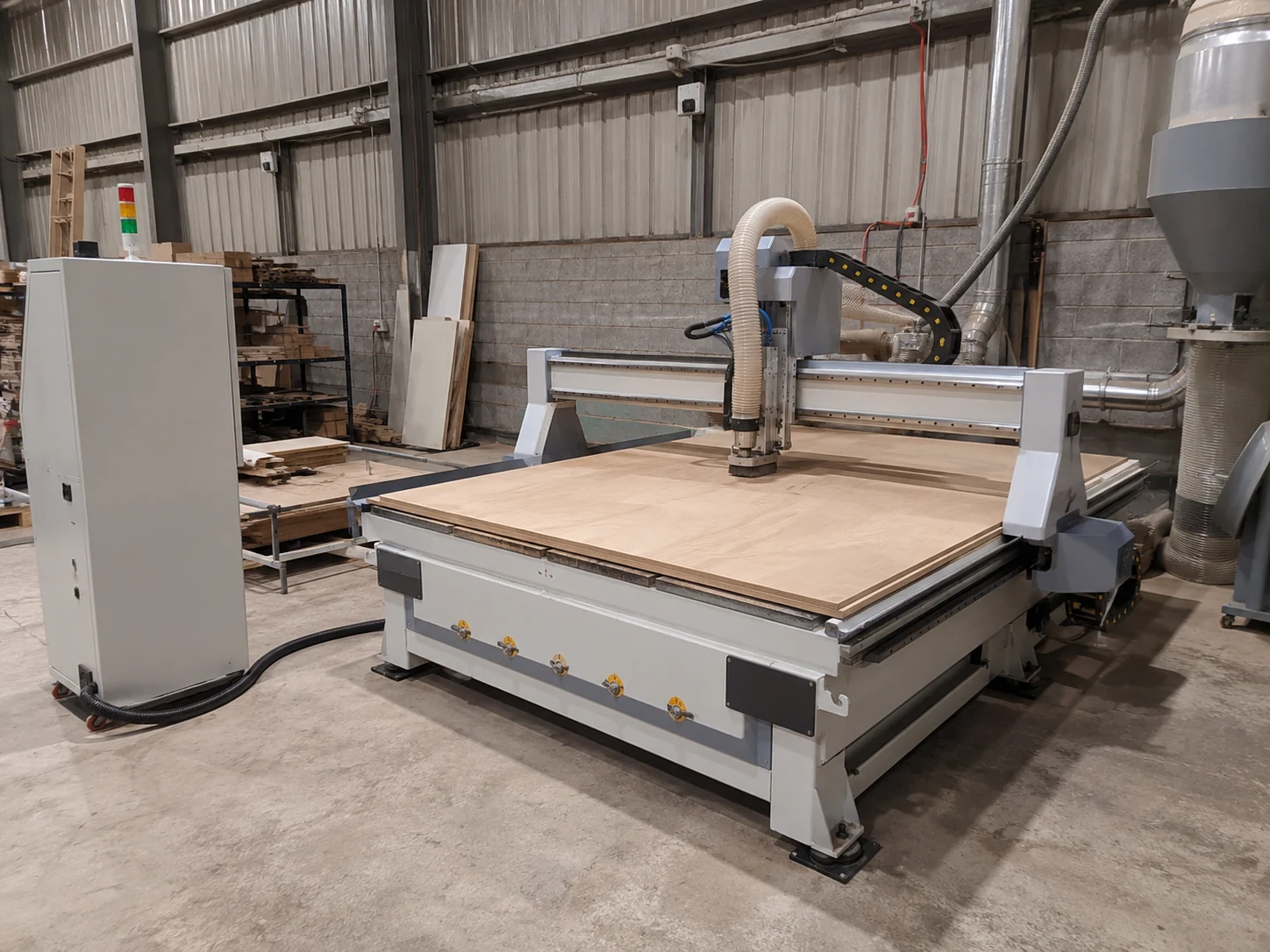
A 4 × 8 ft sheet measures approximately 48 × 96 in / 1,220 × 2,440 mm. A 1325-class machine commonly provides a working area around 51 × 98 in / 1,300 × 2,500 mm, creating some clearance around a standard sheet. Public listings commonly use 1,300 × 2,500 mm for 4 × 8-class equipment.
Do not read Z travel as material thickness. The tool, spoilboard or fixture, gantry clearance, and spindle-head geometry all use part of that space.
The model name does not tell you everything either. You still need the total footprint, loading space, real workpiece height, vacuum zones, pump setup, controller, spindle, and drive details.
A standard router is a good fit when most jobs use one or two cutters and manual tool changes are not slowing the shop down. For a broader comparison, see our CNC router for woodworking guide.
Why Does an ATC CNC Router Cost More?
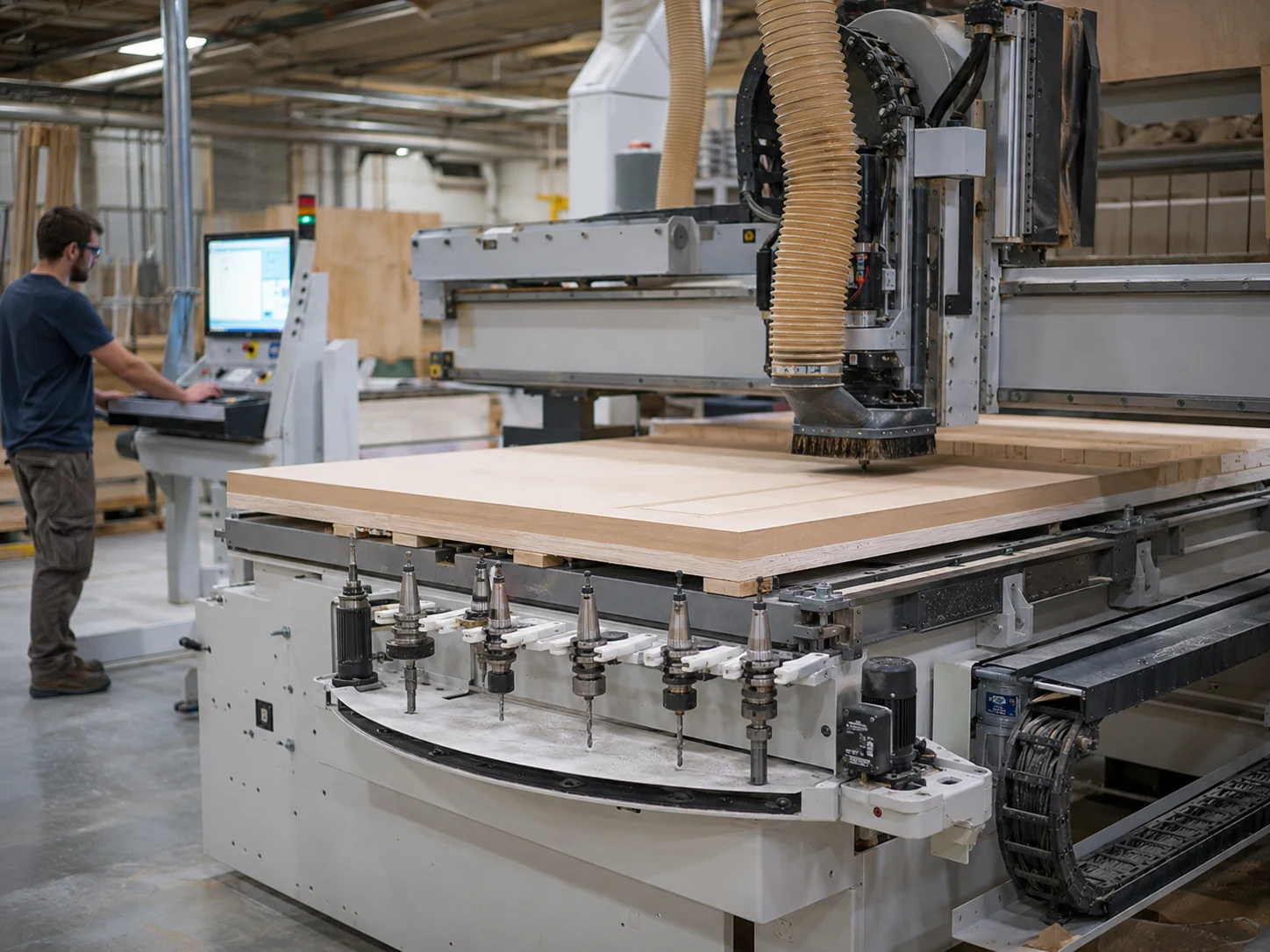
ATC raises the price because you are adding more than a tool rack. The machine may also need an ATC spindle, tool holders, air components, tool measurement, controller functions, and extra electrical integration.
The upgrade is worth paying for when manual tool changes keep interrupting normal production. If most programs use one cutter, or only a few tools with little downtime, a fixed-tool machine can still be the better buy.
Use this price guide to decide whether ATC belongs in the budget. For tool-changer types, magazine capacity, and selection details, continue with What Is an ATC CNC Router?.
Why Can a Nesting CNC Setup Cost More?
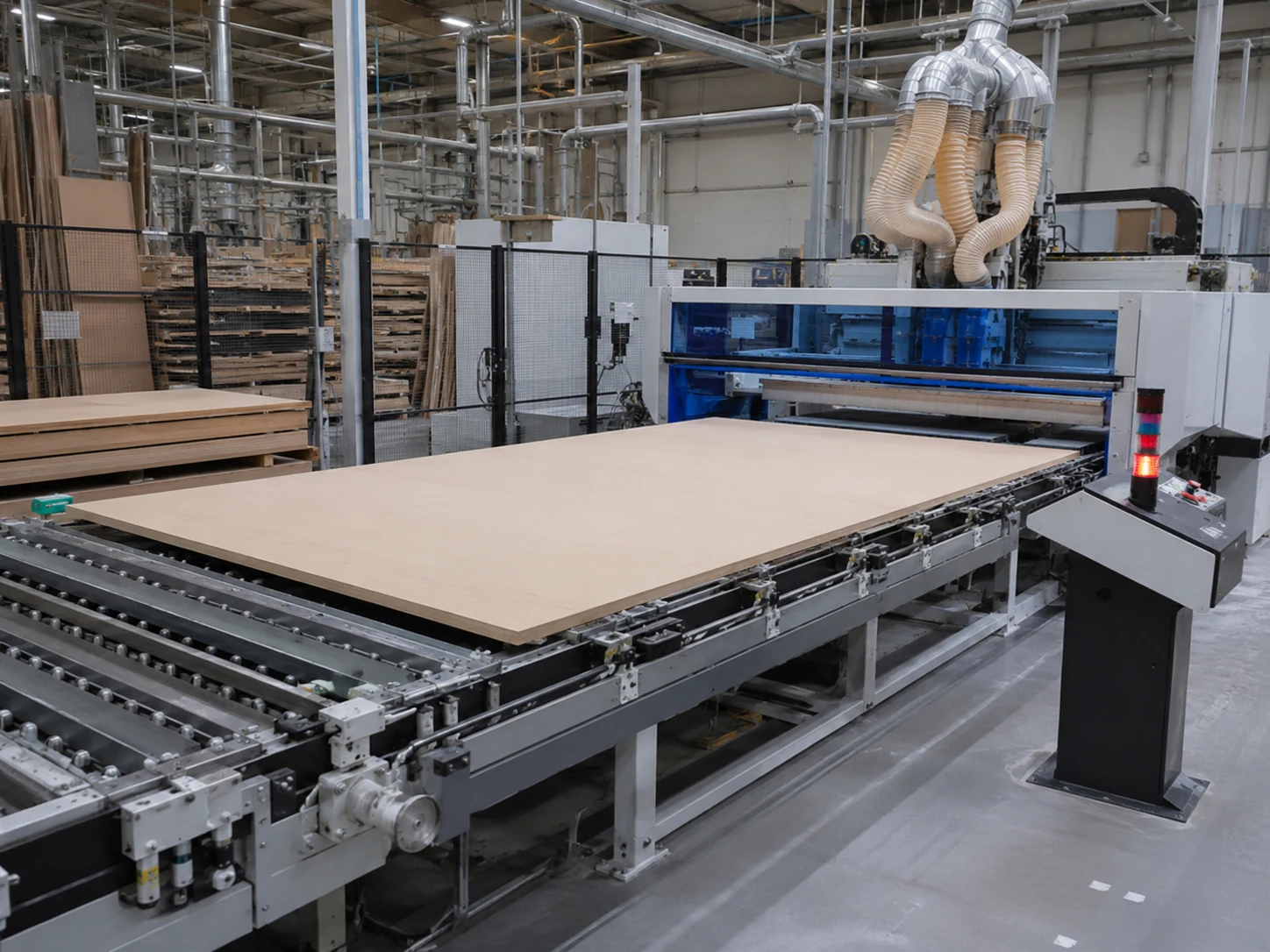
A nesting project can cost more because the budget may include more than the router itself. Depending on the production plan, you may also be paying for nesting software, stronger sheet hold-down, labeling, drilling, loading, unloading, conveyors, or connection to downstream equipment.
A stand-alone nesting router and an automated cell are not the same budget. Before comparing prices, check exactly which material-handling, labeling, drilling, and software functions are included.
If you are planning cabinet or wardrobe production, use Quick CNC’s furniture CNC machine category to compare the wider equipment direction after you have defined the production flow.
Why Do Rotary, 4-Axis, and 5-Axis Machines Cost More?
Extra controlled motion raises cost because the machine needs additional mechanical components, control functions, wiring, safety checks, CAM/post-processor support, setup time, and commissioning.
Rotary and Coordinated 4-Axis
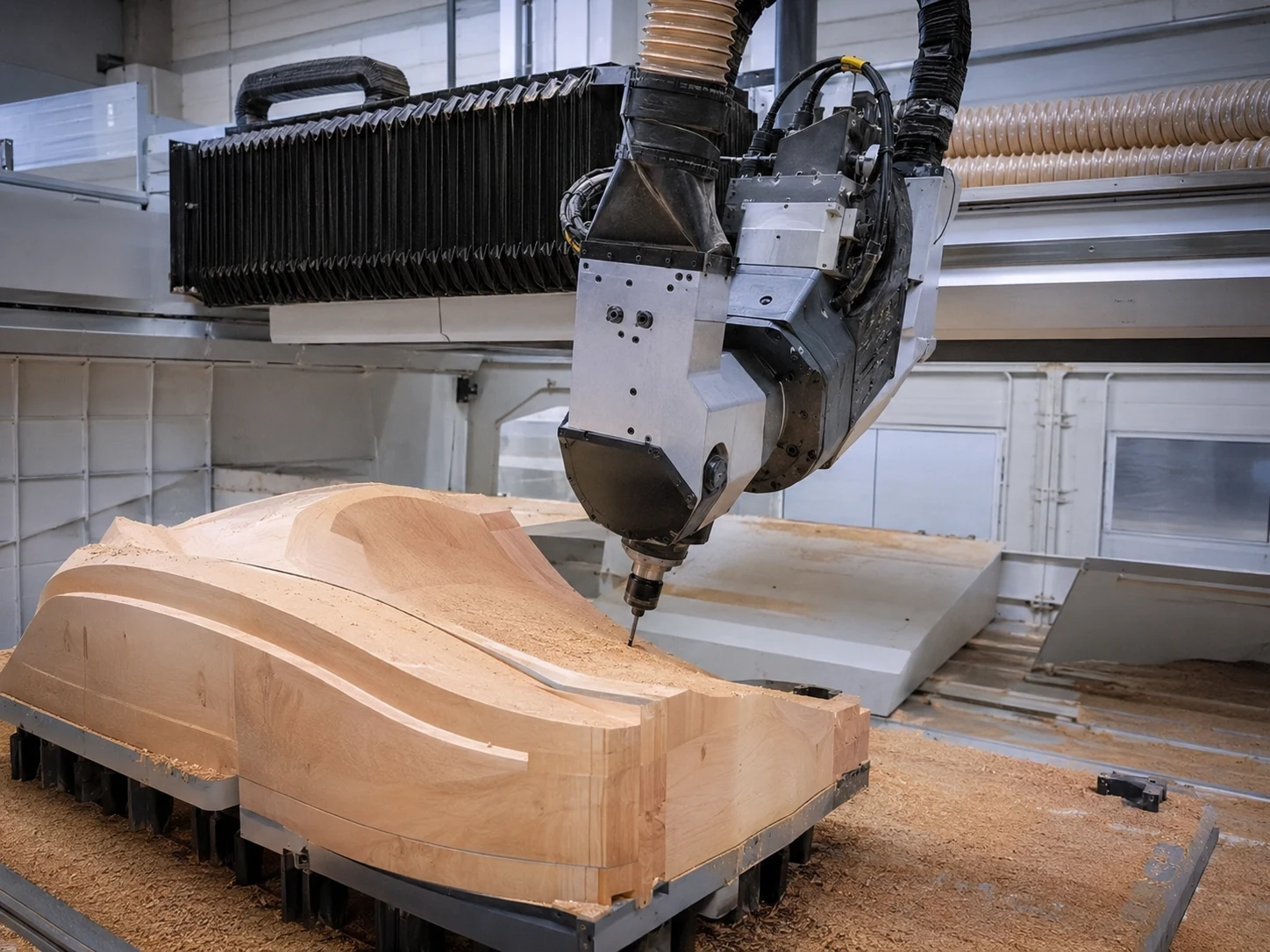
A rotary setup is usually the lower-cost direction when regular cylindrical parts need controlled rotation. Coordinated 4-axis machines cost more when the extra axis has to move as part of the machining program or when the spindle/head design is more complex.
Five-Axis

Five-axis pricing rises because the machine, control system, head/axis arrangement, collision checking, CAM/post processing, and commissioning are more demanding. It only belongs in the budget when the part really needs tool access or changing tool angles that a simpler machine cannot handle efficiently.
This page only explains why extra axes change the budget. For rotary, 3+1, 4-axis, 3+2, and simultaneous five-axis selection, continue with the 3 Axis vs 4 Axis vs 5 Axis CNC Router comparison.
What Three Prices Should You Compare?
1. Base Machine Price
The base price is normally the standard machine. It may cover the frame, motion system, spindle, table, controller, and electrical cabinet, but it may still leave out things you need for real production.
A starting price is only useful when you can see exactly what the standard configuration includes.
2. Complete Supplier Quotation
The complete quotation is the machine plus the options, auxiliary equipment, and services that are actually included in the offer. This can include ATC and tool holders, vacuum table and pump, drill bank, rotary system, loading and unloading equipment, labeling, software, initial tooling, voltage changes, packaging, installation, or training.
3. Production-Ready Project Budget
The production-ready budget is the number that matters most. It includes the supplier quotation plus whatever your factory still has to prepare before the machine can run properly.
| Cost item | Base price | Supplier quotation | Production-ready budget |
|---|---|---|---|
| Machine and standard motion system | Often | Yes | Yes |
| Selected ATC, drilling, or rotary options | Only if standard | If selected | If required |
| Vacuum pump and dust equipment | Varies | Confirm | Required where applicable |
| Tool holders, cutters, and spoilboards | Limited or excluded | Confirm | Add production quantities |
| CAD/CAM or nesting software | Varies | Confirm | Include integration and training |
| Electrical changes or transformer | Usually excluded | May be quoted | Include local site work |
| Packaging and freight | Varies | Depends on commercial terms | Yes |
| Installation and commissioning | Varies | Confirm | Yes |
| Factory preparation | No | Usually prepared by your factory | Yes |
| Startup spares and consumables | Limited | Confirm | Add initial stock |
One simple rule: a lower base price only saves money if the machine can complete the process and you do not have to buy the missing production items later.
Why Can Two Similar CNC Routers Have Different Prices?
Working Area and Structure
A bigger table means a bigger frame, longer motion parts, and more floor space. Pay for the larger size when your normal parts actually need it.
Spindle and Tool Interface
Spindle power matters, but it is not the whole story. Material, cutter, depth of cut, speed, machine rigidity, hold-down, and dust or chip removal all have to work together.
Drive and Control System
Do not choose the drive and controller because the component list looks impressive. Check whether the controller supports your process, automation, post processor, and electrical setup.
Tool-Changing System
Linear and carousel tool changers can both work well. Count the tools in a few real programs before you decide how many positions you need.
Workholding System
T-slot tables support fixtures and irregular parts. Vacuum tables are convenient for sheet processing. Small nested parts often need more hold-down planning than large panels.
Drilling and Auxiliary Processing
A router can drill holes, but a lot of furniture drilling can eat up spindle time. If hole volume is high, a drill bank, PTP machine, or connected six-sided drilling process may make more sense than simply adding more ATC positions.
What Is Often Excluded From a CNC Router Price?
For every item you need, make sure the quotation says clearly: included, optional, supplied by your factory, or not needed.
Tooling and Software
Do not confuse demo accessories with what you need every day. Check the holders, collets, cutters, drill bits, spoilboards, CAD/CAM or nesting software, post processor, license, training, and updates.
For software, keep it simple: who makes the drawing, who creates the toolpath or nesting result, and what post processor sends the code to the controller?
Vacuum, Dust, and Compressed Air
Check the pump, filters, dust collector, hoses, compressor, air treatment, and connections one by one. A quotation can include a vacuum table and still leave out the pump needed to use it.
Packaging, Freight, and Import Costs
You cannot calculate shipping properly until the machine configuration is fixed. Then you need the packed size, weight, container plan, destination, commercial term, unloading method, and local duties or taxes.
Do not use one fixed percentage to guess landed cost. It changes too much from one machine and destination to another.
Installation, Training, and Factory Preparation
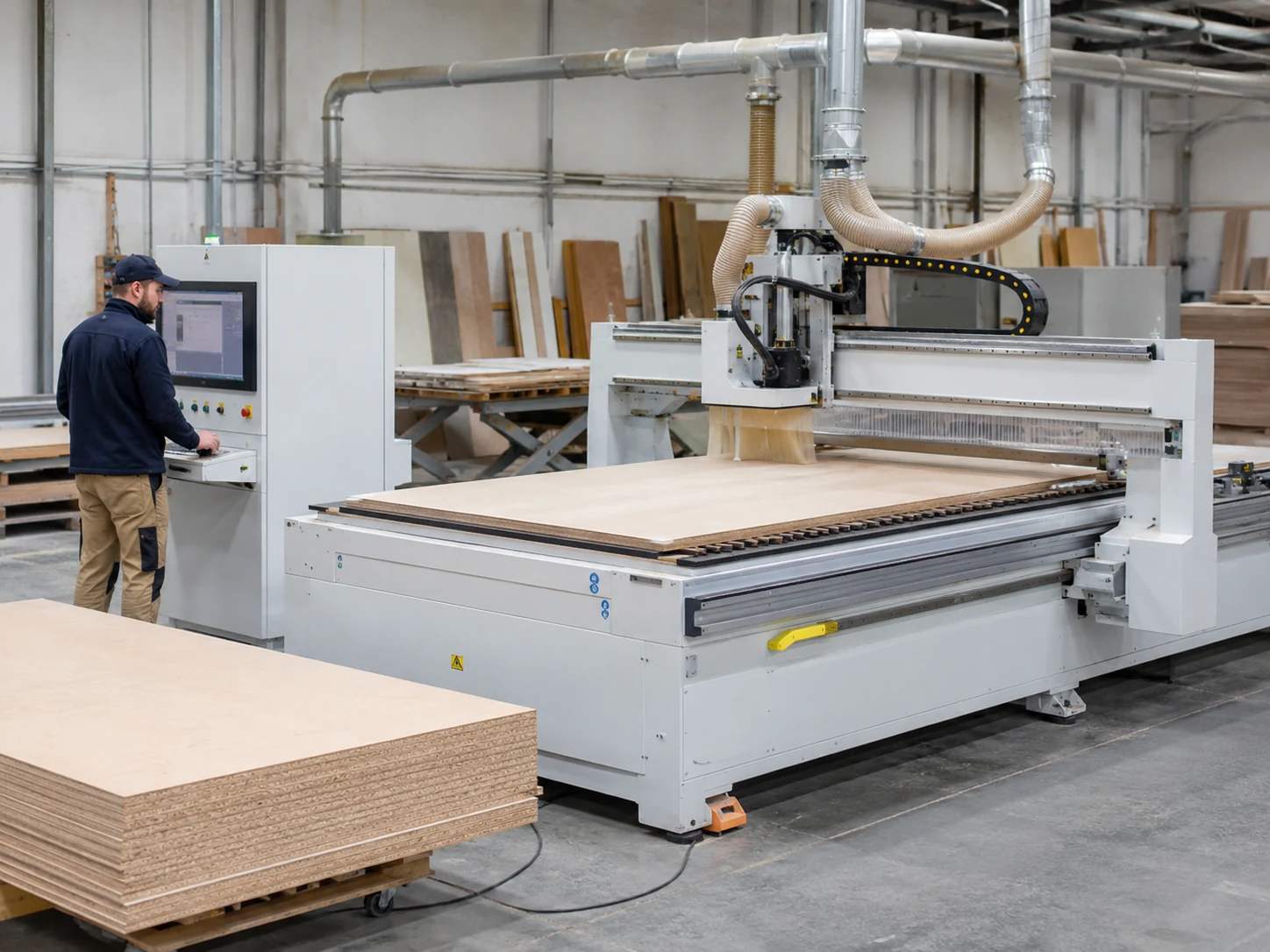
Ask whether support is remote or on-site, and whether it is included or charged separately. Your factory may also need to prepare floor space, access, power and grounding, compressed air, dust extraction, loading space, maintenance clearance, network access, operator workstation, and material storage.
Production-safety provisions belong in the layout and budget review. Plan dust extraction, guarding or enclosure, electrical connection and isolation, compressed-air preparation, operator training, and loading access according to the processed material, selected machine documentation, and applicable local requirements. OSHA woodworking guidance identifies machine guarding and wood dust as important hazards requiring suitable controls.
How Should You Compare Two CNC Router Quotations?
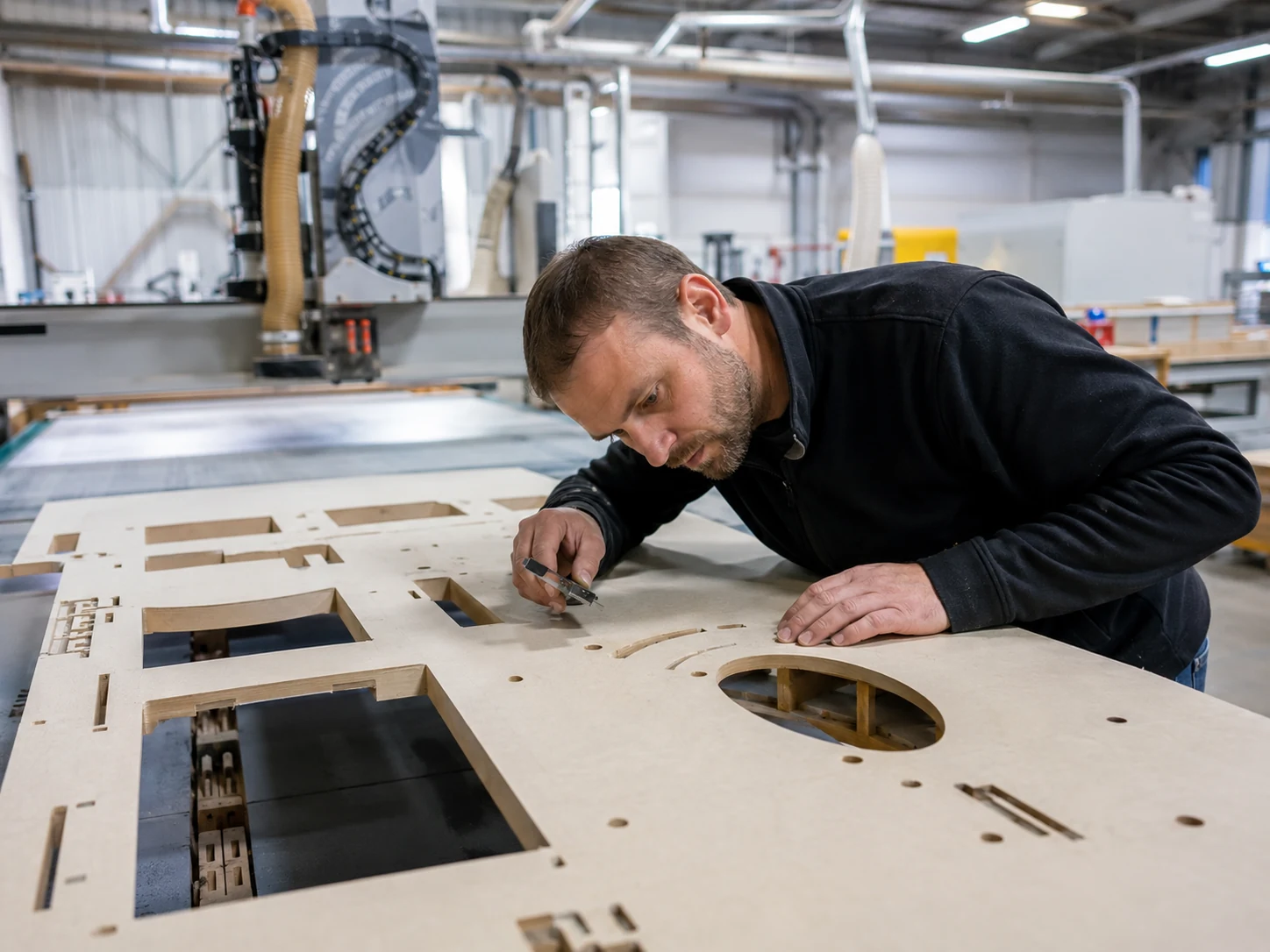
Do not compare the final totals until you know both quotations are covering the same job.
A simple way to compare: quotation price + the production items that are still missing.
| Compare | Supplier A | Supplier B | What You Need to Check |
|---|---|---|---|
| Machine type and axis design | Are you comparing the same machine architecture? | ||
| Usable X/Y/Z and workpiece height | Will the largest part fit with tooling, spoilboard, and fixtures? | ||
| Spindle and tool interface | Does it support the material, cutter sizes, and required process? | ||
| ATC type and tool capacity | How many tools do your real programs use? | ||
| Table, vacuum zones, and pump | Is the complete hold-down system included and suitable for the parts? | ||
| Drilling or PTP function | Can the machine handle the required hole volume without slowing the cycle too much? | ||
| Rotary / 4-axis / 5-axis scope | Which axes move, what is the usable angle, and what working envelope remains? | ||
| Loading, unloading, and labeling | Is manual handling going to limit output? | ||
| CAD/CAM, nesting, and post processor | Will the software workflow work with the controller and your design system? | ||
| Tooling and startup accessories | Is this only a demo set, or enough to start production? | ||
| Electrical, dust, and compressed air | What must your factory prepare before installation? | ||
| Freight, installation, training, warranty, and spares | What is included, optional, paid separately, or excluded? |
If one offer looks cheaper only because the vacuum pump, software, drilling, tooling, freight, or installation is missing, you are not comparing the real cost yet.
Already Comparing CNC Router Quotations?
Send the configuration sheets and a few representative part drawings. We can help you check whether the two offers actually cover the same production job.
Review My CNC Router RequirementsWhich CNC Router Upgrades Are Actually Worth Paying For?
| Upgrade | Worth it when | Keep it simple when |
|---|---|---|
| ATC | Programs repeatedly require several cutters. | Most work uses one cutter. |
| Larger working area | Regular parts exceed the smaller table. | Oversized work is rare. |
| Greater usable Z clearance | The complete tool, fixture, and material stack requires it. | Nominal travel is the only reason. |
| More tool positions | Programs use the additional tools. | The extra positions remain unused. |
| Stronger vacuum system | Part size, porosity, and cutting force require it. | Existing hold-down is stable. |
| Drill bank or PTP function | Hole volume restricts spindle production. | Drilling is limited and simple. |
| Automatic loading/unloading | Handling limits usable machine time. | Batch volume is low. |
| Labeling | Mixed panels need reliable identification. | Parts are simple and repeated. |
| Rotary axis | Cylindrical parts are regular products. | Work remains flat. |
| Coordinated 4-axis motion | Angled or multi-side geometry requires it. | Indexed or three-axis setups complete the parts. |
| Five axes | Complex access or changing tool orientation requires it. | Parts need only top-face operations. |
| Higher spindle power | The cutting process and machine structure require it. | Power is the only reason for the upgrade. |
Pay for an upgrade when it removes a real production bottleneck. If it does not, keep the simpler configuration.
Why the Cheapest 4 × 8 Router Can Cost More Later
Here is a simple example to show where a low machine price can become expensive later. This is not a Quick CNC customer record.
What Looked Like a Good Deal
A cabinet-parts factory picks the cheapest 4 × 8 ft router because the table size and spindle power look almost the same as two more expensive offers.
What Happened Next
Once production starts, the operator is changing tools by hand all the time, drilling takes too much spindle time, and parts need extra identification before the next process.
The router can cut the panels, but the whole process still cannot hit the planned output.
What Was Missed
The problem is not the table size. The quotations were compared without looking at the operation sequence, tool count, drilling load, part identification, handling time, and output per shift.
What Should Have Been Compared
Put the real process next to four possible directions: a standard fixed-tool router, ATC router, nesting workflow, and dedicated or connected drilling equipment.
What This Tells You
The cheapest machine is not always the cheapest way to produce the part. The better buy is the simplest setup that can finish the whole job without forcing you to add labor or extra equipment later.
How Can You Estimate a Production-Ready CNC Router Budget?
For a real budget, add the machine, the missing production items, shipping/import costs, factory preparation, startup tooling/software, and installation or commissioning.
- Pick the machine type from the material, part size, operations, and output target.
- Add only the options the process really needs.
- Add any pump, dust system, software, drilling, or other equipment missing from the quotation.
- Add shipping, import costs, and the factory work needed before installation.
- Keep running costs separate from the purchase price.
The operating-cost plan can include electricity, compressed air, cutters and collets, spoilboards, filters and lubrication, software renewal, operator training, preventive maintenance, and initial spare-parts stock.
Do not guess these costs with one fixed percentage. They change with the machine, the process, your factory, and the destination.
What Should You Send for an Accurate CNC Router Quotation?
The more clearly you describe the job, the easier it is to quote the right machine instead of guessing from a model name.
| Tell Us | What to Include | Why It Matters |
|---|---|---|
| Main product | Cabinets, doors, signs, furniture parts, molds, or another product | Shows the production flow |
| Material | MDF, plywood, solid wood, acrylic, plastic, foam, or another material | Changes tooling, spindle, hold-down, and dust needs |
| Common dimensions | Include inches and millimetres | Shows the table size you really use most |
| Maximum dimensions | Separate rare oversized parts | Stops you paying for an oversized table just for rare parts |
| Thickness | Common and maximum thickness | Changes tool choice and clearance |
| Z stack | Material, fixture or spoilboard, tool length, and required clearance | Shows the real workpiece height you need |
| Operations | Cutting, grooving, drilling, pocketing, engraving, profiling, or 3D work | Shows whether you need ATC, drilling, rotary, or more axes |
| Typical tool count | Tools used per program | Shows whether manual tool changes are enough |
| Hole pattern | Vertical, horizontal, hinge, and shelf holes | Shows whether router drilling is enough or a drilling machine is needed |
| Output target | Sheets, doors, or parts per shift | Shows how much machine and automation you really need |
| Product mix | Repeated batches or frequent custom jobs | Changes software and material-handling needs |
| Software | Existing CAD/CAM or design system | Shows what software connection and post processor are needed |
| Workshop conditions | Space, voltage, air, and dust extraction | Shows what the factory must prepare |
| Destination | Country, port, or delivery location | Allows packing and freight to be planned |
Quick CNC’s applications page can help you organize the material and production requirements before preparing an RFQ.
Which CNC Router Should You Budget For?
If the work is flat and you rarely change tools, start with a fixed-tool 3-axis router.
If manual tool changes keep stopping the job, move up to ATC.
For cabinet sheets, look at nesting, labeling or part identification, and drilling as one connected workflow.
Use a rotary-axis configuration for regular cylindrical parts. For angled or coordinated multi-side machining, define which four axes move together.
Go to five-axis only when the part shape really needs complex tool access or changing tool angles.
Before you compare prices, make sure every quotation is covering the same job.
Want a CNC Router Quote Based on Your Actual Work?
Send us the material, normal and maximum part size, Z stack, operations, tool count, output target, software, factory utilities, and destination. That gives us enough to start from the job instead of guessing from a machine name.
Send Your Production RequirementsFrequently Asked Questions
How much does a 4 × 8 CNC router cost?
A standard fixed-tool 4 × 8 CNC router often falls around $5,000–$30,000 as a broad planning range. ATC and nesting setups commonly move into the $12,000–$60,000+ range.
The 4 × 8 name only tells you the sheet size the machine is meant to handle. It does not tell you the spindle, ATC, vacuum, drilling, software, or automation included.
So compare the full configuration before you use the price as a real benchmark.
Why does an ATC CNC router cost more?
ATC costs more because you are adding more than a tool magazine. The machine may also need an ATC spindle, holders, air components, controller functions, and extra electrical integration.
It is worth the money when your jobs keep changing tools. If most programs only use three or four cutters, a very large magazine is probably unnecessary.
Look at a few real programs and count the tool changes before you choose the ATC type and capacity.
Is a cheaper fixed-tool CNC router enough for a small factory?
Yes. If most jobs use one cutter and manual changes are not slowing production, a fixed-tool router can be the smarter buy.
It becomes less suitable when the same part requires repeated cutting, grooving, drilling, pocketing, and profiling operations.
Choose from the actual tool-change workload, not from whether the factory is big or small.
What costs are normally excluded from a CNC router price?
The most common additional categories are tooling and software; vacuum, dust, and compressed-air equipment; packaging, freight, and import charges; installation and training; and electrical, floor, and factory preparation.
Ask the supplier to mark every required item as included, optional, supplied by your factory, or not applicable.
Does a larger spindle always make a CNC router more productive?
No. A larger spindle can raise the purchase and electrical cost, but production also relies on the cutter, material, cutting depth, speed range, frame rigidity, workholding, and chip or dust removal.
A bigger spindle will not fix the job if something else is the real bottleneck.
Choose the spindle from the cuts you actually need to make.
Is Z-axis travel the same as maximum cutting thickness?
No. Z travel is only the axis movement. It is not the same as the material thickness you can actually fit under the tool.
The spoilboard or fixture, tool length, safe clearance, gantry height, and spindle-head geometry all use part of the available space.
Ask for the usable workpiece-height drawing and calculate the complete Z stack before selecting the machine.
How much does CNC router shipping cost?
There is no single shipping number that works for every CNC router.
Freight must be calculated from the completed machine configuration, packing dimensions, weight, container requirement, destination, and commercial term.
Fix the machine configuration first. Then ask for the packing data and freight for your destination.
What should I provide to get an accurate CNC router quotation?
Send the main product, material, normal and maximum size, thickness, Z stack, operations, usual tool count, drilling needs, output target, software, voltage, factory conditions, and destination.
A few drawings or product photos also help us see whether you really need a standard router, ATC, nesting, rotary axis, coordinated 4-axis, or a separate drilling solution.

Frannie
Hello, I’m Frannie, a CNC machinery specialist with 15 years of experience in the woodworking CNC industry. I help furniture factories, cabinet makers, woodworking workshops, and production businesses choose CNC machines that match their production needs, factory size, budget, and efficiency goals.
My work focuses on solving real production problems, including replacing outdated equipment, improving machining efficiency, reducing labor costs, and upgrading to smarter CNC solutions. I also support customers with machine installation guidance, operation training, video support, and on-site training when needed, helping them use their machines more confidently and effectively.





